Introduction
A Transactional Email API is a specialized interface that allows developers to programmatically trigger and send these automated messages from their applications. Instead of managing complex mail servers, reputation, and ISP throttling in-house, businesses leverage these APIs to outsource the heavy lifting of deliverability. These services provide high-speed infrastructure designed specifically for “one-to-one” communication, ensuring that a critical receipt reaches a customer’s inbox in milliseconds.
Why is this important? Because transactional emails have significantly higher open rates than marketing content—often exceeding 80%. They are a critical touchpoint for security (alerting users to new logins) and operational transparency (tracking a package). Key evaluation criteria for choosing a provider include time-to-inbox, reputation management, developer documentation, and scalability. You need a tool that grows with your user base without compromising the speed of your core app workflows.
Best for: Developers, SaaS founders, and product managers who need reliable, automated messaging for user accounts, e-commerce stores, and mission-critical notifications. It is essential for any company where email delivery is tied directly to a successful user transaction or security protocol.
Not ideal for: Pure-play marketing teams who only send newsletters and promotional campaigns. While many of these tools handle marketing, a specialized Marketing Automation Platform (MAP) is often better if you don’t have engineering resources to integrate an API.
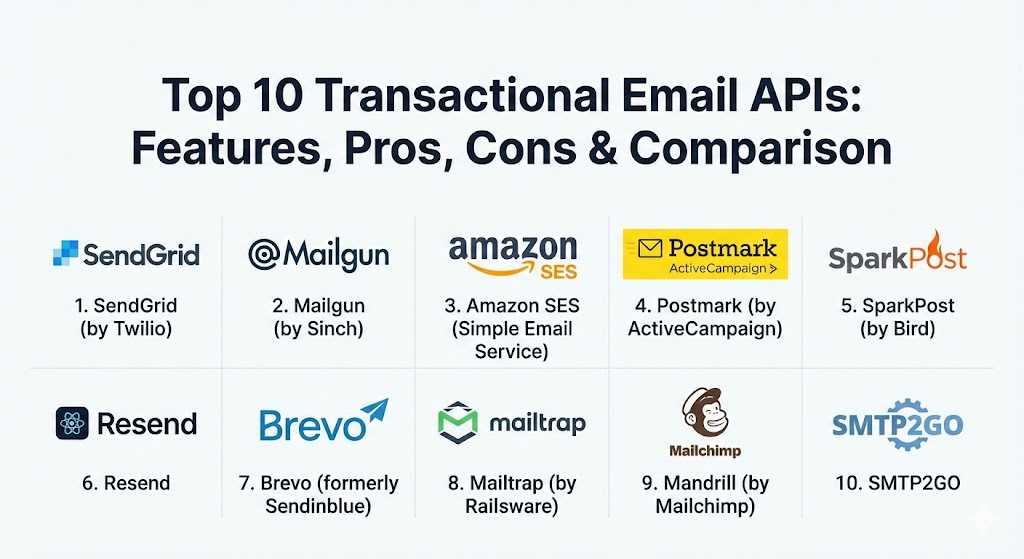
Top 10 Transactional Email APIs
1 — SendGrid (by Twilio)
SendGrid is perhaps the most recognizable name in the email delivery space. Now a part of Twilio, it processes billions of emails monthly for giants like Uber and Airbnb. It is built for massive scale and offers a robust suite of tools for both developers and marketers.
- Key features:
- High-performance RESTful API and SMTP relay options.
- Dynamic template engine with “handlebars” support for personalization.
- Real-time event webhooks for tracking bounces, clicks, and opens.
- Advanced deliverability tools, including automated IP warm-up.
- Subuser management for compartmentalizing different apps or clients.
- Integrated email validation API to reduce bounce rates.
- Comprehensive dashboard for deep analytics and engagement metrics.
- Pros:
- Proven infrastructure that can handle millions of sends per minute without lag.
- Extensive documentation and SDKs for almost every programming language.
- Cons:
- Support response times can be slow on lower-tier and free plans.
- Pricing becomes significantly steeper as your volume exceeds the basic tiers.
- Security & compliance: SOC 2 Type II, GDPR, HIPAA (on certain plans), and TLS encryption for data in transit.
- Support & community: Extensive library of tutorials, a large Stack Overflow presence, and tiered support including 24/7 phone support for premium users.
2 — Mailgun (by Sinch)
Mailgun is famously “built for developers, by developers.” It focuses on giving engineers the granular control they need over their sending domains and reputations, with a strong emphasis on powerful APIs and testing tools.
- Key features:
- Modular API design allowing for flexible integration.
- Sophisticated email parsing engine for handling inbound mail.
- Built-in email validation to clean lists programmatically.
- Detailed log retention and searchable history for troubleshooting.
- Reputation monitoring and “Send Time Optimization” powered by AI.
- Flexible routing rules for complex transactional workflows.
- Pros:
- Exceptionally developer-friendly with intuitive API endpoints and clear error codes.
- High level of transparency into what happens to an email after it leaves the server.
- Cons:
- The user interface for non-technical staff is less intuitive than competitors.
- “Pay-as-you-go” pricing can lead to unexpected costs if volume spikes aren’t monitored.
- Security & compliance: ISO 27001, SOC 2, HIPAA, and GDPR compliant. Includes SSO and multi-factor authentication.
- Support & community: Robust documentation and a strong technical blog; support is generally fast, though “Premier” support requires an extra fee.
3 — Amazon SES (Simple Email Service)
For teams already embedded in the AWS ecosystem, Amazon SES is often the default choice. It is a no-frills, high-reliability service that offers the lowest price point in the industry, making it the favorite for high-volume, cost-conscious enterprises.
- Key features:
- Seamless integration with other AWS services like Lambda and S3.
- Flexible deployment via API, SMTP, or the AWS Console.
- Virtual Deliverability Manager for automated inbox placement insights.
- Support for dedicated, shared, or even “Bring Your Own” IP addresses.
- Detailed sending statistics and reputation dashboards.
- Configurable notification sets for bounces and complaints.
- Pros:
- Unbeatable pricing—significantly cheaper than any other major provider.
- Rock-solid reliability backed by Amazon’s global infrastructure.
- Cons:
- Extremely steep learning curve; requires significant technical setup and AWS knowledge.
- No built-in visual template builder; you must manage your own HTML templates.
- Security & compliance: FedRAMP, HIPAA, GDPR, SOC 1/2/3, and ISO 27001/27017/27018.
- Support & community: Supported via standard AWS Support plans; community support is found through the AWS re:Post forums.
4 — Postmark (by ActiveCampaign)
Postmark has built its entire brand on a single promise: “Speed and deliverability for transactional email.” They are unique because they historically discouraged marketing mail on their transactional infrastructure to protect their reputation.
- Key features:
- Industry-leading delivery speed with a focus on “time-to-inbox.”
- Pre-built, professionally designed templates for common transactions (e.g., password resets).
- Detailed 45-day message history and full content retention for debugging.
- “Message Streams” to keep transactional and broadcast mail on separate IPs.
- Inbound processing to receive and parse emails within your app.
- Pros:
- Exceptional customer support that is fast, human, and technically proficient.
- One of the best user interfaces in the category—clean, fast, and easy to navigate.
- Cons:
- Higher price-per-email compared to high-volume competitors like SES.
- Smaller set of native integrations compared to SendGrid or Mailgun.
- Security & compliance: SOC 2 Type II, HIPAA (with BAA), GDPR, and Privacy Shield.
- Support & community: High “happiness rating” from users; excellent guides on deliverability best practices.
5 — SparkPost (by Bird)
Now rebranded under the “Bird” umbrella, SparkPost is an enterprise-grade solution that prides itself on data-driven delivery. It is known for providing the most detailed analytics in the business, helping large corporations optimize every send.
- Key features:
- Predictive insights that alert you to deliverability issues before they happen.
- Real-time “Email health scores” based on engagement and bounce data.
- Massive throughput capacity for high-volume enterprise senders.
- Comprehensive subaccount management for agencies and franchises.
- A/B testing for transactional templates.
- Pros:
- Deepest analytics and data reporting available in the transactional market.
- High deliverability rates for complex, global sending requirements.
- Cons:
- The platform can feel “over-engineered” for small startups or simple apps.
- Rebranding and acquisitions have caused some confusion in product documentation.
- Security & compliance: SOC 2, HIPAA, GDPR, and ISO 27001.
- Support & community: Enterprise-level support with dedicated deliverability consultants available.
6 — Resend
Resend is the “new kid on the block” that has quickly become a developer favorite. It focuses on modern web development workflows, particularly for teams using React, Next.js, and serverless architectures.
- Key features:
- First-class support for “React Email,” allowing templates to be built as React components.
- Clean, modern REST API that is a joy to integrate.
- Built-in multi-region sending for ultra-low latency.
- Beautifully designed dashboard for tracking and debugging.
- Seamless integration with Vercel and modern CI/CD pipelines.
- Pros:
- Best-in-class developer experience for the modern JavaScript/TypeScript ecosystem.
- “React Email” integration makes designing responsive, beautiful emails much easier.
- Cons:
- Still a younger platform; lacks some of the legacy enterprise features of SendGrid.
- Advanced deliverability management tools are still being expanded.
- Security & compliance: SOC 2, GDPR, and TLS 1.2+ encryption.
- Support & community: Very active on social media and Discord; documentation is modern and highly visual.
7 — Brevo (formerly Sendinblue)
Brevo offers a versatile platform that bridges the gap between transactional and marketing needs. It is particularly popular in Europe due to its strong compliance posture and all-in-one feature set.
- Key features:
- Unified API for transactional email, SMS, and WhatsApp messages.
- Drag-and-drop template editor that is accessible to non-developers.
- Marketing automation triggers based on transactional events.
- Multilingual support and templates for global organizations.
- Built-in CRM to track user interactions across channels.
- Pros:
- Great “bang for your buck” with a generous free tier and flat-rate pricing.
- Excellent for businesses that want a single platform for all customer communications.
- Cons:
- API performance can occasionally be slower than specialized tools like Postmark.
- The broad feature set can make the interface feel cluttered.
- Security & compliance: GDPR (EU-based), ISO 27001, and SOC 2.
- Support & community: Multi-language support via email and chat; extensive educational webinars.
8 — Mailtrap (by Railsware)
Mailtrap started as a testing tool for developers to “catch” emails in a sandbox. It has since expanded into a full email infrastructure platform, offering a high-quality sending API that leverages their years of testing expertise.
- Key features:
- Built-in email sandbox for testing without risk of “spamming” real users.
- Separate sending streams for transactional and bulk emails to protect reputation.
- In-depth “Spam Score” checking before you send.
- Automated suppressions for bounces and unsubscribes.
- High-retention logs and template previews.
- Pros:
- The integration of testing and sending in one platform is a huge time-saver.
- Very high focus on data quality and protecting the sender’s reputation.
- Cons:
- The “Sending” side of the platform is newer than established giants like Mailgun.
- Pricing can be complex when balancing testing and sending quotas.
- Security & compliance: GDPR compliant, SOC 2, and data encryption at rest/transit.
- Support & community: Excellent documentation for technical setups; fast email support.
9 — Mandrill (by Mailchimp)
Mandrill is the transactional arm of Mailchimp. It is specifically designed for Mailchimp users who want to trigger emails using the same templates and data they use for their marketing campaigns.
- Key features:
- Tight integration with the Mailchimp ecosystem and audience data.
- Comparative reporting to see how transactional mail performs vs marketing.
- Rules-based engine for tagging and tracking different email types.
- Automated split-testing for transactional messages.
- Dedicated IP options for high-volume senders.
- Pros:
- Ideal for teams already using Mailchimp; keeps all email logic under one roof.
- Powerful template management that leverages Mailchimp’s industry-leading editor.
- Cons:
- Only available as a paid add-on to a Mailchimp subscription; you cannot use it standalone.
- Can be very expensive for small apps that don’t need the full Mailchimp marketing suite.
- Security & compliance: SOC 2, GDPR, and Privacy Shield.
- Support & community: Supported via Mailchimp’s standard channels; extensive community guides.
10 — SMTP2GO
SMTP2GO is a “quiet overachiever” in the space, known for its extreme reliability and focus on deliverability features. It is a favorite among IT departments and managed service providers (MSPs).
- Key features:
- Robust worldwide infrastructure with data centers in the US, EU, and Australia.
- Real-time blacklist monitoring to protect your domain’s health.
- Visual reporting that shows exactly why an email was rejected or bounced.
- “Inbox Previews” to see how emails look across different devices.
- Easy integration for legacy systems via SMTP relay.
- Pros:
- One of the most reliable services for getting emails past strict corporate filters.
- Transparent, volume-based pricing that is easy to predict and scale.
- Cons:
- API features are somewhat basic compared to developer-first tools like Resend or Mailgun.
- The dashboard design feels slightly dated.
- Security & compliance: GDPR, SOC 2, HIPAA, and 2FA support.
- Support & community: Award-winning 24/7 support via phone, chat, and email.
Comparison Table
| Tool Name | Best For | Platform(s) Supported | Standout Feature | Rating (Gartner/True) |
| SendGrid | Large Scale SaaS | Multi-Language SDKs | Global Infrastructure | 4.2 / 5 |
| Mailgun | Technical Developers | REST, SMTP, SDKs | Inbound Parsing & Logs | 4.3 / 5 |
| Amazon SES | High Volume / Low Cost | AWS Integration | Pricing ($0.10/1k) | 4.5 / 5 |
| Postmark | Speed & Reliability | REST, SMTP | 45-day Content Logs | 4.8 / 5 |
| SparkPost | Enterprise Analytics | REST API, SMTP | Predictive Health Scores | 4.1 / 5 |
| Resend | Modern JS/TS Apps | React Email, SDKs | React-as-Email Engine | 4.9 / 5 |
| Brevo | Multichannel SMBs | API, SMTP, Plugins | All-in-one CRM/SMS | 4.4 / 5 |
| Mailtrap | Dev Testing & Sending | API, Sandbox | Integrated QA Sandbox | 4.7 / 5 |
| Mandrill | Mailchimp Users | API, SMTP | Shared Marketing Data | 4.0 / 5 |
| SMTP2GO | High Deliverability | SMTP, REST API | Blacklist Monitoring | 4.6 / 5 |
Evaluation & Scoring of Transactional Email APIs
To choose the right provider, we evaluate based on a weighted rubric that reflects the real-world priorities of engineering and product teams.
| Category | Weight | Evaluation Criteria |
| Core Features | 25% | Deliverability, speed, template management, and webhook support. |
| Ease of Use | 15% | Quality of the UI, dashboard speed, and template editor sophistication. |
| Integrations | 15% | Language-specific SDKs, cloud platform native support, and CRM links. |
| Security & Compliance | 10% | Encryption, SOC 2/HIPAA availability, and data residency options. |
| Performance | 10% | Uptime SLA, time-to-inbox, and global latency. |
| Support & Community | 10% | Documentation clarity, response times, and community presence. |
| Price / Value | 15% | Cost-per-thousand emails and the generosity of the free tier. |
Which Transactional Email API Tool Is Right for You?
The “perfect” API depends on your specific stage of growth and your technical stack.
Solo Users & Startups
If you are just launching, you want a generous free tier and ease of setup. Resend is excellent for modern developers who want to get up and running in minutes with React. Brevo is also a strong contender because its pricing is based on emails sent, not contacts, making it very budget-friendly for small lists.
Small to Medium Businesses (SMBs)
SMBs usually need a mix of reliability and ease of management. Postmark is highly recommended here because its support is stellar and its UI is so intuitive that non-developers can help manage email templates without breaking things. Mailtrap is another great choice as it lets your team test emails safely before they go live.
Mid-Market to Enterprise
At this scale, you are looking for advanced analytics and subaccount management. SendGrid is the industry standard for a reason—it can scale to billions of messages. SparkPost (Bird) is the choice for enterprises that want AI-powered insights into their delivery health to shave seconds off their inbox time and pennies off their bounce costs.
Budget-Conscious vs. Premium
If cost is your primary driver and you have the engineering talent to build your own wrapper, Amazon SES is unbeatable. You will pay a fraction of what you would pay elsewhere. However, if “developer time” is more expensive than “API cost,” premium services like Postmark or Mailgun are better because they provide tools that save hours of debugging.
Frequently Asked Questions (FAQs)
1. What is the difference between transactional and marketing email?
Transactional emails are triggered by user actions (like a receipt). Marketing emails are sent by the business to a list (like a newsletter). Transactional emails usually don’t need an unsubscribe link and have much higher delivery priority.
2. Why should I use an API instead of my own SMTP server?
Building your own server is easy; maintaining a “reputation” so your emails don’t hit the spam folder is hard. API providers spend millions ensuring their IPs are “clean” and accepted by Gmail, Outlook, and Yahoo.
3. Do I need a dedicated IP address?
Only if you send high volumes (usually >100,000 per month). For smaller volumes, a “shared IP” with other reputable senders is actually better for maintaining a consistent sending warm-up.
4. How fast should a transactional email be?
Ideally, it should land in the inbox in under 5 seconds. This is critical for 2FA codes or password resets where a user is literally waiting on the screen for the email to arrive.
5. Can I send transactional emails for free?
Most providers offer a free tier. For example, SendGrid offers 100 emails per day for free, while Amazon SES has a generous free tier for those sending from AWS EC2 instances.
6. What is “Email Validation” and why does it matter?
Email validation checks if an address exists before you send to it. This prevents “hard bounces,” which can damage your reputation with ISPs and get your account suspended.
7. Is HIPAA compliance important for email APIs?
If you are in healthcare and sending “Protected Health Information” (PHI), yes. Not all providers will sign a Business Associate Agreement (BAA), so check this specifically (Postmark and AWS do).
8. What are “Webhooks” in the context of email?
Webhooks are automated notifications the API sends back to your app. For example, when a user opens an email, the API “pings” your server so you can update your database in real-time.
9. Can I use these APIs to receive email?
Many of them (like Mailgun, Postmark, and AWS) offer “Inbound Processing.” They receive an email, turn it into a JSON object, and “POST” it to your application for processing.
10. What is SPF, DKIM, and DMARC?
These are authentication protocols that prove you own your domain and that the email API has permission to send on your behalf. Setting these up is mandatory for high deliverability in 2026.
Conclusion
The “best” Transactional Email API isn’t just about the lowest price or the flashiest dashboard; it’s about the tool that integrates most naturally with your development workflow and provides the most reliable “time-to-inbox.” Whether you prioritize the modern developer experience of Resend, the enterprise-grade analytics of SparkPost, or the raw cost-efficiency of Amazon SES, the goal remains the same: ensuring that every critical interaction between your application and your user is delivered with 100% certainty.