Introduction
Cloud hosting is a type of web hosting that uses multiple different servers to balance the load and maximize uptime. Instead of your website or application being hosted on a single machine, it is spread across a network of connected virtual and physical cloud servers. This architecture ensures that if one server fails, another takes over seamlessly, providing high availability and near-infinite scalability.
In 2026, cloud hosting is the backbone of the internet because it eliminates the physical constraints of traditional hardware. It allows businesses to “pay-as-you-grow,” transforming capital expenditure into operational flexibility. Key real-world use cases include streaming high-definition content, processing big data analytics in real-time, and hosting decentralized applications (dApps). When evaluating these platforms, users should look for uptime SLAs (Service Level Agreements), global latency coverage, API maturity, and egress cost transparency.
Best for: Developers, IT managers, and business owners ranging from solo entrepreneurs to Fortune 500 companies. It is essential for industries that experience unpredictable traffic spikes, such as gaming, retail, and media.
Not ideal for: Very small personal blogs with negligible traffic where a $2/month shared hosting plan is sufficient, or legacy businesses with static data that do not require any scaling or advanced computing features.
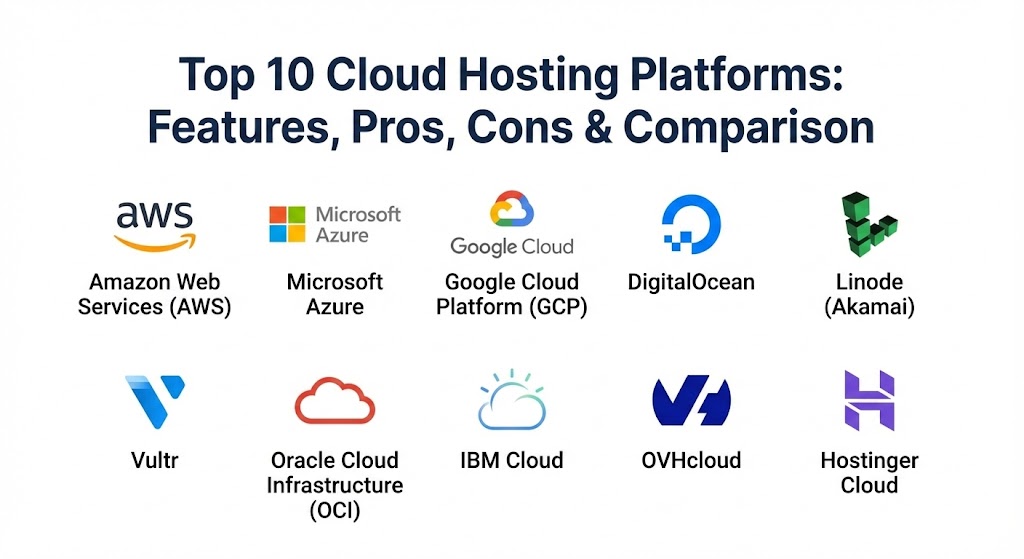
Top 10 Cloud Hosting Platforms
1 — Amazon Web Services (AWS)
As the undisputed market leader, AWS provides the most comprehensive ecosystem in the cloud industry. With over 200 fully featured services, it is the platform of choice for enterprises requiring maximum flexibility and global reach.
- Key features:
- Amazon EC2: Highly scalable virtual computing capacity.
- AWS Lambda: Serverless computing for running code without managing servers.
- Amazon S3: Industry-leading object storage with 99.999999999% durability.
- Global Footprint: Availability zones in nearly every major geographic region.
- Marketplace: Thousands of third-party software listings ready to deploy.
- AWS Outposts: Hybrid cloud functionality for on-premises data.
- Pros:
- Unrivaled breadth of services; if a technology exists, AWS likely has a managed service for it.
- Massive community and documentation, making it easy to find certified talent.
- Cons:
- Extremely complex pricing structures that often lead to “billing shock.”
- The learning curve is steep, requiring dedicated certifications for mastery.
- Security & compliance: SOC 1/2/3, ISO 27001, FedRAMP, HIPAA, GDPR, and PCI DSS compliant.
- Support & community: Tiered support plans ranging from free basic support to enterprise-level Technical Account Managers (TAMs).
2 — Microsoft Azure
Azure is the preferred choice for organizations already invested in the Microsoft ecosystem. Its deep integration with Windows Server, Active Directory, and Office 365 makes it a seamless extension for corporate IT environments.
- Key features:
- Azure Virtual Machines: Support for Linux and Windows instances.
- Azure Kubernetes Service (AKS): Simplified deployment of containerized apps.
- Hybrid Benefit: Cost savings for users with existing on-premises licenses.
- Azure AI: Advanced tools for machine learning and cognitive services.
- Azure SQL Database: Fully managed relational database with AI-driven tuning.
- Enterprise Integration: Best-in-class SSO via Entra ID (Active Directory).
- Pros:
- Superior hybrid cloud capabilities for connecting local data centers to the cloud.
- Very attractive pricing for existing Microsoft customers through enterprise agreements.
- Cons:
- The management console can be slower and more cluttered than competitors.
- Some open-source service implementations feel less mature than on AWS or GCP.
- Security & compliance: Over 90 compliance offerings, including ITAR, CJIS, and HIPAA.
- Support & community: Robust enterprise support; large network of Microsoft Gold Partners for implementation.
3 — Google Cloud Platform (GCP)
GCP has carved out a niche as the leader in data analytics and artificial intelligence. Built on the same infrastructure that powers Google’s search engine, it excels at handling massive datasets and complex ML workloads.
- Key features:
- BigQuery: Serverless, highly scalable data warehouse for real-time analytics.
- Google Kubernetes Engine (GKE): The original and most advanced K8s implementation.
- Vertex AI: A unified platform for building and deploying AI models.
- Private Global Fiber: High-speed internal network that reduces latency.
- Cloud Run: Fully managed serverless platform for containerized apps.
- Sustainable Infrastructure: Commitment to 24/7 carbon-free energy.
- Pros:
- Excellent developer experience with a more logical, consistent API design.
- Performance leadership in “Big Data” processing and machine learning training.
- Cons:
- Smaller service catalog and fewer global regions compared to AWS.
- Less focus on traditional enterprise legacy support.
- Security & compliance: ISO 27001, SOC 2/3, HIPAA, and custom transparency logs.
- Support & community: Strong documentation and a growing community of cloud-native developers.
4 — DigitalOcean
DigitalOcean caters to startups and individual developers who find the “Big Three” hyperscalers too complex. It focuses on simplicity, transparent pricing, and a developer-first UX.
- Key features:
- Droplets: Flexible, SSD-based virtual machines that deploy in 55 seconds.
- App Platform: Fully managed PaaS for deploying code directly from GitHub.
- Managed Databases: Hassle-free PostgreSQL, MySQL, and Redis.
- Spaces: S3-compatible object storage with a built-in CDN.
- DO Kubernetes (DOKS): One of the simplest managed K8s setups available.
- Simple Firewalls: Easy-to-configure security rules for droplets.
- Pros:
- Predictable monthly pricing with no hidden egress fees for standard usage.
- Widely considered to have the best technical tutorials in the industry.
- Cons:
- Limited advanced services (no specialized AI hardware or complex hybrid networking).
- Not designed for massive, multi-national enterprise infrastructure needs.
- Security & compliance: SOC 2 Type II, ISO 27001, and GDPR compliant.
- Support & community: 24/7 ticket support; world-class community Q&A and tutorials.
5 — Linode (Akamai Connected Cloud)
Now part of Akamai, Linode has evolved into a global force that combines simple cloud computing with the world’s most distributed edge network. It remains a favorite for Linux power users.
- Key features:
- Compute Instances: High-performance VMs with dedicated CPU options.
- LKE (Linode Kubernetes Engine): Zero-cost control plane for Kubernetes.
- Akamai Integration: Seamless edge computing and security (WAF/DDoS).
- Object Storage: Reliable and affordable S3-compatible storage.
- Linode CLI: Powerful command-line interface for infrastructure as code.
- One-Click Apps: Deploy WordPress, Docker, or Minecraft in one click.
- Pros:
- Exceptional price-to-performance ratio, often outperforming AWS in raw benchmarks.
- Human-led support is included for all customers, not hidden behind a paywall.
- Cons:
- Management dashboard feels slightly “retro” compared to GCP or DigitalOcean.
- Smaller catalog of managed higher-level services (like AI/ML APIs).
- Security & compliance: SOC 2 Type II, ISO 27001, and HIPAA compliance readiness.
- Support & community: 24/7/365 US-based phone and ticket support; active IRC and forum communities.
6 — Vultr
Vultr is built for speed and global coverage. It offers one of the widest ranges of data center locations (over 32 worldwide), allowing developers to place their apps as close to users as possible.
- Key features:
- High Frequency Compute: 3GHz+ CPUs for latency-sensitive applications.
- Vultr Talon: Cloud GPU instances featuring NVIDIA hardware.
- Bare Metal: Dedicated physical servers with cloud-like flexibility.
- Vultr Kubernetes Engine: Fully managed and CNCF-certified.
- Direct Connect: Private networking between Vultr and on-premise locations.
- Native DDoS Protection: Optional add-on for all instances.
- Pros:
- Massive global footprint—ideal for gaming or localized content delivery.
- Extremely fast provisioning times and high-performance NVMe storage.
- Cons:
- Billing can be rigid compared to the “per-second” billing of hyperscalers.
- Support response times can be inconsistent for lower-tier users.
- Security & compliance: SOC 2 Type II and HIPAA compliant.
- Support & community: Online ticketing system and a large library of technical guides.
7 — Oracle Cloud Infrastructure (OCI)
OCI is a “hidden gem” in the cloud world, offering surprising performance and a very generous “Always Free” tier. It is the best platform for running heavy-duty Oracle databases.
- Key features:
- Autonomous Database: Self-driving, self-securing, and self-repairing DB.
- Non-oversubscribed Network: Guaranteed bandwidth with no noisy neighbors.
- Oracle Container Engine for Kubernetes: Fully managed and scalable.
- High Performance Computing (HPC): Specialized hardware for R&D.
- FastConnect: High-speed private connectivity to OCI.
- Identity & Access Management: Included at no extra cost.
- Pros:
- Best-in-class performance for database-heavy enterprise applications.
- Significant cost savings compared to AWS for similar compute power.
- Cons:
- The ecosystem of third-party tools and plugins is much smaller than competitors.
- The interface can be confusing for developers who don’t use Oracle software.
- Security & compliance: FedRAMP High, SOC 1/2/3, and GDPR.
- Support & community: Enterprise support follows the standard Oracle professional model.
8 — IBM Cloud
IBM Cloud focuses on “Enterprise Grade” solutions, particularly for regulated industries like finance and government. It leverages its acquisition of Red Hat to dominate the hybrid cloud market.
- Key features:
- Red Hat OpenShift on IBM Cloud: The gold standard for hybrid containerization.
- IBM Watson: Integrated AI and machine learning for business.
- Bare Metal Servers: Highly customizable physical servers with hourly billing.
- Quantum Computing: Access to real quantum processors for research.
- Hyper Protect Crypto Services: Dedicated HSM for high-security data.
- VPC Networking: Flexible and secure virtual private clouds.
- Pros:
- The best choice for banks and insurance companies requiring high security.
- Deep expertise in OpenShift makes it excellent for complex hybrid strategies.
- Cons:
- Generally more expensive than DigitalOcean or Vultr for small projects.
- The platform can feel disjointed due to many legacy acquisitions.
- Security & compliance: FIPS 140-2 Level 4 (industry highest), HIPAA, and SOC.
- Support & community: Strong focus on white-glove enterprise support and consulting.
9 — OVHcloud
OVHcloud is Europe’s leading cloud provider, emphasizing data sovereignty and price transparency. They are a top choice for users who want to avoid the “US-centric” cloud giants.
- Key features:
- Public Cloud: OpenStack-based infrastructure for flexibility.
- Dedicated Servers: Industry-leading physical hardware options.
- vRack: Private networking across all OVHcloud data centers.
- Hosted Private Cloud: Managed VMware environments.
- Eco-friendly Cooling: Proprietary water-cooling technology for data centers.
- Sovereign Cloud: Guarantees data stays within specific legal jurisdictions.
- Pros:
- Excellent value for money, especially for high-bandwidth workloads.
- Strong commitment to privacy and freedom from the US Cloud Act.
- Cons:
- Customer support has historically been a weak point (though improving).
- The management panel can be technically demanding for beginners.
- Security & compliance: ISO 27001, SOC 1/2 Type II, SecNumCloud (France).
- Support & community: Multiple support tiers; active European community.
10 — Hostinger Cloud
While known for shared hosting, Hostinger’s Cloud Hosting has become a 2026 standout for small businesses. It offers the power of a dedicated resource pool with the simplicity of a shared hosting panel.
- Key features:
- hPanel: Proprietary control panel that is much easier than AWS or Azure.
- Isolated Resources: Dedicated CPU, RAM, and disk for every cloud account.
- LiteSpeed Web Server: Built-in caching for 5x faster website loading.
- Daily Backups: Automated and easy-to-restore data protection.
- Free Domain & Email: Bundled services for small business simplicity.
- One-Click Staging: Test site changes before going live.
- Pros:
- The absolute easiest “Cloud” platform for non-technical business owners.
- Incredible value for money with high-speed NVMe storage.
- Cons:
- Lacks advanced API features for complex DevOps automation.
- You cannot install a custom OS; you are tied to their optimized environment.
- Security & compliance: Let’s Encrypt SSL, Cloudflare protected nameservers, and GDPR.
- Support & community: 24/7 live chat support with very fast response times.
Comparison Table
| Tool Name | Best For | Platform(s) Supported | Standout Feature | Rating (Gartner/TrueReview) |
| AWS | Global Enterprises | Linux, Windows, Mac | Ecosystem Breadth | 4.8 / 5.0 |
| Microsoft Azure | Microsoft Shops | Linux, Windows | Hybrid Integration | 4.7 / 5.0 |
| Google Cloud | Data & AI/ML | Linux, Windows | BigQuery Analytics | 4.6 / 5.0 |
| DigitalOcean | Startups / Devs | Linux | Simple Predictable Billing | 4.7 / 5.0 |
| Linode/Akamai | Price/Performance | Linux | Edge Network reach | 4.6 / 5.0 |
| Vultr | Global Coverage | Linux, Windows | 32+ Global Locations | 4.5 / 5.0 |
| Oracle Cloud | Databases | Linux, Windows | Autonomous DB | 4.4 / 5.0 |
| IBM Cloud | Regulated Industries | Linux, Windows | Red Hat OpenShift | 4.3 / 5.0 |
| OVHcloud | Data Sovereignty | Linux, Windows | Water-cooled Hardware | 4.2 / 5.0 |
| Hostinger Cloud | Small Business | Linux (Custom) | hPanel Simplicity | 4.8 / 5.0 |
Evaluation & Scoring of Cloud Hosting Platforms
To provide an objective ranking, we have evaluated these platforms across seven critical dimensions using a weighted scoring rubric.
| Category | Weight | Evaluation Criteria |
| Core Features | 25% | Availability of VMs, storage, networking, and serverless options. |
| Ease of Use | 15% | Dashboard intuitiveness, API design, and CLI accessibility. |
| Integrations | 15% | Ecosystem of third-party apps, marketplaces, and CI/CD tools. |
| Security & Compliance | 10% | Certifications (HIPAA, etc.) and native security tools like WAFs. |
| Performance | 10% | Uptime history, global latency, and disk I/O speeds. |
| Support & Community | 10% | Helpfulness of docs, response times, and active user forums. |
| Price / Value | 15% | Transparency of billing and overall cost for resources provided. |
Which Cloud Hosting Platform Is Right for You?
Choosing a platform depends on your technical expertise, your budget, and where your users are located. Use this guide to narrow your search:
- Solo Developers & Side Projects: If you want to deploy a side project quickly without a steep bill, DigitalOcean or Linode are your best bets. They offer $5-10 tiers that can handle significant traffic before needing an upgrade.
- Fast-Growing Startups: If you expect to scale to millions of users, start with Google Cloud (for their superior Kubernetes) or AWS (for their startup credits and ecosystem).
- Small Businesses (Static Sites/eCommerce): If you are not a developer and just need a fast website for your local business, Hostinger Cloud provides the best balance of speed and an easy control panel.
- Large Corporate Environments: If your company runs on Outlook, Teams, and Active Directory, Microsoft Azure is the logical path. The integration with your existing identity management saves months of engineering work.
- Data-Heavy & AI Startups: If your product relies on training large language models (LLMs) or processing petabytes of data, Google Cloud (BigQuery/Vertex AI) or Oracle Cloud (for cheap high-performance compute) should be at the top of your list.
- Privacy & Compliance Sensitive: If you are a European entity concerned about US data laws, OVHcloud or IBM Cloud provide the necessary sovereign infrastructure to keep your legal team happy.
Frequently Asked Questions (FAQs)
1. What is the difference between Cloud Hosting and VPS?
A VPS (Virtual Private Server) is a single virtual slice of a physical machine. Cloud hosting is a network of virtualized resources spread across many physical machines. Cloud hosting is more reliable because it doesn’t have a single point of failure.
2. How does “Pay-As-You-Go” billing work?
In cloud hosting, you are typically billed by the second or hour for the resources you consume (CPU, RAM, Storage). If you turn a server off for 12 hours, you stop paying for the compute power during that time.
3. What is a “Managed” Cloud Hosting service?
Managed services (like those offered by Hostinger or Cloudways) handle the technical server maintenance, security patches, and backups for you. “Unmanaged” cloud requires you to use the command line to set up your own environment.
4. Why are egress fees so controversial?
Egress fees are what cloud providers charge you to move your data out of their cloud. Hyperscalers like AWS can have high fees, which makes it expensive to switch providers—a phenomenon known as “vendor lock-in.”
5. Which cloud provider is the most secure?
All top providers are highly secure at the infrastructure level. However, security is a “shared responsibility.” The provider secures the hardware, but you are responsible for securing your application code and access keys.
6. Can I host a WordPress site on the cloud?
Yes. You can install WordPress on a raw Linux instance on AWS/DigitalOcean, or use a managed cloud WordPress service from Hostinger or Vultr for a much easier experience.
7. What is an SLA uptime guarantee?
An SLA (Service Level Agreement) is a contract where the provider promises a certain percentage of uptime (e.g., 99.99%). If they fall below this, they usually provide billing credits as compensation.
8. Do I need to be a programmer to use AWS?
Generally, yes. AWS, Azure, and GCP are designed for IT professionals. If you aren’t comfortable with networking and command-line interfaces, you should look at managed cloud options.
9. How do global regions affect my website speed?
The closer your server is to your user, the faster your site will load. This is called “latency.” If your customers are in London, you should choose a data center region in London or Western Europe.
10. Is cloud hosting more expensive than traditional hosting?
Initially, it can be. However, because you only pay for what you use and don’t have to buy physical hardware, cloud hosting is almost always cheaper for businesses that need to scale or require high reliability.
Conclusion
The cloud hosting landscape in 2026 is no longer about finding “space” on the internet—it’s about finding the right intelligence and automation for your workloads. While AWS remains the powerhouse for complex global systems, DigitalOcean and Hostinger have proven that you don’t need a massive IT budget to get world-class performance.
Ultimately, the “best” platform is the one that removes friction from your workflow. If you spend more time managing your server than writing your code, it’s time to switch. Evaluate your needs based on the scoring rubric above, start with a small trial, and let your data guide your long-term infrastructure strategy.