Introduction
Function-as-a-Service (FaaS) is a category of cloud computing services that provides a platform allowing customers to develop, run, and manage application functionalities without the complexity of building and maintaining the infrastructure typically associated with launching an app. In a FaaS model, the cloud provider automatically handles the physical hardware, virtual machine operating system, and web server software. This “serverless” approach means developers simply upload “snippets” of code—functions—that are triggered by specific events such as an HTTP request, a file upload, or a database update.
The importance of FaaS lies in its extreme agility and cost-efficiency. Because functions only run when triggered, organizations stop paying for idle server time. It enables “embarrassingly parallel” workloads, allowing thousands of instances of a function to spin up simultaneously to handle a traffic spike and then vanish instantly once the task is complete. Key real-world use cases include real-time data processing (like resizing image1s on upload), backend logic for mobile apps, IoT sensor data aggregation, and automated scheduled tasks. When evaluating FaaS tools, users should look at “cold start” latency, language support, integration with existing cloud ecosystems, and the granularity of billing.
Best for: Rapidly scaling startups, developers building microservices, and enterprises looking to automate event-driven background tasks. It is ideal for roles like DevOps engineers and Backend Developers who want to reduce “undifferentiated heavy lifting” of server maintenance.
Not ideal for: Long-running processes (e.g., heavy video rendering that takes hours), applications with highly predictable and constant traffic where a dedicated server might be cheaper, or legacy monolithic applications that cannot be easily decomposed into discrete functions.
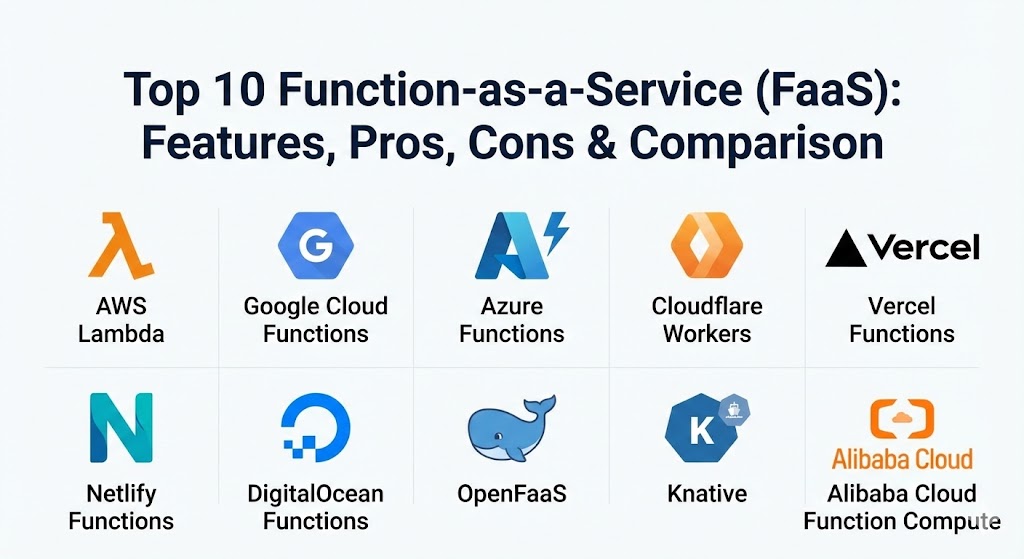
Top 10 Function-as-a-Service (FaaS) Tools
1 — AWS Lambda
AWS Lambda is widely considered the pioneer of the FaaS world. Launched in 2014, it remains the market leader due to its deep integration with the vast Amazon Web Services ecosystem. It allows developers to run code for virtually any type of application or backend service with zero administration.
- Key features:
- Native integration with over 200 AWS services (S3, DynamoDB, Kinesis).
- Supports multiple languages: Node.js, Python, Java, Go, Ruby, and C#.
- Provisioned Concurrency to mitigate “cold start” issues for latency-sensitive apps.
- Integrated monitoring through Amazon CloudWatch and AWS X-Ray.
- Firecracker microVM technology for secure, isolated execution environments.
- Support for container images as a deployment format.
- Fine-grained scaling that can handle thousands of concurrent requests per second.
- Pros:
- Unmatched ecosystem; if you are already on AWS, Lambda is the most seamless choice.
- Highly mature toolsets for local testing and deployment (AWS SAM, CDK).
- Cons:
- Pricing can become complex and difficult to predict at extreme scales.
- Strict execution limits (e.g., 15-minute maximum timeout) restrict certain use cases.
- Security & compliance: SOC 1/2/3, HIPAA, PCI DSS, GDPR, FIPS 140-2, and ISO 27001/27017/27018.
- Support & community: Extensive documentation, a massive global community, and 24/7 enterprise support via AWS Support plans.
2 — Google Cloud Functions (Cloud Run Functions)
Google Cloud Functions (recently rebranded under the Cloud Run umbrella) is Google’s event-driven compute platform. It is designed to be the “glue” between Google Cloud services, making it exceptionally strong for data processing and AI-driven workflows.
- Key features:
- Automatic scaling and built-in high availability across Google’s global network.
- Direct triggers from Firebase, Google Assistant, and Cloud Pub/Sub.
- Supports Node.js, Python, Go, Java, .NET Core, and Ruby.
- Open-source “Functions Framework” for local development and portability.
- Integrated IAM for granular permission management.
- Seamless connectivity to BigQuery and Vertex AI for machine learning tasks.
- Pros:
- Exceptional performance for data-heavy applications and analytics pipelines.
- The Functions Framework makes it easier to avoid vendor lock-in by allowing local testing.
- Cons:
- Smaller library of native integrations compared to AWS.
- Networking configuration (VPC peering) can be non-intuitive for beginners.
- Security & compliance: ISO 27001, SOC 2/3, HIPAA, GDPR, and FedRAMP high authorization.
- Support & community: Detailed technical guides, strong support through Google Cloud Premium Support, and a large developer community.
3 — Azure Functions
Azure Functions is Microsoft’s FaaS offering, built specifically with the enterprise in mind. It shines in environments heavily invested in the .NET ecosystem and offers unique features for complex, stateful workflows.
- Key features:
- “Durable Functions” extension for writing stateful functions and long-running orchestrations.
- Deep integration with Azure Logic Apps, Event Grid, and Service Bus.
- Integrated debugging and development experience within Visual Studio and VS Code.
- Support for “Flex Consumption” plans that offer more control over networking and scaling.
- Built-in support for NuGet and NPM for easy dependency management.
- Native support for C#, F#, Java, JavaScript, PowerShell, Python, and TypeScript.
- Pros:
- The best-in-class choice for .NET developers and enterprise Windows environments.
- Durable Functions solve the “statelessness” problem that plagues most other FaaS tools.
- Cons:
- Cold starts can be significantly longer than competitors on the lower-tier consumption plans.
- The management portal can feel overwhelming due to the sheer number of options.
- Security & compliance: HIPAA, GDPR, PCI DSS, SOC 1/2, ISO 27001, and Azure Active Directory integration.
- Support & community: Microsoft Enterprise Support, extensive documentation, and a massive community of enterprise developers.
4 — Cloudflare Workers
Cloudflare Workers takes a different approach by running code on the “Edge.” Instead of running in a centralized data center, your code executes in over 300 locations worldwide, virtually eliminating latency for the end user.
- Key features:
- V8 Isolate technology that eliminates traditional “cold start” latency.
- Integrated KV (Key-Value) store and R2 (Object Storage) for edge data.
- Support for JavaScript, Rust, C, and C++ via WebAssembly (Wasm).
- Automatic global distribution to hundreds of cities in seconds.
- Built-in DDoS protection and Web Application Firewall (WAF) integration.
- Workers AI for running machine learning models at the edge.
- Pros:
- Unbeatable performance for global web applications and API gateways.
- Very simple and predictable pricing model with a generous free tier.
- Cons:
- Limited standard library support compared to full Node.js environments.
- Not suitable for heavy CPU-intensive tasks due to strict execution time limits.
- Security & compliance: SOC 2 Type II, PCI DSS, ISO 27001, and GDPR.
- Support & community: Excellent documentation, a vibrant Discord community, and priority support for Enterprise customers.
5 — Vercel Functions
Vercel Functions is the serverless backbone of the popular Next.js framework. It is designed to offer the “zero-configuration” experience for frontend developers, managing the complexity of backend deployment automatically.
- Key features:
- Instant deployment of API routes directly from Git pushes.
- Support for both “Serverless Functions” (centralized) and “Edge Functions” (global).
- Automatic SSL and custom domain management.
- Preview deployments for every pull request to test functions in isolation.
- Integrated observability with Vercel Analytics and Logs.
- Native support for middleware to handle authentication and redirects.
- Pros:
- The best developer experience for web developers, specifically those using React or Next.js.
- Simplifies the entire CI/CD pipeline into a single “push to deploy” action.
- Cons:
- Can become quite expensive for large teams as bandwidth and execution costs scale.
- Less flexible for non-web use cases (e.g., heavy backend data processing).
- Security & compliance: SOC 2 Type 2, ISO 27001, PCI DSS, GDPR, and HIPAA.
- Support & community: Fast-growing community, comprehensive video tutorials, and dedicated enterprise success managers.
6 — Netlify Functions
Netlify Functions is another developer-focused tool that abstracts the complexity of AWS Lambda. It allows developers to deploy backend logic alongside their frontend code without ever touching an AWS console.
- Key features:
- Version-controlled functions that follow the same lifecycle as your site.
- Support for “Background Functions” that can run for up to 15 minutes.
- Scheduled functions (Cron jobs) built directly into the platform.
- Automatic environment variable management across staging and production.
- Seamless integration with Netlify Identity for easy user authentication.
- Local development server (Netlify Dev) for testing functions on your machine.
- Pros:
- Extremely easy to set up for Jamstack applications and simple APIs.
- Excellent local development tools that mirror the production environment.
- Cons:
- Pricing jumps significantly between the Free and Pro tiers.
- Limited to the specific regions and configurations supported by Netlify’s wrapper.
- Security & compliance: SOC 2 Type 2, GDPR, HIPAA-ready (on Enterprise), and PCI DSS.
- Support & community: Active support forums, great documentation, and enterprise-grade SLA options.
7 — DigitalOcean Functions
DigitalOcean Functions is a simplified, developer-friendly FaaS offering. It is designed for startups and SMBs who find the “Big Three” cloud providers (AWS, Azure, GCP) to be too complex or expensive.
- Key features:
- Integrated directly into the DigitalOcean App Platform.
- Unified billing that covers compute, database, and functions in one invoice.
- Support for Node.js, Python, PHP, and Go.
- Simple CLI (doctl) for managing deployments and logs.
- Automatic scaling and high availability built into the core.
- Pros:
- Much easier learning curve for beginners and smaller development teams.
- Predictable pricing with fewer “hidden” costs for networking and data egress.
- Cons:
- Fewer integrations with third-party services compared to larger competitors.
- Smaller selection of supported programming languages.
- Security & compliance: SOC 2 Type II, SOC 3, GDPR, and ISO 27001.
- Support & community: Famous for their high-quality tutorials and community Q&A site.
8 — OpenFaaS
OpenFaaS (Functions as a Service) is an open-source framework that allows you to run functions on any environment that supports Kubernetes or Docker. It is the leading choice for organizations that want FaaS capabilities on-premises or in their own private clouds.
- Key features:
- Cloud-agnostic; runs on AWS, Azure, GCP, or your local data center.
- Supports any programming language through Docker-based templates.
- Native auto-scaling based on requests per second (RPS).
- Integrated dashboard and CLI for function management.
- Supports “watchdog” technology to transform any CLI tool into a serverless function.
- Pro version offers advanced features like Kafka triggers and OIDC authentication.
- Pros:
- Prevents vendor lock-in completely; you own the entire stack.
- Highly flexible; if you can containerize it, you can run it as a function.
- Cons:
- Requires you to manage the underlying Kubernetes cluster, defeating some “serverless” benefits.
- Steeper operational overhead compared to managed SaaS offerings.
- Security & compliance: Varies by deployment; supports OIDC, SSO, and Kubernetes RBAC.
- Support & community: Strong open-source community, Slack workspace, and commercial support from OpenFaaS Ltd.
9 — Knative
Knative is a Kubernetes-based platform used to build, deploy, and manage modern serverless workloads. Originally started by Google with help from IBM and Red Hat, it has become the industry standard for “Serverless on Kubernetes.”
- Key features:
- Scale-to-zero capability for Kubernetes pods to save resources.
- Standardized eventing model using the CloudEvents specification.
- Built-in traffic management for blue-green deployments and canary releases.
- Pluggable networking and monitoring options (Istio, Prometheus).
- Integration with CI/CD tools like Tekton for automated build pipelines.
- Pros:
- The most powerful option for companies already committed to a Kubernetes strategy.
- Provides a consistent developer experience across hybrid and multi-cloud environments.
- Cons:
- High complexity; requires a deep understanding of Kubernetes concepts.
- Resource-intensive to maintain for smaller teams.
- Security & compliance: Inherits Kubernetes security features (RBAC, Network Policies, mTLS).
- Support & community: Governed by the CNCF with massive industry backing from Google, IBM, and Red Hat.
10 — Alibaba Cloud Function Compute
Function Compute is a fully managed, event-driven computing service from Alibaba Cloud. It is a powerhouse in the Asian market and is increasingly used by global enterprises for cross-border applications.
- Key features:
- Millisecond-level scaling to handle massive traffic surges (common in e-commerce).
- Support for “Custom Runtimes,” allowing you to run any language or version.
- Integrated with Alibaba’s ecosystem, including OSS (Storage) and Log Service.
- Built-in GPU support for AI inference and image processing.
- “Reserved Instances” for applications that need zero-latency response.
- Pros:
- Superior performance and support for companies operating in the Chinese market.
- Highly competitive pricing, especially for high-concurrency workloads.
- Cons:
- English documentation can sometimes lag behind the Chinese version in terms of detail.
- Regional compliance (e.g., MLPS in China) adds complexity for Western companies.
- Security & compliance: GDPR, SOC 1/2/3, ISO 27001/22301, and MLPS Level 3 (China).
- Support & community: Strong presence in Asia; global support teams available for enterprise customers.
Comparison Table
| Tool Name | Best For | Platform(s) Supported | Standout Feature | Rating (Gartner / TrustRadius) |
| AWS Lambda | Complex Automation | AWS | Deepest Ecosystem | 4.6 / 5 |
| Google Cloud Functions | AI / Data Pipelines | Google Cloud | Vertex AI Integration | 4.5 / 5 |
| Azure Functions | Enterprise .NET | Azure | Durable (Stateful) Functions | 4.7 / 5 |
| Cloudflare Workers | Low-Latency Global Web | Edge Network | Zero Cold Starts | 4.8 / 5 |
| Vercel Functions | Next.js / Frontend | SaaS / Vercel Edge | “Push to Deploy” UX | 4.7 / 5 |
| Netlify Functions | Jamstack / SMB Web | SaaS / Netlify | Background Functions | 4.4 / 5 |
| DigitalOcean Functions | Startups / Simplicity | DigitalOcean | Predictable Billing | 4.3 / 5 |
| OpenFaaS | Private Cloud / On-Prem | Kubernetes | Hardware-Agnostic | N/A |
| Knative | Kubernetes Standard | Kubernetes | Standardized Eventing | N/A |
| Alibaba Function Compute | Asia Market / E-com | Alibaba Cloud | GPU Acceleration | 4.5 / 5 |
Evaluation & Scoring of Function-as-a-Service (FaaS)
To help you decide, we have evaluated these tools using a weighted scoring rubric based on industry standards for serverless platforms.
| Category | Weight | Evaluation Criteria |
| Core Features | 25% | Language support, execution limits, scaling speed, and trigger variety. |
| Ease of Use | 15% | Developer experience, local testing tools, and dashboard intuitiveness. |
| Integrations | 15% | Native connectivity to databases, storage, AI tools, and CI/CD pipelines. |
| Security & Compliance | 10% | Encryption, IAM granularity, and global compliance certifications (SOC2/GDPR). |
| Performance | 10% | Cold start latency, global distribution, and reliability during spikes. |
| Support & Community | 10% | Quality of documentation, speed of help desk, and active user forums. |
| Price / Value | 15% | Cost per execution, free tier generosity, and billing transparency. |
Which Function-as-a-Service (FaaS) Tool Is Right for You?
The right choice depends on your existing infrastructure, your team’s skillset, and your specific performance requirements.
- Solo Users & Students: If you are just starting out, DigitalOcean Functions or Netlify Functions are the best entry points. They won’t overwhelm you with the thousands of configuration options found in AWS.
- Web & Frontend Developers: If your primary focus is building fast web apps with React or Vue, Vercel and Cloudflare Workers offer the most streamlined experience with the lowest latency.
- SMBs & Startups: You need a balance of power and price. Cloudflare Workers is excellent for keeping costs low while scaling globally. If you need a full cloud ecosystem, Google Cloud Functions often offers a more approachable UI than AWS.
- Mid-Market & Enterprises: You likely already have a preferred cloud provider. If you are a “Microsoft shop,” Azure Functions is the clear winner for its .NET support and Durable Functions. If you are already deep in the AWS ecosystem, AWS Lambda provides the most robust set of integrations.
- Specialized Needs:
- On-Premise / Private Cloud: OpenFaaS is your only real choice for keeping your data and compute within your own firewalls.
- Kubernetes Experts: If your company is moving all workloads to K8s, Knative ensures your serverless functions follow the same operational patterns as your containers.
- High-Performance AI: Alibaba Cloud Function Compute and AWS Lambda (via Graviton2 processors) provide the best compute-per-dollar for heavy-lifting tasks.
Frequently Asked Questions (FAQs)
1. What is a “Cold Start” in FaaS?
A cold start occurs when a function is triggered after being idle. The cloud provider must spin up a new container/environment for the code, causing a delay (latencies ranging from 50ms to 5s). Tools like Cloudflare Workers eliminate this, while AWS/Azure offer “Provisioned Concurrency” to keep functions warm.
2. How does FaaS billing actually work?
Most FaaS providers bill based on the number of requests and the duration (execution time multiplied by the memory allocated). You are usually billed in 100ms or 1ms increments. If the function isn’t running, you aren’t paying.
3. Is FaaS the same as Serverless?
Not exactly. “Serverless” is a broader architectural concept that includes FaaS (compute) as well as serverless databases (like Aurora or DynamoDB) and serverless storage (S3). FaaS is specifically the compute part of a serverless stack.
4. Can I run long-running tasks in a function?
Generally, no. Most providers have strict timeouts (AWS is 15 minutes, Google is 9 minutes). For long-running tasks like video encoding, it is better to use a container service or a traditional VM.
5. Is vendor lock-in a real concern with FaaS?
Yes. Because FaaS relies heavily on the provider’s native triggers (e.g., an AWS S3 event), moving code to another provider can be difficult. Using open-source frameworks like Knative or OpenFaaS can help mitigate this.
6. Which language is the fastest for FaaS?
Compiled languages like Go and Rust generally have faster execution times and smaller memory footprints. However, Node.js and Python are the most popular due to their huge library ecosystems and ease of development.
7. Can functions access a traditional SQL database?
Yes, but you must be careful with connection pooling. Functions scale up so fast that they can quickly overwhelm a database’s maximum connection limit. Many developers use a “Database Proxy” or serverless-native databases like PlanetScale to handle this.
8. How do I debug a function if there are no servers to log into?
You rely on centralized logging services. AWS uses CloudWatch, Google uses Cloud Logging, and Vercel has built-in log streaming. You can also use third-party observability tools like Datadog or New Relic.
9. Are FaaS functions secure?
FaaS is inherently quite secure because functions run in isolated, short-lived environments. However, you are still responsible for “Function-level security,” such as validating inputs and managing secrets (like API keys) using a secure vault.
10. What happens if my function gets too much traffic?
The provider automatically scales. Most have a “concurrency limit” (e.g., 1,000 simultaneous executions) to prevent a runaway bill or a DDoS attack from bankrupting you. You can usually request to have these limits increased as you grow.
Conclusion
The evolution of Function-as-a-Service has reached a point of maturity where it is no longer just for “simple scripts.” It is a robust, enterprise-grade architecture capable of powering global-scale applications. When choosing a tool, the most important factor is the Developer Experience (DX)—how fast can your team go from a line of code to a live, secure endpoint?
While AWS Lambda remains the powerful incumbent, the rise of “Edge” providers like Cloudflare and Vercel has introduced a new standard for speed and simplicity. Ultimately, the “best” FaaS tool is the one that integrates most naturally with your existing data and your team’s workflow. Start with a small, non-critical task—like an image resizer or a Slack bot—and you will quickly see why serverless is the future of the cloud.