Introduction
Configuration management tools are specialized software platforms designed to automate the process of maintaining computer systems, servers, and software in a desired, consistent state. They ensure that every environment—from development to production—is identical, predictable, and compliant with organizational policies. By replacing manual checklists with version-controlled scripts, these tools eliminate human error and enable “self-healing” systems that can automatically revert unauthorized changes.
The importance of these tools lies in their ability to provide visibility and control. In a modern enterprise, a single misconfigured firewall rule or an outdated security patch can lead to catastrophic downtime or a massive data breach. Real-world use cases range from deploying application updates across a global cluster of 5,000 servers to ensuring that every workstation in a financial firm meets specific regulatory encryption standards. When evaluating these tools, users should look for strong automation models (agent vs. agentless), robust drift detection, extensive integration ecosystems, and the ability to scale without significant performance degradation.
Best for: DevOps engineers, System Administrators, and Site Reliability Engineers (SREs) in mid-to-large enterprises who need to manage complex, hybrid-cloud environments. It is essential for industries like finance, healthcare, and government that require strict audit trails and consistent compliance enforcement.
Not ideal for: Small businesses with only one or two static servers, or simple “hobbyist” projects where the overhead of learning a domain-specific language (DSL) outweighs the benefits of automation. In these cases, simple shell scripts or manual cloud console management may be more efficient.
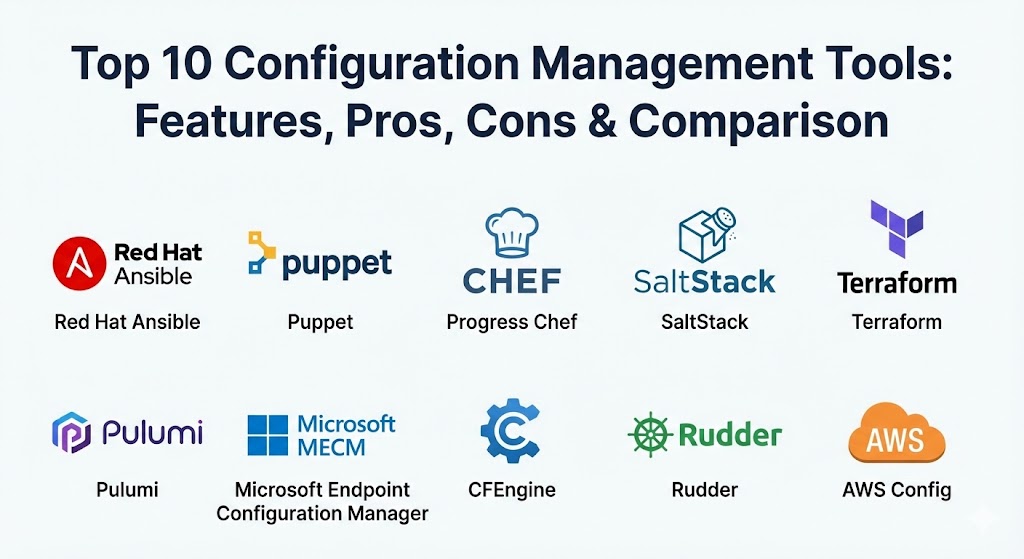
Top 10 Configuration Management Tools
1 — Red Hat Ansible
Red Hat Ansible is arguably the most popular configuration management tool in the world today, prized for its “agentless” architecture and human-readable YAML syntax. It allows teams to automate IT tasks across servers, networks, and cloud providers without installing any software on the target nodes.
- Key features:
- Agentless architecture that uses SSH or WinRM for communication.
- Uses human-readable YAML (Playbooks) for configuration.
- Extensive library of thousands of modules for various platforms.
- Inventory management for organizing target hosts.
- Powerful orchestration capabilities for complex multi-tier deployments.
- Ansible Automation Platform for enterprise-grade GUI and RBAC.
- Idempotent task execution ensures systems only change when necessary.
- Pros:
- Lowest barrier to entry; if you can read YAML, you can write Ansible.
- No agent management reduces maintenance overhead and security surface area.
- Cons:
- Performance can lag when managing extremely large fleets (10,000+ nodes) simultaneously.
- Managing complex logic in YAML can sometimes feel restrictive compared to real code.
- Security & compliance: Supports SSO via Red Hat Automation Platform, OpenSSH for secure transport, and FIPS 140-2 compliance.
- Support & community: Massive open-source community; premium enterprise support available through Red Hat/IBM.
2 — Puppet
Puppet is a veteran in the space, known for its “declarative” approach where users define the state of the system, and the tool determines how to get there. It is the gold standard for large, stable enterprise environments that require continuous enforcement of configurations.
- Key features:
- Declarative Domain-Specific Language (DSL) for defining system state.
- Agent-based architecture for continuous drift detection and remediation.
- Puppet Forge: A marketplace with thousands of pre-built modules.
- Puppet Enterprise for advanced reporting, orchestration, and RBAC.
- “Facter” tool for gathering detailed hardware and OS information.
- Ability to manage heterogeneous environments (Windows, Linux, Unix).
- Integrated compliance reporting and vulnerability scanning.
- Pros:
- Exceptional at long-term maintenance; it continuously checks and “repairs” drift.
- Highly mature and battle-tested in the world’s largest data centers.
- Cons:
- Steep learning curve due to the requirement to learn Puppet’s proprietary DSL.
- Requires an agent on every node, which adds infrastructure overhead.
- Security & compliance: Role-Based Access Control (RBAC), SOC 2, HIPAA, and ISO 27001 readiness.
- Support & community: Robust documentation and professional services; strong community support via Slack and forums.
3 — Progress Chef
Chef is a “developer-centric” tool that uses a Ruby-based DSL. It treats configuration as a pure programming task, making it incredibly flexible and powerful for teams with strong coding skills.
- Key features:
- “Cookbooks” and “Recipes” for organizing configuration logic.
- Chef Infra for automated policy and configuration delivery.
- Chef InSpec for “Compliance as Code” testing.
- Chef Automate for centralized visibility and auditing.
- Support for multi-OS, cloud, and edge infrastructure.
- Integration with major CI/CD pipelines (Jenkins, GitLab).
- High flexibility for complex, logic-heavy deployment scenarios.
- Pros:
- Unparalleled flexibility; if you can code it in Ruby, Chef can do it.
- Superior compliance-as-code features through the integrated InSpec tool.
- Cons:
- High barrier to entry for SysAdmins who are not comfortable with Ruby.
- Configuration can become difficult to maintain if “recipes” become too complex.
- Security & compliance: FIPS 140-2, GDPR, and CIS benchmark compliance through Chef Compliance.
- Support & community: High-quality enterprise support from Progress Software; large community ecosystem.
4 — SaltStack (Salt)
SaltStack, now part of VMware (Broadcom), is built for speed. Using a unique ZeroMQ messaging bus, it can execute commands across tens of thousands of servers in seconds, making it the favorite for high-speed orchestration.
- Key features:
- High-speed, parallel execution engine using ZeroMQ or SSH.
- Event-driven automation for real-time response to system changes.
- Supports both agent-based (Minions) and agentless (Salt-SSH) modes.
- SaltStack Config for centralized management and compliance.
- “Pillars” and “Grains” for managing sensitive data and system facts.
- Native integration with VMware vSphere and other cloud stacks.
- Powerful Python-based extensibility.
- Pros:
- Unbeatable performance; it is the fastest tool on this list for large-scale tasks.
- Extremely versatile, functioning as both a CM tool and a remote execution engine.
- Cons:
- Complex configuration; the “Master/Minion” setup and logic have a steep curve.
- Most advanced features (like the GUI) require an enterprise license.
- Security & compliance: SOC 2 Type II, ISO 27001, and extensive RBAC capabilities.
- Support & community: Strong enterprise support from VMware; active “Salt Project” community.
5 — HashiCorp Terraform
While primarily known as an Infrastructure as Code (IaC) provisioning tool, Terraform has become a core configuration management tool for cloud resources. It manages the “outer shell” of infrastructure, ensuring that load balancers, VPCs, and databases are correctly configured.
- Key features:
- Cloud-agnostic design with “Providers” for AWS, Azure, GCP, and more.
- Declarative HCL (HashiCorp Configuration Language) syntax.
- State management for tracking infrastructure changes over time.
- Terraform Cloud for team collaboration and remote state storage.
- “Plan” and “Apply” workflow to preview changes before they happen.
- Module-based architecture for reusable infrastructure components.
- Sentinel policy-as-code for governance and guardrails.
- Pros:
- The industry standard for managing cloud-native infrastructure.
- Massive ecosystem; if a service has an API, it has a Terraform provider.
- Cons:
- Not ideal for “Day 2” OS-level configuration (like managing files inside a VM).
- State file management can be a headache without Terraform Cloud or backend storage.
- Security & compliance: Vault integration, SOC 2, and support for Sentinel compliance policies.
- Support & community: Massive global community; premium support via HashiCorp.
6 — Pulumi
Pulumi is the “modern” evolution of IaC, allowing users to manage configurations using standard programming languages like Python, JavaScript, TypeScript, and Go instead of proprietary DSLs or YAML.
- Key features:
- Use real programming languages for infrastructure and configuration.
- Pulumi Cloud for state management and deployment history.
- CrossGuard for policy-as-code enforcement.
- Supports over 100 cloud and SaaS providers.
- Native support for Kubernetes resource management.
- Automation API for embedding infrastructure logic into applications.
- Built-in secrets management for sensitive configuration data.
- Pros:
- Perfect for software engineers who want to use familiar tools (IDEs, debuggers).
- Superior testing capabilities (unit and integration tests) compared to YAML.
- Cons:
- Smaller community and fewer pre-built modules than Terraform.
- Requires a fundamental shift in mindset for traditional infrastructure teams.
- Security & compliance: SOC 2, GDPR, and HIPAA compliant cloud offerings.
- Support & community: Excellent documentation and responsive Slack/GitHub community support.
7 — Microsoft Endpoint Configuration Manager (MECM)
Formerly known as SCCM, MECM is the standard for managing Windows-centric environments. It is an “everything-in-one” tool for OS deployment, software distribution, and security configuration.
- Key features:
- Deep integration with Windows OS and Active Directory.
- Automated patch management and software updates.
- Asset intelligence and inventory tracking.
- Integration with Microsoft Intune for “Co-management” of mobile devices.
- Compliance settings management for security baselines.
- Remote control and troubleshooting tools for IT support.
- Reporting services for hardware and software audits.
- Pros:
- Unmatched control over the Windows ecosystem; it can do things third-party tools can’t.
- Comprehensive endpoint protection and security feature set.
- Cons:
- Very high complexity and infrastructure requirements (SQL Server, IIS, etc.).
- Effectively limited to Windows; poor support for Linux or cloud-native Linux fleets.
- Security & compliance: FedRAMP, HIPAA, and SOC 2 (as part of Microsoft 365/Azure).
- Support & community: World-class enterprise support from Microsoft; massive enterprise user base.
8 — CFEngine
CFEngine is the “grandfather” of configuration management and remains one of the fastest, most lightweight tools available. Written in C, it is designed for extreme scale and resource-constrained edge devices.
- Key features:
- High-performance, low-footprint agent (runs on systems with 10MB RAM).
- Autonomous “self-healing” agents that don’t rely on a central server.
- Promise-based language for defining system intent.
- Continuous enforcement with sub-minute policy checks.
- Enterprise reporting and compliance dashboards.
- Support for highly distributed and edge computing environments.
- Predictive health monitoring for infrastructure.
- Pros:
- Incredible performance; can manage 50,000+ nodes from a single hub.
- Highly resilient; agents continue to enforce policy even if the network is down.
- Cons:
- The learning curve for “Promise Theory” and the proprietary language is very steep.
- Smaller ecosystem and fewer “modern” cloud-native modules than Ansible.
- Security & compliance: FIPS 140-2 and built-in compliance frameworks for ISO and HIPAA.
- Support & community: Dedicated enterprise support; strong community of long-term users.
9 — Rudder
Rudder is an open-source configuration management and compliance tool that bridges the gap between IT operations and security teams. It focuses on providing a user-friendly web interface for continuous auditing.
- Key features:
- Web-based UI for defining and monitoring configuration policies.
- Continuous compliance auditing with real-time “drift” alerts.
- Policy-based configuration that simplifies complex logic for non-coders.
- Dynamic groups for automatically targeting nodes based on metadata.
- Native support for Linux and Windows.
- Change impact analysis to preview changes before deployment.
- REST API for integration with existing ITSM tools.
- Pros:
- Excellent visibility; the “Compliance Dashboard” is one of the best in the industry.
- Easier for security teams to use than pure code-based tools.
- Cons:
- Smaller community than the “Big Three” (Ansible, Puppet, Chef).
- Not as flexible as Chef or Pulumi for highly complex logic.
- Security & compliance: SSO, audit logs, and strong focus on security compliance reporting.
- Support & community: Enterprise support available from the French company behind Rudder.
10 — AWS Config
For companies operating entirely within Amazon Web Services, AWS Config is the native solution for tracking and enforcing resource configurations. It is less about “installing software” and more about “governing the cloud.”
- Key features:
- Continuous monitoring of AWS resource configurations and relationships.
- Managed “Config Rules” for common compliance checks (e.g., S3 encryption).
- Automated remediation through AWS Lambda and Systems Manager.
- Detailed configuration history and change timeline.
- Integration with AWS CloudTrail for auditing who changed what.
- Cross-account and cross-region data aggregation.
- Visual relationship mapping between AWS resources.
- Pros:
- Zero-infrastructure to manage; it is a fully managed cloud service.
- The fastest way to ensure an AWS environment stays compliant with security standards.
- Cons:
- Strictly locked to the AWS ecosystem; zero support for on-prem or other clouds.
- Costs can scale quickly if you have a high frequency of resource changes.
- Security & compliance: Fully integrated with AWS security (IAM, CloudTrail, FedRAMP).
- Support & community: Managed by AWS; extensive documentation and AWS Support plans.
Comparison Table
| Tool Name | Best For | Platform(s) Supported | Standout Feature | Rating (Gartner) |
| Ansible | Speed & Simplicity | Linux, Windows, Cloud | Agentless SSH architecture | 4.6 / 5 |
| Puppet | Enterprise Compliance | Linux, Windows, Unix | Continuous drift repair | 4.2 / 5 |
| Chef | Developer Flexibility | Linux, Windows, Cloud | Compliance as Code (InSpec) | 4.1 / 5 |
| SaltStack | Ultra-Scale Speed | Linux, Windows, Cloud | ZeroMQ messaging bus | 4.6 / 5 |
| Terraform | Cloud Provisioning | Multi-Cloud, SaaS | Massive Provider Ecosystem | 4.5 / 5 |
| Pulumi | Software Engineers | Multi-Cloud, K8s | Real-code (Python/TS) IaC | 4.6 / 5 |
| MECM (SCCM) | Windows Estates | Windows, Intune | Deep Windows OS integration | 4.4 / 5 |
| CFEngine | Edge / Low Resource | Linux, Unix, Embedded | Sub-10MB Agent Footprint | 4.0 / 5 |
| Rudder | Visual Compliance | Linux, Windows | Compliance-first UI | 4.3 / 5 |
| AWS Config | AWS-only Governance | Amazon Web Services | Serverless cloud auditing | 4.4 / 5 |
Evaluation & Scoring of Configuration Management Tools
To select the right tool, we evaluate it using a weighted scoring rubric that reflects the priorities of a modern IT organization in 2026.
| Category | Weight | Evaluation Logic |
| Core Features | 25% | Capacity for drift detection, self-healing, and declarative/procedural logic. |
| Ease of Use | 15% | Learning curve of the DSL, quality of the UI, and speed of initial setup. |
| Integrations | 15% | Breadth of supported cloud providers, OS versions, and CI/CD tools. |
| Security & Compliance | 10% | Native auditing, RBAC, encryption in transit/at rest, and SSO support. |
| Performance | 10% | Speed of bulk execution and resource overhead on target nodes. |
| Support & Community | 10% | Availability of pre-built modules, documentation quality, and enterprise support. |
| Price / Value | 15% | Transparency of licensing and ROI relative to the admin overhead saved. |
Which Configuration Management Tool Is Right for You?
Selecting a CM tool is not a “one-size-fits-all” decision. Your choice will depend heavily on your team’s existing skills and your technical infrastructure.
- Solo Users vs. SMB vs. Enterprise: If you are a solo consultant or a small business, Ansible is almost always the right choice due to its lack of server overhead and simple YAML. Enterprises with massive, long-lived fleets typically lean toward Puppet or SaltStack for their continuous enforcement and performance.
- Budget-Conscious vs. Premium: Open-source versions of Ansible, Puppet, and Chef are free and powerful. However, if you need a GUI, complex RBAC, and 24/7 support, you should budget for the enterprise editions, which are priced per node.
- Feature Depth vs. Ease of Use: If you want a tool that “just works” out of the box with a web interface, Rudder or MECM (for Windows) are excellent. If you need to write complex, logic-heavy automation and have a team of Ruby developers, Chef provides depth that other tools can’t match.
- Integration and Scalability: Cloud-native teams should start with Terraform or Pulumi for infrastructure and then layer in Ansible for OS configuration. If you are managing 10,000+ edge devices or IoT hubs, CFEngine‘s lightweight agent is superior.
- Security Requirements: For teams in highly regulated industries, Chef (InSpec) and Puppet (Compliance) offer the most robust “audit-ready” reporting features.
Frequently Asked Questions (FAQs)
1. What is the difference between provisioning and configuration management?
Provisioning (like Terraform) focuses on creating the infrastructure (the server, the network). Configuration management (like Ansible) focuses on what happens inside the server (installing software, managing users).
2. Are agentless tools more secure than agent-based tools?
Not necessarily. Agentless tools (Ansible) use SSH, which is secure but requires managing SSH keys. Agent-based tools (Puppet) require software on the node, but the communication is typically one-way and highly encrypted.
3. Can I use multiple tools together?
Yes, it is common to use Terraform to provision a cloud server and then use Ansible or Chef to configure the applications inside that server once it’s running.
4. What is “Configuration Drift”?
Drift happens when changes are made manually to a server after it was deployed. CM tools prevent this by continuously checking the server against the “code” and reverting any unauthorized changes.
5. Do these tools work on Windows?
Yes, most (Ansible, Puppet, Chef, Salt) have robust Windows support using PowerShell or WinRM. MECM is the native leader for Windows, while others are “Linux-first.”
6. Is Ansible still free?
The core engine is open-source and free. However, the “Ansible Automation Platform” (formerly Tower), which includes the GUI and enterprise support, requires a paid subscription from Red Hat.
7. How long does it take to learn these tools?
Ansible can be learned in a few days. Puppet and Chef often take weeks or months to master due to their proprietary languages and complex architectures.
8. What is “Declarative” vs. “Procedural”?
Declarative (Puppet) means you describe what you want (e.g., “Package X should be installed”). Procedural (Ansible) means you describe how to do it (e.g., “Step 1: Install Package X”).
9. Can these tools manage networking hardware?
Yes, Ansible and SaltStack are widely used to manage switches, routers, and firewalls from Cisco, Juniper, and Arista using their respective APIs.
10. Why is the “State File” in Terraform important?
Terraform uses a state file to remember what it has built. If you delete the state file, Terraform “forgets” that the resources exist and may try to build them again, causing errors.
Conclusion
The evolution of configuration management has reached a point where the “best” tool is no longer defined by its feature list, but by how well it fits into your organizational culture. Whether you prefer the simplicity of Ansible’s YAML, the developer-first flexibility of Pulumi’s real code, or the relentless enforcement of Puppet’s agent, the goal remains the same: eliminating manual toil and creating a resilient, “self-healing” infrastructure. When making your choice, prioritize the tool that your team will actually enjoy using—because automation only works if everyone is on board.