Introduction
API testing tools are specialized software designed to verify that an API meets its expected functionality, reliability, performance, and security requirements. Unlike traditional UI testing, which interacts with the graphical interface, API testing operates at the message layer. It bypasses the “flakiness” of the frontend to validate the core business logic, data integrity, and communication protocols (such as REST, SOAP, GraphQL, and gRPC) that power modern applications.
The importance of these tools is paramount in a “Shift-Left” development environment. By identifying bugs at the API level before the UI is even built, organizations can reduce remediation costs by up to 100x compared to finding them in production. Key real-world use cases include validating payment gateway responses, ensuring data privacy in healthcare integrations, and load-testing high-traffic retail backends during peak seasons.
When evaluating these tools, users should look for multi-protocol support, seamless CI/CD integration, AI-assisted test generation, and robust reporting capabilities. A tool that excels in 2026 must handle the dynamic intent and context-driven traffic generated by autonomous AI agents.
Best for: Quality Assurance (QA) engineers, Software Development Engineers in Test (SDETs), and backend developers in organizations of all sizes—from agile startups to multinational enterprises in finance, healthcare, and e-commerce.
Not ideal for: Purely frontend developers who only interact with mocked data, or small businesses with extremely simple, static websites that do not utilize dynamic data exchanges or third-party integrations.
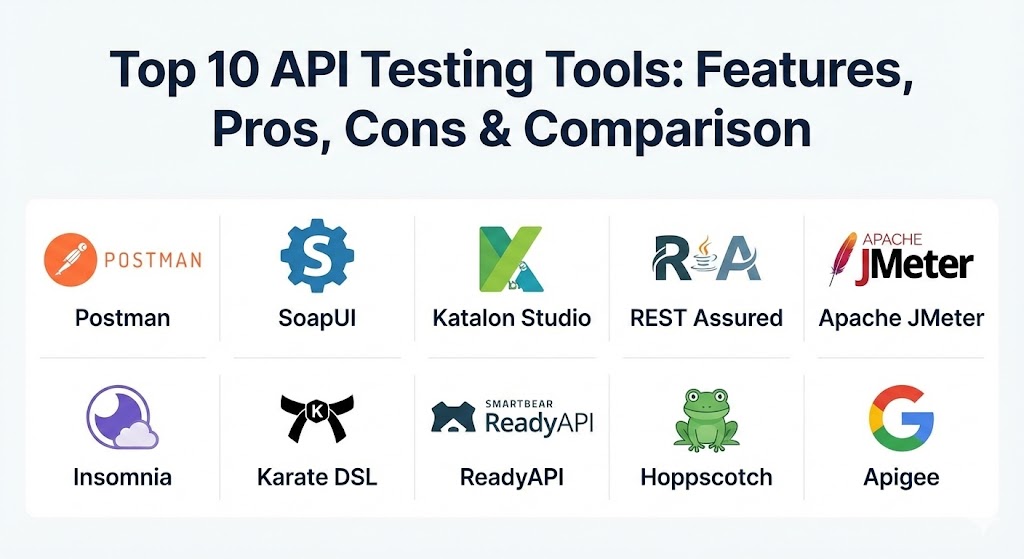
Top 10 API Testing Tools
1 — Postman
Postman has evolved from a simple Chrome extension into a comprehensive API platform used by millions of developers worldwide. It is the industry standard for designing, documenting, and testing RESTful, GraphQL, and WebSocket APIs.
Key Features
- Collection-Based Testing: Group requests into collections for organized, sequential execution.
- Postbot AI Assist: Generative AI that suggests test assertions and writes scripts based on API responses.
- Environment Variables: Easily switch between local, staging, and production environments.
- Mock Servers: Simulate API behavior before the backend is fully developed.
- Newman CLI: Run Postman collections directly from the command line for CI/CD integration.
- Monitoring: Schedule periodic runs to check API health and performance in production.
- Workspace Collaboration: Real-time collaboration features for team-based API development.
Pros
- Intuitive UI: Extremely easy to get started, even for non-programmers.
- Massive Ecosystem: Huge community-driven library of pre-built collections and integrations.
Cons
- Performance: Can become resource-heavy and laggy with extremely large test suites.
- Pricing: The transition to paid tiers for team collaboration can be expensive for mid-sized teams.
Security & Compliance: Supports SSO, SAML, SOC 2 Type II, GDPR, and HIPAA compliance (on Enterprise plans). Offers end-to-end encryption for sensitive data.
Support & Community: Extensive documentation, a dedicated learning center (Postman University), and a massive global community. Premium enterprise support is available.
2 — SoapUI
SoapUI is the “grandparent” of API testing tools, specifically designed for testing complex SOAP and REST web services. While its interface may feel traditional, its depth in functional and security testing is unmatched for enterprise-grade middleware.
Key Features
- Drag-and-Drop Interface: Create complex test scenarios without writing extensive code.
- Deep SOAP Support: Native support for WSDL, WS-Security, and complex XML schemas.
- Security Scans: Built-in vulnerability checks for SQL injection, cross-site scripting, and fuzzing.
- Data-Driven Testing: Use Excel, XML, or databases as sources for automated test inputs.
- Mock Services: Create instant mocks from WSDL or Swagger files.
- Scripting: Supports Groovy and JavaScript for highly customized test logic.
Pros
- Enterprise Power: Handles complex protocols that many modern tools ignore (like JMS and AMQP).
- Open Source Version: The core functional testing features are available for free.
Cons
- Outdated UI: The interface is not as modern or “slick” as Postman or Insomnia.
- Stability: Large, multi-layered projects can occasionally lead to application crashes.
Security & Compliance: Supports WS-Security, SSL/TLS, and provides detailed audit logs. Compliance varies based on the underlying server architecture.
Support & Community: Large knowledge base and active forum. Commercial support is available through SmartBear (as part of ReadyAPI).
3 — Katalon Studio
Katalon Studio is an all-in-one automation solution that unifies API, Web, Mobile, and Desktop testing. It is built on top of Selenium and Appium but removes the complexity of managing those frameworks manually.
Key Features
- Dual-Interface: Offers both a “Manual” view for non-coders and a “Script” view for SDETs.
- Cross-Protocol Support: Handles REST, SOAP, and GraphQL within the same test suite.
- Self-Healing AI: Automatically adjusts test objects when the UI or API response structure changes.
- Test Analytics: Comprehensive reporting dashboard with visual failure analysis.
- CI/CD Integration: Native plugins for Jenkins, Azure DevOps, and GitLab.
- BDD Support: Built-in support for Cucumber and Gherkin syntax.
Pros
- Low Barrier to Entry: Beginners can start automating tests in hours, not days.
- Unified Platform: One tool to rule all testing layers (Web, Mobile, and API).
Cons
- Proprietary: The best features are locked behind a paid license.
- Resource Usage: The IDE can be slow to load on lower-end hardware.
Security & Compliance: ISO 27001, SOC 2, and GDPR compliant. Supports SSL client certificates and OAuth authentication.
Support & Community: Excellent official documentation and a structured onboarding process. Professional support is responsive for paid users.
4 — REST Assured
REST Assured is a Java-based library specifically designed for testing and validating REST services. It is the go-to choice for Java developers who prefer “testing as code” and want full control over their assertions.
Key Features
- Fluent Java DSL: Uses a “Given/When/Then” syntax similar to BDD.
- JSON/XML Validation: Built-in support for GPath for navigating and asserting complex responses.
- Authentication Support: Handles Basic, OAuth, and Digest authentication natively.
- Seamless Integration: Designed to work perfectly with JUnit and TestNG.
- Spring Support: Direct integration with Spring frameworks for unit and integration testing.
Pros
- Developer Friendly: If your stack is Java, this tool fits natively into your workflow.
- Precision: Allows for extremely granular assertions that GUI tools might struggle to implement.
Cons
- No GUI: Requires programming knowledge (Java) to write and execute tests.
- Reporting: Requires third-party libraries (like Allure or ExtentReports) for visual dashboards.
Security & Compliance: Leverages Java’s robust security libraries. Compliance is generally inherited from the enterprise’s DevSecOps pipeline.
Support & Community: Huge community of Java developers. Countless tutorials and StackOverflow resources are available.
5 — Apache JMeter
While traditionally known as a load-testing tool, JMeter is an incredibly flexible open-source application for functional API testing, especially when performance is a key concern.
Key Features
- Protocol Diversity: Supports HTTP, HTTPS, SOAP, XML-RPC, and JDBC.
- Dynamic Inputs: Parameterize requests using CSV files for large-scale data testing.
- Distributed Testing: Run tests from multiple machines to simulate massive traffic.
- Extensive Plugins: A massive library of community plugins to extend functionality.
- CLI Mode: Can run “headless” for lightweight CI/CD integration.
Pros
- Performance First: Easily transition from functional tests to load/stress tests.
- 100% Free: Completely open-source with no hidden licensing fees.
Cons
- Steep Learning Curve: The interface is complex and can be intimidating for beginners.
- Verbose Scripts: Managing large test plans in XML format can become messy.
Security & Compliance: Supports SSL/TLS and various authentication methods. Being open-source, security depends on the implementation environment.
Support & Community: One of the oldest and most active communities in the testing world. Decades of documentation available.
6 — Insomnia
Insomnia is a lightweight, open-source API client that prioritizes speed and developer experience. It is often described as the “cleaner, faster alternative” to Postman.
Key Features
- Clean Interface: Minimalist design focused on getting things done quickly.
- GraphQL Support: First-class support for GraphQL queries and schema introspection.
- Plugin System: Extend functionality via a robust JavaScript-based plugin architecture.
- Git Sync: Native integration with GitHub and GitLab for version-controlled testing.
- Design-First: Built-in tools for designing APIs using OpenAPI specifications.
Pros
- Fast & Snappy: Doesn’t suffer from the bloat often found in larger API platforms.
- Privacy-Focused: Offers local-first storage options for sensitive data.
Cons
- Fewer Built-in Tools: Lacks some of the deep monitoring and mock server features of Postman.
- Team Features: Collaboration tools are present but not as mature as enterprise competitors.
Security & Compliance: Supports SSO and end-to-end encryption. Open-source core allows for security auditing.
Support & Community: Strong GitHub community. Documentation is concise and well-maintained.
7 — Karate DSL
Karate is a unique open-source framework that combines API testing, mocks, and even UI automation into a single, unified BDD-style syntax. It is famous for not requiring any Java knowledge despite being built on Java.
Key Features
- Native JSON/XML Support: Assertions are written in a syntax that matches the data format.
- Contract Testing: Verify that APIs adhere to specific “contracts” automatically.
- Parallel Execution: Built-in ability to run tests in parallel without extra configuration.
- Mock Server: Powerful mocking capabilities that can be used for “Shift-Left” testing.
- Zero Java Needed: Tests are written in simple text files using Gherkin-like logic.
Pros
- Simplified Scripting: Arguably the most readable test scripts in the industry.
- All-in-One: Handles API, UI, and performance testing in a single framework.
Cons
- Smaller Community: While growing, it is not as large as Postman or Selenium.
- Debugging: Can be tricky to debug complex logic due to its DSL nature.
Security & Compliance: Supports standard encryption and authentication protocols. Compliance is handled at the CI/CD pipeline level.
Support & Community: Managed actively on GitHub. Good documentation with real-world examples.
8 — ReadyAPI (SmartBear)
ReadyAPI is the professional, enterprise evolution of SoapUI. It is designed for teams that need high-speed automation, security validation, and performance testing in a single, supported package.
Key Features
- Point-and-Click Functional Testing: Fast test creation without complex coding.
- Performance Profiling: Integrated load testing to find bottlenecks at the API level.
- AI-Driven Discovery: Automatically finds “Shadow APIs” and undocumented endpoints.
- Centralized Reporting: Aggregate results from functional, load, and security tests.
- Native CI/CD Plugins: Seamless integration with Azure, AWS, and Google Cloud.
Pros
- Robust & Supported: Backed by SmartBear’s enterprise support team.
- Scalability: Designed specifically for massive enterprise environments.
Cons
- High Cost: One of the most expensive tools on the market.
- Complexity: The sheer number of features can lead to a long onboarding time.
Security & Compliance: SOC 2, GDPR, and HIPAA ready. Includes deep security vulnerability scanning out of the box.
Support & Community: Top-tier enterprise support, training certifications, and a global user network.
9 — Hoppscotch
Hoppscotch (formerly Postwoman) is an open-source, lightweight web-based API development suite. It is built as a fast, accessible alternative to Postman that can run directly in the browser.
Key Features
- Web-First: No installation required; works on any machine with a browser.
- Real-Time Support: Native support for WebSockets, SSE, and Socket.IO.
- Collections & Environments: Standard features for organizing and parameterizing requests.
- Lightweight: Extremely fast response times and low memory footprint.
- PWA Support: Can be installed as a Progressive Web App for offline use.
Pros
- Privacy: Does not require an account or cloud sync to function.
- Modern Design: Clean, accessible, and supports dark/light themes natively.
Cons
- Missing Enterprise Features: Lacks advanced mock servers and automated security scanning.
- Collaborating: Shared workspaces are available but less feature-rich than Postman.
Security & Compliance: Open-source and transparent. Does not store your data on external servers unless you opt-in to sync.
Support & Community: Rapidly growing open-source community on GitHub.
10 — Apigee (Google Cloud)
Apigee is a full-lifecycle API management platform that includes powerful testing and monitoring capabilities. It is designed for organizations that need to govern and secure thousands of APIs across a global infrastructure.
Key Features
- Advanced Analytics: Real-time visibility into API traffic, response times, and error rates.
- Anomaly Detection: AI-powered models that find hidden “Shadow APIs” and unusual behavior.
- Traffic Management: Built-in throttling, caching, and load balancing.
- Developer Portal: Automatically generate interactive documentation and test benches for partners.
- Security Policies: Apply OAuth, JWT, and spike arrest policies at the gateway level.
Pros
- Google Cloud Ecosystem: Deeply integrated with Google’s AI and cloud services.
- Maximum Scalability: Can handle billions of requests per day with ease.
Cons
- Steep Learning Curve: Not a standalone “testing” tool; requires understanding of API management.
- Vendor Lock-in: Best used within the Google Cloud Platform (GCP) ecosystem.
Security & Compliance: World-class security with SOC 2, FedRAMP, HIPAA, and GDPR certifications.
Support & Community: Global enterprise support from Google Cloud and a large professional network.
Comparison Table
| Tool Name | Best For | Platform(s) | Standout Feature | Rating (Gartner/Peer) |
| Postman | Agile Collaboration | Web, Desktop | AI Postbot Assistant | 4.6 / 5 |
| SoapUI | Enterprise Middleware | Desktop | Deep SOAP/Security Scanning | 4.4 / 5 |
| Katalon Studio | All-in-One QA | Web, Desktop | Low-code + Scripting | 4.4 / 5 |
| REST Assured | Java Developers | Code Library | Fluent Java DSL | 4.5 / 5 |
| Apache JMeter | Load Testing | Desktop | Performance-to-Functional | 4.2 / 5 |
| Insomnia | Minimalist Developers | Desktop | Native Git Sync | 4.3 / 5 |
| Karate DSL | BDD & Contract Testing | Code Library | Unified API & UI Testing | 4.5 / 5 |
| ReadyAPI | Enterprise Automation | Desktop | AI-Driven Discovery | 4.7 / 5 |
| Hoppscotch | Browser-Based Testing | Web / PWA | Light, Fast & Open Source | 4.4 / 5 |
| Apigee | API Governance | Cloud | Full Lifecycle Management | 4.5 / 5 |
Evaluation & Scoring of API Testing Tools
We have evaluated these tools based on a weighted rubric to help you understand where each tool’s strengths lie relative to modern industry requirements.
| Category | Weight | Score (out of 10) | Evaluation Criteria |
| Core Features | 25% | 9.5 | Protocol support, automation depth, and mocking. |
| Ease of Use | 15% | 8.0 | Onboarding speed and interface intuitiveness. |
| Integrations | 15% | 9.0 | Connectivity with CI/CD, cloud, and ALM tools. |
| Security & Comp. | 10% | 8.5 | Compliance certifications and vulnerability testing. |
| Perf. & Reliability | 10% | 8.0 | Stability under load and execution speed. |
| Support & Comm. | 10% | 9.0 | Quality of docs and availability of experts. |
| Price / Value | 15% | 7.5 | ROI relative to licensing and maintenance costs. |
Which API Testing Tool Is Right for You?
Selecting the right tool depends on your current technical stack, budget, and the maturity of your testing team.
Solo Users vs. SMBs
If you are a solo developer or a small startup, Insomnia or Hoppscotch are excellent choices because they are lightweight and free. If you need a more structured way to organize and share your tests with a small team, Postman is the natural step up.
Mid-Market to Enterprise
For mid-sized organizations with established QA teams, Katalon Studio offers the best balance between ease of use and automated power. Large enterprises with significant legacy investments in SOAP or complex middleware should prioritize SoapUI or its premium version, ReadyAPI.
Budget-Conscious vs. Premium
If your budget is zero, REST Assured, Karate DSL, and JMeter are your best friends. They offer world-class power for free, provided you have the technical skill to implement them. If your priority is reducing “time-to-market” and you have the budget, premium tools like ReadyAPI or Apigee will save you hundreds of hours in manual configuration and maintenance.
Feature Depth vs. Ease of Use
If you want the most “user-friendly” experience, choose Postman or Katalon. If you want the most “powerful” and granular control (at the cost of ease of use), go with REST Assured or JMeter.
Frequently Asked Questions (FAQs)
1. What is the primary difference between API testing and Unit testing?
Unit testing checks individual code components in isolation, while API testing checks the end-to-end communication between different services at the message layer.
2. Can I automate API testing without any coding knowledge?
Yes. Tools like Katalon Studio and ReadyAPI offer “drag-and-drop” or “keyword-driven” interfaces that allow you to build tests without writing code.
3. Why is API testing important for AI-driven applications?
AI agents rely on APIs to “take actions.” If the API is unreliable or insecure, the AI agent may perform incorrect actions or leak sensitive data.
4. How do I integrate API testing into my CI/CD pipeline?
Most tools provide a CLI (like Newman for Postman) or native plugins for Jenkins/GitHub Actions. This allows tests to run automatically every time new code is committed.
5. What is “Contract Testing” in APIs?
Contract testing ensures that the “Provider” (backend) and “Consumer” (frontend) agree on the format and structure of the data being exchanged.
6. Is Postman still the best tool in 2026?
It remains the most popular, but competitors like Insomnia (for speed) and ReadyAPI (for enterprise security) are preferred for specific high-stakes use cases.
7. Does API testing include performance testing?
Not always, but many tools like JMeter and ReadyAPI offer both. Functional testing checks what the API does; performance testing checks how fast it does it.
8. What are “Shadow APIs,” and how do tools find them?
Shadow APIs are undocumented endpoints that developers might create for testing. Modern tools like Apigee use AI to scan traffic and discover these potential security risks.
9. Can these tools test GraphQL and gRPC?
Most top-tier tools (Postman, Insomnia, Katalon) now have native support for GraphQL. gRPC support is becoming more common but is most robust in Postman and ReadyAPI.
10. What is the biggest mistake teams make in API testing?
Testing only the “Happy Path” (expected success). Effective API testing must include “Negative Testing”—sending malformed data to see how the API handles errors.
Conclusion
The “best” API testing tool for 2026 is no longer a single winner; it is a strategic choice based on your specific ecosystem. If you are a developer-centric shop, REST Assured or Karate will offer the flexibility you need. If you are an enterprise seeking total governance and security, ReadyAPI or Apigee are the gold standards.
Ultimately, the goal is not just to “pass tests,” but to build a resilient API layer that can survive the demands of a high-speed, AI-integrated digital economy. Choose the tool that scales with your ambition, not just your current project.