Introduction
Database replication is the process of copying and distributing data and database objects from one database to another and then synchronizing the data between them to maintain consistency. At its core, replication is about data availability and reliability. By creating redundant copies of a database, organizations can ensure that if one site goes down, another can take over, minimizing downtime and protecting against data loss.
In 2026, the importance of these tools has skyrocketed due to the rise of Real-Time Analytics and Global Business Operations. Modern businesses cannot afford to wait hours for a batch process to update their reporting dashboard; they need “active-active” systems where a transaction in London is visible in New York in milliseconds. Key real-world use cases include disaster recovery, load balancing (distributing read queries to replicas to save the primary database’s resources), data warehousing, and seamless cloud migrations.
When evaluating database replication tools, users should look for several key criteria:
- Latency: How fast does data move from source to target?
- Throughput: Can the tool handle the volume of your peak transactional periods?
- Topology Support: Does it support one-way, bi-directional, or many-to-one replication?
- Data Integrity: How does the tool handle conflicts or schema changes?
- Change Data Capture (CDC): Does it use log-based CDC to minimize the performance impact on the source database?
Best for: Data engineers, Database Administrators (DBAs), and CTOs at mid-to-large scale enterprises. It is essential for industries with high-frequency transactions, such as Fintech, E-commerce, and Telecommunications, where data consistency across regions is mandatory.
Not ideal for: Small startups with single-instance databases or applications where data “freshness” isn’t critical (e.g., a simple blog or a small internal tool where daily backups are sufficient). It may also be overkill for companies that exclusively use a single SaaS provider that manages replication natively behind the scenes.
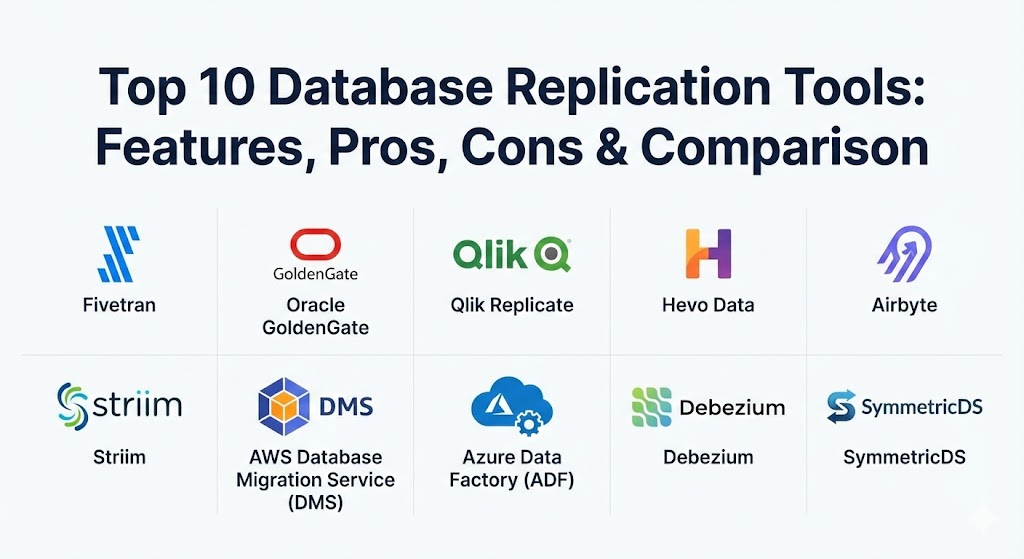
Top 10 Database Replication Tools
1 — Fivetran
Fivetran is a leader in automated data movement, particularly known for its “set it and forget it” philosophy. In 2026, it remains a top choice for teams that want to replicate data from various sources into a centralized cloud data warehouse like Snowflake or BigQuery without writing a single line of code.
- Key features:
- Fully managed, automated data pipelines with zero maintenance.
- Log-based Change Data Capture (CDC) to minimize source impact.
- Automatic schema evolution that handles table changes dynamically.
- Idempotent writes to ensure data integrity and prevent duplicates.
- Support for 400+ connectors, including major SQL and NoSQL databases.
- Integrated data blocking and hashing for PII security.
- Pros:
- Extremely high reliability with a 99.9% uptime SLA.
- Requires minimal engineering resources; ideal for lean data teams.
- Cons:
- Pricing can scale quickly and unpredictably with high data volumes.
- Limited transformation capabilities within the replication pipeline itself.
- Security & compliance: SOC 2 Type II, ISO 27001, HIPAA, GDPR, and PCI DSS compliant. Features end-to-end encryption.
- Support & community: Extensive documentation, 24/7 technical support for enterprise tiers, and a large global user community.
2 — Oracle GoldenGate
For mission-critical, high-volume enterprise environments, Oracle GoldenGate is the gold standard. It provides a robust framework for real-time data integration and replication across heterogeneous systems, not just Oracle databases.
- Key features:
- Sub-second latency for real-time data movement.
- Support for complex replication topologies (active-active, cascading).
- High-performance log-based capture for minimal overhead.
- Conflict detection and resolution for multi-master setups.
- Extensive support for heterogeneous environments (SQL Server, MySQL, DB2).
- GoldenGate Veridata for high-speed data comparison and repair.
- Pros:
- Unrivaled performance and stability for massive transactional workloads.
- Deep integration with Oracle’s high-availability stack (Data Guard, RAC).
- Cons:
- Notoriously steep learning curve; usually requires a certified expert.
- One of the most expensive solutions on the market.
- Security & compliance: FIPS 140-2, SOC 2, and rigorous encryption standards suitable for government and banking.
- Support & community: World-class enterprise support from Oracle; a vast ecosystem of certified partners and consultants.
3 — Qlik Replicate (formerly Attunity)
Qlik Replicate is a powerful, user-friendly tool designed to simplify data ingestion and replication across a wide range of databases, data warehouses, and big data platforms. It is highly regarded for its visual interface that abstracts away the complexity of coding.
- Key features:
- Click-to-replicate UI that eliminates the need for manual scripting.
- Log-based CDC technology for real-time data streaming.
- Broad support for legacy systems, including mainframes (AS/400, z/OS).
- Automated end-to-end task management and monitoring.
- Optimized data loading for modern cloud targets like Databricks.
- Parallel streaming to handle high-throughput requirements.
- Pros:
- Excellent for heterogeneous environments where multiple DB types coexist.
- Fast time-to-value due to its intuitive design and pre-built templates.
- Cons:
- Can become complex when dealing with very custom data transformations.
- Pricing is enterprise-focused and may be prohibitive for smaller firms.
- Security & compliance: SSO integration, AES-256 encryption, and audit logs. GDPR and HIPAA ready.
- Support & community: Strong professional services; Qlik Community provides a wealth of shared knowledge and troubleshooting tips.
4 — Hevo Data
Hevo Data is a no-code, bi-directional data pipeline platform that allows users to replicate data from over 150 sources. It is particularly popular among SMBs and mid-market companies for its simplicity and near real-time performance.
- Key features:
- No-code interface for setting up pipelines in minutes.
- Real-time data replication with fault-tolerant architecture.
- Automated schema mapping and management.
- Bi-directional replication for synchronizing data back to source apps.
- Python-based transformation layer for in-flight data cleaning.
- Pre-load and post-load data validation checks.
- Pros:
- Highly transparent and predictable pricing compared to competitors.
- exceptional customer support that is often cited as a key differentiator.
- Cons:
- The transformation layer is powerful but requires Python knowledge for complex tasks.
- CDC support for some niche databases is not as mature as legacy tools.
- Security & compliance: SOC 2, GDPR, and HIPAA compliant. Data is encrypted at rest and in transit.
- Support & community: 24/7 live chat support with very low response times; comprehensive online documentation.
5 — Airbyte
Airbyte is the leading open-source alternative in the data integration space. It has disrupted the market by offering a vast library of connectors and the flexibility for developers to build their own using a standardized CDK (Connector Development Kit).
- Key features:
- Open-source core with a library of 300+ pre-built connectors.
- No-code connector builder for custom API integrations.
- Log-based CDC leveraging Debezium for reliable change tracking.
- Flexible deployment: Self-managed (Docker/K8s) or Cloud (SaaS).
- Incremental syncs to minimize bandwidth and resource usage.
- Native integration with dbt for post-replication transformations.
- Pros:
- Prevents vendor lock-in; the open-source version is free to use.
- Rapidly growing connector library driven by a massive community.
- Cons:
- Self-managed version requires significant DevOps effort to scale.
- Community connectors can vary in quality and maintenance frequency.
- Security & compliance: ISO 27001, SOC 2, HIPAA, and GDPR (Cloud version). Self-managed security is the user’s responsibility.
- Support & community: Massive Slack community; enterprise support available for the “Cloud” and “Self-Managed Enterprise” tiers.
6 — Striim
Striim (pronounced like “stream”) is a real-time data integration and streaming platform. It excels in environments where sub-second latency is required for high-stakes applications like fraud detection or real-time inventory management.
- Key features:
- Unified platform for real-time CDC and stream processing.
- In-flight data masking, filtering, and enrichment.
- Visual “Data Flow” designer for building complex pipelines.
- High-speed delivery to cloud warehouses and messaging systems (Kafka).
- Built-in monitoring and dashboarding for stream health.
- Support for multi-cloud and hybrid-cloud topologies.
- Pros:
- True real-time performance; built from the ground up for streaming.
- Powerful “in-flight” processing reduces the load on target warehouses.
- Cons:
- Can be overkill for simple data migration or batch-style replication.
- Complex configuration requires specialized training to master.
- Security & compliance: End-to-end encryption, RBAC, and SOC 2 Type II certification.
- Support & community: High-touch enterprise support and detailed technical training sessions.
7 — AWS Database Migration Service (DMS)
For organizations already operating within the Amazon Web Services ecosystem, AWS DMS is the go-to utility for migrating and replicating databases to the cloud with minimal downtime.
- Key features:
- Supports homogeneous (e.g., Oracle to Oracle) and heterogeneous migrations.
- Continuous replication for high availability and disaster recovery.
- Integrated with AWS Schema Conversion Tool (SCT) for complex migrations.
- Serverless option (AWS DMS Serverless) for automatic scaling.
- Pay-as-you-go pricing with no upfront costs.
- Direct integration with AWS Glue for ETL workflows.
- Pros:
- Incredibly cost-effective for AWS-centric migrations.
- Deeply integrated with other AWS services like RDS, Redshift, and S3.
- Cons:
- Limited transformation capabilities; primarily a “moving” tool.
- Latency can be higher than specialized CDC tools like GoldenGate or Striim.
- Security & compliance: Inherits AWS’s massive list of certifications (FedRAMP, HIPAA, etc.). Supports KMS encryption.
- Support & community: Supported via AWS Support plans; massive amount of community content (blogs, tutorials, Re:Invent sessions).
8 — Azure Data Factory (ADF)
Azure Data Factory is Microsoft’s cloud-based data integration service. While it is a full ETL tool, it includes robust “Copy Data” activities that are widely used for large-scale database replication within the Azure environment.
- Key features:
- Code-free visual environment for designing data flows.
- Integration Runtime (IR) for secure data movement across on-prem and cloud.
- Support for 90+ built-in connectors.
- Built-in CDC support for SQL Server and other major databases.
- Seamless integration with Azure Synapse Analytics and Data Lake.
- Automated scheduling and monitoring with Azure Monitor integration.
- Pros:
- Natural choice for Microsoft-heavy shops (SQL Server, Office 365).
- Highly scalable; can handle petabytes of data efficiently.
- Cons:
- The UI can be overwhelming and “heavy” for simple replication tasks.
- Setting up the Integration Runtime for on-prem sources can be tricky.
- Security & compliance: ISO, SOC, HIPAA, and GDPR. Uses Azure Active Directory for identity management.
- Support & community: Extensive documentation and learning paths on Microsoft Learn; robust enterprise support.
9 — Debezium (Open Source)
Debezium is a distributed platform that turns your existing databases into event streams. It is not a standalone “tool” with a pretty UI but rather a set of Kafka Connect source connectors that provide the foundation for many other commercial replication tools.
- Key features:
- Log-based CDC for MySQL, PostgreSQL, Oracle, SQL Server, and MongoDB.
- Captures all row-level changes (inserts, updates, deletes) in real-time.
- Snapshotting for initial data capture of existing tables.
- Schema change tracking and notification.
- Lightweight and highly efficient with low overhead on the source.
- Integrates natively with Apache Kafka and Redpanda.
- Pros:
- The “industry standard” for open-source change data capture.
- Zero cost for the software itself; highly customizable for developers.
- Cons:
- Requires a running Kafka cluster, which adds significant operational complexity.
- No built-in UI; management is done via configuration files and APIs.
- Security & compliance: Support for SSL/TLS and SASL/SCRAM for Kafka connections. Security is primarily managed at the Kafka/OS level.
- Support & community: Very active community; backed by Red Hat. Extensive documentation and community-driven tutorials.
10 — SymmetricDS
SymmetricDS is an open-source database synchronization software that is uniquely designed to handle challenging network environments, such as slow or intermittent connections (e.g., retail POS systems replicating back to a central office).
- Key features:
- Multi-master and bi-directional replication support.
- “Store and forward” architecture for intermittent connectivity.
- Automatic conflict detection and resolution.
- Data filtering and transformation during replication.
- Lightweight agent that can run on low-power devices.
- Support for a massive range of databases (from SQLite to Oracle).
- Pros:
- Best-in-class for edge-to-cloud or multi-tier replication scenarios.
- Highly resilient; data is never lost even if the network is down for days.
- Cons:
- The user interface is functional but dated.
- Initial configuration can be complex due to the number of synchronization parameters.
- Security & compliance: Data encryption in transit and at rest. GDPR and HIPAA compliant configurations possible.
- Support & community: Commercial support available via JumpMind; active community mailing lists and forums.
Comparison Table
| Tool Name | Best For | Platform(s) Supported | Standout Feature | Rating (Gartner / G2) |
| Fivetran | Zero-Maintenance ELT | Cloud (SaaS) | Fully Automated Schema Evolution | 4.4 / 4.2 |
| Oracle GoldenGate | Mission-Critical Enterprise | Hybrid / Multi-cloud | Sub-second Latency & Active-Active | 4.5 / 4.3 |
| Qlik Replicate | Heterogeneous Environments | Windows, Linux, Cloud | No-code UI for Mainframe Sync | 4.4 / 4.4 |
| Hevo Data | SMB & Mid-Market Simplicity | Cloud (SaaS) | 150+ No-code Connectors | 4.7 / 4.5 |
| Airbyte | Open-source Flexibility | Self-managed / SaaS | Developer-friendly Connector CDK | 4.3 / 4.3 |
| Striim | Real-Time In-flight Processing | Hybrid / Cloud | Visual Flow for Stream Analytics | 4.6 / 4.5 |
| AWS DMS | AWS Ecosystem Migrations | AWS Cloud | Deep AWS Integration / Serverless | 4.4 / 4.1 |
| Azure Data Factory | Azure Ecosystem ELT | Azure Cloud | Large-scale Orchestration | 4.4 / 4.6 |
| Debezium | Event-Driven Architectures | Linux (Docker/K8s) | Kafka-native CDC Foundation | N/A |
| SymmetricDS | Edge & Retail Sync | Cross-platform | Resilient Store-and-Forward | 4.5 / N/A |
Evaluation & Scoring of Database Replication Tools
To provide an objective ranking, we have evaluated the tools based on a weighted scoring rubric that reflects the priorities of a modern IT department in 2026.
| Criteria | Weight | Evaluation Notes |
| Core Features | 25% | Includes CDC reliability, conflict resolution, and topology support. |
| Ease of Use | 15% | The intuitiveness of the UI and the effort required for initial setup. |
| Integrations | 15% | Breadth of source and target connector library. |
| Security & Compliance | 10% | Certification levels (SOC 2, ISO) and built-in encryption. |
| Performance | 10% | Data latency and impact on the source database. |
| Support & Community | 10% | Response times, documentation, and community vibrancy. |
| Price / Value | 15% | Predictability of costs and ROI for the target business size. |
Which Database Replication Tool Is Right for You?
Selecting a tool is not about finding the “best” one on the list, but the one that aligns with your technical debt, budget, and future scalability needs.
- Solo Users vs. SMBs: If you are a single developer or a small startup, Hevo Data or the free version of Airbyte are excellent starting points. They offer low upfront costs and an easy learning curve.
- Mid-Market: Organizations with more complex data needs but limited DBA staff should look at Fivetran. The premium price is often justified by the massive reduction in “data engineering hours” spent fixing broken pipelines.
- Enterprise: For large-scale organizations, the decision often comes down to the ecosystem. If you are all-in on Microsoft, Azure Data Factory is hard to beat. If you have high-stakes transactional databases where downtime equals millions in lost revenue, Oracle GoldenGate or Qlik Replicate are the only serious options.
- Performance vs. Ease of Use: If speed is your only metric, Striim or GoldenGate are your winners. If you want a tool that a non-technical analyst can use, stick with Fivetran or Hevo.
- Security & Compliance: Almost all listed tools are GDPR/SOC 2 ready, but if you work in highly regulated “Air-Gapped” environments, you will need a self-managed solution like JSCAPE or SymmetricDS rather than a SaaS-only model.
Frequently Asked Questions (FAQs)
1. Is database replication the same as database backup?
No. A backup is a point-in-time snapshot of your data, used for recovery if data is deleted or corrupted. Replication is a continuous process that keeps two systems in sync in near real-time, focusing on high availability and reporting.
2. What is Change Data Capture (CDC)?
CDC is a technique that identifies and captures changes (inserts, updates, deletes) in a source database as they happen. Log-based CDC is the most efficient method because it reads the database’s transaction logs instead of querying the tables directly, which saves CPU resources.
3. Does replication slow down the primary database?
It can. Query-based replication (polling) can significantly impact performance. However, modern log-based CDC tools like Fivetran and GoldenGate have a negligible impact (usually <3%) because they read background logs.
4. Can I replicate data between different types of databases?
Yes. This is called Heterogeneous Replication. Tools like Qlik Replicate and Airbyte specialize in this, allowing you to move data from a legacy SQL Server database to a modern Snowflake warehouse, for example.
5. What is the difference between Synchronous and Asynchronous replication?
Synchronous replication ensures data is written to both the primary and replica simultaneously; it is safer but adds latency. Asynchronous replication writes to the primary first and then the replica slightly later; it is faster but carries a small risk of data loss if the primary fails before the sync.
6. Do I need a replication tool if I use AWS RDS?
AWS RDS has built-in replication (Multi-AZ). However, if you want to replicate data out of RDS to another cloud, to a data warehouse, or to an on-premise system, you will need a specialized tool like AWS DMS or Fivetran.
7. How are data conflicts resolved in multi-master replication?
Conflicts happen when the same row is updated in two places at once. Tools handle this via rules, such as “Latest Update Wins,” “Primary Site Wins,” or by flagging the conflict for manual human intervention.
8. Are open-source replication tools as good as commercial ones?
Functionally, yes. Debezium is widely considered the best CDC engine in the world. However, commercial tools provide the “wrapper”—the UI, monitoring, support, and managed infrastructure—that many companies need for reliability.
9. What is “Schema Evolution”?
Schema evolution is the ability of a replication tool to detect when a table’s structure has changed (like adding a new column) and automatically apply that change to the target database without breaking the pipeline.
10. What are the biggest mistakes in implementing replication?
The most common mistakes include failing to monitor latency (lag), not testing the failover process, and underestimating the network bandwidth required to move high volumes of data in real-time.
Conclusion
Database replication is no longer a luxury; it is a foundational requirement for any data-driven business in 2026. The market has matured to offer a tool for every scenario—from the “plug-and-play” simplicity of Fivetran to the industrial-strength power of Oracle GoldenGate.
When choosing your tool, focus on your Core Business Drivers. If you need to empower your marketing team with real-time dashboards, prioritize ease of use and connector variety. If you are building a global disaster recovery plan, prioritize sub-second latency and multi-master support. Ultimately, the “best” tool is the one that allows your team to spend less time managing data movement and more time extracting value from the data itself.