Introduction
Data migration tools are specialized software solutions designed to automate the process of selecting, preparing, extracting, and transforming data to move it from one storage system or computing environment to another. In an era where data volumes are measured in petabytes, manual migration is no longer a viable option. These tools ensure data integrity, minimize downtime, and reduce the risk of data loss during the transition.
The importance of these tools lies in their ability to handle complex schema mappings and ensure that business operations continue uninterrupted. Key real-world use cases include cloud modernization, database upgrades, data center consolidation, and the implementation of hybrid cloud architectures. When evaluating data migration tools, users should look for features such as Change Data Capture (CDC), data validation protocols, support for both batch and real-time processing, and robust error-handling mechanisms to ensure that every bit of data arrives safely at its destination.
Best for: Data engineers, IT administrators, and enterprise architects at mid-sized to large organizations. These tools are essential for companies undergoing digital transformation, cloud adoption, or managing high-volume transactional databases in industries like finance, healthcare, and e-commerce.
Not ideal for: Small businesses with extremely limited data sets (e.g., migrating a single spreadsheet) or individuals looking to move personal files. In these cases, manual export/import functions or basic cloud sync services are often more cost-effective and easier to manage.
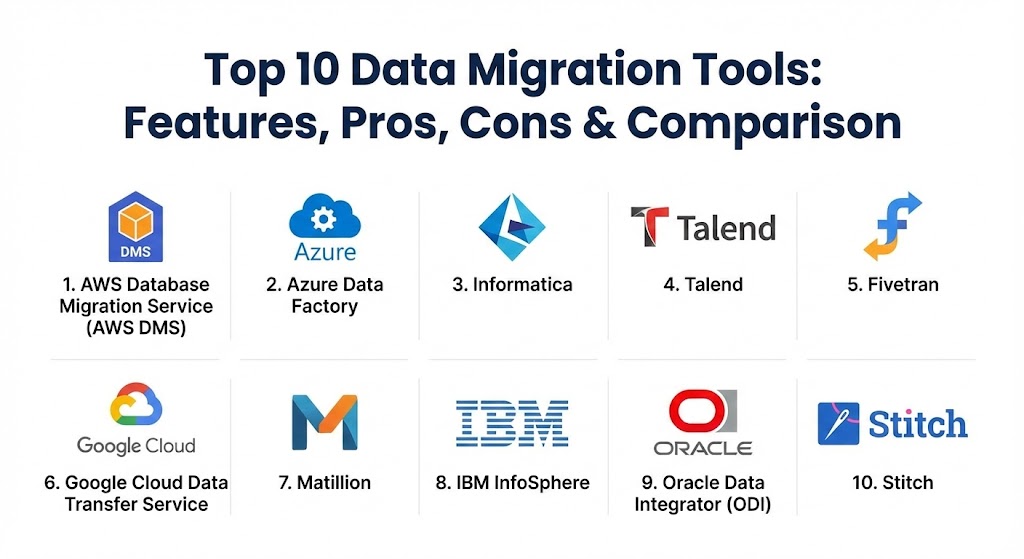
Top 10 Data Migration Tools
1 — AWS Database Migration Service (AWS DMS)
AWS DMS is a managed service that helps you migrate databases to AWS quickly and securely. The source database remains fully operational during the migration, minimizing downtime for applications that rely on the database.
- Key features:
- Supports both homogeneous and heterogeneous migrations (e.g., Oracle to Oracle or Oracle to Aurora).
- Ongoing replication using Change Data Capture (CDC) to keep source and target in sync.
- Integrated with AWS Schema Conversion Tool (SCT) for complex migrations.
- Highly resilient and self-healing; monitors tasks and restarts them upon failure.
- Supports a wide array of sources including SQL Server, MySQL, and PostgreSQL.
- Scalable resource allocation based on migration volume.
- Pros:
- Minimal downtime ensures business continuity during massive shifts.
- Extremely cost-effective for migrations within the AWS ecosystem.
- Cons:
- Limited support for complex data transformations during the migration process.
- Performance can throttle if the underlying instance is not properly sized.
- Security & compliance: Supports SSL/TLS encryption for data in transit, AWS KMS for data at rest, and is compliant with SOC, HIPAA, and GDPR.
- Support & community: Backed by extensive AWS documentation, world-class enterprise support, and a massive community of AWS-certified professionals.
2 — Azure Data Factory (ADF)
Azure Data Factory is a cloud-based data integration service that allows you to create data-driven workflows for orchestrating and automating data movement and data transformation at scale.
- Key features:
- Visual data integration with 90+ built-in connectors to diverse data sources.
- Support for “Mapping Data Flows” allowing for code-free transformations.
- Seamless integration with Azure Synapse Analytics and Azure Data Lake.
- Supports SSIS (SQL Server Integration Services) package lift-and-shift.
- Powerful monitoring and management tools via the Azure portal.
- Hybrid integration through a self-hosted integration runtime.
- Pros:
- Excellent for organizations heavily invested in the Microsoft ecosystem.
- Highly scalable serverless architecture that adapts to workload peaks.
- Cons:
- Steep learning curve for users unfamiliar with Azure’s logic app structure.
- Cost management can be complex due to the “pay-per-use” pricing of pipeline runs.
- Security & compliance: Includes Managed Service Identities (MSI), Azure Key Vault integration, and meets ISO, SOC, and HIPAA standards.
- Support & community: Comprehensive Microsoft Learn documentation, active MSDN forums, and dedicated Azure support plans.
3 — Informatica Intelligent Data Management Cloud
Informatica is a long-standing leader in the enterprise data space. Its cloud-native migration tool is designed for high-end, complex enterprise environments that require sophisticated data governance and quality controls.
- Key features:
- AI-powered metadata management (CLAIRE engine) to automate discovery.
- Advanced data masking and sensitive data discovery during migration.
- Connectivity to virtually any on-premises, cloud, or SaaS application.
- Integrated data quality and profiling tools to clean data before migration.
- High-speed data ingestion for petabyte-scale migrations.
- Support for multi-cloud and hybrid cloud environments.
- Pros:
- Unmatched for data governance and maintaining data lineage.
- Highly mature tool with a proven track record in Fortune 500 companies.
- Cons:
- One of the most expensive solutions on the market.
- Requires a specialized skill set to manage and configure properly.
- Security & compliance: SOC 2 Type II, HIPAA, GDPR, and FedRAMP authorized.
- Support & community: Tiered enterprise support, a large global network of certified partners, and the Informatica University training portal.
4 — Talend (Data Fabric)
Talend offers a comprehensive suite of data integration and migration tools that emphasize open-source flexibility combined with enterprise-grade features.
- Key features:
- Open-source core with a vast library of over 1,000 connectors.
- Self-service data preparation tools for business users.
- Real-time data streaming and batch processing capabilities.
- “Talend Trust Score” to assess and improve data health automatically.
- Robust CI/CD support for automated migration pipelines.
- Versatile deployment options: On-prem, Cloud, or Hybrid.
- Pros:
- Great balance between powerful features and a relatively low barrier to entry.
- Highly flexible for developers who want to write custom Java code components.
- Cons:
- The memory consumption of the Studio application can be quite high.
- The transition from the free version to the enterprise version is a major pricing jump.
- Security & compliance: ISO 27001, SOC 2, HIPAA, and GDPR compliant. Includes advanced auditing and encryption.
- Support & community: Strong community presence through Talend Forge, detailed documentation, and dedicated customer success managers for enterprise tiers.
5 — Fivetran
Fivetran focuses on the “automated” part of data migration. It is a cloud-native, zero-maintenance tool designed to move data from SaaS apps and databases into cloud data warehouses with almost no configuration.
- Key features:
- Fully managed, automated connectors that adapt to schema changes.
- Idempotent data delivery to ensure no data is lost or duplicated.
- Automated data normalization and cleaning.
- Support for high-volume database replication via log-based CDC.
- Native integration with Snowflake, BigQuery, and Databricks.
- Pre-built data models to accelerate analytics post-migration.
- Pros:
- The fastest “time-to-value” of any tool on this list; set up in minutes.
- Truly hands-off; no manual mapping or coding required for most sources.
- Cons:
- Limited ability to perform complex, custom transformations mid-flight.
- Pricing is volume-based (Monthly Active Rows), which can become unpredictable.
- Security & compliance: SOC 2 Type II, ISO 27001, PCI DSS, HIPAA, and GDPR.
- Support & community: 24/7 technical support, a simplified onboarding process, and an active online knowledge base.
6 — Google Cloud Data Transfer Service
Google’s native offering is built specifically for moving data from on-premises sources or other cloud providers into Google Cloud Platform (GCP).
- Key features:
- Transfer Appliance for offline, petabyte-scale physical data migration.
- Automated scheduling for recurring data transfers from S3 or Azure.
- High-speed online transfer service for moving billions of files.
- Integrated with BigQuery Data Transfer Service for SaaS applications.
- Direct peering and interconnect support for low-latency transfers.
- Built-in checksum validation to ensure data integrity.
- Pros:
- Deeply integrated with BigQuery and Google Cloud Storage.
- Very high performance for cross-cloud migrations (e.g., AWS to GCP).
- Cons:
- Primarily a one-way street into Google Cloud; not a general-purpose migration tool.
- Monitoring features are somewhat basic compared to Informatica or Talend.
- Security & compliance: VPC Service Controls, Cloud IAM integration, and global compliance with GDPR and HIPAA.
- Support & community: Google Cloud’s standard support ecosystem, extensive documentation, and a growing community of GCP experts.
7 — Matillion
Matillion is an ELT (Extract, Load, Transform) tool purpose-built for cloud data warehouses. It leverages the power of the target warehouse to perform transformations, making it ideal for large-scale migrations.
- Key features:
- Visual orchestration for building complex data migration pipelines.
- Native integration with Snowflake, Amazon Redshift, and Google BigQuery.
- High-performance data ingestion through optimized “Bulk Load” components.
- Support for Change Data Capture (CDC) via Matillion Data Loader.
- Sophisticated error-handling and notification components.
- Pay-as-you-go pricing based on virtual core usage.
- Pros:
- Excellent performance by offloading transformation tasks to the data warehouse.
- Transparent, predictable pricing model compared to row-based alternatives.
- Cons:
- Requires the user to have a cloud data warehouse already in place.
- Limited support for non-SQL targets or older legacy systems.
- Security & compliance: SOC 2, ISO 27001, HIPAA, and GDPR. Data never leaves your cloud environment.
- Support & community: Active community forums, detailed technical documentation, and responsive ticketing system.
8 — IBM InfoSphere Information Server
IBM InfoSphere is a heavyweight platform designed for the most demanding enterprise data integration and migration projects, focusing on end-to-end data lifecycle management.
- Key features:
- High-parallelism processing engine for massive data volumes.
- Advanced metadata management and data lineage tracking.
- Integrated data quality and cleansing via QualityStage.
- Support for complex, multi-stage transformations.
- Connectivity to mainframes and traditional enterprise systems (SAP, Oracle).
- Comprehensive governance and stewardship tools.
- Pros:
- Capable of handling the most complex legacy-to-modern migrations.
- Unparalleled stability for mission-critical banking and government apps.
- Cons:
- Extremely high complexity; requires a dedicated team of IBM specialists.
- Very high licensing and infrastructure costs.
- Security & compliance: Comprehensive security including FIPS 140-2 compliance, GDPR, and HIPAA.
- Support & community: Global IBM support, extensive training programs, and a worldwide network of expert consultants.
9 — Oracle Data Integrator (ODI)
Oracle Data Integrator provides a fully unified solution for building, deploying, and managing complex data warehouses or as part of data-centric architectures in an SOA or BI environment.
- Key features:
- Unique E-LT architecture that utilizes the power of the database.
- Native support for Oracle Cloud Infrastructure (OCI).
- Specialized knowledge modules for optimized data movement.
- Integrated data profiling and data quality monitoring.
- Support for big data technologies like Hadoop and Spark.
- Robust version control and collaborative development features.
- Pros:
- Best-in-class performance when the source or target is an Oracle database.
- Reduces the need for middle-tier servers, lowering overall TCO.
- Cons:
- Steep learning curve for those not familiar with Oracle’s architecture.
- Vendor lock-in can be a concern for multi-cloud strategies.
- Security & compliance: SOC 1/2/3, ISO 27001, HIPAA, and GDPR compliant within OCI.
- Support & community: Backed by Oracle Support (My Oracle Support) and a large global user group community.
10 — Stitch (by Qlik)
Stitch is a simple, extensible ELT platform built for data teams. It focuses on the “ingestion” phase of migration, allowing users to get data into their warehouse quickly and without hassle.
- Key features:
- Lightweight, cloud-first architecture.
- Over 130 connectors to popular SaaS apps and databases.
- Automatic scaling to handle spikes in data volume.
- “Import API” for building custom integrations.
- Simplified scheduling and monitoring dashboard.
- Advanced logging to track every record moved.
- Pros:
- Extremely easy to set up; great for small to mid-sized data teams.
- Very transparent and competitive pricing for low to moderate volumes.
- Cons:
- Very limited transformation capabilities; strictly an “ingest and load” tool.
- Lacks the enterprise governance features found in Informatica or IBM.
- Security & compliance: SOC 2 Type II, HIPAA, and GDPR. Includes encryption at rest and in transit.
- Support & community: Email-based support, a comprehensive help center, and a growing community of modern data stack enthusiasts.
Comparison Table
| Tool Name | Best For | Platform(s) Supported | Standout Feature | Rating (Gartner Peer Insights) |
| AWS DMS | Moving to AWS | AWS (Source/Target) | Minimal Downtime CDC | 4.5 / 5 |
| Azure Data Factory | Azure Ecosystem | Azure (Source/Target) | Serverless Orchestration | 4.6 / 5 |
| Informatica | Large Enterprise | Multi-Cloud, On-Prem | AI-Powered Governance | 4.4 / 5 |
| Talend | Hybrid Multi-Cloud | All Platforms | Trust Score / Open Source | 4.3 / 5 |
| Fivetran | Zero-Maintenance | Cloud-Native | Fully Automated Schemas | 4.7 / 5 |
| Google Transfer | Moving to GCP | GCP (Target) | Physical Data Appliance | 4.5 / 5 |
| Matillion | Warehouse ELT | Cloud Warehouses | Visual Low-Code Design | 4.4 / 5 |
| IBM InfoSphere | Legacy/Mainframe | Multi-Platform | Massive Scale Stability | 4.1 / 5 |
| Oracle ODI | Oracle-Centric | OCI, On-Prem | E-LT Performance | 4.2 / 5 |
| Stitch | Small Data Teams | Cloud Warehouses | Simplicity and Speed | 4.5 / 5 |
Evaluation & Scoring of Data Migration Tools
When choosing a data migration tool, it is essential to weight each feature based on your specific project requirements. A tool that is fast but insecure is a liability, while a secure but slow tool may delay critical business launches.
| Category | Weight | Evaluation Criteria |
| Core Features | 25% | CDC support, schema mapping accuracy, and validation protocols. |
| Ease of Use | 15% | UI intuitiveness, “low-code” vs. “pro-code” requirements. |
| Integrations | 15% | Number and quality of native connectors for SaaS and Databases. |
| Security & Compliance | 10% | Encryption levels, SOC 2 status, and data residency controls. |
| Performance | 10% | Transfer speed, handling of high-concurrency, and latency. |
| Support & Community | 10% | Documentation quality and responsiveness of support teams. |
| Price / Value | 15% | Predictability of costs and ROI compared to manual labor. |
Which Data Migration Tool Is Right for You?
Selecting the right tool depends heavily on your “destination” and the “velocity” of your data.
Solo Users vs SMB vs Mid-Market vs Enterprise
- Solo/Micro SMB: If you have a few gigabytes of data, skip the heavy tools. Use built-in database export tools (like
mysqldump) or basic cloud connectors. - Mid-Market: Look for tools that offer automation without a massive price tag. Fivetran and Stitch are excellent here because they don’t require a dedicated team of engineers to maintain.
- Enterprise: If you have massive regulatory burdens and thousands of tables, Informatica or IBM InfoSphere provide the governance and “safety net” needed to avoid catastrophic errors.
Budget-Conscious vs Premium Solutions
- Budget: Talend Open Studio is a great entry point, as is Stitch for lower data volumes. If you are already in a cloud ecosystem (AWS/Azure), their native tools often provide the best price-to-performance ratio.
- Premium: Informatica and Fivetran represent the premium end. You are paying for the time saved (Fivetran) or the risk mitigated (Informatica).
Feature Depth vs Ease of Use
If your migration requires cleaning up 10 years of bad data entries, you need Talend or Informatica for their data quality features. If your data is already clean and you just need it moved, Fivetran or AWS DMS will save you countless hours of configuration.
Integration and Scalability Needs
For migrations involving hundreds of different SaaS sources (Salesforce, Zendesk, etc.), Fivetran is the leader. For deep database-to-database moves involving complex joins and triggers, Matillion or Oracle ODI are more appropriate.
Frequently Asked Questions (FAQs)
1. What is the difference between Data Migration and Data Integration?
Data migration is a one-time process of moving data from one place to another. Data integration is an ongoing process of combining data from multiple sources into a single, unified view.
2. How do I minimize downtime during migration?
Use a tool that supports Change Data Capture (CDC). This allows the migration to run in the background while your app is live, only switching over once the two systems are perfectly synchronized.
3. Is cloud-to-cloud migration easier than on-prem-to-cloud?
Generally, yes. Cloud providers have optimized networks for inter-cloud transfers. Moving from on-prem is often limited by your local upload bandwidth.
4. What is Schema Conversion?
It is the process of translating database structures (tables, views, stored procedures) from one engine to another (e.g., converting Oracle-specific SQL to PostgreSQL SQL).
5. How much data is “too much” for an online transfer?
If you have more than 100TB, you should consider a physical transfer appliance (like AWS Snowball or Google Transfer Appliance) to avoid months of upload time.
6. Does data migration affect data quality?
Migration can actually expose existing data quality issues. It is often the best time to perform data cleansing to ensure only “clean” data enters the new system.
7. Are free migration tools safe?
Open-source tools like Talend are very safe, but they require more manual setup to ensure security. “Free” web-based converters should be avoided for sensitive data.
8. What is a “Big Bang” migration?
A Big Bang migration involves moving all data in a single operation during a period of downtime. It is simple but high-risk compared to a phased migration.
9. How do I validate that the migration was successful?
Data migration tools perform checksum comparisons and record counts. You should also perform “smoke tests” where you run standard application queries against the new database.
10. What are the biggest risks in data migration?
The biggest risks include data corruption, losing the relationships between tables (referential integrity), and extended downtime that costs the business money.
Conclusion
Choosing a data migration tool is not just a technical decision; it is a business one. The tool you select defines how much downtime your customers experience, how much your engineering team struggles, and how much trust you can place in your data post-move. While cloud-native tools like AWS DMS and Azure Data Factory offer incredible value for those staying within their respective ecosystems, vendor-neutral tools like Fivetran and Informatica provide a flexibility that is hard to ignore for multi-cloud strategies.
Ultimately, the “best” tool is the one that minimizes risk while staying within your budget. Conduct a thorough “proof of concept” with a small subset of your most complex data before committing to a full-scale migration.