Introduction
Remote Backup for SaaS tools are specialized data protection solutions designed to capture, store, and restore information from cloud-based platforms like Microsoft 365, Google Workspace, Salesforce, and Shopify. Unlike traditional on-premises backup, these tools operate entirely in the cloud (Cloud-to-Cloud), creating an independent copy of your business data that is physically and logically separated from the original SaaS provider.
The importance of these tools cannot be overstated. In 2026, where data-driven AI agents and interconnected workflows are the norm, even a few hours of data loss can derail an entire enterprise. Key real-world use cases include recovering from “silent” data corruption caused by buggy third-party integrations, ensuring compliance with strict data retention laws (like GDPR or NIS 2), and providing a safety net against “account takeovers” where an attacker wipes a user’s entire cloud drive. When choosing a tool, you should evaluate the granularity of restores (can you recover just one email?), the frequency of automated backups, and the ability to search through historical snapshots across multiple years.
Best for: IT managers and compliance officers in mid-sized to large enterprises, e-commerce businesses relying on platforms like Shopify, and highly regulated sectors like finance and healthcare that cannot afford even a partial data loss event.
Not ideal for: Individual users with very small amounts of non-critical data who can manually export their files, or startups that are exclusively using “freemium” versions of SaaS tools where the cost of a backup subscription might exceed the value of the tool itself.
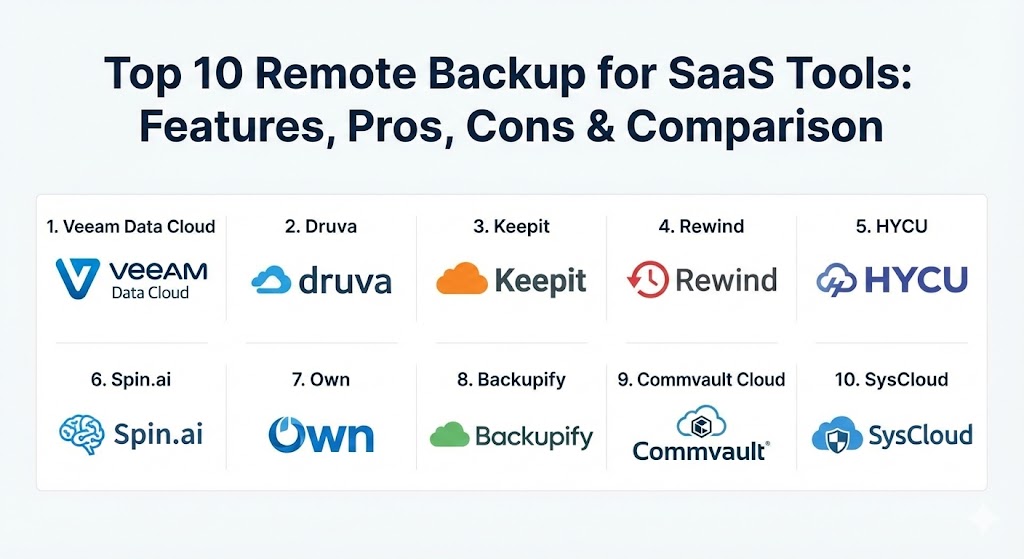
Top 10 Remote Backup for SaaS Tools
1 — Veeam Data Cloud
Veeam is a titan in the data protection world, and their Data Cloud offering brings their legendary reliability to the SaaS world. It is specifically designed to provide enterprise-grade protection for Microsoft 365 and Salesforce without the need for managing underlying storage.
- Key features:
- Automated daily backups for Exchange, SharePoint, OneDrive, and Teams.
- Advanced search capabilities for eDiscovery and legal hold.
- Flexible storage options, including Azure or user-defined cloud buckets.
- Unified dashboard to manage SaaS backups alongside virtual and physical workloads.
- Granular recovery down to the individual file, folder, or mailbox item.
- Built-in “Copy Job” functionality to send backups to secondary cloud locations.
- Pros:
- Industry-standard reliability with a proven track record in complex environments.
- Exceptional restore accuracy, maintaining original folder structures and metadata.
- Cons:
- The interface can be slightly overwhelming for small business owners without IT backgrounds.
- Higher-than-average pricing for premium enterprise features.
- Security & compliance: SOC 2 Type II, ISO 27001, GDPR, HIPAA, and FIPS 140-2 validated encryption.
- Support & community: Extensive documentation, a massive global user community, and 24/7 technical support for enterprise tiers.
2 — Druva Data Resiliency Cloud
Druva is a 100% SaaS-based solution that prides itself on “air-gapped” security. It is designed for businesses that want to “set it and forget it,” providing massive scalability without any hardware or software to manage.
- Key features:
- Truly cloud-native architecture that scales automatically as data grows.
- Unified protection for SaaS apps, endpoints, and hybrid cloud workloads.
- AI-driven ransomware detection that alerts you to unusual file activity.
- Automated compliance monitoring to identify sensitive data like PII.
- High-speed global deduplication to reduce storage costs.
- One-click disaster recovery for cloud environments.
- Pros:
- Very low administrative overhead; no patches or updates to install.
- Excellent ransomware defense features that actively monitor backup health.
- Cons:
- Limited customization for users who want total control over the backup infrastructure.
- Restore speeds can vary depending on global network traffic.
- Security & compliance: FedRAMP authorized, HIPAA, GDPR, SOC 2, and FIPS-validated encryption.
- Support & community: High-quality customer success teams and a robust online training portal.
3 — Keepit
Keepit is an independent SaaS backup provider that stands out because it operates its own specialized data centers. This ensures that your backup is truly “remote” from the major cloud providers like Microsoft or Google, avoiding a single point of failure.
- Key features:
- Vendor-independent cloud architecture (not hosted on AWS or Azure).
- Comprehensive coverage for Microsoft 365, Entra ID (Azure AD), and Google Workspace.
- Blockchain-based data immutability to prevent tampering.
- Intuitive “smart search” that works across all backup versions.
- Instant file-level sharing directly from the backup vault.
- Simplified, per-user pricing model with unlimited storage options.
- Pros:
- High data sovereignty; you know exactly where your data is stored physically.
- The interface is remarkably clean and requires almost no training to use.
- Cons:
- Fewer integrations with niche SaaS apps compared to some competitors.
- Limited advanced “eDiscovery” features for massive legal teams.
- Security & compliance: ISO 27001, SOC 2 Type II, GDPR, and HIPAA.
- Support & community: Friendly, personalized support and a very straightforward onboarding process.
4 — Rewind
Rewind is the go-to solution for businesses that rely on specialized SaaS platforms beyond just email. It is widely considered the gold standard for e-commerce (Shopify, BigCommerce) and productivity tools (Trello, Jira, GitHub).
- Key features:
- Specialized “App-level” backups that capture complex metadata (like product reviews or themes).
- Automatic backups triggered by data changes in real-time.
- Point-and-click restoration for individual items or the entire account.
- “Rewind Vault” for offline storage of critical business configurations.
- Easy integration for developers via an API for custom app backups.
- Change tracking to see exactly what was altered before a restore.
- Pros:
- Best-in-class protection for Shopify and e-commerce-heavy businesses.
- Very affordable entry points for small businesses and solo entrepreneurs.
- Cons:
- Narrower focus on specific apps rather than broad “Office” suites.
- Lacks some of the multi-cloud management features of enterprise rivals.
- Security & compliance: SOC 2 Type II, GDPR, and PCI DSS compliance for e-commerce data.
- Support & community: Responsive chat-based support and a helpful library of video tutorials.
5 — HYCU
HYCU (Hyper-converged Users) provides one of the most flexible and modern “Backup as a Service” (BaaS) platforms. Its unique R-Cloud technology allows it to back up hundreds of different SaaS applications with one-click simplicity.
- Key features:
- R-Cloud framework for rapid integration of new SaaS applications.
- Agentless architecture that requires zero installation on endpoints.
- Cross-cloud migration and disaster recovery capabilities.
- Policy-driven automation that ensures every new user is automatically backed up.
- Visual mapping of data dependencies to understand backup health.
- Integrated protection for AWS and Google Cloud platform services.
- Pros:
- One of the few tools that can handle a massive variety of niche SaaS apps.
- The setup process is arguably the fastest in the industry (under 5 minutes).
- Cons:
- Can become expensive if you have a highly fragmented SaaS stack with many small apps.
- Documentation for newer, niche connectors can sometimes be sparse.
- Security & compliance: SOC 2 Type II, GDPR, and HIPAA.
- Support & community: Rapid-response support and a growing ecosystem of MSP partners.
6 — Spin.ai (SpinBackup)
Spin.ai focuses on the intersection of cybersecurity and backup. It is designed for security-conscious organizations that want to protect their Google Workspace or Microsoft 365 data from both loss and theft.
- Key features:
- AI-powered ransomware protection that automatically stops the encryption process.
- Automated risk assessment of third-party apps connected to your SaaS suite.
- “Security Dashboard” to track sensitive data leaks and anomalous behavior.
- Blockchain-verified backups for guaranteed data integrity.
- Multi-cloud storage options (AWS, GCP, Azure, or Wasabi).
- Fast, granular search and restore for all SaaS objects.
- Pros:
- A dual-purpose tool that offers both insurance (backup) and defense (security).
- Highly effective at detecting “shadow IT” apps that could endanger your data.
- Cons:
- The high level of security alerts can occasionally lead to “alert fatigue” for small teams.
- Feature set is heavily focused on Google and Microsoft, with fewer CRM integrations.
- Security & compliance: SOC 2, HIPAA, GDPR, and EU-US Privacy Shield.
- Support & community: Excellent technical support and a modern, searchable knowledge base.
7 — Own (formerly OwnBackup)
Own is the dominant force in the Salesforce ecosystem. If your company lives and breathes in Salesforce, this is the tool you use to ensure your CRM data and complex metadata (like custom objects and code) are never lost.
- Key features:
- High-frequency backups for Salesforce, ServiceNow, and Microsoft Dynamics.
- Specialized “Sandbox Seeding” for developers to test code with real data safely.
- Advanced “Data Masking” to protect PII during the backup and restore process.
- Comparison tools to see what changed between two backup points in time.
- eDiscovery and archiving for long-term data retention needs.
- Proactive alerting for “bulk data deletions” that exceed a defined threshold.
- Pros:
- Deepest possible knowledge of Salesforce architecture and metadata.
- Essential for enterprise DevOps teams working in cloud-based CRMs.
- Cons:
- Very specialized; not a general-purpose tool for simple email backups.
- One of the more expensive solutions on the market.
- Security & compliance: ISO 27001, SOC 2 Type II, HIPAA, and GDPR.
- Support & community: World-class enterprise support and specialized training certifications.
8 — Backupify (by Datto/Kaseya)
Backupify is a veteran in the SaaS backup space, now part of the Datto ecosystem. It is primarily built for small-to-midmarket businesses that need a simple, cost-effective way to protect their productivity suites.
- Key features:
- Automated backups three times a day for Microsoft 365 and Google Workspace.
- Simplified “User Management” dashboard for IT administrators.
- Unlimited storage and retention options on most plans.
- Easy “Point-in-Time” recovery to roll back an entire account.
- Intelligent search that can find files across archived accounts.
- Integration with Datto’s broader suite for MSPs (Managed Service Providers).
- Pros:
- Very straightforward pricing with no hidden storage fees.
- Reliable, consistent performance for the core office productivity apps.
- Cons:
- The user interface has not been updated as frequently as some newer competitors.
- Limited support for advanced SaaS apps outside the “Big Two” (MS and Google).
- Security & compliance: SOC 2 Type II, HIPAA, and GDPR.
- Support & community: 24/7/365 phone support, which is vital for emergency data restores.
9 — Commvault Cloud (Metallic)
Commvault Cloud (incorporating the Metallic brand) is an enterprise-grade SaaS backup solution that offers the “gold standard” in flexibility. It is designed for large global organizations with complex hybrid-cloud requirements.
- Key features:
- Multi-layered “Metallic AI” for intelligent data management and recovery.
- Support for Microsoft 365, Salesforce, Dynamics 365, and Kubernetes.
- “Bring Your Own Storage” (BYOS) or use Commvault’s managed cloud storage.
- Sophisticated data isolation (air-gapping) to protect against ransomware.
- Advanced indexing for lightning-fast eDiscovery and legal audits.
- Global management from a single console across different geographic regions.
- Pros:
- Unmatched flexibility in terms of where data is stored and how it is managed.
- Built for massive scale; can handle hundreds of thousands of users effortlessly.
- Cons:
- The sheer number of options can make the initial setup quite complex.
- Often requires a dedicated backup administrator for large-scale deployments.
- Security & compliance: FedRAMP High, FIPS 140-2, ISO 27001, and SOC 2 Type II.
- Support & community: Premier enterprise support with global coverage and a deep technical library.
10 — SysCloud
SysCloud is a compliance-focused SaaS backup tool that is particularly popular in the education and non-profit sectors. It combines data protection with strong “Data Loss Prevention” (DLP) features.
- Key features:
- Integrated compliance engine to scan backups for PII or inappropriate content.
- Automated backups for Microsoft 365, Google Workspace, and Slack.
- Granular search that allows you to find files by owner, type, or date.
- “Self-service” restore portal for end-users to recover their own files.
- Detailed reporting on backup health and potential data risks.
- Cross-user restores (e.g., restoring an ex-employee’s files to a manager).
- Pros:
- Excellent “value-add” features for schools and businesses with strict content policies.
- Very transparent and affordable pricing for the non-profit sector.
- Cons:
- Restore workflows can be slightly slower than high-performance enterprise tools.
- Lacks some of the AI-driven ransomware “blocking” found in Spin.ai.
- Security & compliance: SOC 2 Type II, GDPR, HIPAA, and FERPA (for education).
- Support & community: Helpful onboarding support and a clear, easy-to-follow knowledge base.
Comparison Table
| Tool Name | Best For | Platform(s) Supported | Standout Feature | Rating (Gartner / TrueReview) |
| Veeam Data Cloud | Large Hybrid Enterprises | M365, Salesforce | Enterprise-Grade Reliability | 4.6 / 5 |
| Druva | “Set-and-Forget” Users | M365, Google, Hybrid | AI Ransomware Detection | 4.8 / 5 |
| Keepit | Data Sovereignty | M365, Google, Salesforce | Independent Cloud Infrastructure | 4.7 / 5 |
| Rewind | E-commerce (Shopify) | Shopify, Trello, GitHub | Real-Time App-Level Backups | 4.4 / 5 |
| HYCU | Rapid Multi-SaaS Setup | 100+ SaaS Apps | One-Click R-Cloud Connectors | 4.6 / 5 |
| Spin.ai | Security-Driven Teams | M365, Google Workspace | AI Ransomware Blocking | 4.5 / 5 |
| Own | Salesforce Power Users | Salesforce, ServiceNow | Advanced Sandbox Seeding | 4.7 / 5 |
| Backupify | SMB Efficiency | M365, Google Workspace | 3x Daily Automated Backups | 4.2 / 5 |
| Commvault Cloud | Global Scalability | M365, Salesforce, K8s | Metallic AI Management | 4.5 / 5 |
| SysCloud | Education & Compliance | M365, Google, Slack | Integrated DLP & Content Scan | 4.3 / 5 |
Evaluation & Scoring of Remote Backup for SaaS Tools
To find the right tool, it is helpful to understand how they are weighted in professional evaluations. We use the following scoring rubric to determine the value of each solution in the 2026 market.
| Category | Weight | Key Evaluation Focus |
| Core Features | 25% | Backup frequency, restore granularity, and data immutability. |
| Ease of Use | 15% | Intuitive UI, speed of setup, and “self-service” capabilities. |
| Integrations | 15% | Breadth of supported SaaS apps and cloud storage flexibility. |
| Security & Compliance | 10% | Encryption standards, air-gapping, and global certifications. |
| Performance | 10% | Restore speed and accuracy of metadata recreation. |
| Support | 10% | Documentation quality, community size, and response times. |
| Price / Value | 15% | Per-user cost vs. storage limits and features provided. |
Which Remote Backup for SaaS Tool Is Right for You?
Selecting a backup tool is not just about features—it is about finding the right “fit” for your specific organizational DNA.
- Solo Users & Very Small Businesses: If you are a one-person shop or a small creative team, Rewind or Backupify are your best bets. They offer simple, low-cost protection that covers the apps you use most (Shopify, Trello, or basic Google Workspace).
- Small to Medium Businesses (SMBs): For teams that want high-level protection without needing a full-time IT admin, Druva or Keepit are ideal. They manage the storage for you and provide an interface that is easy to navigate during a crisis.
- Large & Global Enterprises: Organizations with thousands of employees should look at Veeam or Commvault Cloud. These tools can handle massive datasets, provide the eDiscovery needed for legal battles, and offer the air-gapped security required to defeat professional ransomware groups.
- Specialized Use Cases:
- E-commerce: Rewind is the only logical choice for deep Shopify/BigCommerce protection.
- Salesforce Devs: Own is the industry standard for managing complex CRM metadata.
- Security-Centric: Spin.ai is the best choice if you want your backup tool to actively fight off hackers.
- Budget vs. Premium: If you have a tight budget, SysCloud and Backupify offer great “bang for your buck.” If data resilience is your top priority and cost is secondary, Veeam and Commvault provide the most peace of mind.
Frequently Asked Questions (FAQs)
1. Doesn’t Microsoft/Google already back up my data?
No. They guarantee the availability of the service (uptime), but they do not provide a point-in-time backup service for your data. If you accidentally delete a folder, they may hold it in a “recycle bin” for a few days, but after that, it is gone forever without a third-party tool.
2. What is “Cloud-to-Cloud” backup?
It refers to a process where the backup software copies data directly from one cloud service (like Google Workspace) to another separate cloud storage location (like AWS or a private data center), bypassing your local computer entirely.
3. Is “Retention” the same as “Backup”?
No. Retention policies (often built into SaaS apps) keep a copy of data for a period, but they are often complex to manage and can be bypassed by an administrator. A backup is an independent, unchangeable copy of the data.
4. How often should SaaS backups run?
Most enterprise tools run backups once every 24 hours. However, tools like Backupify run three times a day, and Rewind can offer real-time backups for e-commerce changes.
5. Can I restore a backup to a different user account?
Yes, most of these tools allow you to restore data from one user’s backup to a different active user. This is particularly useful when an employee leaves the company and their manager needs their files.
6. What is “Immutability” in backups?
Immutability means the backup data cannot be changed, deleted, or encrypted by anyone (including a hacker with admin credentials) until a set period of time has passed. This is the ultimate defense against ransomware.
7. How much storage space do I need?
Most SaaS backup tools offer “unlimited storage” as part of their per-user subscription fee. This simplifies your planning as you don’t have to worry about running out of space as your company grows.
8. Can these tools help with GDPR compliance?
Yes. They provide the “Right to Erasure” and data portability required by GDPR, and they often allow you to choose exactly which geographic region your backups are stored in to meet data residency laws.
9. Do I need to install anything on my computer?
Most of these tools are “agentless,” meaning they connect to your SaaS account via an API. You manage everything through a web browser, with no software to install on your employees’ machines.
10. What happens if I stop paying for the backup service?
Usually, you will lose access to your historical backups. It is important to check the vendor’s policy on “Data Offboarding” to see if they allow you to export your final backup if you decide to switch providers.
Conclusion
Remote backup for SaaS is no longer an optional “extra”—it is the baseline for modern business continuity. The shift to the cloud has made our work more accessible, but it has also decentralized our most valuable assets. By implementing a dedicated backup tool, you are not just ticking a compliance box; you are building a resilient foundation that allows your team to work without the fear of a single click erasing years of progress.
When choosing your tool, remember that the “best” solution is the one that integrates most naturally with your team’s workflow. Whether it’s the security-first approach of Spin.ai or the massive flexibility of Commvault, the right choice today will be the difference between a minor tech glitch and a catastrophic business failure tomorrow.