Introduction
Address Book Software is a specialized category of productivity tools designed to centralize, organize, and enrich contact information. In an era where a single professional might have contacts scattered across LinkedIn, Gmail, Outlook, and various messaging apps, these tools act as the “single source of truth.” They are critical because they eliminate data fragmentation, prevent the loss of valuable connections, and automate the tedious task of manual data entry.
Key real-world use cases include sales professionals tracking relationship health, executive assistants managing vast networks for CEOs, and freelancers maintaining a clean database of past and present clients. When choosing a tool in this category, users should look for strong de-duplication capabilities (to avoid “messy” books), AI-driven contact enrichment (which automatically pulls in job titles and social profiles), robust cross-platform syncing, and end-to-end security.
Best for: Professionals who live and breathe networking, small to medium-sized business (SMB) owners, recruiters, and executive assistants who need to manage thousands of contacts without the overhead of a full-scale CRM. It is also ideal for individuals who want a “Personal CRM” to maintain long-term friendships and professional ties.
Not ideal for: Large enterprise sales teams that require complex revenue forecasting and lead-to-cash pipelines (where a full CRM like Salesforce is better) or casual users who only have a few dozen contacts and are satisfied with the basic, native apps provided by their smartphone.
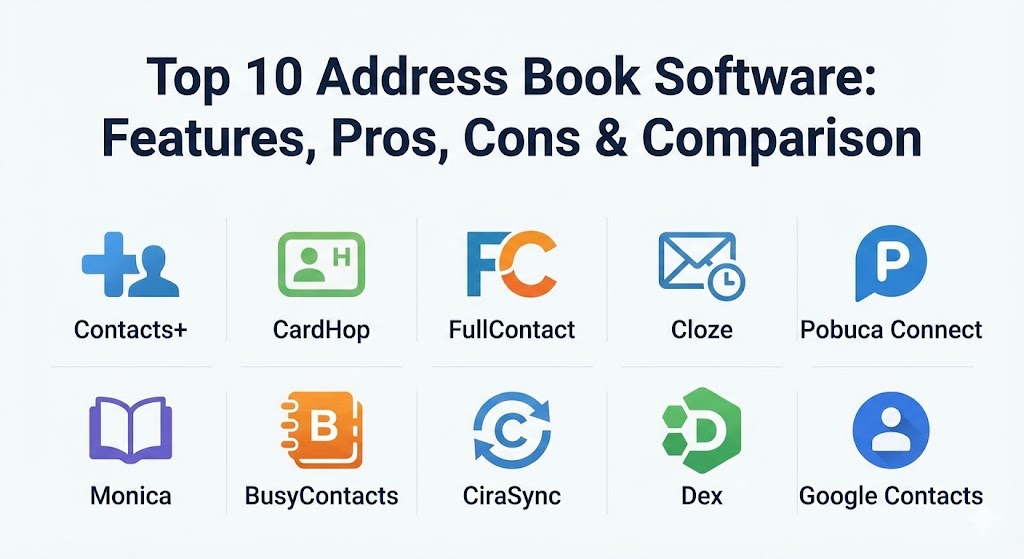
Top 10 Address Book Software Tools
1 — Contacts+
Contacts+ is a powerhouse in the contact management world, designed for those who have contacts spread across multiple accounts and want to merge them into one clean, unified database.
- Key features:
- Intelligent de-duplication to identify and merge identical records.
- Automatic contact enrichment that pulls data from social media and public records.
- Business card scanning using high-accuracy OCR (Optical Character Recognition).
- Integration with Google, Outlook, and iCloud.
- Granular tagging and categorization for deep organization.
- Web, desktop, and mobile application access.
- Pros:
- Excellent at cleaning up years of “address book debt.”
- The enrichment feature ensures you always have the latest job titles for your contacts.
- Cons:
- The premium tier is required for the best features, which can feel pricey for personal use.
- Occasional sync delays when handling tens of thousands of records.
- Security & compliance: SOC 2 Type II compliant, GDPR compliant, and uses 256-bit AES encryption for all data at rest.
- Support & community: Detailed help center, email support for premium users, and an active blog with networking tips.
2 — CardHop (by Flexibits)
CardHop is widely regarded as the most user-friendly address book app for the Apple ecosystem. It focuses on “Natural Language Input,” allowing you to add contacts as easily as typing a sentence.
- Key features:
- Natural language engine (e.g., “Add John Doe 555-1234”).
- Quick Actions for one-tap calling, messaging, or emailing directly from the search bar.
- Deep integration with iOS, macOS, and iPadOS.
- Beautifully designed “Business Card” sharing via QR codes.
- Birthday and anniversary reminders to foster better relationships.
- Intelligent “Relationships” view to see how people are connected.
- Pros:
- The fastest way to add or find a contact on a mobile device.
- A minimalist design that stays out of your way while providing high value.
- Cons:
- Primarily focused on Apple users; Windows and Android support is limited or non-existent.
- Not designed for heavy-duty corporate team sharing.
- Security & compliance: Relies on iCloud security infrastructure; GDPR compliant; privacy-first local processing.
- Support & community: Comprehensive documentation and a very responsive Twitter/X and email support team.
3 — FullContact
FullContact is the “pro” choice for identity resolution. It doesn’t just store your address book; it maps the identity of your contacts across the digital landscape to ensure you have a 360-degree view.
- Key features:
- Professional-grade identity resolution for identifying people across platforms.
- Real-time contact updates (if a contact changes their job on LinkedIn, your address book updates).
- Team sharing capabilities with permission-based access.
- Advanced API for developers looking to build contact-syncing into their own apps.
- Robust de-duplication and merging algorithms.
- Pros:
- Best-in-class for keeping data accurate without manual work.
- Excellent for marketing teams that need to “humanize” their lead lists.
- Cons:
- Interface can feel complex for a casual user.
- Pricing is geared toward businesses rather than individuals.
- Security & compliance: SOC 2 compliant, ISO 27001, and strictly adheres to GDPR/CCPA.
- Support & community: Dedicated account managers for enterprise clients and a deep technical knowledge base.
4 — Cloze (Personal CRM & Address Book)
Cloze is a “smart” relationship manager that behaves like a personal assistant. It tracks your interactions across email, phone calls, and meetings to remind you when it’s time to reach out.
- Key features:
- Automatic interaction tracking (no manual logging of calls or emails).
- Relationship “Health” scores based on the frequency of your interactions.
- AI-driven reminders (e.g., “You haven’t talked to Sarah in 3 months”).
- Integrated email and calendar view within the address book.
- One-tap follow-up templates.
- Pros:
- You never have to manually update “last contacted” dates.
- Great for seeing the full history of a relationship in one timeline.
- Cons:
- The automated nature can be overwhelming if you have a massive inbox.
- Requires extensive permissions to your email and calendar to work effectively.
- Security & compliance: Uses SSL/TLS for data transit; GDPR compliant; OAuth 2.0 for secure account connections.
- Support & community: Fast email support and very helpful “How-to” video guides.
5 — Pobuca Connect
Pobuca Connect is a specialized tool designed specifically for teams that need to share a corporate address book. It turns individual contacts into a shared company asset.
- Key features:
- Shared contact lists with custom access levels.
- “Pobuca Bot” (Virtual Assistant) for adding contacts via chat.
- Business card scanner for the whole team.
- Integration with Office 365, Active Directory, and Google Workspace.
- Offline access for mobile users.
- Pros:
- Solves the problem of “siloed” contacts where only one person has a client’s number.
- Extremely strong for internal company directories.
- Cons:
- The mobile app can occasionally feel a bit clunky.
- Limited features for personal relationship management (non-business).
- Security & compliance: GDPR compliant; SSO (Single Sign-On) support; encrypted cloud storage.
- Support & community: 24/5 customer support and structured onboarding for larger teams.
6 — Monica (The Personal CRM)
Monica is the choice for the privacy-conscious and open-source enthusiasts. It is designed to help you organize your interactions with loved ones and friends rather than just business leads.
- Key features:
- Open-source software (can be self-hosted for maximum privacy).
- Detailed logging of “Life Events” for your contacts.
- Debt and gift tracking for individuals.
- Clean, distraction-free interface.
- Reminder system for birthdays and important milestones.
- Pros:
- Complete control over your data if you choose the self-hosted version.
- Focused on “meaningful” relationships rather than just transactions.
- Cons:
- Lacks the automated enrichment and social syncing of its commercial rivals.
- Requires a bit more manual data entry.
- Security & compliance: Varies (depends on hosting); the cloud version is GDPR compliant.
- Support & community: Massive GitHub community and a very active developer roadmap.
7 — BusyContacts
For power users on macOS, BusyContacts provides a professional-grade alternative to the standard Apple Contacts app. It offers a much more powerful, “list-centric” view of your data.
- Key features:
- Customizable “List View” for viewing hundreds of contacts at once.
- Tagging system that syncs with BusyCal (calendar).
- Integration with social networks to see recent posts within the contact card.
- Smart Filters for dynamic list creation.
- High-performance syncing with Google, iCloud, and Exchange.
- Pros:
- Far more powerful than the native Mac Contacts app for power users.
- The integration with BusyCal makes it a complete productivity suite.
- Cons:
- Only available for Mac.
- No native mobile app (relies on syncing with Apple’s default mobile contacts).
- Security & compliance: HIPAA compliant (when synced with compliant servers); local data encryption.
- Support & community: Excellent documentation and responsive email support from the BusyMac team.
8 — CiraSync
CiraSync is a “must-have” for organizations running on Microsoft 365. Its primary purpose is to sync the Global Address List (GAL) to everyone’s smartphone automatically.
- Key features:
- Automated syncing of the Office 365 Global Address List to mobile devices.
- Public folder syncing for shared team contacts.
- CRM contact syncing (e.g., Salesforce to Outlook).
- Centralized management for IT admins.
- No app required on the end-user’s phone (native sync).
- Pros:
- The easiest way for a company to ensure every employee has every client’s number.
- Set-it-and-forget-it automation.
- Cons:
- Very narrow focus (only for the Microsoft ecosystem).
- Not a standalone address book app; more of a “syncing engine.”
- Security & compliance: SOC 2 Type II certified; Azure-based security; GDPR and HIPAA ready.
- Support & community: Enterprise-grade phone and email support.
9 — Dex
Dex is a modern, web-first Personal CRM that is particularly popular among digital nomads and tech professionals. It excels at pulling contacts from social media profiles like LinkedIn.
- Key features:
- Browser extension for adding contacts directly from LinkedIn or Facebook.
- Map view to see where all your contacts are located globally.
- Relationship “Keep in Touch” reminders.
- Integrated notes and interaction history.
- Syncs with Google Calendar and Gmail.
- Pros:
- The LinkedIn integration is a massive time-saver for recruiters and networkers.
- Visually engaging interface that makes networking feel less like a chore.
- Cons:
- No dedicated mobile app for some platforms (primarily web/browser-based).
- Some users may find the “map” feature a bit niche.
- Security & compliance: GDPR compliant; uses AES-256 encryption for data at rest.
- Support & community: Active Discord community for users and direct access to the founding team.
10 — Google Contacts
While it might seem basic, Google Contacts remains a top-tier choice because of its universal accessibility and deep integration with the world’s most popular email service.
- Key features:
- Automatic contact creation from emails you send/receive.
- Powerful search that uses Google’s core technology.
- Easy grouping and “labeling” system.
- Built-in “Merge & Fix” tool for duplicates.
- Seamless sync with almost every Android and iOS device.
- Pros:
- Completely free and already built into your Gmail account.
- The most widely supported address book format for third-party integrations.
- Cons:
- Lacks advanced AI enrichment and relationship tracking features.
- Minimalist feature set compared to specialized “Personal CRMs.”
- Security & compliance: Google Cloud security; SOC 2; GDPR and HIPAA compliant (with BAA).
- Support & community: Massive community forums and extensive help documentation.
Comparison Table
| Tool Name | Best For | Platform(s) Supported | Standout Feature | Rating (G2 / Capterra) |
| Contacts+ | Cross-platform users | Web, iOS, Android, Mac | AI Enrichment | 4.3 / 4.5 |
| CardHop | Apple enthusiasts | iOS, Mac, iPadOS | Natural Language Input | 4.8 / N/A |
| FullContact | Business Identity | Web, iOS, Android | Identity Resolution | 4.5 / 4.4 |
| Cloze | Automated Tracking | Web, iOS, Android | No-manual Logging | 4.6 / 4.7 |
| Pobuca Connect | Shared Team Books | Web, iOS, Android | Team Folder Permissions | 4.4 / 4.5 |
| Monica | Privacy/Personal | Self-hosted, Web | Open-source / Privacy | 4.2 / N/A |
| BusyContacts | Power Mac Users | macOS | List-centric Power View | 4.5 / N/A |
| CiraSync | Microsoft 365 Sync | Cloud / Native Mobile | GAL Auto-Sync | 4.7 / 4.8 |
| Dex | LinkedIn Networking | Web, Browser Ext. | LinkedIn Contact Import | 4.6 / N/A |
| Google Contacts | General Users | Web, Android, iOS | Universal Compatibility | 4.5 / 4.5 |
Evaluation & Scoring of Address Book Software
To help you understand how these rankings were derived, we utilized a weighted scoring rubric that prioritizes the features most important to professional users in 2026.
| Category | Weight | Evaluation Criteria |
| Core Features | 25% | De-duplication, search speed, and contact enrichment capabilities. |
| Ease of Use | 15% | Intuitiveness of the interface and speed of adding new contacts. |
| Integrations | 15% | How well the tool talks to your email, calendar, and social media. |
| Security & Compliance | 10% | Encryption standards and adherence to global privacy laws like GDPR. |
| Performance | 10% | Sync reliability across devices and app stability. |
| Support & Community | 10% | Availability of help docs and responsiveness of support staff. |
| Price / Value | 15% | The balance between monthly cost and time saved. |
Which Address Book Software Tool Is Right for You?
Selecting the right tool depends heavily on your hardware ecosystem and your primary “pain point.”
- Solo Users & Freelancers: If you are a single person managing a few hundred professional contacts, CardHop (for Apple) or Dex (for web/social) offer the best experience. They are fast, sleek, and help you actually connect with people rather than just storing their data.
- SMBs and Small Teams: If your team is struggling to share contacts, Pobuca Connect or Contacts+ for Teams is the way to go. They allow you to build a shared database without the massive cost and complexity of a CRM like Salesforce or HubSpot.
- The Budget-Conscious: You cannot beat Google Contacts. It is free, it syncs with everything, and it has enough basic de-duplication to keep most people happy. If you want something professional but cheap, JSCAPE or Monica (self-hosted) are great alternatives.
- The “Networker”: If your job is to know people (e.g., a VC, a recruiter, or a journalist), you need the automation of Cloze. It ensures that no contact “goes cold” simply because you forgot to email them back.
- Security & Compliance Needs: If you work in healthcare or finance, ensure you choose a tool like CiraSync or Contacts+ that explicitly offers SOC 2 or HIPAA compliance. Never store sensitive business contacts in a tool that doesn’t offer end-to-end encryption.
Frequently Asked Questions (FAQs)
1. What is the main difference between an address book and a CRM?
An address book focuses on contact organization and updates. A CRM (Customer Relationship Management) is a complex sales tool focused on revenue, pipelines, and forecasting. Address books are generally much cheaper and easier to use.
2. Can these tools really update my contacts automatically?
Yes. Tools like FullContact and Contacts+ use AI to scan public social media profiles and company websites. If your contact gets a promotion, the software will suggest an update to their job title in your database.
3. Is it safe to give these apps access to my email and calendar?
Most reputable tools use “OAuth 2.0,” which means they never see your password. They only get permission to scan headers (not necessarily the content of your private messages) to identify who you are talking to.
4. How do I get my messy Excel spreadsheet into these apps?
Almost every tool on this list supports CSV (Comma Separated Values) imports. You can export your spreadsheet as a CSV and upload it, and most apps will then de-duplicate the data for you.
5. Do these tools work offline?
Native mobile apps for Contacts+, CardHop, and BusyContacts usually have a local database that works offline and syncs your changes as soon as you are back on Wi-Fi or cellular data.
6. What is natural language input?
Feature in apps like CardHop where you can type “Call John Smith at 2pm” or “John Doe 555-1212 doe@gmail.com,” and the app intelligently parses that into a new contact record automatically.
7. Can I share my personal address book with my spouse or partner?
Yes, tools like Monica or Contacts+ allow for “shared folders” where multiple users can contribute to and view a specific set of contacts (like family or household vendors).
8. Will these tools delete my contacts by accident?
Most high-end tools have a “Trash” or “Restore” feature. If you accidentally merge or delete someone, you can usually undo the action within 30 days.
9. Why should I use a third-party app instead of my phone’s default contacts?
Default apps are fine for basic use, but they lack advanced features like automatic enrichment, bulk tagging, relationship reminders, and superior de-duplication.
10. Do I need to pay a subscription?
While many have free versions (like Google or the basic tier of Contacts+), the “magic” features like AI enrichment and team sharing almost always require a monthly subscription.
Conclusion
In 2026, managing your professional network shouldn’t feel like a part-time job. Whether you choose the automated brilliance of Cloze, the Apple-integrated speed of CardHop, or the team-centric sharing of Pobuca Connect, the goal is the same: to stop wasting time on data entry and start spending more time on the people who matter. The “best” tool is the one that fits into your existing workflow without friction.