Introduction
Driver Update Tools are specialized utility programs designed to automate the process of identifying, downloading, and installing the latest versions of device drivers. Manually tracking down a specific driver for a niche motherboard component or an older peripheral can be a grueling task, often leading users to sketchy third-party websites that may bundle malware with the file. These tools eliminate that risk by scanning your system’s hardware IDs and matching them against a massive, verified database of manufacturer-direct software.
The importance of these tools lies in three critical areas: performance, security, and stability. Outdated drivers are a leading cause of the dreaded “Blue Screen of Death” (BSOD), hardware conflicts, and sluggish system response. From a security perspective, hackers often exploit vulnerabilities in old driver code to gain elevated privileges or inject rootkits. By centralizing the update process, these tools ensure that even non-technical users can maintain a “security-hardened” machine without needing to dive into the Device Manager.
When evaluating a driver update tool, users should prioritize WHQL (Windows Hardware Quality Labs) certification, which ensures the driver has been tested by Microsoft for compatibility. Other key criteria include the size and frequency of the driver database, the presence of a robust backup and restore system, and whether the tool offers offline scanning capabilities for machines without an active internet connection.
Best for: Home users seeking system stability, avid gamers looking for optimized GPU performance, and IT administrators in Small-to-Medium Businesses (SMBs) who need to maintain a fleet of diverse hardware without manual intervention. It is particularly valuable for those managing older legacy devices where official support pages are difficult to find.
Not ideal for: Power users who prefer granular control and manual “clean installs” of specific versions (like NVIDIA Studio vs. Game Ready drivers), or high-security government environments where third-party utility software is strictly prohibited by policy.
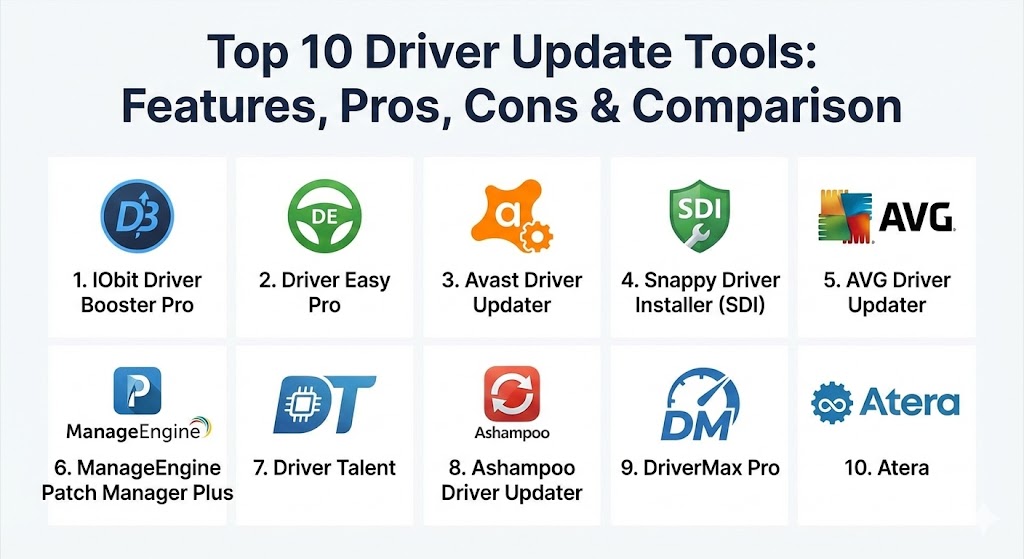
Top 10 Driver Update Tools
1 — IObit Driver Booster Pro
IObit Driver Booster Pro is widely regarded as one of the most comprehensive driver management utilities on the market. It is designed to be a “set-and-forget” solution that handles everything from basic peripheral drivers to complex game components.
- Key features:
- Massive database of over 18 million drivers.
- Updates “Game Ready” drivers and necessary components like DirectX and OpenAL.
- Offline Driver Updater for systems without internet access.
- Automatic “Silent Mode” that prevents notifications during full-screen tasks.
- Fixes common hardware errors like “No Sound” or “Network Failure.”
- High-speed downloads via dedicated servers.
- Automatic creation of a system restore point before every update.
- Pros:
- Exceptionally fast scanning speed, usually completing in under 15 seconds.
- One of the best tools for gamers due to its dedicated “Game Boost” feature.
- Cons:
- The free version is quite limited, capping download speeds significantly.
- Frequent promotional pop-ups for other IObit products in the user interface.
- Security & compliance: WHQL-certified drivers, automatic restore points, and secure HTTPS connections for all downloads.
- Support & community: 24/7 technical support for Pro users, extensive online FAQs, and an active community forum for troubleshooting.
2 — Driver Easy Pro
Driver Easy Pro is known for its high detection accuracy. It doesn’t just look for “an” update; it looks for the specific version that matches your motherboard’s unique configuration, making it a favorite for stability-conscious users.
- Key features:
- Detection of missing, outdated, or mismatched drivers via hardware ID.
- Offline scan feature that saves a file to be used on a connected machine.
- Comprehensive hardware information tool built-in.
- One-click “Update All” functionality.
- Automatic driver backup and easy-to-use rollback system.
- High-speed download servers located globally.
- Support for Windows 7, 8.1, 10, and 11.
- Pros:
- Incredible accuracy; it rarely suggests a driver that causes a conflict.
- Clean, professional interface that avoids the “clutter” of many utility tools.
- Cons:
- Requires a manual installation process for drivers in the free version.
- Slightly more expensive than some of its competitors for a single-PC license.
- Security & compliance: Only uses official drivers sourced directly from manufacturers; supports GDPR data privacy standards.
- Support & community: Direct email support for paid users and a massive library of “How-To” articles for manual troubleshooting.
3 — Avast Driver Updater
Avast Driver Updater leverages the company’s massive cybersecurity infrastructure to offer a tool that focuses as much on safety as it does on performance. It scans specifically for “broken” or “vulnerable” drivers that could lead to system exploits.
- Key features:
- Real-time scanning that works in the background without affecting performance.
- Scans for drivers from over 1,300 major brands.
- Creates a full system backup before any changes are made.
- Connects to a cloud-based database for the most recent versioning.
- Reduces hardware-related crashes and audio/video issues.
- Minimalist interface designed for ease of use.
- Pros:
- Backed by Avast’s security reputation, giving users peace of mind regarding driver origins.
- Very low system resource consumption during active scans.
- Cons:
- No free version beyond a “scan-only” trial; users must pay to actually update.
- Lacks some of the advanced hardware diagnostics found in IObit or Driver Easy.
- Security & compliance: High-level encryption for data transit; compliance with international cybersecurity standards like ISO 27001.
- Support & community: Integrated with the broader Avast support ecosystem, including live chat and phone support options.
4 — Snappy Driver Installer (SDI)
Snappy Driver Installer is a unique, open-source tool that is a staple in any IT technician’s toolkit. It is designed for portability and power, allowing for massive driver installations without an internet connection.
- Key features:
- Open-source and completely free with no advertisements.
- Portable version can be run directly from a USB drive.
- Massive offline driver packs (available via torrent) covering almost all hardware.
- State-of-the-art driver matching algorithm that ranks drivers by compatibility.
- Command-line interface support for automated deployments.
- No installation required; leaves no “footprint” on the registry.
- Pros:
- Completely free forever with no hidden “Pro” versions or upsells.
- The best solution for installing drivers on a fresh OS install without network access.
- Cons:
- The user interface is technical and “dated,” which can be intimidating for beginners.
- Downloading the full offline driver pack requires significant storage space (20GB+).
- Security & compliance: Transparent open-source code; no user tracking or data collection.
- Support & community: Community-driven development; support is primarily found on GitHub and specialized tech forums.
5 — AVG Driver Updater
Similar to Avast, AVG Driver Updater is a standalone utility from a security giant. It focuses on maintaining a “clean” system by ensuring that all hardware components are running verified, bug-free software.
- Key features:
- Automatically checks 50 million+ drivers.
- Checks for the latest versions of graphics, audio, and network drivers.
- Reduces the risk of “crashing and freezing.”
- Uses a unique “Smart Scan” to identify issues in seconds.
- Individual driver restoration from backup.
- Multilingual support (available in over 10 languages).
- Pros:
- Very reliable “Verified Driver” sourcing process.
- The interface is incredibly simple, making it perfect for elderly users or non-techies.
- Cons:
- The scan results can sometimes be overly dramatic to encourage a purchase.
- Standalone price is high if you aren’t already an AVG antivirus subscriber.
- Security & compliance: Rigorous security checks for malware within driver packages; SOC 2 and GDPR compliant.
- Support & community: Enterprise-grade support with 24/7 availability for subscribers.
6 — ManageEngine Patch Manager Plus
While primarily a patch management solution, ManageEngine Patch Manager Plus is an enterprise-grade tool that includes robust driver and third-party application updating capabilities. It is designed for corporate networks.
- Key features:
- Automated driver and firmware updates across Windows, macOS, and Linux.
- Centralized console to monitor the driver status of thousands of endpoints.
- Ability to test drivers on a small group before deploying to the whole network.
- Role-based access control for IT teams.
- Integration with ServiceDesk Plus and other ITIL tools.
- Detailed compliance reports for internal audits.
- Pros:
- Provides the control and “staging” necessary for corporate environments.
- Handles more than just drivers, providing a unified patching strategy.
- Cons:
- Total overkill for individual home users or very small offices.
- Significant setup time and learning curve for administrators.
- Security & compliance: SSO integration, AES encryption, SOC 2, HIPAA, and ISO 27001 certified.
- Support & community: Dedicated account managers for enterprise clients, 24/5 support, and a professional user community.
7 — Driver Talent
Driver Talent (formerly known as DriveTheLife) is a specialized tool that focuses on “repairing” broken drivers rather than just updating them. It is particularly effective for fixing peripheral issues like non-responsive USB ports.
- Key features:
- Scans for “defective” and “incompatible” drivers, not just old ones.
- Pre-download feature allows you to save drivers for a different computer.
- One-click “Repair” to fix specific hardware glitches.
- Uninstalls old drivers completely to prevent registry bloat.
- Driver evaluation system based on user feedback for specific versions.
- Support for “Certified” and “Latest” driver versions.
- Pros:
- Excellent for system recovery after a major Windows update goes wrong.
- The “Pre-download” feature is a lifesaver for IT shops building new PCs.
- Cons:
- The free version does not support bulk downloads.
- Antivirus software occasionally flags it as “Potentially Unwanted” due to its intrusive scan.
- Security & compliance: Standard encryption for downloads; restore point integration.
- Support & community: Ticket-based support and a helpful blog for manual driver fixes.
8 — Ashampoo Driver Updater
Ashampoo is known for its polished, user-friendly software, and its driver updater is no exception. It is designed to be visually appealing while providing a very safe update experience.
- Key features:
- Always uses the most stable driver, not necessarily the absolute newest.
- Large library of over 400,000 drivers for 150,000+ devices.
- Simple “Start” button initiates scan, download, and installation.
- Full backup and restore module.
- Detailed hardware component list for user reference.
- Multi-language support with high-quality translations.
- Pros:
- Extremely clean UI—no ads, no confusing technical jargon.
- One of the few tools that offers a 30-day money-back guarantee.
- Cons:
- The driver database is significantly smaller than IObit or Driver Easy.
- Updates are released slightly slower than competitors to prioritize stability.
- Security & compliance: WHQL-certified drivers; compliance with EU privacy laws (GDPR).
- Support & community: High-quality documentation and email support with relatively fast response times.
9 — DriverMax Pro
DriverMax Pro is a veteran in the field, known for its “community-driven” approach to driver quality. It collects data from millions of users to determine which drivers are actually stable in real-world conditions.
- Key features:
- Automated scheduling for scans (daily, weekly, or monthly).
- Frequent updates to the database (sometimes several times a day).
- Can export all current drivers to a compressed file for easy migration.
- Checks for system component updates like C++ Runtime and .NET.
- Detailed reporting on the “release date” and “versioning” of all hardware.
- Pros:
- The “Export” feature makes moving to a new PC incredibly easy.
- Very affordable pricing for a “Lifetime” license option.
- Cons:
- The interface feels somewhat crowded with data.
- The free version is extremely limited (only two driver downloads per day).
- Security & compliance: Thorough malware scanning of all drivers before inclusion in the database.
- Support & community: Strong legacy user base with plenty of community-created guides.
10 — Atera (IT Management Focus)
Atera is an all-in-one RMM (Remote Monitoring and Management) platform that includes a powerful, AI-driven driver update engine. It is built specifically for Managed Service Providers (MSPs).
- Key features:
- Automated driver patching via RMM “Automation Profiles.”
- AI-powered health alerts for failing hardware.
- Centralized dashboard for managing thousands of customer devices.
- Integrated with IT ticketing and billing systems.
- “Silent” execution of driver updates so end-users are never interrupted.
- Patch compliance scoring for all managed devices.
- Pros:
- Essential for IT professionals managing remote workforces.
- Eliminates the need for a standalone driver tool in a corporate environment.
- Cons:
- Cost is based on “per technician,” which is prohibitive for home users.
- Requires a full agent installation on every machine.
- Security & compliance: SOC 2 Type II, HIPAA, and ISO 27001 certified.
- Support & community: Professional-tier support, a massive knowledge base, and a dedicated community for MSPs.
Comparison Table
| Tool Name | Best For | Platform(s) Supported | Standout Feature | Rating (TrueReviewnow) |
| IObit Driver Booster Pro | Gamers & Performance | Windows (all versions) | Game Boost / Offline Update | 4.8 / 5 |
| Driver Easy Pro | Precision & Accuracy | Windows 7 – 11 | Hardware ID Matching | 4.7 / 5 |
| Avast Driver Updater | Security-Minded Users | Windows | Vulnerability Scanning | 4.5 / 5 |
| Snappy Driver Installer | IT Technicians | Windows (Portable) | Open Source / Fully Offline | 4.9 / 5 |
| AVG Driver Updater | Beginners | Windows | Simple “Smart Scan” | 4.4 / 5 |
| ManageEngine Patch Mgr | Enterprise Compliance | Win, Mac, Linux | Cross-Platform Patching | 4.6 / 5 |
| Driver Talent | System Repair | Windows | Pre-download for other PCs | 4.3 / 5 |
| Ashampoo Driver Updater | Stability & Ease of Use | Windows 10/11 | Cleanest Interface | 4.5 / 5 |
| DriverMax Pro | System Migrations | Windows | Driver Export / Community Data | 4.4 / 5 |
| Atera | MSPs & IT Admins | Windows, Mac | AI-Powered RMM Integration | 4.7 / 5 |
Evaluation & Scoring of Driver Update Tools
To provide an objective ranking, each tool was evaluated against a weighted rubric designed to reflect the priorities of modern PC users.
| Criteria | Weight | Evaluation Rationale |
| Core Features | 25% | Size of database, speed of updates, and accuracy of hardware detection. |
| Ease of Use | 15% | UI clarity, onboarding experience, and automation capabilities. |
| Integrations | 15% | Support for game components, system runtimes, and enterprise tools. |
| Security & Compliance | 10% | WHQL certification, HTTPS downloads, and restore point creation. |
| Performance | 10% | Impact on system boot times and resource usage during background scans. |
| Support & Community | 10% | Availability of technical help and community troubleshooting. |
| Price / Value | 15% | Free version utility versus the cost of the Pro/Enterprise license. |
Which Driver Update Tool Is Right for You?
The “best” tool depends entirely on your role and your technical comfort level.
Solo Users vs. SMB vs. Enterprise
For a Solo User or home office, IObit Driver Booster or Ashampoo Driver Updater are the best choices due to their simplicity and focused feature sets. SMBs with a small fleet of PCs (5–50) should look toward Driver Easy Pro or DriverMax, as they offer multi-PC licenses and better management tools. Enterprises and MSPs must prioritize governance; therefore, ManageEngine or Atera are the only viable solutions to ensure security compliance and centralized control.
Budget-Conscious vs. Premium Solutions
If you have zero budget, Snappy Driver Installer is the only “pure” free tool that doesn’t limit your experience. However, if you are willing to pay a small annual fee ($20–$30), the “Premium” experience provided by Driver Booster Pro—with its automated downloads and silent updates—is well worth the investment for the time it saves.
Feature Depth vs. Ease of Use
If you enjoy looking at hardware specs and knowing exactly which version of a chipset you’re running, Driver Easy Pro offers deep information. If you find hardware intimidating and just want your computer to “work” without blue screens, AVG Driver Updater is designed to hide the technical complexity behind a single “Fix” button.
Security and Compliance Requirements
If you work in a field with strict data regulations (Healthcare, Finance), avoid the smaller, niche tools. Stick to Avast, AVG, or ManageEngine, as these companies invest millions in auditing their own software for security and complying with global standards like GDPR and SOC 2.
Frequently Asked Questions (FAQs)
1. Is it safe to use third-party driver update tools?
Yes, provided you use reputable brands like those listed above. Reputable tools use WHQL-certified drivers and create restore points, minimizing the risk of a “bad” update causing system failure.
2. Doesn’t Windows Update already handle driver updates?
Windows Update handles basic, Microsoft-approved drivers for common hardware. However, it often misses updates for high-end graphics cards, niche audio interfaces, and peripherals, which dedicated tools detect much faster.
3. Will a driver update tool speed up my computer?
While it won’t upgrade your physical RAM, it can significantly improve performance by optimizing how the OS interacts with the hardware, reducing lag in games and fixing “stuttering” in audio/video playback.
4. Can I roll back an update if it breaks my computer?
Yes. All top-tier tools include a “Rollback” or “Restore” feature. Additionally, Windows creates a System Restore Point that allows you to revert your entire system to a state before the driver was installed.
5. How often should I scan for driver updates?
For most users, once a month is sufficient. Gamers may want to scan weekly to catch the latest “Game Ready” optimizations for new titles.
6. Do these tools work on Mac or Linux?
Most “driver updaters” are Windows-centric because of the vast diversity of Windows hardware. Mac drivers are handled directly by Apple updates. Enterprise tools like ManageEngine, however, do support multi-OS driver/firmware patching.
7. Why does my antivirus flag my driver update tool?
Some antivirus programs flag these tools because they require “deep” system access to install hardware-level software. As long as you are using a verified tool from this list, it is usually a false positive.
8. What is a “WHQL” driver?
WHQL stands for Windows Hardware Quality Labs. It means the driver has passed rigorous testing by Microsoft to ensure it is stable and won’t cause crashes on the Windows platform.
9. Can I update drivers without an internet connection?
Yes, using tools like Snappy Driver Installer (which has offline packs) or Driver Easy (which has an offline scan feature to identify drivers on one PC and download them on another).
10. Do I still need to manually visit manufacturer websites?
Generally, no. These tools aggregate data from those exact websites. The only exception is for “Beta” drivers, which some tools may skip to ensure system stability.
Conclusion
The era of manually scouring the web for a .SYS or .INF file is over. In 2026, the complexity of modern hardware demands an automated approach to maintenance. Choosing a driver update tool is a balance between your need for speed, your desire for simplicity, and your requirement for security.
For the average user, IObit Driver Booster Pro remains the gold standard for its balance of features. For the technical professional, Snappy Driver Installer offers unmatched power and transparency. Regardless of which tool you choose, the key is consistency—regular updates are the best defense against hardware conflicts and security vulnerabilities. Remember, the “best” tool is the one that fits into your workflow and gives you the confidence that your system is running at its peak potential.