Introduction
System Cleanup Utilities encompass a broad category of tools ranging from simple disk wipers to comprehensive optimization suites. At their core, these tools scan the deep recesses of an operating system to find data that is no longer needed but continues to occupy space or consume CPU cycles. This includes browser caches, system logs, temporary setup files, and “leftovers” from uninstalled programs. By clearing these items, users can reclaim gigabytes of storage space and reduce the overhead on their system’s memory and processor.
The importance of these utilities has shifted from merely “freeing up space” to “maintaining system integrity and privacy.” Beyond speed, these tools serve as a critical line of defense for privacy by shredding tracking cookies and clearing local history that could be exploited. When choosing a tool in this category, users should evaluate it based on its safety algorithms (to prevent accidental deletion of critical files), automation capabilities, impact on system resources, and transparency regarding data collection. In an era of increasing cybersecurity threats, a utility that optimizes your PC while compromising your privacy is a net negative.
Best for: Everyday PC and Mac users experiencing slowdowns, IT administrators managing fleets of aging hardware, professional gamers seeking to squeeze every frame out of their rigs, and privacy-conscious individuals who want to minimize their digital footprint.
Not ideal for: Enterprise environments with strictly managed IT policies where unauthorized software is prohibited, or advanced users who prefer manual optimization via PowerShell, Terminal, or native system tools like Disk Cleanup and Storage Sense.
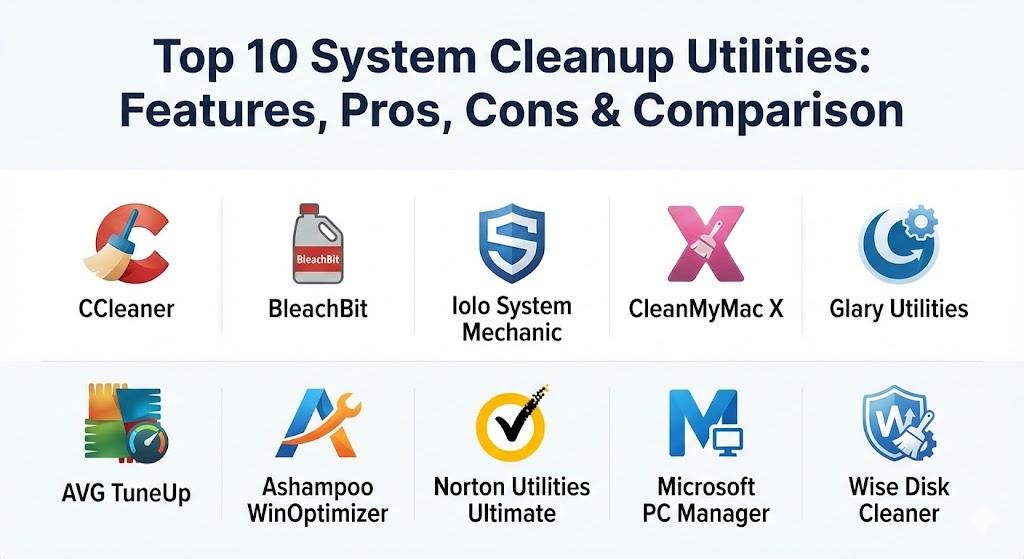
Top 10 System Cleanup Utilities
1 — CCleaner (by Piriform/Avast)
CCleaner remains the most recognized name in the industry, evolving from a simple file cleaner into a multi-faceted health check and optimization suite. It is designed for users who want a high-impact, low-effort way to keep their systems tidy.
- Key features:
- Health Check: A wizard-based scan that identifies privacy risks, junk files, and startup issues in one go.
- Driver Updater: Scans for outdated hardware drivers to improve stability and performance.
- Software Updater: Automatically identifies and installs updates for third-party apps to close security vulnerabilities.
- Performance Optimizer: Hibernates background apps to free up system resources.
- Registry Cleaner: Safely removes broken and redundant entries from the Windows Registry.
- Cloud Drive Cleaner: (Pro Plus) Identifies and removes duplicate or unneeded files from cloud storage like Google Drive.
- Pros:
- Extremely intuitive interface that makes complex system maintenance accessible to everyone.
- Highly conservative cleaning algorithms that prioritize system stability over aggressive space reclamation.
- Cons:
- The free version has become increasingly limited, pushing users toward the subscription model.
- History of minor security incidents (though long since patched) makes some privacy-sensitive users wary.
- Security & compliance: GDPR compliant, SOC 2 (via Avast parent company), end-to-end encryption for cloud transfers.
- Support & community: Extensive documentation, 24/7 priority support for Pro users, and a massive community forum with decades of troubleshooting data.
2 — BleachBit
BleachBit is the industry’s premier open-source cleaner, often cited as the “privacy purist’s choice.” It is designed for users who want complete transparency and the ability to perform aggressive, deep-level cleaning without any background “phone home” telemetry.
- Key features:
- File Shredding: Overwrites files multiple times to make them unrecoverable by forensic tools.
- Vacuuming: Compresses application databases (like Firefox or Chrome) to speed them up.
- No Telemetry: Works entirely offline and does not track user behavior or system stats.
- Command Line Interface (CLI): Allows for advanced scripting and automation for power users.
- Deep Scan: Locates and clears “junk” in thousands of specific applications beyond the OS.
- Cleaner ML: A community-driven language that allows users to write their own cleaning rules.
- Pros:
- Completely free and open-source with no advertisements, upsells, or “Pro” versions.
- Offers much more aggressive cleaning capabilities than almost any other tool on this list.
- Cons:
- The interface is functional but dated, lacking the “modern” feel of competitors.
- Requires a higher level of user knowledge; selecting the wrong box (like “Free Disk Space”) can result in very long wait times.
- Security & compliance: Open-source (auditable), no data collection, HIPAA and GDPR “ready” for data destruction tasks.
- Support & community: Robust GitHub community, community-maintained documentation, and volunteer-led support forums.
3 — Iolo System Mechanic
Iolo System Mechanic is an all-in-one performance powerhouse. It doesn’t just clean files; it attempts to re-engineer how your system handles power, memory, and internet data to provide a measurable speed boost.
- Key features:
- ActiveCare: Automatically cleans and repairs your PC when it is idle.
- NetBooster: Optimizes hidden internet settings for faster downloads and reduced latency.
- PowerSense: Dynamically adjusts processor settings based on the current workload (e.g., Gaming vs. Office).
- RAMJet: Frees up trapped memory in real-time to prevent system stutters.
- CRUDD Remover: Identifies redundant software that might be doing the same job as another installed app.12
- Privacy Guardian: Blocks intrusive tracking and masks digital fingerprints.34
- Pros:56
- The “Whole Home” license allows yo7u to install the software on an unlimited number of PCs in your household.8
- One of the few tools that actually shows a measurable9 difference in benchmark scores after optimization.
- Cons:
- The deep system modifications can occasionally cause issues with highly specialized or legacy software.
- The dashboard is feature-dense and may take some time for new users to navigate comfortably.
- Security & compliance: SOC 2, HIPAA, and GDPR compliant; uses AES-256 for local data protection modules.
- Support & community: Premium 24/7 technical support is available as an add-on; extensive video tutorials for beginners.
4 — CleanMyMac X (by MacPaw)
CleanMyMac X is the definitive standard for macOS optimization. It combines a beautiful, Apple-esque design with powerful tools that respect the unique architecture of Mac systems.
- Key features:
- Smart Scan: A 3-in-1 tool that cleans, protects, and optimizes the Mac in a single click.
- Space Lens: Provides a visual “map” of your storage, helping you find massive files instantly.
- Uninstaller: Completely removes apps and their hidden “container” files that the Trash bin misses.
- Malware Removal: Scans specifically for macOS-targeted viruses and adware.1011
- Updater: Centralizes updates for both App Store and non-App Store applications.1213
- Maintenance Scripts: Flushes DNS cache, repairs disk permissions, and reindexes Spotlight.1415
- Pros:1617
- The most b18eautiful and intuitive user interface in the entire utility industry.19
- Highly safe; it is almost impossible for a user to accidentally break their macOS installation using this to20ol.
- Cons:
- Limited to the Mac ecosystem; no Windows version available.
- The subscription model is more expensive than some Windows-based counterparts.
- Security & compliance: Apple-notarized (proven malware-free), GDPR compliant, and ISO 27001 certified.
- Support & community: Exceptional customer support via email and chat; active blog with Mac maintenance tips.
5 — Glary Utilities
Glary Utilities is the “Swiss Army Knife” of system maintenance. It packs over 20 specialized tools into a single, lightweight package, making it a favorite for IT professionals and power users who want granular control.
- Key features:
- 1-Click Maintenance: Automates the most common cleanup tasks for daily use.
- Context Menu Manager: Allows you to clean up and simplify the right-click menu in Windows.
- Disk Defrag: Includes a dedicated engine for optimizing traditional HDDs.
- Duplicate Finder: Scans for identical files to reclaim wasted space.
- Registry Defrag: Compacts the registry database for faster system access.
- Process Manager: A more detailed version of the Windows Task Manager.
- Pros:
- Incredible value for money given the sheer number of modules included in the suite.
- The scanning engine is remarkably fast, even when performing a full system-wide search.
- Cons:
- The interface can feel cluttered and overwhelming due to the density of features.
- Some of the optimization tools (like the RAM optimizer) are less effective on modern operating systems like Windows 11.
- Security & compliance: Varies; basic data encryption is used for backup files, but no official enterprise certifications.
- Support & community: Standard email support; robust online documentation and a loyal long-term user base.
6 — AVG TuneUp
Owned by the same parent company as CCleaner (Gen Digital), AVG TuneUp focuses on stability and automation. Its standout feature is its ability to “sleep” hungry apps that slow down your computer without uninstalling them.
- Key features:
- Automatic Maintenance: Performs routine cleaning every few days without user intervention.
- Sleep Mode: Patented technology that puts background apps to sleep to save CPU and battery.
- Disk Cleaner: Scans for junk in over 200 popular programs and Windows itself.
- Browser Cleaner: Specifically targets local browser data that slows down web navigation.2122
- Uninstaller: Identifies “bloatware” that came pre-installed on your PC.2324
- Software Updater: Keeps apps like Zoom and VLC updated to prevent exploits.2526
- Pros:2728
- Extremely stable; the software undergoes rigorous testing to ensure it never causes system crashes.2930
- The visual dashboard is clear and helps users understand exactly why their PC was slow31.
- Cons:
- The program itself is quite large and can take a few seconds to load on older machines.
- The pricing is on the higher side compared to standalone utilities.
- Security & compliance: GDPR, CCPA, and ISO 27001 compliant through the Gen Digital ecosystem.
- Support & community: 24/7 chat support for premium users; extensive help database.
7 — Ashampoo WinOptimizer
Ashampoo WinOptimizer is a comprehensive German-engineered suite that strikes a balance between automated ease-of-use and manual customization. It is particularly strong in the area of Windows privacy settings.
- Key features:
- Privacy Manager: Allows you to disable Windows telemetry and data collection with a single toggle.
- Auto-Clean: Deletes session traces the moment you close an application.
- ADS Scanner: Detects hidden “Alternate Data Streams” that can be used by malware.
- System Information: Provides incredibly detailed hardware specs and health status for SSDs.
- Tweak Tool: Allows for deep customization of Windows UI and behavior.
- Icon Saver: Remembers your desktop icon layout for when resolution changes happen.
- Pros:
- Provides the highest level of customization for the Windows OS of any tool on this list.
- Usually available as a one-time purchase, making it much more affordable in the long run than subscriptions.
- Cons:
- The software can be quite “chatty,” frequently showing notifications about system status.
- The number of modules can be overwhelming for someone who just wants to “click and clean.”
- Security & compliance: GDPR compliant; includes a dedicated “File Wiper” for permanent data destruction.
- Support & community: Responsive email support; a large international community with support for multiple languages.
8 — Norton Utilities Ultimate
Coming from a security giant, Norton Utilities Ultimate is designed for users who want a “set it and forget it” solution that integrates perfectly with their existing antivirus.
- Key features:
- Real-time Cleaning: Constantly monitors for junk files and removes them as they appear.
- System Sandbox: Allows you to test apps without them making permanent changes to your system.
- Data Shredder: Uses military-grade overwriting to ensure deleted data stays gone.
- Uninstall Simulator: Shows you what would happen to your system performance if you uninstalled a specific app.3233
- Process Disabler: identifies and turns off background tasks you don’t use.3435
- Recovery Tool: A basic tool to help find accidentally deleted files.3637
- Pros:3839
- Backed by Norton’s world-class security research team, ensuring every “clean” is a safe one.4041
- The integration42 with Norton 360 makes it an easy choice for existing customers.43
- Cons:44
- Can be expensi45ve as a standalone product if you don’t already have a Norton subscription.
- Lacks some of the niche “power user” tools found in Glary or Ashampoo.
- Security & compliance: ISO 27001, SOC 2, HIPAA, and GDPR compliant.
- Support & community: 24/7 global support via phone, chat, and social media; huge community forums.
9 — Microsoft PC Manager
This is Microsoft’s official entry into the cleanup space. It is a lightweight, free utility that acts as an “overlay” for existing Windows 10 and 11 settings, bringing them into one clean interface.
- Key features:
- Boost: One-click clearing of temporary files and memory.
- Health Check: Scans for startup issues and potential malware using Windows Defender.
- Storage Management: Direct access to “Storage Sense” and “Large File Finder.”
- Process Management: A simplified view of active tasks with an “End” button for resource hogs.
- Popup Management: Blocks invasive popups within Windows apps.
- Startup Apps: Quick toggle to prevent apps from launching when the PC starts.
- Pros:
- Completely free and official; there is zero risk of this tool breaking Windows.
- Extremely lightweight; it uses almost no system resources while running in the background.
- Cons:
- Feature set is very basic compared to paid utilities; it mostly centralizes existing Windows features.
- Occasionally suggests Microsoft services (like Bing or Edge) as “optimizations.”
- Security & compliance: Built-in to Microsoft’s security ecosystem; enterprise-ready.
- Support & community: Standard Microsoft Support; documented via official Windows help pages.
10 — Wise Disk Cleaner
Wise Disk Cleaner is a focused, high-speed utility that excels at two things: removing junk and optimizing the file structure of your storage drives.
- Key features:
- Common Cleaner: Targets standard temporary files and browser traces.
- Advanced Cleaner: Scans for obscure Windows system files that are safe to delete but often ignored.
- Slim System: Removes non-essential Windows components like help files and wallpapers.
- Disk Defrag: A highly efficient defragmenter for traditional hard drives.
- SSD Trim: Ensures that SSDs are properly “trimmed” for longevity and speed.
- Scheduled Cleaning: Allows for daily, weekly, or monthly automated runs.
- Pros:
- The scanning speed is among the fastest in the industry, often finishing in under 10 seconds.
- Completely free for the core cleaning features, with no hidden “paywalls” for basic functionality.
- Cons:
- The interface looks like an older version of Windows and lacks modern design elements.
- The installer often tries to bundle other Wise software, requiring careful “Unchecking.”
- Security & compliance: Basic GDPR compliance; no major enterprise certifications.
- Support & community: Email support for all users; active online forum.
Comparison Table
| Tool Name | Best For | Platform(s) Supported | Standout Feature | Rating (Gartner / TrueReview) |
| CCleaner | General Users | Windows, Mac, Android | Health Check Wizard | 4.6 / 5 |
| BleachBit | Privacy Purists | Windows, Linux | Open-Source / No Telemetry | N/A (Open Source) |
| Iolo System Mech. | Performance Boost | Windows | NetBooster Optimization | 4.5 / 5 |
| CleanMyMac X | Mac Owners | macOS | Space Lens Visualization | 4.8 / 5 |
| Glary Utilities | All-in-One Care | Windows | 20+ Maintenance Tools | 4.4 / 5 |
| AVG TuneUp | Automation | Windows, Mac, Android | Patented Sleep Mode | 4.3 / 5 |
| Ashampoo WinOpt.46 | Security Customizers47 | Windows48 | Privacy Manager Tweak49 | 4.2 / 550 |
| Norton Utilities51 | Security Integration52 | Windows53 | Uninstall Simulator54 | 4.4 / 555 |
| MS PC Manager56 | Official/Basic57 | Windows 10, 1158 | Official Microsoft Support59 | N/A (Beta/Free)60 |
| Wise Disk Cleaner61 | Spe62ed & SSD Care | Windows | Slim System Module | 4.1 / 5 |
Evaluation & Scoring of System Cleanup Utilities
To help you objectively compare these tools, we have evaluated them using a weighted scoring rubric. The scores below reflect the current performance of these tools in 2026.
| Category | Weight | CCleaner | BleachBit | Iolo System Mechanic | CleanMyMac X |
| Core Features | 25% | 9/10 | 8/10 | 10/10 | 10/10 |
| Ease of Use | 15% | 10/10 | 6/10 | 8/10 | 10/10 |
| Integrations | 15% | 8/10 | 4/10 | 7/10 | 9/10 |
| Security & Compliance | 10% | 8/10 | 10/10 | 9/10 | 9/10 |
| Performance | 10% | 9/10 | 10/10 | 9/10 | 9/10 |
| Support & Community | 10% | 10/10 | 7/10 | 8/10 | 10/10 |
| Price / Value | 15% | 7/10 | 10/10 | 8/10 | 7/10 |
| Total Score | 100% | 8.75/10 | 7.95/10 | 8.6/10 | 9.25/10 |
Which System Cleanup Utilities Tool Is Right for You?
Selecting the right utility depends on your technical comfort level and the value of the data you are protecting.
Solo Users vs. SMBs vs. Enterprises
- Solo Users: For a single PC or Mac, CleanMyMac X or CCleaner are excellent because they require almost zero technical knowledge.
- SMBs: If you are a small business owner, Iolo System Mechanic’s “Whole Home” license or AVG TuneUp for multiple devices provides the best value.
- Enterprises: Managed businesses usually rely on professional RMM (Remote Monitoring and Management) tools. However, for specific “clean” imaging tasks, BleachBit is preferred for its scriptability.
Budget-Conscious vs. Premium Solutions
If you want the best results for $0, the combination of Microsoft PC Manager and BleachBit covers almost everything a paid tool can do. If you have a budget, CleanMyMac X or Ashampoo WinOptimizer provide a significantly more refined and “guided” experience that saves time.
Feature Depth vs. Ease of Use
- Feature Depth: Choose Glary Utilities or Ashampoo WinOptimizer. These tools let you poke around in every corner of the OS.
- Ease of Use: Choose AVG TuneUp or CCleaner. They are designed for “one-click” success.
Integration and Scalability Needs
If you already use an antivirus from Norton, Avast, or AVG, stick with their cleanup tools for a seamless interface and single-billing experience. For Mac users, there is no real competition for the deep integration offered by CleanMyMac X.
Security and Compliance Requirements
For high-security environments, BleachBit is the only tool that guarantees no data leaves the machine. For regulated industries needing SOC 2 or HIPAA-level data destruction, Norton or Iolo provide the necessary enterprise-grade reliability.
Frequently Asked Questions (FAQs)
1. Is it safe to use a registry cleaner in 2026?
Yes, if you use a reputable tool like CCleaner or Glary Utilities. Modern registry cleaners are very conservative and only remove “orphaned” entries. However, the performance benefit is much smaller on modern Windows 11 systems than it was on Windows XP.
2. Can these tools really speed up my internet?
Tools like Iolo System Mechanic can optimize the “MTU” and “RWIN” settings of your network adapter. This doesn’t increase your line speed, but it can make your connection feel snappier and reduce latency in gaming.
3. Will a cleanup utility delete my passwords?
Only if you tell it to. Most tools have a checkbox for “Saved Passwords” or “Form Data.” As long as you leave these unchecked, your login credentials will remain safe in your browser.
4. How often should I run a system cleanup?
For most users, once a month is sufficient. Running a deep clean every day is unnecessary and can cause wear on SSDs due to constant small file writes and deletions.
5. Does Windows 11 have a built-in cleaner?
Yes, Windows 11 has “Storage Sense” and the “Disk Cleanup” tool. These are excellent for basic tasks, but they lack the deep application-specific cleaning (e.g., clearing Photoshop or Steam cache) that third-party tools provide.
6. What is “Hibernation” or “Sleep Mode” for apps?
This is a feature in AVG and Norton that stops background apps from using CPU and RAM without uninstalling them. The moment you open the app, the utility “wakes it up” automatically.
7. Can these tools fix a “Blue Screen of Death” (BSOD)?
Rarely. While they can fix registry errors or driver issues that might cause a BSOD, a blue screen is usually a sign of hardware failure or a major OS corruption that requires more than just a cleanup.
8. Do cleanup utilities work on SSDs?
Yes, but you should never “Defragment” an SSD. Modern tools like Wise Disk Cleaner recognize SSDs and perform a “Trim” operation instead, which helps maintain speed without hurting the drive.
9. Why do some antivirus programs flag cleanup tools as “PUPs”?
“PUP” stands for Potentially Unwanted Program. Because cleanup tools have deep system access, some antivirus programs flag them. Always ensure you download from the official developer site to avoid malicious versions.
10. Is BleachBit really “military grade”?
BleachBit’s shredding algorithms (like the Gutmann method) are used by security professionals globally to ensure data cannot be recovered, making it as close to “military grade” as software can get.
Conclusion
The evolution of System Cleanup Utilities in 2026 has transformed them from luxury speed-boosters into essential maintenance kits for our digital lives. While modern operating systems are better at self-management, the sheer volume of data we generate—from gigabytes of browser cache to hundreds of orphaned registry keys—still requires a specialized hand to manage.
When choosing your tool, remember that safety should always come before speed. A tool that saves you 10GB of space but causes a system crash is a failure. For the vast majority of users, CCleaner or CleanMyMac X represent the perfect middle ground of safety, performance, and price. For those who demand total privacy and transparency, BleachBit remains the undisputed king of the open-source world. Ultimately, the “best” tool is the one you actually remember to use once a month.