Introduction
A ZIP utility is a software application designed to compress one or more files into a single, smaller container known as an archive. This process, often referred to as “zipping,” uses mathematical algorithms to remove redundancy within data without losing the original information. Beyond simple compression, these tools provide essential file management features such as multi-volume splitting (breaking large files into smaller chunks), password protection, and integrity checking to ensure data hasn’t been corrupted.
The importance of these utilities cannot be overstated. They are vital for optimizing storage space on local drives and cloud platforms, reducing bandwidth consumption during file transfers, and bypassing email attachment size limits. In professional environments, the ability to encrypt archives using AES-256 standards is critical for maintaining compliance with data privacy regulations like GDPR and HIPAA.
When evaluating a ZIP utility, users should look at several key criteria: compression ratio (how small can it make the files?), format support (can it open RAR, 7Z, and ISO?), encryption strength, processing speed, and ease of integration with the host operating system’s context menus.
Best for: IT professionals, developers, data analysts, and corporate teams who handle large volumes of data, need to secure sensitive files for transit, or require automation via command-line interfaces.
Not ideal for: Casual users who only occasionally need to open a standard .zip file, as modern operating systems (Windows 11/12, macOS, and Linux) have basic native support for extracting and creating standard ZIP folders.
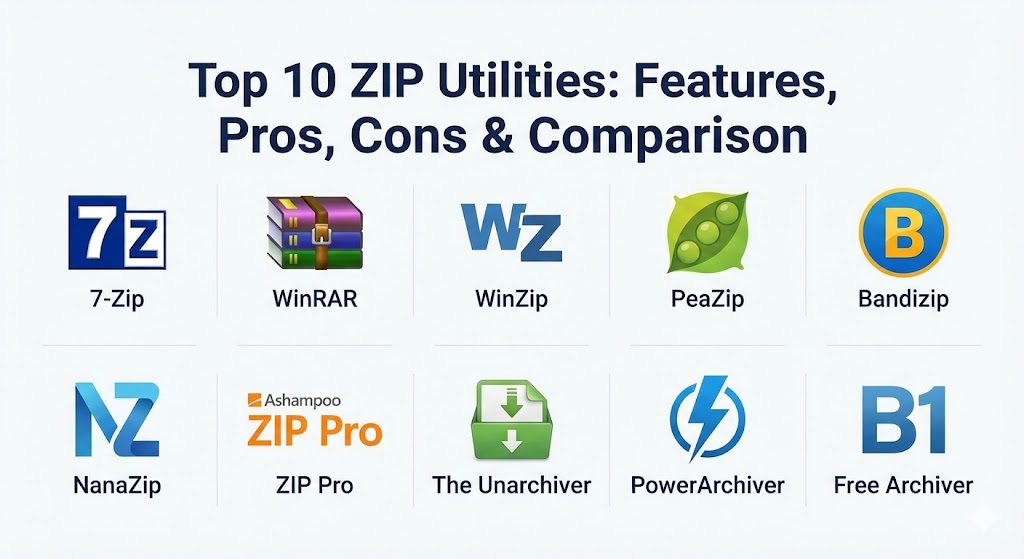
Top 10 ZIP Utilities Tools
1 — 7-Zip
7-Zip is widely regarded as the gold standard for open-source file archivers. Known for its high compression ratio and minimalist design, it has remained a staple in the toolkit of power users and developers for decades.
- Key features:
- Native 7z format with LZMA and LZMA2 compression algorithms.
- Supports nearly all popular formats including ZIP, RAR, TAR, GZIP, and ISO.
- Strong AES-256 encryption in 7z and ZIP formats.
- Integrated file manager and Windows Shell integration.
- Powerful command-line version for scripting and automation.
- Self-extracting capability for the 7z format.
- Pros:
- Completely free and open-source with no advertisements or “trial” nag screens.
- Often achieves significantly better compression ratios than the standard ZIP format.
- Cons:
- The user interface (GUI) looks dated and has not seen a major visual overhaul in years.
- Lacks some modern features like direct cloud storage integration found in paid rivals.
- Security & compliance: AES-256 encryption; supports FIPS-compliant encryption modes.
- Support & community: Extensive community support via forums; thorough documentation available in multiple languages.
2 — WinRAR
WinRAR is a powerhouse in the archiving world, famous for its proprietary RAR format. It is particularly valued for its ability to repair damaged archives and its robust handling of extremely large datasets.
- Key features:
- Exclusive support for creating RAR and RAR5 archives.
- Advanced “Recovery Record” feature to repair physically damaged files.
- Multi-volume archiving to split files into specific sizes (e.g., for disk storage).
- Benchmarking tool to test CPU performance during compression.
- “Solid” archiving for improved compression of many similar small files.
- Pros:
- Excellent extraction speeds and reliability for massive archives.
- The perpetual “trial” version allows basic functionality to continue indefinitely for personal use.
- Cons:
- RAR creation is proprietary; you must use WinRAR or a licensed tool to create these files.
- Frequent pop-ups in the trial version can be intrusive for business users.
- Security & compliance: AES-256 bit encryption; supports password-protected file headers.
- Support & community: Professional customer support for licensed users; extensive global user base.
3 — WinZip
Once the synonymous name for zipping, WinZip has evolved into a comprehensive productivity suite. It is designed for enterprise users who need more than just compression, offering file management and security workflows.
- Key features:
- Direct integration with cloud providers like Dropbox, Google Drive, and OneDrive.
- Built-in PDF tools (convert to PDF, merge PDFs, and watermarking).
- ZipSend feature for sharing large files via email links.
- Automated backup routines and WinZip “Job” scheduling.
- Secure file deletion (shredding) to prevent data recovery.
- Pros:
- Modern, Office-style ribbon interface that is very intuitive for corporate workers.
- Excellent enterprise management features, including centralized IT deployment.
- Cons:
- High subscription cost compared to free or one-time-purchase alternatives.
- The software is significantly heavier (uses more system resources) than lightweight tools like 7-Zip.
- Security & compliance: FIPS-197 certified; AES-256 encryption; GDPR/HIPAA compliant features.
- Support & community: 24/7 premium enterprise support; extensive library of tutorials and webinars.
4 — PeaZip
PeaZip is an open-source alternative that bridges the gap between the power of 7-Zip and a more modern, user-friendly interface. It places a heavy emphasis on security and privacy.
- Key features:
- Supports over 200 archive formats for extraction.
- Two-Factor Authentication (2FA) support for archives using keyfiles.
- Integrated password manager and encrypted key storage.
- Secure “Zero-data” file shredding.
- Portable version available that requires no installation.
- Pros:
- Highly customizable UI with various themes and transparency effects.
- Excellent for privacy-conscious users who need advanced security tools beyond simple passwords.
- Cons:
- Compression speeds can be slightly slower than Bandizip or WinRAR.
- Occasional interface glitches when handling extremely high-DPI monitors.
- Security & compliance: AES-256 encryption; supports Serpent and Twofish ciphers; open-source auditability.
- Support & community: Active GitHub repository; detailed wiki and online documentation.
5 — Bandizip
Bandizip is built for speed. Optimized for modern multi-core processors, it is a favorite for users who frequently deal with large media files or high-speed hardware.
- Key features:
- Multi-core archiving for ultra-fast compression.
- “Smart Extraction” that automatically handles folder nesting.
- Supports “High-Speed Archiving” which skips files that don’t compress well (like JPGs) to save time.
- Unicode support to prevent garbled filenames in international archives.
- Malware scanning integration for archives.
- Pros:
- One of the fastest compression and decompression engines on the market.
- The “Smart Extraction” feature significantly reduces the “folder-inside-folder” annoyance.
- Cons:
- The free version contains small advertisements in the interface.
- Advanced features like password management are locked behind the paid Pro version.
- Security & compliance: AES-256 encryption; password protection.
- Support & community: Standard email support for paid users; helpful online help center.
6 — NanaZip
NanaZip is a modern fork of 7-Zip specifically designed for Windows 11 and 12. It provides the legendary 7-Zip core with a contemporary user experience.
- Key features:
- Native integration with the new Windows context menus (no “Show more options” needed).
- Support for advanced algorithms like Zstandard (Zstd) and Brotli.
- Modern “Mica” and “Fluent” design aesthetics.
- Fully compatible with all existing 7-Zip scripts and settings.
- High-DPI and dark mode support out of the box.
- Pros:
- The perfect choice for Windows 11 users who find the original 7-Zip interface frustrating.
- Open-source and free, inheriting the robust reliability of its parent project.
- Cons:
- Strictly limited to modern Windows versions; not suitable for macOS or Linux.
- Being a newer project, it may have occasional bugs compared to the long-established 7-Zip.
- Security & compliance: AES-256 encryption; inherits 7-Zip’s security protocols.
- Support & community: Active development on GitHub; community-driven bug reporting.
7 — Ashampoo ZIP Pro
Ashampoo ZIP Pro is a feature-rich suite that positions itself as an all-in-one solution for file compression, encryption, and virtual drive management.
- Key features:
- Includes a virtual drive mounter for ISO and other disk images.
- Integrated cloud browser for direct file management across multiple platforms.
- “ZIP Script” for automated daily or weekly backups.
- Office and Outlook add-ins to compress attachments automatically.
- File repair tool for damaged archives.
- Pros:
- More than just a ZIP tool; the virtual drive and backup features add significant value.
- Touch-screen optimized interface for Windows tablets.
- Cons:
- Can feel “bloated” with extra tools that a user might not ever use.
- One-time purchase price is reasonable, but upgrades often require new fees.
- Security & compliance: FIPS 140-2 validated; AES-256 encryption; OpenPGP support.
- Support & community: Direct customer support; video tutorials available.
8 — The Unarchiver
For macOS users, The Unarchiver is the essential companion to the built-in system tools. It is designed to be invisible—staying out of the way until it is needed to handle a complex format.
- Key features:
- Opens common formats like Zip, RAR, and 7z, as well as obscure legacy formats.
- Handles foreign character sets in filenames effortlessly.
- One-click extraction directly to the current folder.
- Lightweight with nearly zero system overhead.
- Free and available on the Mac App Store.
- Pros:
- Significantly more powerful than the native macOS Archive Utility.
- The “set it and forget it” tool for Apple users.
- Cons:
- Extraction only; it cannot create archives (only unpacks them).
- No advanced features like encryption or volume splitting.
- Security & compliance: N/A (Extraction only).
- Support & community: Maintained by MacPaw; reliable but limited to App Store updates.
9 — PowerArchiver
PowerArchiver is a heavyweight enterprise solution that emphasizes security and professional-grade file management. It is often the preferred choice for government and financial sectors.
- Key features:
- FIPS 140-2 validated AES-256 encryption.
- Support for OpenPGP for secure key exchange.
- Advanced “Advanced Codec Pack” (.PA format) for best-in-class compression.
- Built-in FTP/SFTP client and cloud synchronization.
- Enterprise MSI installer for easy network-wide deployment.
- Pros:
- Unmatched security certifications for regulated industries.
- Includes advanced backup and synchronization tools.
- Cons:
- Interface can be overwhelming for casual users due to the sheer number of options.
- Expensive compared to consumer-grade tools.
- Security & compliance: FIPS 140-2; HIPAA/GDPR readiness; AES-256.
- Support & community: Dedicated enterprise support team; comprehensive knowledge base.
10 — B1 Free Archiver
B1 Free Archiver focuses on simplicity and cross-platform accessibility. It is a “friendly” archiver that works everywhere from a web browser to an Android phone.
- Key features:
- Proprietary B1 format designed for high-speed compression.
- Available as an online/web-based tool (no installation required).
- Simple, wizard-style interface for guided archiving.
- Support for splitting archives and password protection.
- Fully compatible with standard ZIP and RAR formats.
- Pros:
- Perfect for users who need to unzip a file on a public computer or a mobile device.
- The most “unintimidating” interface in the category.
- Cons:
- Lacks the deep power-user features like command-line automation.
- Compression ratios for the B1 format are good but rarely beat 7z or RAR5.
- Security & compliance: AES-256 encryption; GDPR compliant.
- Support & community: Multi-platform community; easy-to-read online guides.
Comparison Table
| Tool Name | Best For | Platform(s) Supported | Standout Feature | Rating (Gartner/TrueReview) |
| 7-Zip | Power Users / Developers | Windows, Linux | Open-source Compression | 4.8 / 5 |
| WinRAR | Large File Integrity | Windows, Android | Archive Repair Tool | 4.7 / 5 |
| WinZip | Enterprise Productivity | Windows, macOS, Mobile | Cloud / PDF Integration | 4.4 / 5 |
| PeaZip | Security & Privacy | Windows, Linux | 2FA / File Shredder | 4.6 / 5 |
| Bandizip | Speed & Performance | Windows, macOS | Multi-core Archiving | 4.5 / 5 |
| NanaZip | Windows 11/12 Users | Windows | Native Shell Integration | 4.7 / 5 |
| Ashampoo ZIP Pro | All-in-One Suite | Windows | Virtual Drive Mounter | 4.3 / 5 |
| The Unarchiver | macOS Users | macOS | Seamless Unpacking | 4.6 / 5 |
| PowerArchiver | Government / Finance | Windows | FIPS-140-2 Security | 4.5 / 5 |
| B1 Free Archiver | Mobile / Web Users | Multi-platform, Web | Online Web Unzipper | 4.2 / 5 |
Evaluation & Scoring of ZIP Utilities
To provide a definitive ranking, we evaluated each tool based on a weighted scoring rubric that reflects the needs of both modern professional users and casual home users.
| Category | Weight | Evaluation Criteria |
| Core Features | 25% | Number of formats supported, compression ratio efficiency, and extraction reliability. |
| Ease of Use | 15% | User interface design, context menu integration, and the learning curve for beginners. |
| Integrations | 15% | Cloud storage connectivity, OS shell extensions, and compatibility with third-party apps. |
| Security | 10% | Encryption standards (AES-256), password management, and FIPS compliance. |
| Performance | 10% | Processing speed on multi-core CPUs and memory footprint during operation. |
| Support | 10% | Quality of documentation, community activity, and availability of technical support. |
| Price / Value | 15% | Cost relative to features; availability of free or open-source versions. |
Which ZIP Utilities Tool Is Right for You?
Choosing the right ZIP utility depends on your operating system, your budget, and the sensitivity of your data.
- Solo Users & Students: If you are on Windows, 7-Zip or NanaZip are the best choices because they are free, powerful, and will never bother you with ads. For Mac users, The Unarchiver is the essential first download.
- SMBs & Creative Teams: If you frequently share large design assets or video files, Bandizip‘s speed is a major asset. If your team relies heavily on cloud storage (Dropbox/Google Drive), the integrated features of WinZip or Ashampoo ZIP Pro can save hours of manual uploading.
- Mid-Market & Enterprise: For businesses that must prove compliance to auditors, PowerArchiver and WinZip Enterprise are the leaders. Their FIPS-certified encryption ensures that data remains secure according to federal and international standards.
- Security Enthusiasts: If privacy is your top priority, PeaZip offers a layer of protection (like keyfiles and ciphers) that most mainstream archivers ignore.
- Developers & SysAdmins: 7-Zip‘s command-line interface remains the gold standard for creating automated backup scripts and server-side file management.
Frequently Asked Questions (FAQs)
1. What is the difference between a ZIP file and a 7z or RAR file?
ZIP is a universal standard compatible with every OS but has lower compression. 7z (7-Zip) and RAR (WinRAR) are “advanced” formats that offer much smaller file sizes and better encryption, though they require specific software to open.
2. Is it safe to unzip files from unknown sources?
Generally, unzipping isn’t dangerous, but the contents of the zip could be. Always use a utility like Bandizip or Ashampoo that integrates with your antivirus to scan archives before you extract them.
3. Why would I pay for WinZip or WinRAR when 7-Zip is free?
Paid tools offer better customer support, modern user interfaces, and “extra” features like cloud integration, PDF conversion, and enterprise management tools that 7-Zip lacks.
4. Can I recover a forgotten password for an encrypted ZIP file?
Technically, no. High-end AES-256 encryption is designed to be impossible to crack without the key. There are “brute force” tools available, but they are rarely successful for long, complex passwords.
5. How much space can I actually save by zipping files?
It depends on the file type. Text files and uncompressed images (BMP) can shrink by 80% or more. However, files that are already compressed (like JPGs, MP4s, or existing PDFs) will see very little reduction.
6. What is “Solid Archiving”?
Solid archiving treats multiple files as one continuous stream of data. This allows the algorithm to find redundancies between different files, resulting in a much higher compression ratio for large groups of similar files.
7. Can these utilities create ISO files?
Most can open and extract ISOs, but only a few (like PowerArchiver and Ashampoo ZIP Pro) can natively create and burn ISO disk images.
8. Does zipping a file reduce its quality?
No. ZIP, RAR, and 7z use “lossless” compression. When you extract the files, they are byte-for-byte identical to the originals. This is different from “lossy” compression used in MP3s or JPEGs.
9. Why do some ZIP files appear as “corrupted”?
This usually happens due to an interrupted download or a failing storage drive. Tools like WinRAR include a “Recovery Record” that can often fix these files, whereas basic ZIP tools usually cannot.
10. What is a “Self-Extracting Archive” (SFX)?
An SFX is an archive turned into an executable file (.exe). This allows the recipient to extract the contents even if they don’t have a ZIP utility installed on their computer.
Conclusion
The evolution of ZIP utilities from simple command-line tools to sophisticated productivity suites highlights just how central file management is to the modern workflow. While the “best” tool for a software developer might be the open-source power of 7-Zip, a corporate executive might find the cloud-connected convenience of WinZip far more valuable.
When choosing your tool, remember that compression ratio and speed are important, but security and reliability are the traits that will save you when it matters most. For most users, having a reliable free tool like NanaZip or PeaZip is the perfect starting point, while businesses should look toward the certified security of PowerArchiver.