Introduction
Contact management software is a specialized tool used to store, organize, and track information about an organization’s contacts. Unlike a simple address book, these platforms act as a centralized database that records not just phone numbers and emails, but the entire history of interactions—calls, meetings, notes, and tasks—associated with each individual. While often confused with a full-scale Customer Relationship Management (CRM) system, contact management is typically more focused on the organizational and communication aspects rather than complex sales forecasting or marketing automation.
The importance of these tools lies in their ability to provide “relationship intelligence.” Key real-world use cases include sales teams tracking follow-ups with prospects, PR professionals managing media outreach, and project managers keeping a directory of specialized contractors. When evaluating software in this category, users should look for ease of integration with existing email clients, robust search and tagging capabilities, mobile accessibility, and the level of automation offered to reduce manual data entry.
Best for: Small to mid-sized businesses (SMBs), individual consultants, sales representatives, and account managers across various industries who need a structured way to manage high volumes of professional connections without the bloat of an enterprise-level CRM.
Not ideal for: Enterprises requiring deep revenue forecasting, complex multi-channel marketing automation, or businesses with very few recurring contacts where a standard email provider’s contact list suffices.
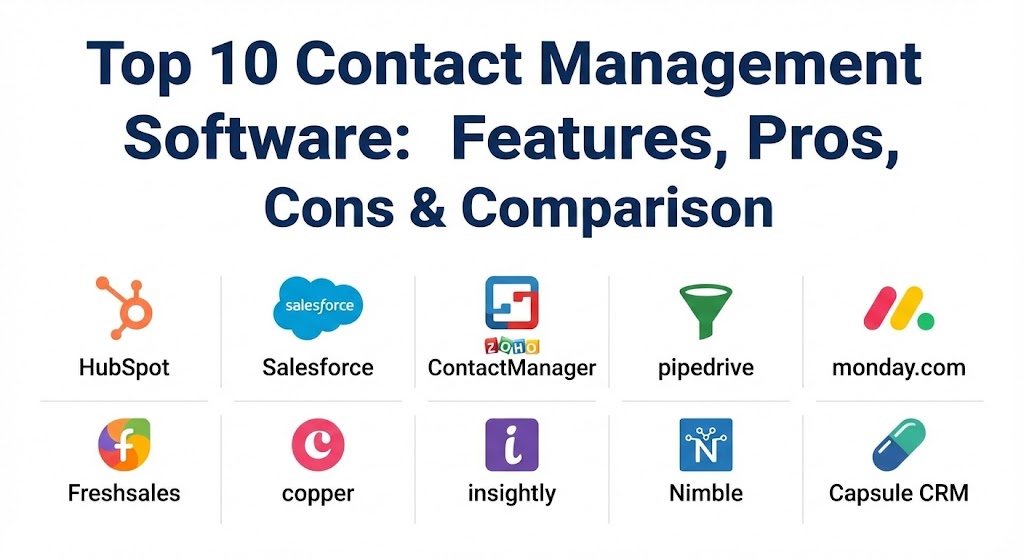
Top 10 Contact Management Software Tools
1 — HubSpot CRM
HubSpot is a powerhouse in the industry, offering one of the most popular free-forever versions of its software. It is designed to scale with businesses, moving seamlessly from a simple contact manager to a full-featured marketing and sales platform.
- Key features:
- Automatic contact profile enrichment with company data.
- Real-time notification system when a contact opens an email.
- Integrated meeting scheduler that syncs with Google and Outlook.
- Live chat and chatbot builder to capture contacts on your website.
- Universal inbox for team-wide communication management.
- Mobile app for scanning business cards directly into the database.
- Pros:
- The free tier is exceptionally generous, including unlimited users.
- The interface is modern, intuitive, and requires minimal training.
- Cons:
- Costs escalate quickly as you move into “Professional” or “Enterprise” tiers.
- Some advanced reporting features are locked behind high-priced bundles.
- Security & compliance: SOC 2 Type II, GDPR, HIPAA (on certain tiers), and SSO support.
- Support & community: Extensive knowledge base, HubSpot Academy for training, and active community forums.
2 — Salesforce Sales Cloud
Salesforce is the industry standard for enterprise-level contact management. It offers a 360-degree view of every contact, providing deep insights that are particularly useful for large teams with complex sales cycles.
- Key features:
- Highly customizable objects and fields to fit any niche industry.
- Einstein AI for predictive lead scoring and contact insights.
- Robust opportunity management to track deals alongside contacts.
- Seamless integration with thousands of apps via the AppExchange.
- Advanced workflow automation to trigger actions based on contact behavior.
- Extensive mobile capabilities for field sales teams.
- Pros:
- Unrivaled scalability; you will never outgrow the platform.
- Powerful reporting tools that can analyze contact data in any configuration.
- Cons:
- Extremely steep learning curve; often requires a dedicated administrator.
- Implementation can be time-consuming and expensive.
- Security & compliance: ISO 27001, SOC 1/2/3, GDPR, HIPAA, and FedRAMP compliant.
- Support & community: Comprehensive “Trailhead” learning platform, 24/7 premier support, and a massive global user group.
3 — Zoho ContactManager
Zoho ContactManager is a dedicated standalone tool for businesses that want an affordable, focused solution without the “noise” of a traditional CRM. It prioritizes the basics: organization and communication.
- Key features:
- Unified view of social media interactions (Twitter, Facebook) alongside contact details.
- Smart tagging for easy categorization and filtering of contact lists.
- Direct email and telephony integration for one-click communication.
- Task and deal tracking to keep projects moving forward.
- Collaborative feeds where team members can discuss specific contacts.
- Simple “search-and-find” functionality that is incredibly fast.
- Pros:
- One of the most affordable options for small teams.
- Integrates flawlessly with the broader Zoho ecosystem (Mail, Books, etc.).
- Cons:
- The user interface feels a bit dated compared to modern competitors.
- Automation capabilities are significantly more limited than a full CRM.
- Security & compliance: GDPR, SOC 2, and encryption at rest and in transit.
- Support & community: Email support, community forums, and a comprehensive user guide.
4 — Pipedrive
While Pipedrive is famous for its visual sales pipeline, its contact management core is built specifically for activity-based selling. It ensures that every contact is nurtured through consistent follow-ups.
- Key features:
- Visual contact timeline showing every touchpoint over years of relationship.
- Smart Data Discovery that pulls social and public info about contacts automatically.
- Customizable contact profiles with unlimited fields.
- Leadbooster add-on for capturing new contacts via web forms and bots.
- Native integration with Slack, Trello, and Zoom.
- AI-powered sales assistant that provides contact-specific advice.
- Pros:
- Excellent for teams that prioritize “doing” over “documenting.”
- The visual layout makes it very easy to spot neglected contacts.
- Cons:
- Some basic features (like email tracking) require higher-tier plans.
- Not designed for complex project management after the sale is closed.
- Security & compliance: SOC 2, GDPR, ISO 27001, and 2FA support.
- Support & community: 24/7 chat support, a rich help center, and Pipedrive Academy.
5 — Monday.com CRM
Monday.com has transitioned from a project management tool into a highly visual, no-code CRM and contact manager. It is best for teams that want to customize their contact sheets exactly like a super-powered spreadsheet.
- Key features:
- Fully customizable boards for managing different contact types (leads, vendors).
- Automation recipes (e.g., “When a contact is added, notify the manager”).
- Column-based design that allows for diverse data types (status, files, links).
- Integrated email communication with tracking and templates.
- Dashboard views that aggregate contact data into visual charts.
- Mobile app that mirrors the desktop board experience perfectly.
- Pros:
- Highly flexible; you can build exactly the workflow you need.
- Visually stunning and very engaging for team adoption.
- Cons:
- Pricing is based on “seats,” which can be restrictive for very small teams.
- It can feel overwhelming to set up from scratch without templates.
- Security & compliance: ISO 27001, SOC 1/2/3, HIPAA, and GDPR compliant.
- Support & community: 24/7 customer support, webinars, and a massive template library.
6 — Freshsales
Freshsales (part of the Freshworks suite) uses AI to provide “Context-Driven Sales.” It is designed for businesses that want to know exactly how a contact is interacting with their brand in real-time.
- Key features:
- Freddy AI for predictive contact scoring and “next best action” suggestions.
- Integrated phone and email that logs all calls and messages automatically.
- Multi-channel engagement tracking (WhatsApp, SMS, Email, Chat).
- Visual sales pipelines that link directly to contact records.
- Website visitor tracking to see which pages your contacts are browsing.
- Intelligent workflow automation to reduce repetitive tasks.
- Pros:
- The built-in telephony is a huge time-saver for call-heavy teams.
- Very fast onboarding process compared to other AI-heavy tools.
- Cons:
- The free version is limited in its integration capabilities.
- Reporting can be somewhat rigid in the lower-priced plans.
- Security & compliance: SOC 2, GDPR, HIPAA, and data encryption at rest.
- Support & community: 24/5 phone and email support, plus a comprehensive knowledge base.
7 — Copper
Copper is the go-to choice for users who live in Google Workspace. It is the only contact manager recommended by Google, and it lives inside your Gmail inbox as a side panel.
- Key features:
- Zero data entry; it automatically pulls contact details from your emails.
- Lives natively inside Gmail and Google Calendar.
- Automatic relationship tracking (logs emails and meetings without clicking).
- Pipeline management to track contacts through different lifecycle stages.
- Task management and reminders for follow-ups.
- Robust reporting that exports directly to Google Sheets.
- Pros:
- If you use Google, there is virtually zero learning curve.
- It eliminates the need to switch tabs between your email and your CRM.
- Cons:
- Limited functionality for users who rely on Microsoft Outlook.
- Fewer advanced features compared to standalone giants like Salesforce.
- Security & compliance: SOC 2 Type II, GDPR, and hosted on Google Cloud.
- Support & community: Email and chat support, extensive video tutorials, and webinars.
8 — Insightly
Insightly bridges the gap between contact management and project delivery. It is unique in that it allows you to manage the relationship even after a “deal” is won, during the execution phase.
- Key features:
- Relationship linking (connects contacts to organizations, projects, or other people).
- Built-in project management with milestones and task tracking.
- Lead routing to ensure the right person follow-ups with new contacts.
- Customizable dashboards to track contact-related KPIs.
- Mobile app with audio notes and business card scanning.
- Advanced workflow automation based on contact field changes.
- Pros:
- The best tool for service-based businesses that manage long projects.
- Very strong internal linking to see “who knows whom.”
- Cons:
- The interface can feel a bit cluttered due to the many features.
- Mobile app performance can be inconsistent on older devices.
- Security & compliance: SOC 2 Type II, GDPR, and 2FA.
- Support & community: Help center, community forums, and premium support options.
9 — Nimble
Nimble is the “Social CRM.” It is designed for the modern era of social selling, automatically aggregating a contact’s social media presence into a single, enriched profile.
- Key features:
- Smart Contacts App that works as a browser extension on any website.
- Automatic social profile matching (finds LinkedIn, Twitter, etc. for you).
- Unified “Inbox” for all social and email interactions.
- Relationship health signals (tells you when a contact has gone “cold”).
- Group messaging with tracking and analytics.
- Simple, pipeline-based deal tracking.
- Pros:
- Incredible at doing the research for you; saves hours of manual searching.
- One of the best browser extensions in the software market.
- Cons:
- The visual interface can feel crowded with social data.
- Limited automation for complex internal business processes.
- Security & compliance: GDPR, encryption, and OAuth authentication.
- Support & community: Weekly webinars, responsive email support, and an online help center.
10 — Capsule CRM
Capsule is built on the philosophy of “simplicity first.” It is a clean, straightforward contact manager that avoids “feature bloat,” making it perfect for small businesses and solopreneurs.
- Key features:
- Detailed contact history with notes, emails, and files in one view.
- Easy categorization with “Data Tags” and “Custom Fields.”
- Simple sales pipeline to manage opportunities.
- Tasks and calendar integration to keep on top of follow-ups.
- “Case” management for tracking specific interactions or customer issues.
- Native integrations with Xero, QuickBooks, and Mailchimp.
- Pros:
- Very easy to learn; you can be up and running in 15 minutes.
- Affordable pricing with a functional free version for individuals.
- Cons:
- Lacks the advanced AI and automation of larger platforms.
- Reporting is basic and might not satisfy data-hungry managers.
- Security & compliance: GDPR, SOC 2 (via AWS hosting), and PCI DSS for payments.
- Support & community: Responsive email support, help articles, and video guides.
Comparison Table
| Tool Name | Best For | Platform(s) Supported | Standout Feature | Rating (Gartner Peer Insights) |
| HubSpot CRM | Free Start / SMBs | Web, iOS, Android | Free-forever Ecosystem | 4.4 / 5 |
| Salesforce | Large Enterprises | Web, iOS, Android | Einstein AI / Customization | 4.4 / 5 |
| Zoho Contact | Standalone Budget | Web, iOS, Android | Social Feeds Integration | 4.2 / 5 |
| Pipedrive | Sales Teams | Web, iOS, Android | Visual Sales Activity | 4.5 / 5 |
| Monday.com | Visual Workflows | Web, iOS, Android | No-code Board Customization | 4.6 / 5 |
| Freshsales | AI Context | Web, iOS, Android | Built-in Telephony / AI | 4.3 / 5 |
| Copper | Google Workspace | Chrome, iOS, Android | Native Gmail Sidebar | 4.2 / 5 |
| Insightly | Project-based Sales | Web, iOS, Android | Relationship Mapping | 4.1 / 5 |
| Nimble | Social Selling | Browser, iOS, Android | Auto-Profile Enrichment | 4.3 / 5 |
| Capsule CRM | Extreme Simplicity | Web, iOS, Android | Clean, Uncluttered UI | 4.4 / 5 |
Evaluation & Scoring of Contact Management Software
To help you decide, we have evaluated these tools across seven key dimensions. Use the weighted scores below to see how they align with your business priorities.
| Category | Weight | Key Evaluation Points |
| Core Features | 25% | Capacity for contact storage, tagging, history, and searchability. |
| Ease of Use | 15% | Intuitive interface, minimal clicking, and overall user experience. |
| Integrations | 15% | Compatibility with email (Gmail/Outlook), social media, and third-party apps. |
| Security | 10% | Encryption standards, compliance (GDPR/SOC2), and user permissions. |
| Performance | 10% | App speed, mobile reliability, and data synchronization accuracy. |
| Support | 10% | Availability of live help, documentation quality, and community size. |
| Price / Value | 15% | Affordability relative to the feature set and scalability. |
Which Contact Management Software Tool Is Right for You?
Selecting the right tool is a balance between your current needs and your three-year growth plan.
Solo Users vs. SMB vs. Enterprise
- Solo Users: If you are a freelancer or consultant, Capsule CRM or the free tier of HubSpot offer exactly what you need without overwhelming you.
- SMBs: Companies with 5–50 employees will find Pipedrive or Monday.com to be the sweet spot of power and ease of use.
- Enterprise: If you have multiple departments and thousands of contacts, Salesforce is the only real choice for managing that level of complexity and data governance.
Budget-Conscious vs. Premium Solutions
If budget is your primary constraint, Zoho ContactManager offers the most professional features for the lowest price point. However, if you have the budget, “Premium” solutions like Freshsales provide AI insights that can actually generate more revenue by identifying “hot” contacts for you.
Feature Depth vs. Ease of Use
The trade-off is often simplicity. Copper is the easiest to use because it “lives” where you already work, but it lacks the depth of Insightly‘s project management features. Ask yourself: “Do I need a tool that does one thing perfectly, or a tool that does everything reasonably well?”
Integration and Scalability Needs
If your team is married to a specific ecosystem, the choice is made for you: Copper for Google, Salesforce or Microsoft Dynamics for Microsoft users. Always ensure the tool has a robust API or Zapier integration so you don’t end up with a “data silo.”
Frequently Asked Questions (FAQs)
1. Is contact management software different from a CRM?
Yes, though the lines are blurring. Contact management is a subset of CRM. It focuses on organizing people and history. CRM (Customer Relationship Management) adds sales forecasting, marketing automation, and complex reporting.
2. Can I import my contacts from Excel or Outlook?
Almost all modern contact management tools allow for easy CSV or Excel imports. Most also have one-click sync buttons for Google Contacts and Microsoft Outlook.
3. Do I really need a paid tool when I have a phone address book?
A phone address book cannot track a 10-year history of emails, link multiple people to one company, or set reminders for follow-ups. For professional use, a dedicated tool is necessary for continuity.
4. How does contact management help with GDPR compliance?
Good software provides tools to manage “Right to be Forgotten” requests, stores opt-in proof, and ensures that sensitive data is encrypted, helping you stay within legal boundaries.
5. Is my data safe in the cloud?
Most top-tier providers use bank-level encryption and are hosted on secure infrastructure like AWS or Google Cloud. Look for “SOC 2 Type II” certification for the highest peace of mind.
6. What is “Relationship Intelligence”?
It is the use of data (like common connections, recent news, or social posts) to provide you with insights on the best way to approach a contact. Tools like Nimble excel at this.
7. Can these tools scan business cards?
Many have mobile apps with built-in OCR (Optical Character Recognition) that turns a photo of a business card into a digital contact record automatically.
8. Are there free versions available?
Yes. HubSpot, Freshsales, and Capsule all offer free tiers for individuals or very small teams, though they usually limit advanced features like automation.
9. How does AI improve contact management?
AI can predict which contacts are likely to buy, automatically deduplicate your database, and even draft personalized emails based on past interactions.
10. What happens if I want to switch tools later?
Most providers offer a “Data Export” feature. However, moving data between tools can be messy (losing notes or history), so it’s better to choose a scalable tool from the start.
Conclusion
The “best” contact management software isn’t the one with the most features; it’s the one that your team will actually use every day. Whether you prioritize the social media prowess of Nimble, the Google-native experience of Copper, or the enterprise depth of Salesforce, the goal remains the same: transforming a list of names into a network of opportunities. When making your choice, prioritize data integrity and ease of use, as these are the two pillars that will ensure your professional relationships continue to flourish as you scale.