Introduction
Email archiving tools are specialized software solutions designed to capture, index, and store all incoming, outgoing, and internal emails in a secure, tamper-proof repository. Unlike simple backups, which are designed for disaster recovery and system restoration, archives are built for compliance, e-discovery, and long-term data retention. They move data off primary mail servers to reduce storage costs while ensuring that every message—including attachments and metadata—remains accessible and legally defensible.
The importance of these tools is underscored by the complex regulatory landscape of 2026. Organizations must comply with a web of mandates such as GDPR for privacy, HIPAA for healthcare, and FINRA/SEC rules for financial services. Key real-world use cases include responding to litigation “legal holds,” performing early case assessments during audits, and restoring “lost” institutional knowledge when employees leave. When evaluating these tools, users should prioritize search speed, “journal-grade” capture (capturing messages at the point of entry), immutable storage (WORM – Write Once Read Many), and seamless integration with platforms like Microsoft 365 or Google Workspace.
Best for: Regulated industries (Finance, Healthcare, Legal, Government), large enterprises managing massive data volumes, and HR or legal departments that frequently handle internal investigations and audits.
Not ideal for: Small startups with minimal regulatory requirements or solo users who can satisfy their needs with the basic search and “archive” folders found in standard email clients. Organizations with extremely low email volume may find the cost of a dedicated MFT (Managed File Transfer) or Archiving tool exceeds the perceived risk.
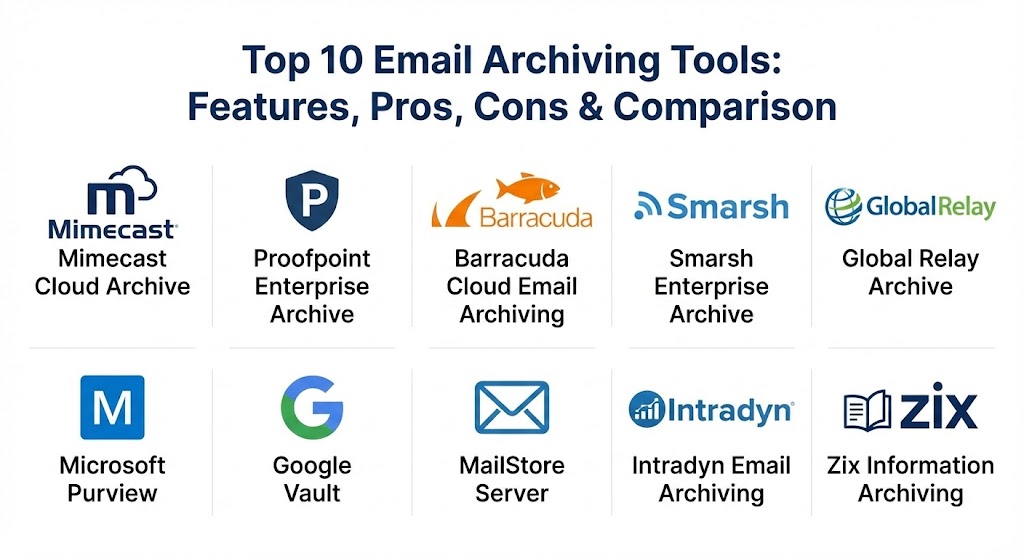
Top 10 Email Archiving Tools
1 — Mimecast Cloud Archive
Mimecast Cloud Archive is a market-leading, cloud-native solution known for its exceptional search speed and robust security. It is designed for large-scale enterprises that require a high-performance “digital corporate memory.”
- Key features:
- Lightning-fast search results, often returning billions of records in seconds.
- Automated “journal-grade” capture for all inbound, outbound, and internal mail.
- Integrated case management and legal hold workflows for e-discovery.
- Recovery of “lost” emails through a self-service end-user portal.
- Advanced AI-powered supervision to flag policy violations in real-time.
- Robust “Legacy Archive Data Management” for importing historical PST files.
- Pros:
- Industry-standard performance that minimizes downtime during audits.
- Highly resilient cloud infrastructure that effectively serves as a secondary mail store.
- Cons:
- Pricing is on the premium side, which may be a barrier for smaller SMBs.
- The administrative interface is powerful but has a steep learning curve for new users.
- Security & compliance: SOC 2 Type II, GDPR, HIPAA, FIPS 140-2, and AES-256 encryption.
- Support & community: Offers 24/7 global support, an extensive technical knowledge base, and a dedicated “Mimecast University” for training.
2 — Proofpoint Enterprise Archive
Proofpoint is a heavyweight in the cybersecurity space, and its Enterprise Archive reflects this with deep integrations into its threat protection ecosystem. It is favored by organizations that prioritize risk mitigation and AI-driven supervision.
- Key features:
- AI-powered supervision tools to automate the review of millions of messages.
- Unified archiving across email, social media, SMS, and collaboration tools like Teams.
- High-fidelity search with rich filtering for legal and compliance teams.
- Granular, role-based access control to ensure data privacy.
- Integration with Proofpoint’s Data Loss Prevention (DLP) suite.
- Automated retention policy enforcement to mitigate “data bloat.”
- Pros:
- Exceptional at managing non-email content (Slack, LinkedIn, Zoom) alongside mail.
- Reduces legal review costs by prioritizing the most relevant data for human reviewers.
- Cons:
- Optimized heavily for the Proofpoint ecosystem; standalone value is slightly lower.
- Implementation can be complex, often requiring professional services.
- Security & compliance: FIPS 140-2, PCI DSS, GDPR, HIPAA, and ISO 27001.
- Support & community: World-class enterprise support and a robust network of certified partners.
3 — Barracuda Cloud Email Archiving
Barracuda offers a more approachable, cost-effective solution that is highly popular among mid-market companies and educational institutions. It strikes a balance between powerful compliance features and ease of use.
- Key features:
- Cloud-to-cloud archiving specifically optimized for Microsoft 365.
- Mobile app (iOS/Android) for end-user access to archived mail.
- Simple, wizard-based setup that takes minutes to configure.
- Powerful search engine that indexes every word, including attachments.
- Customizable retention policies for different user groups or departments.
- Comprehensive audit logs for tracking administrative and user activity.
- Pros:
- Excellent value for the price point, often including unlimited storage.
- Very low administrative overhead; “set it and forget it” design.
- Cons:
- Search performance may lag behind Mimecast in multi-petabyte environments.
- Visual reporting and analytics are somewhat utilitarian compared to rivals.
- Security & compliance: Independent SOC 2 audited, GDPR, and HIPAA compliant.
- Support & community: Strong community presence (Barracuda Campus) and 24/7 technical support.
4 — Smarsh Enterprise Archive
Smarsh is the “gold standard” for the financial services industry. Its architecture is built specifically to handle the “supervision” requirements of FINRA and the SEC.
- Key features:
- Context-aware archiving that preserves the “look and feel” of the original message.
- Support for over 100 communication channels (email, mobile, social, voice).
- Advanced “Discovery” module with predictive coding and AI flagging.
- Immutable, WORM-compliant storage in a cloud-native environment.
- Direct integration with financial CRM platforms.
- Real-time policy alerts for compliance officers.
- Pros:
- Unmatched compliance expertise for highly regulated financial firms.
- Handles billions of records with ease without slowing down search results.
- Cons:
- Can be “too much tool” for companies in less regulated sectors.
- Opaque pricing models that can be difficult for smaller firms to navigate.
- Security & compliance: SEC 17a-4, FINRA, GDPR, HIPAA, and SOC 2.
- Support & community: 24/7 world-class support with “concierge-level” onboarding.
5 — Global Relay Archive
Global Relay is another financial-services powerhouse that focuses on a “clean” user experience and a high level of personalized service. It is trusted by the world’s largest banks and investment firms.
- Key features:
- Unified repository for email, instant messaging, and mobile communications.
- Highly intuitive web and mobile interfaces for end-users.
- Advanced “Legal Hold” management with automated notification workflows.
- Global search capabilities with language-agnostic indexing.
- Dedicated hardware-based or cloud-based deployment options.
- Comprehensive audit trails for every search and export action.
- Pros:
- User satisfaction is exceptionally high due to the modern, clean interface.
- Reliability is top-tier, with multiple redundant data centers.
- Cons:
- Setup can be time-consuming, often requiring significant initial investment.
- Customization options are limited compared to Smarsh or Proofpoint.
- Security & compliance: ISO 27001, SOC 2, HIPAA, and SEC/FINRA compliant.
- Support & community: Known for “concierge” support that handles many administrative tasks for the client.
6 — Microsoft Purview (eDiscovery & Archiving)
For organizations already fully invested in the Microsoft 365 ecosystem, Purview offers a “native” path to archiving. It is integrated directly into the admin center of M365.
- Key features:
- In-place archiving that doesn’t require moving data to a third-party server.
- Litigation Hold and Retention Labels that apply across the entire tenant.
- Premium eDiscovery with advanced indexing and “Custodian” management.
- Seamless integration with Teams, SharePoint, and OneDrive.
- Adaptive Scopes to apply policies based on user department or geography.
- Automated classification of sensitive data (GDPR, HIPAA patterns).
- Pros:
- Zero “setup” required; you simply enable the license and policies.
- Single “bill” and single administrative identity (Entra ID integration).
- Cons:
- Microsoft cannot “journal to itself,” meaning true immutable capture often requires a secondary tool.
- Throttling and export limits can make multi-TB legal matters slow to process.
- Security & compliance: FedRAMP, SOC 1/2/3, GDPR, HIPAA, and PCI DSS.
- Support & community: Massive online community and deep integration with MS support tiers.
7 — Google Vault
Google Vault is the native archiving and e-discovery tool for Google Workspace users. It is a streamlined, essentialist tool that focuses on the core needs of search and retention.
- Key features:
- Retention rules for Gmail, Drive, Chat, and Google Meet.
- Search by user, date, or specific keywords within attachments.
- Exporting of data to standard formats (PST, MBOX) for legal review.
- Simple “Matters” system to organize specific investigations.
- Audit reports to see what Vault users have done with the data.
- No additional storage costs if included in your Google Workspace tier.
- Pros:
- The most cost-effective option for Google-centric companies.
- Extremely fast indexing within the native Google search infrastructure.
- Cons:
- Lacks the advanced “Supervision” and AI flagging found in enterprise tools.
- Cannot archive data from non-Google sources (like old legacy servers).
- Security & compliance: ISO 27001, SOC 2/3, HIPAA, and GDPR.
- Support & community: standard Google Workspace support and extensive help documentation.
8 — MailStore Server
MailStore is a unique entry on this list as it offers a highly effective “on-premises” software model. It is a favorite for privacy-conscious organizations that prefer to keep their data off the public cloud.
- Key features:
- Support for almost any mail server (Exchange, M365, IMAP, POP3).
- One-time purchase model (plus optional maintenance) instead of per-user SaaS.
- Extremely fast search engine that end-users can access via Outlook or web.
- Automated deduplication and compression to save local storage space.
- Integrated “Self-Service” for users to restore their own deleted mail.
- Exporting to various formats for external legal review.
- Pros:
- One of the most cost-effective long-term solutions for mid-sized firms.
- Complete control over where the physical data resides (Local Server, NAS, S3).
- Cons:
- Administrative burden falls on the local IT team (Server updates, backups).
- Lacks built-in AI supervision and advanced “Social/Chat” connectors.
- Security & compliance: GDPR ready, supports encryption, and has detailed audit logs.
- Support & community: Responsive technical support and a dedicated German engineering heritage.
9 — Intradyn Email Archiving
Intradyn offers a versatile solution that can be deployed as a cloud service, a virtual appliance, or a physical hardware appliance. It focuses on the “record-keeping” aspect of archiving.
- Key features:
- “Journal-grade” capture that preserves every message in evidentiary quality.
- Multi-level search with the ability to “black out” confidential info in exports.
- Advanced reporting on mail volume, storage usage, and user activity.
- Integration with text messaging archiving for mobile compliance.
- “Crawl” functionality to import old data from active mailboxes.
- Disaster recovery with remote backup of the archive itself.
- Pros:
- Flexible deployment options that fit almost any IT infrastructure.
- Pricing is highly predictable with flat-rate options available.
- Cons:
- The UI can feel a bit utilitarian compared to modern SaaS platforms.
- Migration of very large datasets can sometimes experience delays.
- Security & compliance: SEC 17a-4, FINRA, HIPAA, and GDPR compliant.
- Support & community: Strong partner network and 24/7 US-based technical support.
10 — Zix Information Archiving
Zix (part of OpenText) is a security-focused tool that provides a unified, tamper-proof record of communications across over 50 sources.
- Key features:
- Automated capture from Email, Slack, Teams, and X (Twitter).
- Advanced “OCR” scanning that makes text in image attachments searchable.
- “Matters” management to organize legal holds and investigations.
- Immutable storage in a WORM-compliant cloud environment.
- Role-based access to prevent administrative snooping.
- Comprehensive audit trails for transparency and accountability.
- Pros:
- Excellent at “joining the dots” between email and chat communications.
- No upfront setup costs and an easy-to-use free trial for testing.
- Cons:
- Subscription costs can feel steep compared to purely local tools like MailStore.
- Advanced policy customization often requires training or specialized knowledge.
- Security & compliance: SOC 2, HIPAA, GDPR, FINRA, and SEC.
- Support & community: Global enterprise support and a large knowledge base.
Comparison Table
| Tool Name | Best For | Platform(s) Supported | Standout Feature | Rating (Gartner Peer Insights) |
| Mimecast Cloud Archive | Large Enterprises | Cloud, M365, Exchange | Lightning-fast Search | 4.5 / 5 |
| Proofpoint Archive | Risk Mitigation | Cloud, Multi-channel | AI-Powered Supervision | 4.6 / 5 |
| Barracuda Archive | Mid-market / EDU | Cloud-to-Cloud | Unlimited Storage Value | 4.7 / 5 |
| Smarsh Enterprise | Financial Services | Cloud, 100+ Channels | FINRA/SEC Excellence | 4.4 / 5 |
| Global Relay | Banks / High-End | Cloud, Mobile | Concierge Onboarding | 4.5 / 5 |
| Microsoft Purview | M365 Loyalists | Native (M365) | Zero-Setup Integration | 4.1 / 5 |
| Google Vault | Google Workspace | Native (Google) | Search Speed for Drive | 4.7 / 5 |
| MailStore Server | Privacy / On-Prem | On-Premise, Windows | One-time Purchase | 4.8 / 5 |
| Intradyn | Hardware / Hybrid | Appliance, Virtual, Cloud | Multi-Deployment Choice | 4.4 / 5 |
| Zix Archive | Security / Chat | Cloud, 50+ Sources | Image OCR Scanning | 4.5 / 5 |
Evaluation & Scoring of Email Archiving Tools
Choosing an archiving tool is an exercise in balancing performance against regulatory risk. We have evaluated the top contenders based on the following weighted criteria.
| Category | Weight | Key Considerations |
| Core Features | 25% | Search depth, attachment indexing, journal-grade capture. |
| Ease of Use | 15% | Intuitive UI for non-technical legal/HR staff. |
| Integrations | 15% | Support for Teams, Slack, Zoom, and mobile alongside email. |
| Security | 10% | Encryption levels, WORM storage, SSO, and audit trails. |
| Performance | 10% | Export speed for multi-TB cases and ingestion throughput. |
| Support | 10% | Quality of documentation, 24/7 availability, and user forums. |
| Price / Value | 15% | Total cost of ownership (TCO) vs. risk mitigation provided. |
Which Email Archiving Tool Is Right for You?
The “perfect” tool is defined by your regulatory burden and your existing IT ecosystem.
- Solo Users & Early Startups: Use the native tools (Google Vault or M365 Retention) if you have them. If not, don’t buy an enterprise tool yet; simply ensure you have a robust cloud backup for your inbox.
- Small to Medium Businesses (SMBs): Barracuda and MailStore offer the best value. Barracuda is ideal if you want a cloud-managed service, while MailStore is perfect if you want to own your data and pay a one-time fee.
- Mid-market to Large Enterprises: Mimecast is the standard-bearer for search performance. If your legal team complains that “the archive is too slow,” Mimecast is your solution.
- Highly Regulated Finance/Legal Firms: Smarsh and Global Relay are non-negotiable here. Their specialized knowledge of FINRA/SEC rules is worth the premium price because it protects the brand from massive regulatory fines.
- M365/Google Shop with Basic Needs: If you are “all-in” on Microsoft or Google and don’t have complex multi-channel (Slack/SMS) needs, stay with Purview or Vault. It minimizes your vendor count and simplifies identity management.
Frequently Asked Questions (FAQs)
1. What is the difference between email backup and email archiving?
Backup is for “disaster recovery” (restoring the whole system if it crashes). Archiving is for “discovery” (finding one specific message from 5 years ago for a legal case). Archives are searchable and immutable; backups usually aren’t.
2. Can I delete emails from my inbox if I have an archive?
Yes. In fact, a primary goal of archiving is to “slim down” your active mail server. Once an email is captured in the archive, it stays there based on your retention policy, regardless of what the user does in their inbox.
3. Do these tools archive email attachments?
Yes. All enterprise tools index the text inside attachments (Word, PDF, Excel) so you can find a message by searching for the content of the file attached to it.
4. How much storage space will I need?
Most modern archives use “deduplication” and “compression.” If you send a 10MB file to 100 people, the archive only stores one copy of the file, significantly reducing the required space.
5. Is it hard to migrate my old emails (PST files) into a new tool?
Most top-tier tools (like Mimecast or Intradyn) have specialized “Ingestion” tools that can suck up old PST files and historical data from your servers, though very large migrations can take weeks.
6. Does archiving work for Microsoft Teams and Slack?
Standard email archiving tools are increasingly becoming “Information Archiving” tools. Tools like Proofpoint and Smarsh handle Teams and Slack natively, keeping them alongside email for a unified view.
7. Is an on-premises archive better than a cloud archive?
Cloud is better for ease of use and remote access. On-premises (like MailStore) is better for privacy and cost-control if you already have the server infrastructure.
8. What is a “Legal Hold”?
It is a process where you “lock” certain emails so they cannot be deleted by anyone, even if the retention period has expired. This is mandatory during active or anticipated litigation.
9. Why is “Journaling” important?
Journaling captures a message the millisecond it hits the server. This prevents a user from sending a “bad” email and then deleting it before the archiver can grab it—ensuring a complete, tamper-proof record.
10. Do I still need an archive if I have Microsoft 365 E5?
The E5 license includes “Premium eDiscovery,” which is very good. However, some firms still add a tool like Mimecast for “redundancy” (so they can access mail if Microsoft goes down) or for faster search performance.
Conclusion
The selection of an email archiving tool is a strategic decision that bridges the gap between IT infrastructure and legal risk. In 2026, the best tools are those that not only store data but also provide the AI-driven “intelligence” to find it instantly when the stakes are highest. Whether you choose the native integration of Microsoft Purview, the financial-grade rigor of Smarsh, or the cost-effective reliability of Barracuda, remember that the value of an archive is not in what you save—it is in what you can find.