Introduction
A web browser is a software application used to access, retrieve, and display information from the World Wide Web. By translating HTML, JavaScript, and CSS into a human-readable interface, browsers serve as the gateway to the global network. In 2026, their importance is magnified as “thin client” computing becomes the norm—where the majority of our software runs in a tab rather than as a local installation. Key real-world use cases include collaborative cloud-based document editing, high-fidelity video streaming, secure financial transactions, and complex web-based development environments.
When evaluating a web browser, users must look beyond the surface level. Key criteria include engine efficiency (how it handles memory and battery), privacy protections (anti-tracking and fingerprinting), extension ecosystems, cross-device synchronization, and AI integration. A modern browser should not just display pages; it should help organize your digital life, protect your identity from sophisticated trackers, and offer a seamless experience across mobile and desktop platforms.
Best for: Everyone from casual home users and students to enterprise-level organizations, software developers, and privacy advocates. Specifically, it is vital for roles that rely on “cloud-first” workflows where the browser is the primary workspace.
Not ideal for: High-end tasks that require direct bare-metal hardware access, such as professional 8K video rendering or local intensive machine learning model training, where dedicated native applications still outperform web-based alternatives.
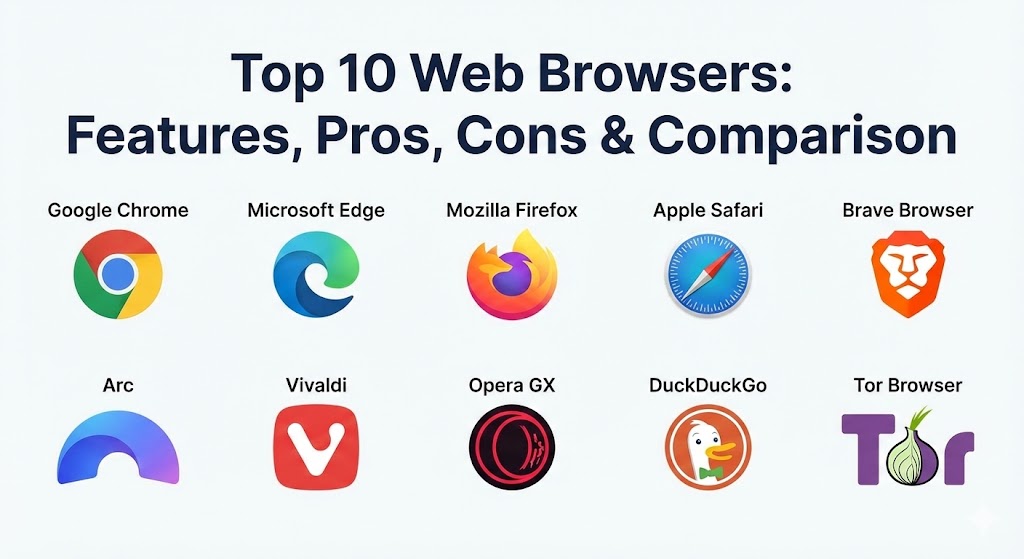
Top 10 Web Browsers Tools
1 — Google Chrome
Google Chrome remains the dominant force in the browser market, powered by the Chromium engine. It is designed for users who live within the Google ecosystem and prioritize seamless synchronization and the widest possible compatibility with web standards and extensions.
- Key features:
- Native integration with Google Gemini AI for page summarization and drafting.
- Largest extension library in the world (Chrome Web Store).
- Sophisticated multi-profile management for separating work and personal life.
- Google Password Manager with integrated leaked-credential checking.
- “Tab Groups” with automated organization based on browsing behavior.
- Advanced sandboxing technology to isolate malicious websites.
- Pros:
- Unrivaled speed and compatibility with almost every website and web app.
- Flawless synchronization of history, passwords, and tabs across all devices.
- Cons:
- Known for high RAM and CPU consumption, which can slow down older hardware.
- Significant privacy concerns due to Google’s data collection and advertising business model.
- Security & compliance: SOC 2 Type II, GDPR, and HIPAA-compliant configurations for enterprise. Features SSO, hardware-backed encryption, and detailed audit logs.
- Support & community: Massive global community; extensive documentation; enterprise support through Google Workspace; frequent “stable” and “canary” updates.
2 — Microsoft Edge
Built on the same Chromium engine as Chrome, Microsoft Edge has evolved into the premier browser for the corporate world. It distinguishes itself through deep integration with Microsoft 365 and the Copilot AI assistant, offering a more resource-efficient experience than its rivals.
- Key features:
- Deeply integrated Microsoft Copilot for real-time sidebar assistance.
- “Sleeping Tabs” technology that puts inactive tabs to sleep to save memory.
- Vertical Tabs for better screen real estate management on wide monitors.
- “Edge Workspaces” for collaborative browsing in teams.
- Built-in PDF editor with AI-powered annotation and summary tools.
- Native Microsoft 365 file viewer and editor integration.
- Pros:
- Significantly better battery life and memory management than standard Chrome.
- The best browser for enterprise management and Active Directory integration.
- Cons:
- The user interface can feel cluttered with excessive “suggested” content and features.
- Frequent prompts to use Microsoft services can be intrusive for some users.
- Security & compliance: Microsoft Entra ID (formerly Azure AD) SSO, Microsoft Defender SmartScreen, HIPAA, GDPR, and ISO 27001 compliant.
- Support & community: Enterprise-grade support via Microsoft 365; robust documentation; active community via Microsoft Tech Community.
3 — Mozilla Firefox
Firefox stands as the primary non-Chromium alternative, utilizing the Gecko engine. It is the go-to choice for privacy advocates and those who believe in an open, independent internet that is not controlled by a single corporate entity.
- Key features:
- Enhanced Tracking Protection that blocks 2,000+ trackers by default.
- “Multi-Account Containers” to isolate different digital identities (e.g., Facebook container).
- Total Cookie Protection to prevent cross-site tracking across the web.
- Open-source code, allowing for public audit and transparency.
- Picture-in-Picture mode with support for multiple simultaneous videos.
- Integrated “Firefox Relay” for masking email addresses.
- Pros:
- Superior privacy controls that are more aggressive than Chrome or Edge.
- Highly customizable UI and a unique extension ecosystem not bound by Manifest V3.
- Cons:
- Occasionally suffers from minor compatibility issues on websites optimized strictly for Chromium.
- Performance can slightly lag behind Chromium in complex, script-heavy web applications.
- Security & compliance: GDPR compliant; features end-to-end encrypted sync; audit-ready logging for privacy-conscious organizations.
- Support & community: Strong community-driven support (Mozilla Support/MDN); excellent developer documentation; active volunteer contributor network.
4 — Apple Safari
Safari is the default browser for the Apple ecosystem. It is engineered for maximum power efficiency and privacy, making it the indispensable choice for MacBook, iPhone, and iPad users who value battery longevity and seamless handoff.
- Key features:
- WebKit engine optimized for Apple Silicon (M1/M2/M3/M4 chips).
- “Intelligent Tracking Prevention” using on-device machine learning to block trackers.
- Hide My Email and iCloud Private Relay integration.
- “Profiles” feature that isolates history, cookies, and extensions.
- Passkeys support for passwordless authentication via FaceID/TouchID.
- Reading List with offline accessibility.
- Pros:
- Unbeatable power efficiency, providing hours of extra battery life on laptops.
- Clean, minimalist design that feels native to the macOS and iOS experience.
- Cons:
- Only available on Apple devices; zero support for Windows or Android.
- Extension library is smaller and more restricted compared to Chrome or Firefox.
- Security & compliance: HIPAA and GDPR compliant; uses hardware-level Secure Enclave for credential storage; ISO 27001 standards.
- Support & community: Integrated Apple Care support; extensive help guides on Apple Support; closed ecosystem with limited community modification.
5 — Brave Browser
Brave is a privacy-focused Chromium browser that takes a radical approach to the web economy. It blocks all ads and trackers by default and offers its own reward system based on the Basic Attention Token (BAT).
- Key features:
- “Brave Shields” for automatic ad, tracker, and script blocking.
- Built-in Leo AI assistant for privacy-preserving AI interaction.
- Integrated crypto wallet and Brave Rewards system.
- Native Tor integration for anonymous browsing in private tabs.
- Built-in Firewall and VPN (subscription-based) for system-wide protection.
- De-AMP technology that bypasses Google’s Accelerated Mobile Pages for privacy.
- Pros:
- Extremely fast page load times due to the lack of ad-tech overhead.
- Out-of-the-box privacy that requires zero configuration from the user.
- Cons:
- The inclusion of crypto-related features can be polarizing or distracting.
- Some “Brave Rewards” features can feel like ads themselves if not disabled.
- Security & compliance: GDPR compliant; does not collect or store user data on servers; features local-only encryption.
- Support & community: Active Brave Community forums; GitHub-hosted open-source project; responsive developer team.
6 — Arc (by The Browser Company)
Arc is the “modernist” browser that seeks to rethink the browser UI from the ground up. It treats the browser as an operating system for the web, focusing on spaces, sidebars, and organizational “boosts.”
- Key features:
- Sidebar-centric navigation that replaces the traditional top-tab bar.
- “Spaces” for organizing different contexts (e.g., Work, School, Vacation).
- “Air Traffic Control” to automatically route links to specific spaces.
- Arc Max—a suite of AI features for renaming downloads and summarizing pages.
- “Easels” for collaborative whiteboarding and scrapbooking from the web.
- “Little Arc” for quick, lightweight link previews without leaving your current app.
- Pros:
- Revolutionary UI that significantly improves productivity for heavy tab users.
- A fresh, aesthetic experience that makes browsing feel like using a high-end app.
- Cons:
- High learning curve; users must “unlearn” 20 years of browser habits.
- Currently requires more system resources than traditional minimalist browsers.
- Security & compliance: GDPR compliant; standard Chromium security patches; SSO support.
- Support & community: Strong cult-like following; active social media presence; detailed “How-To” video series.
7 — Vivaldi
Vivaldi is the spiritual successor to the original Opera, designed specifically for power users who want to customize every single aspect of their browsing experience.
- Key features:
- Tab Tiling—view multiple websites simultaneously in a single window.
- Built-in Mail, Calendar, and Feed Reader.
- Customizable Command Palette (Quick Commands) for keyboard-heavy users.
- Massive UI customization—move any button or bar to any location.
- Unique “Web Panels” for keeping social media or tools in a side drawer.
- Integrated Notes and Image Property viewer.
- Pros:
- The most feature-rich browser out of the box; no extensions required for most tasks.
- Allows for extreme productivity workflows through tab stacks and split-screen views.
- Cons:
- The sheer volume of settings can be overwhelming for casual users.
- The interface can feel heavy or “clunky” compared to streamlined rivals.
- Security & compliance: GDPR compliant; no tracking or profiling; supports modern encryption standards.
- Support & community: Very active Vivaldi Forum; comprehensive help pages; community-driven translation and testing.
8 — Opera / Opera GX
Opera has rebranded itself as a niche-focused browser, with Opera GX targeting the massive gaming community. It offers unique hardware limitation features that ensure the browser doesn’t interfere with system performance.
- Key features:
- GX Control—RAM, CPU, and Network limiters to save resources for gaming.
- Built-in Aria AI for browsing assistance.
- Integrated sidebar for WhatsApp, Discord, and Telegram.
- Free, unlimited “VPN” (technically a secure proxy).
- “Flow” feature for sending files and links between mobile and desktop.
- GX Corner—a hub for free games, deals, and gaming news.
- Pros:
- The best browser for gamers who need to keep tabs open while playing.
- Excellent built-in messengers save time switching between apps.
- Cons:
- Privacy reputation is mixed due to corporate ownership changes in recent years.
- The “Free VPN” is not a true VPN and may not provide the privacy users expect.
- Security & compliance: GDPR compliant; standard encryption; supports multi-factor authentication for Opera accounts.
- Support & community: Large user community; active blog; standard technical support channels.
9 — DuckDuckGo Browser
Moving from a search engine to a full browser, DuckDuckGo offers a “privacy-simplified” experience. It is designed for users who want a “burn button” for their history and zero tracking without any configuration.
- Key features:
- The “Fire Button” to clear all tabs and data in one click with a fun animation.
- Duck Player—a YouTube wrapper that blocks targeted ads and tracking.
- Automatic “Global Privacy Control” (GPC) signaling to websites.
- Integrated email protection and tracker blocking for third-party apps.
- Clean, no-nonsense interface with no “news feeds” or clutter.
- Pros:
- The easiest browser to use for non-technical users who want privacy.
- Significantly reduces the “creepiness” of the web by blocking hidden trackers.
- Cons:
- Very limited features compared to power-user browsers like Vivaldi or Arc.
- Does not support third-party extensions (by design, to improve security).
- Security & compliance: GDPR compliant; strictly no-log policy; features private-by-default syncing.
- Support & community: Extensive privacy blog; active help center; growing community of privacy advocates.
10 — Tor Browser
The Tor Browser is the gold standard for anonymity. It routes your traffic through three layers of encryption across the Tor network, making it nearly impossible for anyone to track your physical location or browsing habits.
- Key features:
- Multi-layered “Onion” routing for total anonymity.
- Blocks all scripts and fingerprinting techniques by default.
- Clears all cookies and history upon closing the browser.
- Access to .onion sites (the “dark web”).
- “New Identity” feature to reset your circuit with one click.
- Pros:
- The only browser that provides true anonymity against state-level surveillance.
- Essential for journalists, activists, and whistleblowers.
- Cons:
- Extremely slow compared to every other browser due to the relay hops.
- Many modern websites block Tor traffic or trigger endless CAPTCHAs.
- Security & compliance: Open-source; non-profit; the highest possible privacy standards; no data collection.
- Support & community: Backed by The Tor Project; extensive community documentation; volunteer-run relay network.
Comparison Table
| Tool Name | Best For | Platform(s) Supported | Standout Feature | Rating (TrueReviewnow.com) |
| Google Chrome | Ecosystem Sync | All Platforms | Vast Extension Library | 4.5 / 5 |
| Microsoft Edge | Enterprise / Copilot | All Platforms | AI Sidebar / Sleeping Tabs | 4.6 / 5 |
| Mozilla Firefox | Privacy Advocates | All Platforms | Multi-Account Containers | 4.7 / 5 |
| Apple Safari | Apple Users | macOS, iOS | Power Efficiency | 4.4 / 5 |
| Brave Browser | Ad-Blocking | All Platforms | Built-in Ad/Tracker Block | 4.8 / 5 |
| Arc | Productivity / UI | macOS, Windows, iOS | Spaces & Sidebar | 4.7 / 5 |
| Vivaldi | Power Users | All Platforms | Tab Tiling & UI Customization | 4.5 / 5 |
| Opera GX | Gamers | Windows, macOS, Mobile | RAM & CPU Limiters | 4.6 / 5 |
| DuckDuckGo | Simple Privacy | Windows, macOS, Mobile | The “Fire Button” | 4.3 / 5 |
| Tor Browser | Total Anonymity | Windows, Linux, Android | Onion Routing | 4.2 / 5 |
Evaluation & Scoring of Web Browsers
To help you decide which browser deserves a place on your taskbar, we have evaluated the top contenders using a weighted scoring rubric that reflects the modern user’s priorities.
| Category | Weight | Evaluation Criteria |
| Core Features | 25% | Tab management, AI integration, PDF support, and native tools. |
| Ease of Use | 15% | UI intuitiveness, onboarding, and accessibility. |
| Integrations | 15% | Cross-device sync, extension ecosystem, and third-party app support. |
| Security | 10% | Anti-tracking, sandboxing, and frequency of security patches. |
| Performance | 10% | RAM/CPU usage, battery impact, and page load speeds. |
| Support | 10% | Documentation, community forums, and enterprise support options. |
| Price / Value | 15% | Cost (all are free, but evaluated by “cost of data” vs features). |
Which Web Browsers Tool Is Right for You?
Selecting a browser in 2026 is about balancing convenience with your personal “privacy budget.”
- Solo Users vs. SMB vs. Enterprise:
- Solo users should prioritize Brave or Arc for a better personal experience.
- SMBs benefit most from Chrome’s easy profile management and broad app compatibility.
- Enterprise users should almost exclusively look at Microsoft Edge for its unmatched administrative controls and compliance features.
- Budget-conscious vs. Premium:
- While all these browsers are free to download, Brave actually “pays” you via Rewards. If you value your time and hardware longevity, Safari (for Mac) and Edge (for Windows) are the “premium” choices for performance.
- Feature Depth vs. Ease of Use:
- If you want a “cockpit” of features, go with Vivaldi.
- If you want a “zen” experience where you don’t have to touch settings, DuckDuckGo is the answer.
- Security and Compliance Requirements:
- For strictly regulated industries or those handling sensitive IP, Firefox (open-source auditability) or Tor (for sensitive research) are the industry standards.
Frequently Asked Questions (FAQs)
1. Why does Chrome use so much RAM?
Chrome treats every tab and extension as a separate process. While this ensures that one crashing tab doesn’t take down the whole browser, it leads to high memory usage. 2026 updates have improved this, but it remains a heavy browser.
2. Is Brave really faster than Chrome?
Yes. By blocking ads and tracking scripts before they even begin to download, Brave often loads content-heavy pages 3-6 times faster than browsers that allow those scripts to run.
3. What is a “Chromium-based” browser?
Chromium is an open-source project by Google. Most modern browsers (Edge, Brave, Vivaldi, Arc, Opera) use Chromium as their engine for web compatibility while building their own unique user interface on top.
4. Can I use Chrome extensions on Microsoft Edge?
Yes. Since both are built on Chromium, you can install almost any extension from the Chrome Web Store directly into Microsoft Edge.
5. Is the “Incognito Mode” in Chrome actually private?
Not really. Incognito only prevents your history from being saved locally on your machine. Your ISP, your employer, and Google can still track your activity. For real privacy, use Tor or a trusted VPN.
6. Does using a browser with AI (like Edge Copilot) drain battery?
Slightly. Processing AI queries usually happens in the cloud, but the interface and background processing can have a minor impact on CPU usage compared to a “dumb” browser like Loop.
7. Is Safari still better for Mac battery life?
Yes. Because Apple controls both the hardware and the software, Safari is deeply optimized for the M-series chips, often providing 1.5 to 2 hours of extra battery life over Chrome.
8. Why would someone use Firefox in 2026?
Firefox is the last major browser that isn’t dependent on the Chromium engine. Using it prevents a total monopoly on web standards and offers privacy features (like Containers) that Chromium-based browsers struggle to replicate.
9. What is a “Passkey”?
A passkey is a new security standard supported by most modern browsers that allows you to log into sites using your device’s biometrics (FaceID/Fingerprint) instead of a traditional password.
10. Is the DuckDuckGo browser just for search?
No, it is a standalone application. It uses the operating system’s native rendering engine (WebView2 on Windows, WebKit on Mac) to provide a full, privacy-hardened browsing experience.
Conclusion
The “best” web browser in 2026 is no longer a one-size-fits-all answer. If you are an Apple power user, Safari is your home. If you are a corporate worker, Microsoft Edge is your tool. If you are a digital nomad seeking productivity, Arc will change your workflow. Ultimately, the choice comes down to which browser aligns with your values regarding privacy and how much control you want over your digital environment. We recommend keeping at least two browsers: a daily driver like Chrome or Edge for compatibility, and a privacy-hardened secondary like Brave or Firefox for sensitive tasks.