Introduction
Dental Practice Management Software is a comprehensive digital solution designed to handle the administrative, clinical, and financial operations of a dental office. Think of it as the “operating system” for a clinic. It integrates everything from patient scheduling and digital charting to insurance claim processing and patient communication into a single interface. By centralizing these tasks, the software reduces human error, speeds up the billing cycle, and allows the clinical team to focus more on patient care rather than paperwork.
The importance of these tools lies in their ability to bridge the gap between clinical excellence and business efficiency. Real-world use cases include automated appointment reminders that reduce “no-show” rates, integrated digital imaging that allows for instant diagnostic review, and sophisticated revenue cycle management (RCM) that ensures insurance companies pay on time. When evaluating these tools, users should look for a balance of ease of use, imaging integration, cloud vs. on-premise flexibility, and robustness of the reporting dashboard.
Best for: Private dental practitioners, mid-sized multi-location clinics, and large Dental Service Organizations (DSOs). It is ideal for office managers, dental assistants, and dentists who want to automate routine tasks and maintain high-security standards for patient data.
Not ideal for: General medical practitioners who do not require specific dental charting (like odontograms), or very small mobile “pop-up” clinics that may only require a basic scheduling tool rather than a full-scale clinical suite.
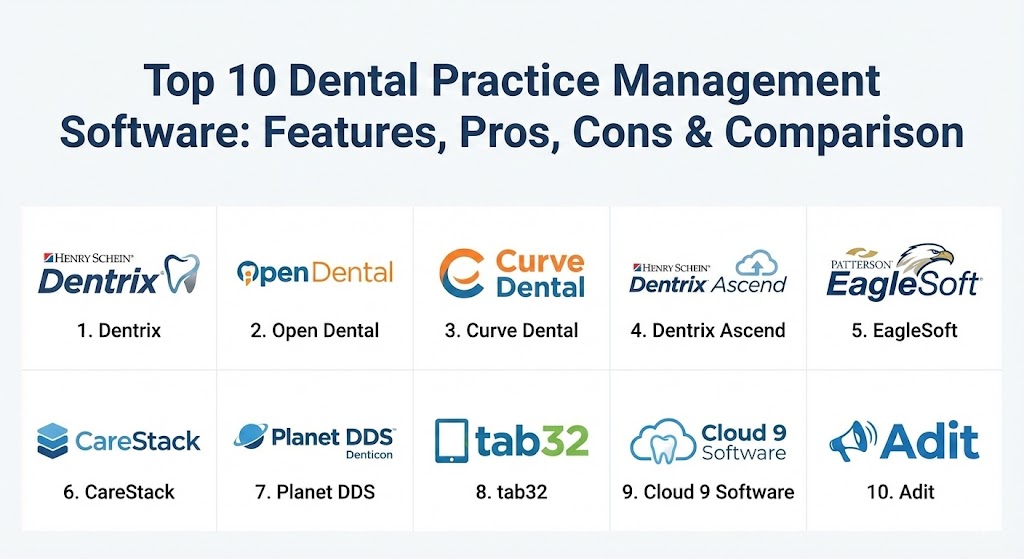
Top 10 Dental Practice Management Software Tools
1 — Dentrix (by Henry Schein)
Dentrix is arguably the most recognized name in the dental software world. As a flagship product of Henry Schein, it has been the industry standard for decades, offering a massive ecosystem of integrated “eServices” that handle everything from credit card processing to patient loyalty programs.
- Key features:
- Dentrix G8: The latest version offers enhanced database performance and security.
- Integrated Charting: Sophisticated 3D clinical charting and periodontal mapping.
- eServices: A comprehensive suite for electronic prescriptions, insurance claims, and payments.
- Patient Engage: Automated marketing and communication tools.
- Treatment Planning: Visual tools to help patients understand and accept proposed procedures.
- Profitability Reporting: Deep-dive financial analytics to track practice growth.
- Pros:
- Largest market share means most dental assistants and office managers are already trained on it.
- Virtually unmatched integration with third-party dental hardware (sensors, cameras).
- Cons:
- The legacy “on-premise” nature can make remote access complicated without extra setup.
- The cost of “add-on” services can accumulate quickly, leading to high monthly overhead.
- Security & compliance: HIPAA compliant, features robust audit logs, SSO (Single Sign-On) integration, and advanced encryption for data at rest.
- Support & community: Extensive training through Dentrix University, a massive global user community, and 24/7 enterprise-level phone support.
2 — Open Dental
Open Dental has achieved a cult-like following due to its unique “open-source” philosophy. While it is a commercial product, its database is open and accessible, allowing tech-savvy practices to customize the software to a degree that proprietary competitors simply don’t allow.
- Key features:
- Open Database: Highly customizable for developers or practices with unique workflows.
- eServices: Mobile-friendly patient portals and online web scheduling.
- Bridge Integration: Support for hundreds of dental imaging and lab software bridges.
- Queries: A powerful tool for pulling custom data reports without needing a programmer.
- Patient Dashboard: A unified view of clinical history, financial status, and upcoming tasks.
- Graphics Engine: Customizable odontograms for precise clinical documentation.
- Pros:
- Extremely cost-effective; one of the few platforms with a transparent, low-cost monthly fee.
- Fast, lightweight software that doesn’t require high-end server hardware to run smoothly.
- Cons:
- The user interface is functional but looks dated compared to modern “cloud-native” competitors.
- Requires a bit more “technical comfort” to set up and customize effectively.
- Security & compliance: HIPAA compliant. Includes detailed permission settings and audit trails to track every change made to a record.
- Support & community: One of the most active online user forums in the industry; support is known for being highly technical and responsive.
3 — Curve Dental
Curve Dental is a pioneer in the “cloud-native” dental space. Designed from the ground up for the browser, it eliminates the need for expensive in-office servers, making it a favorite for modern, sleek practices that want to run their business on iPads and laptops.
- Key features:
- Curve Hero: A clean, modern, and intuitive user interface.
- Cloud Imaging: Native web-based imaging that allows you to view X-rays from any device.
- Smart Scheduling: Drag-and-drop calendar with color-coded appointment types.
- Integrated Payments: A streamlined checkout process for patients.
- Business Intelligence: Visual dashboards that track production, collection, and case acceptance.
- Automated Backups: Since it is cloud-based, backups happen automatically in the background.
- Pros:
- No server maintenance; reduces IT costs and eliminates the risk of local hardware failure.
- Modern, “Apple-like” aesthetic that is very easy for new staff to learn quickly.
- Cons:
- Completely dependent on your internet connection; if the web is down, the practice stops.
- Monthly subscription fees are higher than some traditional on-premise software.
- Security & compliance: SOC 2 compliant, HIPAA certified, and features bank-level AES-256 encryption.
- Support & community: 24/7/365 US-based support; offers “Curve Academy” for ongoing staff education.
4 — Dentrix Ascend
Recognizing the shift toward the cloud, Henry Schein created Dentrix Ascend. It is a completely different product from the original Dentrix, reimagined as a SaaS (Software as a Service) platform tailored for multi-site practices and DSOs.
- Key features:
- Multi-Site Management: Easily switch between different clinic locations in one browser tab.
- Natural Language Processing: Simplified search bar to find patient files or reports quickly.
- Cloud-Based Imaging: No need for a local imaging server.
- Unified Ledger: Simplifies billing for patients who visit multiple locations within a group.
- Clinical Checkpoints: Built-in checklists to ensure compliance and standard of care.
- Pros:
- Combines the “brand trust” of Dentrix with the convenience of a modern cloud platform.
- Excellent for growing practices that plan to add multiple locations.
- Cons:
- Different enough from “Dentrix Classic” that existing users will still face a learning curve.
- Third-party sensor integration is still catching up to the on-premise version’s compatibility.
- Security & compliance: HIPAA, SOC 2, and data redundancy across multiple geographic data centers.
- Support & community: On-demand chat support, extensive video libraries, and dedicated account managers for large DSOs.
5 — EagleSoft (by Patterson Dental)
EagleSoft is the other “legacy giant” alongside Dentrix. Known for its extremely robust imaging capabilities and long history of stability, it remains a top choice for traditional practices that value a deeply integrated, all-in-one local solution.
- Key features:
- Advanced Imaging: One of the best native imaging suites in the industry.
- Patterson Revolve: Integrated marketing and patient engagement services.
- Clinical Virtual Screen: A “one-stop” view of everything from perio charts to X-rays.
- SmartDoc: A digital filing cabinet for all patient-related documents and consents.
- Customizable Recalls: Powerful filters to find patients who are overdue for cleanings.
- Pros:
- Exceptional customer service—Patterson is known for having some of the best field techs.
- Very stable; perfect for practices that don’t want to worry about software glitches.
- Cons:
- The interface hasn’t seen a major visual overhaul in several years.
- Moving from on-premise to the cloud with EagleSoft is more restrictive than other brands.
- Security & compliance: HIPAA compliant, features strong user-level permissions and audit logs.
- Support & community: Famous for the “FAQ” database and Patterson’s localized support network.
6 — CareStack
CareStack is an “all-in-one” cloud platform that aims to replace multiple subscriptions. It combines practice management, patient engagement, imaging, and advanced RCM into one modern dashboard.
- Key features:
- Integrated RCM: Advanced tools for insurance verification and claim tracking.
- Enterprise Analytics: Built-in reporting for large groups and DSOs.
- Patient Portal: Allows for digital forms, online payments, and video consultations.
- Curated Workflows: Built-in “To-Do” lists for front desk and clinical staff.
- Cloud Imaging: Supports high-resolution diagnostic imaging directly in the browser.
- Pros:
- Replaces the need for 3rd party tools like RevenueWell or Solutionreach.
- The most modern-looking interface on the market, very high “Ease of Use” scores.
- Cons:
- The sheer number of features can be overwhelming for a very small, simple practice.
- Initial setup and data migration from legacy systems can be a lengthy process.
- Security & compliance: HIPAA, SOC 2 Type II, and regular third-party security audits.
- Support & community: Robust onboarding program and an active “User Excellence” community.
7 — Planet DDS (Denticon)
Denticon by Planet DDS is a heavy-hitter in the DSO space. It was one of the first cloud-based systems and has specialized in the “centralization” of dental business operations for over a decade.
- Key features:
- Centralized Reporting: View the performance of 100+ locations from one headquarters view.
- Dentiray Web: A specialized cloud-imaging component with advanced diagnostic tools.
- Patient Communication: Integrated texting and email marketing.
- Macro-based Charting: Speeds up clinical notes with pre-built clinical “macros.”
- Credentialing: Tools to manage provider credentials across multiple states and locations.
- Pros:
- The “gold standard” for large scale dental organizations.
- Highly reliable; a proven track record of stability in high-volume environments.
- Cons:
- Can feel a bit “corporate” and less personalized for a solo practitioner.
- Customization options are more restricted to maintain standardization across groups.
- Security & compliance: HIPAA compliant, SOC 2 Type II, and extensive data redundancy.
- Support & community: Focused on enterprise support with dedicated implementation teams.
8 — tab32
Tab32 markets itself as the industry’s first “AI-integrated” dental platform. It is a cloud solution that puts a heavy emphasis on using data and artificial intelligence to improve clinical outcomes and practice revenue.
- Key features:
- HelloPatient: A sophisticated AI-driven patient engagement suite.
- Open Data Platform: Focuses on interoperability and data transparency.
- Cloud Imaging: High-speed, browser-based imaging with AI-assisted diagnosis.
- Biometric Security: Support for modern authentication methods.
- Voice Recognition: AI voice-to-text for clinical note-taking.
- Pros:
- Cutting-edge technology; feels like a platform built for the future.
- Excellent for data-driven owners who want to use AI to find “lost” production.
- Cons:
- Being a newer player, the ecosystem of third-party hardware “bridges” is smaller.
- The aggressive focus on AI may be a learning curve for traditional staff members.
- Security & compliance: HIPAA, SOC 2, and advanced MFA (Multi-Factor Authentication).
- Support & community: Strong online support and a growing community of “future-forward” dentists.
9 — Cloud 9 Software
Cloud 9 is a specialized management tool specifically designed for Orthodontics and Pediatric Dentistry. While other tools are generalists, Cloud 9 understands the specific billing and treatment cycles of specialty practices.
- Key features:
- Orthodontic Specifics: Automated payment plans for long-term ortho contracts.
- Growth Tracking: Specialized charts for pediatric growth and development.
- Multi-Location Sync: Real-time data sync across specialty offices.
- Imaging Integration: Bridges to ortho-specific 3D scanning and imaging tools.
- Electronic Signing: Integrated digital contracts for orthodontic treatment plans.
- Pros:
- The best option for Ortho/Pedo specialists—it speaks their specific business language.
- Eliminates the “workarounds” required when using a general dental software.
- Cons:
- Not suitable for general dentistry practices.
- Limited functionality for specialized oral surgery or endodontic workflows.
- Security & compliance: HIPAA compliant with secure, encrypted cloud hosting.
- Support & community: Highly specialized support staff who understand orthodontic billing.
10 — Adit
Adit is a relatively new but rapidly growing player that focuses on the Patient Experience. It is essentially a marketing platform and practice management system fused into one, making it ideal for practices focused on rapid growth.
- Key features:
- Adit Voice: A built-in VoIP phone system that integrates with patient records.
- Patient Forms: Sleek, mobile-first forms that patients can sign from their phones.
- Online Booking: A highly optimized booking widget to convert website visitors.
- Internal Chat: A Slack-like interface for team communication within the office.
- Marketing Attribution: Tracks exactly which ads resulted in which new patients.
- Pros:
- The best for “marketing-heavy” practices that want to track every dollar of ad spend.
- The built-in VoIP system is a game-changer for front-desk efficiency.
- Cons:
- Clinical charting features are not as “deep” as legacy giants like Dentrix or EagleSoft.
- Still a younger product; some advanced clinical features are still in development.
- Security & compliance: HIPAA compliant, secure messaging, and data encryption.
- Support & community: Known for high-touch onboarding and excellent customer success management.
Comparison Table
| Tool Name | Best For | Platform(s) Supported | Standout Feature | Rating (Gartner / TrueReview) |
| Dentrix | Established Private Practices | Windows (On-premise) | Massive eService Ecosystem | 4.4 / 5 |
| Open Dental | Tech-Savvy / Budget Conscious | Windows (On-premise) | Open Database Accessibility | 4.7 / 5 |
| Curve Dental | Modern / Design-focused | Cloud (Browser) | “Apple-like” User Interface | 4.6 / 5 |
| Dentrix Ascend | Growing Mid-market / DSOs | Cloud (Browser) | Business Intelligence Dashboards | 4.5 / 5 |
| EagleSoft | Imaging-heavy Clinics | Windows (On-premise) | Best-in-class Local Imaging | 4.3 / 5 |
| CareStack | All-in-one Enterprise | Cloud (Browser) | Built-in RCM and Analytics | 4.7 / 5 |
| Planet DDS | Large DSOs / Groups | Cloud (Browser) | Centralized Fleet Management | 4.4 / 5 |
| tab32 | Data & AI Driven Offices | Cloud (Browser) | AI-Assisted Clinical Diagnosis | 4.5 / 5 |
| Cloud 9 | Orthodontists / Pediatric | Cloud (Browser) | Contract/Payment Plan Automation | 4.6 / 5 |
| Adit | Growth / Marketing Focus | Cloud / VoIP | Integrated Marketing & Phone | 4.8 / 5 |
Evaluation & Scoring of Dental Practice Management Software
Choosing a DPMS is a high-stakes decision. The following weighted scoring rubric is used by experts to determine the long-term value of a platform.
| Category | Weight | Evaluation Criteria |
| Core Features | 25% | Charting, scheduling, perio-mapping, and billing efficiency. |
| Ease of Use | 15% | Training time for new staff and UI intuitiveness. |
| Integrations | 15% | How well it talks to sensors, cameras, and 3rd party apps. |
| Security | 10% | Encryption, HIPAA compliance, and backup redundancy. |
| Performance | 10% | Software speed, cloud uptime, and database stability. |
| Support | 10% | Quality of documentation and speed of technical support. |
| Price / Value | 15% | Total cost of ownership vs. production gains. |
Which Dental Practice Management Software Tool Is Right for You?
The “perfect” software depends entirely on your business model and your comfort with technology.
Solo Practitioners vs. DSOs
If you are a Solo Practitioner who is comfortable with local hardware, Open Dental offers the best value, while Curve Dental offers the most freedom. For Large DSOs, the centralization capabilities of Planet DDS or Dentrix Ascend are non-negotiable for maintaining corporate standards.
Budget-Conscious vs. Premium
If you are starting a “scratch practice” on a tight budget, Open Dental or Adit provide excellent ROI. If you have the capital and want the most comprehensive, polished experience possible, CareStack or Dentrix provide a premium, “leave nothing to chance” environment.
Feature Depth vs. Ease of Use
If your clinical notes are complex and you need every possible dental macro, Dentrix or EagleSoft provide the most depth. If you have high staff turnover and need a system that someone can learn in one afternoon, Curve Dental or Tebra (Adit) are the clear winners.
Security and Scalability
For those worried about data security, the cloud providers (Curve, CareStack, tab32) offer better protection against local hardware failure and ransomware. However, if your clinic is in a rural area with unreliable internet, an on-premise system like Dentrix with a local backup remains the safest bet.
Frequently Asked Questions (FAQs)
1. Is cloud-based dental software better than on-premise?
Cloud-based software is generally better for accessibility and reducing IT costs, as you don’t need a server. On-premise is better for clinics with slow internet or those who want total physical control over their data.
2. How long does it take to switch dental software?
A typical data conversion and training period takes 4 to 8 weeks. It involves mapping your old data (patients, notes, history) into the new system’s database.
3. Will my existing X-ray sensors work with new software?
Most sensors use “TWAIN” drivers that allow them to talk to different software, but some proprietary sensors (like older Dexis or Gendex) may require a specific “bridge” or third-party imaging software.
4. Can I access my practice management software from home?
Cloud-based systems like Curve or CareStack can be accessed anywhere with a web browser. On-premise systems like Dentrix require a Remote Desktop or VPN setup.
5. What is the typical cost of dental practice management software?
Cloud systems usually cost between $300 and $700 per month. On-premise systems often have a large upfront licensing fee ($5k–$15k) plus a smaller monthly support fee.
6. Does the software handle insurance claims automatically?
Most modern systems integrate with “clearinghouses” that allow you to send claims with one click. Some, like CareStack, offer “Full Service RCM” where they manage the claims for you.
7. Can patients fill out forms online before their appointment?
Yes, almost all top-10 tools now offer digital intake forms that sync directly with the patient’s chart, saving the front desk hours of data entry.
8. What happens to my data if I cancel my cloud subscription?
By law, the vendor must provide you with your data, usually in a common format like CSV or SQL, though they may charge a fee for the “data export” service.
9. Is training included in the purchase price?
Most vendors charge a separate implementation and training fee. It is highly recommended to pay for this, as poorly trained staff is the #1 cause of software failure.
10. What is a “bridge” in dental software?
A “bridge” is a small piece of code that allows the practice management software to open a patient’s record in a separate imaging software (like Sidexis or VixWin) automatically.
Conclusion
The “best” dental practice management software isn’t necessarily the one with the most features; it’s the one that aligns with your practice’s specific rhythm. If you are a high-growth office focused on marketing, a tool like Adit will serve you best. If you are a specialist, Cloud 9 is the obvious choice.
Ultimately, the goal of this software is to become invisible—allowing you to focus on the person in the chair rather than the pixels on the screen. Take advantage of demos, ask for “sandbox” accounts to test the UI, and ensure your staff is involved in the decision-making process.