Introduction
A patient portal is a secure online website or mobile application that provides patients with 24/7 access to their personal health information (PHI). These platforms are often integrated directly with an Electronic Health Record (EHR) system, serving as a digital mirror of a patient’s clinical file. By utilizing these tools, patients can view lab results, download immunization records, message their physicians directly, and manage administrative tasks like scheduling and bill payment without needing to make a single phone call.
The importance of patient portal platforms cannot be overstated in an era of “Meaningful Use” and value-based care. They are critical for improving patient engagement, which is directly linked to better health outcomes. For healthcare providers, these portals reduce the administrative burden on front-desk staff, minimize no-show rates through automated reminders, and ensure compliance with federal data-sharing regulations. Key evaluation criteria for choosing a platform include its level of EHR integration, mobile responsiveness, security protocols (such as multi-factor authentication), and the intuitiveness of the user interface for elderly or non-technical patients.
Best for: Healthcare systems of all sizes—from solo practitioners to massive multi-state hospital networks—looking to increase patient engagement, streamline office workflows, and provide a transparent “digital front door” to their services.
Not ideal for: Specialized laboratory facilities that do not provide direct patient care, or very small clinics that lack a digital EHR and are not yet ready to manage the technical overhead of a secure online communication channel.
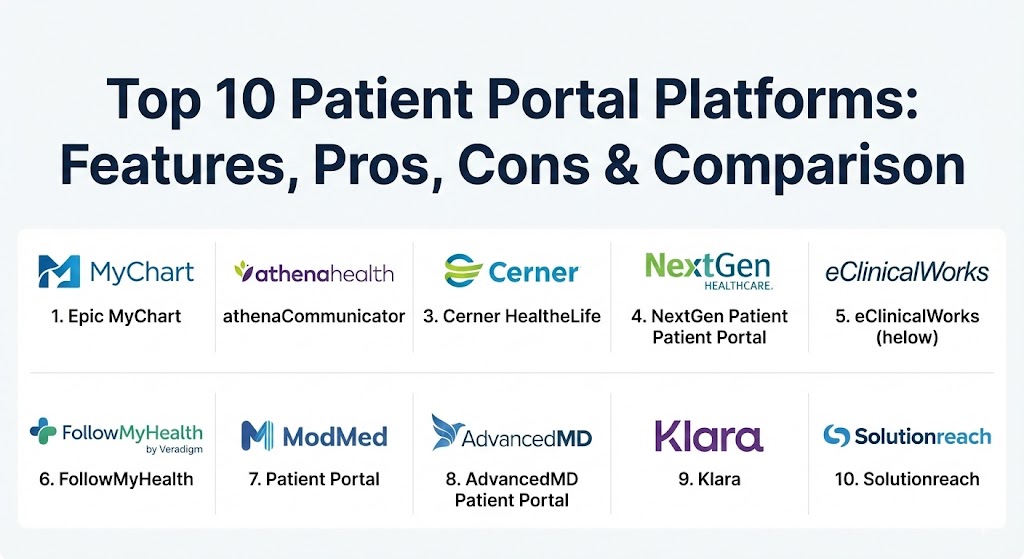
Top 10 Patient Portal Platforms
1 — Epic MyChart
Epic MyChart is widely considered the industry gold standard for patient portals, utilized by the majority of the top-ranked hospitals in the United States. It offers a comprehensive, highly integrated experience that follows the patient across different specialties and facilities within the Epic ecosystem.
- Key features:
- MyChart Bedside: Real-time access to records for hospitalized patients.
- Fast Pass: Automated waitlist notifications for earlier appointment slots.
- Family Access: Proxy access for parents, legal guardians, and adult caregivers.
- Happy Together: Aggregates health data from multiple different organizations into a single view.
- Telehealth Integration: Native support for video visits and remote monitoring.
- Interoperability: Robust data exchange via the Carequality and CommonWell networks.
- Pros:
- Unrivaled depth of clinical data access and native integration with the Epic EHR.
- Extremely high patient brand recognition, which drives higher adoption rates.
- Cons:
- Highly expensive and generally only available to large health systems.
- Complex configuration requires a dedicated IT team for maintenance.
- Security & compliance: HIPAA, SOC 2, ISO 27001, and FIPS 140-2 compliant with mandatory Multi-Factor Authentication (MFA).
- Support & community: Enterprise-grade 24/7 support; massive “UserWeb” community for peer-to-peer knowledge sharing.
2 — athenaCommunicator (by athenahealth)
Designed specifically for ambulatory and outpatient practices, athenaCommunicator focuses on automating the “nuisance” tasks of healthcare, such as appointment reminders and basic inquiry handling, through a sleek, web-based interface.
- Key features:
- Automated Outreach: Multi-channel reminders via text, email, and automated voice.
- Self-Scheduling: Direct integration with the provider’s calendar for real-time booking.
- Online Check-in: Digital forms and insurance verification prior to the visit.
- Payment Processing: Integrated billing and “card on file” features.
- Health Reminders: Automated notifications for preventative screenings and vaccines.
- SaaS Delivery: Cloud-native updates ensure the portal is always current.
- Pros:
- Excellent at reducing front-desk workloads through high-level automation.
- The user interface is exceptionally modern and requires almost no patient training.
- Cons:
- Customization options are limited compared to on-premise enterprise solutions.
- Some advanced features are “add-ons” that increase the monthly subscription cost.
- Security & compliance: HIPAA compliant, SOC 2 Type II, and HITRUST certified.
- Support & community: Robust online training modules (athenahealth Success Community) and reliable account management support.
3 — Cerner HealtheLife
Cerner (now part of Oracle) offers HealtheLife as its primary patient engagement tool. It is built to facilitate a unified care record, focusing heavily on population health management and long-term wellness tracking.
- Key features:
- Wellness Dashboard: Tracks patient-generated data from wearables like Fitbit or Apple Health.
- Vitals Tracking: Allows patients to upload blood pressure or glucose readings for provider review.
- Messaging: Secure, HIPAA-compliant threads with the entire care team.
- Record Aggregation: Pulls in data from inpatient and outpatient Cerner environments.
- Educational Resources: Automated delivery of condition-specific health materials.
- Pros:
- Strong focus on chronic disease management and proactive health tracking.
- Highly scalable, making it suitable for regional health information exchanges (HIEs).
- Cons:
- The interface can feel more “clinical” and less “consumer-friendly” than some rivals.
- Interoperability with non-Cerner systems can occasionally be challenging.
- Security & compliance: HIPAA, GDPR (for international clients), and ISO/IEC 27001 compliance.
- Support & community: Global enterprise support with a strong focus on clinical informatics training.
4 — NextGen Patient Portal
NextGen is a leader in the ambulatory EHR space, and its patient portal is tailored to the needs of specialty practices—such as orthopedics or ophthalmology—where specific documentation and imaging access are vital.
- Key features:
- Specialty Templates: Customizable intake forms based on the practice’s focus area.
- Virtual Visits: Integrated telehealth platform that doesn’t require a separate app.
- Medication Refills: Streamlined requests that go directly to the physician’s workflow.
- Lab Graphing: Visual representations of lab results over time.
- Statement Delivery: Digital delivery of complex multi-provider bills.
- Pros:
- Highly customizable to fit the specific workflow of a specialty clinic.
- Strong mobile app performance with high ratings on both iOS and Android.
- Cons:
- The initial setup and customization process can be time-consuming for staff.
- Smaller practices may find the feature set “heavier” than they actually need.
- Security & compliance: HIPAA compliant, FIPS 140-2 encryption, and SOC 2 audits.
- Support & community: NextGen Success Community offers extensive documentation and video tutorials.
5 — eClinicalWorks (helow)
eClinicalWorks utilizes the “helow” (Health and Online Wellness) brand for its patient engagement suite. It is one of the most widely used platforms in the mid-market space due to its aggressive pricing and comprehensive feature list.
- Key features:
- helow Smart Logs: Tracks vitals and syncs with multiple medical-grade devices.
- Messenger: Automated campaigns for preventative care.
- Kiosk Integration: Syncs portal data with in-office check-in tablets.
- AI Virtual Assistant: “Ana” helps patients find appointments and answer basic FAQs.
- International Support: Multi-language capabilities for diverse patient populations.
- Pros:
- Very affordable for mid-sized practices compared to “Big Iron” systems like Epic.
- One of the best mobile apps for patients, emphasizing wellness over just clinical data.
- Cons:
- Customer support responsiveness has historically been a point of user feedback.
- The interface can feel cluttered due to the massive number of available features.
- Security & compliance: HIPAA, ONC-certified, and SOC 2 compliant.
- Support & community: eCW University provides a vast library of training videos and certifications.
6 — FollowMyHealth (by Veradigm)
Formerly an Allscripts product, FollowMyHealth is a vendor-neutral portal designed to pull data from disparate EHR systems into a single, patient-centric record.
- Key features:
- Universal Health Record: Combines data from any provider using an EHR that supports the platform.
- Dynamic Messaging: Supports both provider-to-patient and patient-to-staff messaging.
- Care Account: Allows one login to manage multiple family members’ records.
- Proxy Management: Granular controls for who can see which parts of a record.
- Condition Management: Specialized modules for diabetes and heart disease.
- Pros:
- Excellent for patients who see multiple providers across different health systems.
- Very strong ad-hoc messaging and file-sharing capabilities.
- Cons:
- Because it is vendor-neutral, some deeper “native” EHR features may be missing.
- Syncing data from older legacy systems can sometimes result in delays.
- Security & compliance: HIPAA, HITRUST, and SOC 2 Type II certifications.
- Support & community: Dedicated client success managers and an extensive online help center.
7 — ModMed Patient Portal
ModMed (Modernizing Medicine) is famous for its “EMA” (Electronic Medical Assistant) EHR. Its portal is specifically optimized for high-volume surgical and specialty practices like Dermatology, Plastics, and Orthopedics.
- Key features:
- Photo Upload: Allows patients to send photos of skin conditions or surgical sites.
- Specialty Intake: Pre-built forms for specific cosmetic or surgical procedures.
- Pathology Access: Direct, easy-to-read access to biopsy and pathology reports.
- Integrated Payments: Optimized for elective procedure financing and payments.
- Patient Education: High-quality visual aids for specialized treatments.
- Pros:
- Unmatched for specialty-specific workflows, particularly in dermatology and ophthalmology.
- The visual nature of the portal makes it easy for patients to understand complex results.
- Cons:
- Not a good fit for general primary care or large multi-specialty hospitals.
- Premium features come with a premium price tag.
- Security & compliance: HIPAA compliant with robust encryption and audit logging.
- Support & community: ModMed “ModU” offers specialized training tailored to specific medical roles.
8 — AdvancedMD Patient Portal
AdvancedMD is a cloud-based powerhouse for independent practices. Its portal is part of a “unified suite” that combines EHR, Practice Management, and Patient Engagement into one cohesive product.
- Key features:
- Task Donuts: Visual dashboard for staff to track pending portal requests.
- Custom Branding: Allows the practice to theme the portal with their own logos and colors.
- Automated Recalls: Identifies and messages patients who are due for a visit.
- Form Automation: Patients fill out forms at home that automatically populate the EHR.
- Credit Card Vaulting: Securely stores payment info for future co-pays.
- Pros:
- The “all-in-one” nature reduces data silos and ensures 100% data accuracy.
- Very easy for administrative staff to manage without needing IT expertise.
- Cons:
- The pricing model can be “nickel-and-diming” as you add more engagement modules.
- The patient mobile app is functional but lacks the “polish” of Epic or helow.
- Security & compliance: HIPAA, PCI-DSS (for payments), and SOC 2 compliant.
- Support & community: Highly rated “AdvancedMD Hub” community and guided implementation.
9 — Klara
Klara is a “communication-first” platform. While it functions as a patient portal, its primary differentiator is its focus on secure messaging and workflow automation rather than just being a clinical record repository.
- Key features:
- Unified Inbox: Combines portal messages, SMS, and website chat into one view.
- Read Receipts: Staff can see exactly when a patient has opened a message.
- Internal Collaboration: Staff can “tag” each other in patient threads for internal discussion.
- Automated Reminders: SMS-based reminders that don’t require the patient to log in to an app.
- Document/Photo Capture: Simple, mobile-friendly ways for patients to send insurance cards.
- Pros:
- Solves the “phone tag” problem better than almost any other platform.
- Extremely high patient adoption because it feels like a standard texting app.
- Cons:
- It is not a full EHR; it requires integration with an existing clinical system.
- Patients looking for a deep “clinical history” (like lab trends) might find it too simplistic.
- Security & compliance: HIPAA compliant with end-to-end encryption.
- Support & community: Very responsive customer success team with rapid onboarding.
10 — Solutionreach
Solutionreach is a veteran in the patient relationship management (PRM) space. It acts as an engagement layer that sits on top of almost any existing EHR or Practice Management system.
- Key features:
- SR Conversations: Two-way text messaging from the office landline.
- Review Management: Automatically asks patients for Google/Yelp reviews after a visit.
- Newsletter Delivery: Robust tools for sending practice-wide announcements.
- Waitlist Management: Fills last-minute cancellations via automated text blasts.
- SR Pay: Simple, text-based payment links for patients.
- Pros:
- The most powerful tool for practice marketing and reputation management.
- Compatible with a massive range of dental and medical legacy systems.
- Cons:
- Some of the “portal” features are less deep than those in a native EHR portal.
- The focus is more on “communications” than “clinical record management.”
- Security & compliance: HIPAA compliant and SOC 2 certified.
- Support & community: Extensive library of webinars and a dedicated support team.
Comparison Table
| Tool Name | Best For | Platform(s) Supported | Standout Feature | Rating (Gartner/TrueReview) |
| Epic MyChart | Enterprise Systems | Web, iOS, Android | Happy Together Integration | 4.8 / 5 |
| athenaCommunicator | Ambulatory/SMB | Web, Mobile Web | High-Level Automation | 4.6 / 5 |
| Cerner HealtheLife | Health Networks | Web, iOS, Android | Wellness/Wearable Sync | 4.4 / 5 |
| NextGen Portal | Specialty Clinics | Web, iOS, Android | Customizable Intake Forms | 4.3 / 5 |
| eClinicalWorks | Mid-Market Clinics | Web, iOS, Android | helow Smart Logs | 4.5 / 5 |
| FollowMyHealth | Multi-Provider Care | Web, iOS, Android | Vendor-Neutral Record | 4.2 / 5 |
| ModMed Portal | Surgical/Specialty | Web, iOS, Android | Surgical Photo Upload | 4.7 / 5 |
| AdvancedMD | Independent Practices | Web, iOS, Android | Task Donut Workflow | 4.4 / 5 |
| Klara | Patient Communication | Web, SMS, Mobile | Texting-Style Interface | 4.8 / 5 |
| Solutionreach | PRM & Marketing | Web, SMS, Mobile | Review & Reputation Mgmt | 4.3 / 5 |
Evaluation & Scoring of Patient Portal Platforms
Choosing a portal is a significant investment. The following weighted scoring rubric is used by industry experts to differentiate between “basic” portals and “enterprise-class” engagement platforms.
| Category | Weight | Evaluation Criteria |
| Core Features | 25% | Scheduling, lab access, messaging, billing, and prescription refills. |
| Ease of Use | 15% | Intuitiveness for both the patient and the administrative staff. |
| Integrations | 15% | How seamlessly it syncs with EHR, PM, and third-party apps. |
| Security & Compliance | 10% | HIPAA compliance, data encryption, and MFA support. |
| Performance | 10% | System uptime, page load speeds, and mobile app stability. |
| Support & Community | 10% | Quality of documentation and availability of customer support. |
| Price / Value | 15% | ROI based on time saved and improved patient satisfaction. |
Which Patient Portal Platform Is Right for You?
Selecting the right platform depends on your organizational goals and the specific demographic of your patients.
- Solo Practitioners & Small Clinics: If you are managing things on your own, you need simplicity. AdvancedMD or athenahealth are great because they handle the administrative “noise” automatically. If you just want to solve the problem of patients calling your office all day, Klara is a game-changer.
- Mid-Market & Specialty Clinics: You need a tool that speaks your “language.” If you are a dermatologist or plastic surgeon, ModMed is significantly better than a generic portal because it understands your specific charting needs. For general primary care, eClinicalWorks offers a solid balance of features and cost.
- Enterprise & Health Systems: You are likely already locked into an EHR like Epic or Cerner. In this case, the native portal is almost always the right choice because of the deep data hooks. However, if you are a multi-vendor system, FollowMyHealth can help unify the experience for your patients.
- Budget vs. Premium: If cost is the primary concern, look for portals that come bundled with your EHR for a low flat fee (like eClinicalWorks). If “patient experience” is your competitive advantage, investing in a premium, highly-branded portal like Epic MyChart or ModMed is worth the higher TCO.
- Technical Readiness: Ensure your staff is ready for the “digital front door.” A portal only works if your team is committed to responding to messages and updating results promptly. If you lack a dedicated IT team, stick to SaaS-based platforms like athenahealth.
Frequently Asked Questions (FAQs)
1. What is the difference between a patient portal and a personal health record (PHR)?
A patient portal is a “window” into your provider’s EHR system. A PHR is a digital record that the patient manages themselves, often pulling data from multiple different portals into one place.
2. Are patient portals mandatory for medical practices?
Under CMS “Meaningful Use” and MIPS regulations, practices are strongly incentivized to provide digital access to health records. Failing to do so can result in lower reimbursement rates from Medicare and Medicaid.
3. Do patient portals really improve health outcomes?
Yes. Studies show that patients who have easy access to their lab results and can message their doctors are more likely to adhere to treatment plans and manage chronic conditions effectively.
4. How do these platforms handle security?
Most reputable platforms use bank-grade encryption (AES-256), multi-factor authentication (MFA), and strictly controlled role-based access to ensure that only authorized individuals see sensitive data.
5. Can I use a patient portal on my smartphone?
Most modern platforms (like MyChart, helow, and athenahealth) offer dedicated mobile apps for iOS and Android, which often feature biometric login (FaceID/TouchID) for convenience.
6. What happens if a patient forgets their password?
All compliant portals have secure “self-service” password reset workflows. However, clinics should also have a protocol for staff to verify a patient’s identity over the phone to manually reset an account.
7. Can a portal handle payments for elective procedures?
Yes, advanced portals like ModMed and AdvancedMD include integrated “Patient Pay” features that can handle everything from small co-pays to large financing plans for elective surgeries.
8. Do patients actually use these portals?
Adoption rates vary. Generally, practices that actively promote the portal (e.g., asking patients to check in via the portal while they are in the waiting room) see adoption rates of 40% to 70%.
9. Can I customize the portal with my clinic’s branding?
Most “white-label” platforms allow you to add your logo and colors. However, enterprise systems like MyChart have a standardized look and feel to maintain consistent patient expectations across the network.
10. What is the biggest mistake practices make when launching a portal?
Failing to train the staff. If a patient sends a message and nobody responds for three days, they will stop using the portal and go back to calling the office, defeating the entire purpose of the software.
Conclusion
The transition to a digital-first patient experience is no longer optional—it is a requirement for competitive, modern healthcare delivery. Patient Portal Platforms provide the essential infrastructure to make this transition successful. Whether you prioritize deep clinical integration with an enterprise EHR, the automated simplicity of a cloud-based tool, or the “texting-first” convenience of a communication platform, the goal remains the same: empowering patients with their own data.
Choosing the “best” tool is a subjective process. It requires a hard look at your current clinical workflows, your budget, and the specific needs of your patient population. By focusing on ease of access and data transparency, you aren’t just buying software—you are building a stronger, more trusting relationship with the people you care for.