Introduction
Healthcare EHR systems are real-time, patient-centered records that make information available instantly and securely to authorized users. While the terms EMR (Electronic Medical Record) and EHR are often used interchangeably, an EHR is designed to go beyond standard clinical data collected in a provider’s office and is inclusive of a broader view of a patient’s care. These systems are essential because they improve patient safety by reducing medication errors, enhance care coordination across specialties, and streamline the administrative burdens of medical billing and regulatory reporting.
Key real-world use cases include managing complex chronic conditions through population health tools, enabling seamless telehealth integration, and facilitating the rapid exchange of diagnostic data between hospitals and laboratories. When evaluating EHR tools in 2026, healthcare providers should look for AI-driven documentation, interoperability standards (like FHIR), mobile accessibility, and robust security frameworks that protect sensitive Protected Health Information (PHI).
Best for: Large health systems, multi-specialty groups, and independent practices that require high levels of data security, integrated billing, and comprehensive patient longitudinal records. It is critical for organizations aiming for HIMSS Stage 7 certification or those participating in Value-Based Care (VBC) models.
Not ideal for: Solo practitioners with extremely low patient volumes who do not bill insurance, or specialized wellness centers that do not require clinical documentation and would benefit more from a simple CRM or booking tool.
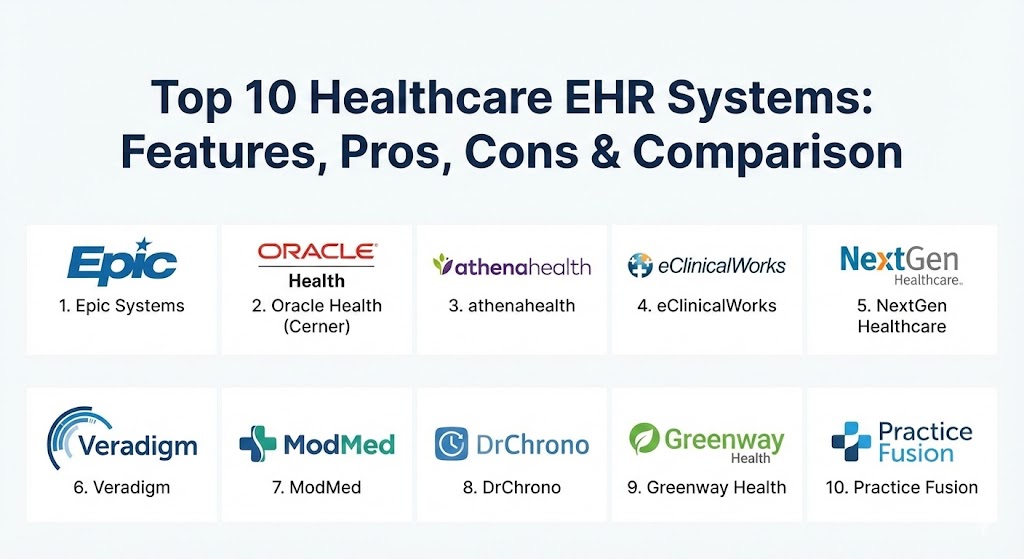
Top 10 Healthcare EHR Systems
1 — Epic Systems
Epic is the industry titan of EHR, holding the largest market share in the U.S. hospital sector. Known for its “One Patient, One Record” philosophy, it provides a highly integrated experience across almost every medical specialty.
- Key features:
- MyChart: The gold-standard patient portal for engagement and scheduling.
- Cosmos: A massive de-identified research database for clinical insights.
- Hyperdrive: A fast, web-based platform for modern browser access.
- Care Everywhere: Leading interoperability network for sharing charts globally.
- Epic Cheers: A CRM tool specifically for healthcare patient journeys.
- Pros:
- Unmatched integration; all modules (billing, clinical, pharmacy) talk to each other perfectly.
- Exceptionally high physician satisfaction among trained users due to “dot phrases” and workflow shortcuts.
- Cons:
- Extremely high upfront and ongoing costs, often out of reach for smaller clinics.
- Lengthy and rigorous implementation process requiring dedicated internal IT teams.
- Security & compliance: HIPAA, SOC 2, ISO 27001, and advanced biometric authentication support.
- Support & community: High-tier enterprise support; an exclusive “UserWeb” community for knowledge sharing and best practices.
2 — Oracle Health (Cerner)
Following its acquisition by Oracle, Cerner has rebranded as Oracle Health, shifting its focus toward a “cloud-first” and “AI-first” architecture designed to reduce clinician burnout.
- Key features:
- Oracle Health EHR: A redesigned, voice-first intelligent solution.
- Clinical Digital Assistant: Ambient AI that documents visits via voice commands.
- Millennium Platform: Robust core EHR for large-scale acute and ambulatory care.
- HealtheIntent: A powerful vendor-neutral population health platform.
- Real-Time Intelligence: AI summaries of patient history delivered at the point of care.
- Pros:
- Strong emphasis on voice-to-text and AI, significantly reducing manual data entry.
- Excellent for large-scale governmental or global health systems due to its scalable cloud infrastructure.
- Cons:
- The transition from legacy Cerner to Oracle Cloud can be complex for existing users.
- Some users find the interface less intuitive than competitors without significant customization.
- Security & compliance: FedRAMP, HIPAA, GDPR, and DOD-level security certifications.
- Support & community: Global 24/7 support and a large network of third-party consultants.
3 — athenahealth
athenahealth is a cloud-native EHR and practice management suite that differentiates itself through “athenaOne,” a solution that combines software with managed billing and coding services.
- Key features:
- athenaOne: A unified cloud platform for EHR, billing, and patient engagement.
- athenaNet: A shared network where updates are pushed to all users simultaneously.
- Epocrates Integration: Direct access to drug information and clinical decision support.
- Vitals Dashboard: Real-time visibility into practice performance and financial health.
- Patient Engagement: Automated text and email reminders with self-check-in.
- Pros:
- Minimal hardware requirements since it is 100% web-based.
- The managed billing services (RCM) often lead to higher collection rates for practices.
- Cons:
- Subscription costs are often based on a percentage of practice revenue, which can be expensive.
- Reporting tools can be complex to navigate for non-technical users.
- Security & compliance: SOC 2 Type II, HIPAA, and regular third-party audits.
- Support & community: Extensive online documentation and a responsive client success manager model.
4 — eClinicalWorks (eCW)
eClinicalWorks is a versatile, AI-powered platform serving over 150,000 providers. It is particularly strong in the ambulatory market and for Community Health Centers (CHCs).
- Key features:
- V12 Interface: A modern, multi-dimensional browser-based UI.
- healow: A comprehensive patient engagement mobile app ecosystem.
- EVA: An AI-powered virtual assistant for data retrieval and documentation.
- PRISMA: A health information search engine that aggregates records from multiple sources.
- Cloud EHR: Native hosting on Microsoft Azure or AWS.
- Pros:
- Very high degree of template customization for different medical specialties.
- The PRISMA tool is highly effective at finding outside patient records.
- Cons:
- Customer support has received mixed reviews regarding responsiveness.
- The sheer number of features can make the initial training period feel overwhelming.
- Security & compliance: HIPAA, HITRUST CSF, and SOC 2 compliance.
- Support & community: Active user groups and “eCW University” for structured training.
5 — NextGen Healthcare
NextGen is a leader in the multi-specialty ambulatory space, offering tailored solutions for behavioral health, orthopedics, and ophthalmology.
- Key features:
- NextGen Mobile: Full EHR functionality on tablets and smartphones.
- NextPen: A digital pen that converts handwriting into structured data.
- MIPS Reporting: Integrated tools for tracking and submitting regulatory data.
- Community Health: Specific workflows for FQHCs and rural health clinics.
- Interoperability: Native connection to Carequality and Surescripts.
- Pros:
- Excellent specialty-specific templates that require less “building” than Epic.
- Strong focus on patient-provider communication through a refined portal.
- Cons:
- Performance can lag if local network infrastructure is not optimized.
- Upgrading between major versions can be a heavy lift for the IT staff.
- Security & compliance: HIPAA, SOC 2, and FIPS 140-2 compatibility.
- Support & community: A dedicated “NextGen Success Community” and annual user conferences.
6 — Veradigm (formerly Allscripts)
Veradigm provides a comprehensive suite of EHR and practice management tools, often used by large private practices and integrated delivery networks.
- Key features:
- Professional EHR: Designed specifically for small to mid-sized practices.
- TouchWorks EHR: Built for large, complex multi-specialty groups.
- PayerPath: A robust clearinghouse for managing claims and denials.
- FollowMyHealth: A popular, user-friendly patient engagement platform.
- AI Search: Enhanced data retrieval to find specific clinical notes.
- Pros:
- Highly scalable; organizations can grow from the “Professional” to “TouchWorks” tier.
- One of the best billing and revenue cycle management modules in the industry.
- Cons:
- Some older modules feel less modern and require more clicks to complete tasks.
- Third-party integrations can occasionally be difficult to configure.
- Security & compliance: HIPAA, GDPR, and ISO/IEC 27001 certifications.
- Support & community: Comprehensive “Veradigm Learning” portal and 24/7 technical help desk.
7 — ModMed (Modernizing Medicine)
ModMed is famous for its EMA (Electronic Medical Assistant), an iPad-native EHR that utilizes a “touch-and-swipe” interface designed by actual physicians in specific specialties.
- Key features:
- EMA EHR: Specialty-specific workflows for dermatology, ENT, ortho, and more.
- Adaptive Learning: The system remembers a doctor’s common diagnoses and plans.
- ModMed Pay: Integrated payment processing within the patient portal.
- Analytics: Real-time data on physician productivity and clinical outcomes.
- Telehealth: Native video visits integrated directly into the schedule.
- Pros:
- Arguably the best user interface for iPad users; extremely fast for documentation.
- The “Adaptive Learning” feature significantly speeds up charting over time.
- Cons:
- Not a “general” EHR; it is highly focused on specific specialties and may lack features for primary care.
- Limited desktop functionality compared to its tablet experience.
- Security & compliance: HIPAA, SOC 2, and encrypted cloud hosting.
- Support & community: Highly rated “specialty-specific” support teams.
8 — DrChrono
DrChrono was the first EHR to build a native app for the iPad and iPhone. It remains the top choice for mobile-centric practices and concierge medicine.
- Key features:
- iPad EHR: A mobile-first charting experience with free-drawing tools.
- Open API: Extensive library for third-party app developers to build integrations.
- Live Claims Room: Real-time visibility into the status of insurance claims.
- Self-Check-In Kiosk: Allows patients to check in via an iPad in the waiting room.
- Custom Templates: Easy-to-build templates that can be shared in a community library.
- Pros:
- Extremely fast startup time; a practice can be “live” in days rather than months.
- The most flexible EHR for practices that want to build their own custom tech stack.
- Cons:
- Lacks some of the deep “Population Health” tools found in enterprise systems.
- Support is primarily ticket-based, which can be frustrating during urgent issues.
- Security & compliance: HIPAA, SOC 2, and AES-256 bit encryption.
- Support & community: A robust “DrChrono Help Center” and an active developer community.
9 — Greenway Health (Intergy)
Greenway Health offers the Intergy platform, a specialty-focused solution that excels in administrative efficiency and practice analytics.
- Key features:
- Intergy Practice Management: Advanced scheduling and financial reporting.
- Greenway Telehealth: Simple, secure virtual care for patients.
- Greenway Insights: A data analytics tool that pulls from both clinical and financial data.
- Care Coordination: Tools for managing referrals and outside lab results.
- Custom Forms: A flexible engine for building clinical intake forms.
- Pros:
- The practice management (billing/scheduling) side is widely considered top-tier.
- Updates are generally smooth and do not disrupt the daily clinic workflow.
- Cons:
- The user interface can feel clunky and non-intuitive for new users.
- Interoperability with non-Greenway systems can sometimes require extra effort.
- Security & compliance: HIPAA, SOC 2, and regular vulnerability assessments.
- Support & community: Strong partner-led support network and training videos.
10 — Practice Fusion
Practice Fusion is a web-based EHR designed for independent practices that need a simple, no-frills solution to meet regulatory requirements.
- Key features:
- Cloud-Based Access: Can be accessed from any device with a browser.
- E-Prescribing: Direct connection to over 98,000 pharmacies.
- Patient Fusion: A basic, easy-to-use patient portal.
- Lab Integrations: Direct connections to Quest, LabCorp, and others.
- Automatic Backups: Managed entirely by the vendor in the cloud.
- Pros:
- One of the most affordable options for solo or small practices.
- Extremely easy to learn; requires almost zero IT knowledge to maintain.
- Cons:
- Limited customization compared to enterprise-grade systems.
- The transition from a free to a paid model has frustrated some long-term users.
- Security & compliance: HIPAA and SOC 2 Type II compliant.
- Support & community: Online help center and community forums.
Comparison Table
| Tool Name | Best For | Platform(s) Supported | Standout Feature | Rating (Gartner Peer Insights) |
| Epic Systems | Large Health Systems | Web, iOS, Android | MyChart & Cosmos | 4.3 / 5 |
| Oracle Health | AI-First Enterprise | Cloud, Voice, Web | Clinical Digital Assistant | 4.1 / 5 |
| athenahealth | Managed RCM/Cloud | Web, iOS | athenaNet (Shared Network) | 4.2 / 5 |
| eClinicalWorks | Ambulatory Centers | Web, iOS, Android | PRISMA Search Engine | 4.1 / 5 |
| NextGen | Multi-Specialty/FQHC | Web, Tablet, Mobile | Specialty-Specific Workflows | 4.0 / 5 |
| Veradigm | Large Private Groups | Web, Windows, iOS | Exceptional Billing Module | 3.9 / 5 |
| ModMed | Specialist MDs | iPad (Native), Web | Adaptive Learning EMA | 4.6 / 5 |
| DrChrono | Mobile-First/Concierge | iOS (Native), Web | Open API & Kiosk Mode | 4.2 / 5 |
| Greenway Health | Practice Analytics | Web, Windows | Intergy Financial Reporting | 3.8 / 5 |
| Practice Fusion | Small/Solo Practices | Web | Rapid Startup & Simplicity | 3.7 / 5 |
Evaluation & Scoring of Healthcare EHR Systems
To help you decide, we have evaluated these tools using a weighted scoring rubric based on current 2026 industry standards.
| Category | Weight | Evaluation Criteria |
| Core Features | 25% | Charting, e-prescribing, patient portal, and lab integrations. |
| Ease of Use | 15% | UI design, click reduction, and mobile accessibility. |
| Integrations | 15% | Compatibility with pharmacies, labs, and HIEs (Health Information Exchanges). |
| Security & Compliance | 10% | HIPAA compliance, encryption, and audit log depth. |
| Performance | 10% | System uptime, page load speeds, and lag during peak hours. |
| Support | 10% | Onboarding quality, technical support speed, and user community. |
| Price / Value | 15% | Total cost of ownership vs. practice efficiency gains. |
Which Healthcare EHR System Is Right for You?
Selecting an EHR is a 10-year commitment. Here is how to navigate the decision based on your specific situation:
Solo Users vs. SMB vs. Enterprise
- Solo/Micro Practices: Prioritize ease of use and low overhead. Practice Fusion or DrChrono are excellent starting points because they don’t require server maintenance.
- Mid-Market/Specialty Clinics: Look for clinical efficiency. ModMed is unbeatable for specialists like dermatologists, while athenahealth is great for those who want to outsource their billing entirely.
- Enterprise Health Systems: Epic and Oracle Health are the only realistic options for managing multiple hospitals, pharmacies, and thousands of beds under one roof.
Budget-Conscious vs. Premium
If budget is the primary constraint, avoid revenue-percentage models (like athenahealth) and look for flat-fee monthly subscriptions. However, remember that a “cheaper” EHR that increases documentation time by 20% is actually more expensive in lost provider productivity.
Feature Depth vs. Ease of Use
If your providers are tech-savvy and want deep data analytics, Epic or NextGen are worth the complexity. If your staff struggles with computers, the “swipe-and-tap” nature of ModMed or the simplicity of DrChrono will lead to much higher adoption rates.
Frequently Asked Questions (FAQs)
1. What is the difference between EMR and EHR?
An EMR is a digital version of a patient’s chart in one office. An EHR is a comprehensive record designed to be shared across multiple providers, including labs and specialists, for a holistic view of patient health.
2. How much does a typical EHR implementation cost?
For small practices, costs range from $5,000 to $20,000 for setup plus monthly fees. Large hospitals can spend hundreds of millions on an Epic or Oracle Health rollout.
3. Is cloud-based EHR safer than on-premise?
In 2026, yes. Cloud vendors (AWS/Azure) provide enterprise-grade security, redundancy, and automated patching that most local clinics cannot replicate on their own.
4. Can I switch EHRs easily?
Switching is difficult due to data migration. Most vendors charge for data extraction. It is vital to ensure your data is stored in a standardized format like HL7 or FHIR before signing a contract.
5. What is “Ambient AI” in EHR?
Ambient AI uses microphones in the exam room to listen to the patient-doctor conversation and automatically generate a clinical note, which the doctor then reviews and signs.
6. Do these systems work on Mac?
Most modern EHRs are web-based and work on any browser. However, native Mac apps are rare; DrChrono and ModMed are the leaders for Apple hardware (specifically iPad).
7. How do EHRs help with MIPS/MACRA?
EHRs have built-in dashboards that track quality metrics. They can automatically submit this data to CMS, helping providers earn incentives and avoid penalties.
8. Is technical support included in the monthly fee?
Usually, yes. However, “Premium” or 24/7 phone support often comes at an extra cost. Basic tiers may only offer email or ticket-based support.
9. Can patients see their own notes?
Yes. Per the 21st Century Cures Act, patients have a legal right to access their electronic health information without delay through patient portals like MyChart.
10. What are “Scribes” vs. “AI Scribes”?
Traditional scribes are humans who document for the doctor. AI scribes (like Oracle’s assistant) use machine learning to do the same task at a fraction of the cost.
Conclusion
Choosing a Healthcare EHR System is one of the most significant strategic decisions a medical organization will make. In 2026, the focus has shifted from mere data entry to intelligent data utility. Whether you choose the massive integration of Epic, the AI-forward approach of Oracle Health, or the mobile agility of ModMed, the ultimate goal remains the same: reducing administrative friction so that clinicians can focus on the person, not the screen.