Introduction
Genomics Analysis Pipelines are structured, automated workflows designed to process raw sequencing data through several specialized stages: quality control, read alignment, variant calling, and functional annotation. By stringing together disparate bioinformatics tools into a cohesive “pipeline,” researchers ensure that their analysis is consistent, reproducible, and scalable. Without these pipelines, the sheer volume of data generated by a single Whole Genome Sequencing (WGS) run—often hundreds of gigabytes—would be impossible to process manually.
The importance of these pipelines extends far beyond the lab. In clinical settings, they identify the precise genetic mutations driving a patient’s cancer, allowing for targeted therapies. In agriculture, they help breeders select for drought-resistant traits in crops. When evaluating genomics pipelines, users must look beyond mere speed. Key criteria include the accuracy of variant detection (sensitivity and specificity), the flexibility to handle different omics types (DNA, RNA, Epigenetics), ease of deployment across cloud or high-performance computing (HPC) environments, and rigorous adherence to data privacy regulations.
Best for: Bioinformaticians, clinical geneticists, pharmaceutical R&D teams, and academic research institutions. They are essential for organizations processing large-scale cohorts or requiring clinical-grade diagnostic reports.
Not ideal for: General hobbyists or labs with extremely limited computational resources and no access to cloud infrastructure. For very small, one-off projects, simple web-based alignment tools or outsourcing analysis to a service provider may be more cost-effective.
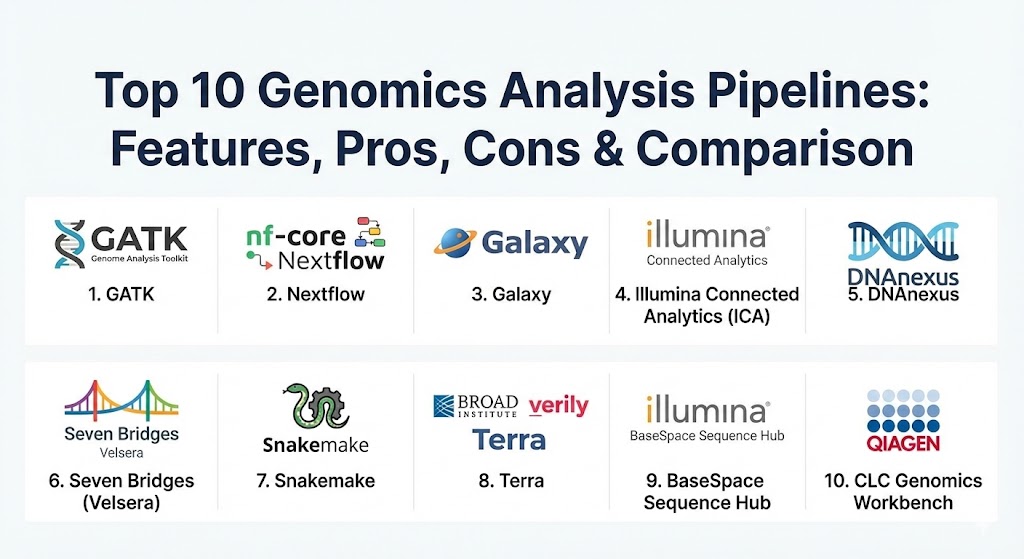
Top 10 Genomics Analysis Pipelines Tools
1 — GATK (Genome Analysis Toolkit)
Developed by the Broad Institute, GATK is widely considered the industry standard for identifying variants in high-throughput sequencing data. It focuses on high-performance germline and somatic variant discovery using “Best Practices” workflows that are updated continuously to reflect the latest scientific consensus.
- Key features:
- Industry-standard Best Practices workflows for WGS, WES, and RNA-seq.
- HaplotypeCaller for high-accuracy SNP and Indel discovery.
- Base Quality Score Recalibration (BQSR) to minimize systematic errors.
- Variant Quality Score Recalibration (VQSR) for advanced filtering.
- Support for Spark to enable parallel processing on large clusters.
- Deep learning modules (CNNScoreVariants) for improved variant filtering.
- Extensive command-line tools for genomic file manipulation (CRAM/BAM/VCF).
- Pros:
- Unrivaled accuracy; results from GATK are the gold standard for publication and clinical work.
- Massive community and documentation; almost any issue has a documented solution online.
- Cons:
- Steep learning curve; requires significant bioinformatics expertise and command-line comfort.
- Resource-intensive; high CPU and memory requirements can lead to high cloud compute costs.
- Security & compliance: Open-source core; compliance depends on the hosting environment (e.g., Terra or AWS). Supports FIPS 140-2 when deployed correctly.
- Support & community: Extensive documentation, active community forums (Broad Institute), and widespread academic support.
2 — Nextflow (with nf-core)
Nextflow is a powerful workflow manager that allows for the creation of highly portable and reproducible pipelines. When paired with nf-core, a community-led effort to curate high-quality pipelines, it provides a comprehensive ecosystem for standardized genomic analysis.
- Key features:
- Data-driven pipeline language based on the Groovy DSL.
- Native support for Docker, Singularity, and Conda containers.
- Seamless execution across local machines, HPC (Slurm, SGE), and Cloud (AWS Batch, Azure Batch).
- Checkpointing and caching to resume failed runs from the last successful step.
- nf-core integration provides dozens of peer-reviewed, ready-to-use pipelines.
- Real-time monitoring via Nextflow Tower (now Seqera Platform).
- Language-agnostic; can wrap scripts written in Python, R, Bash, or Perl.
- Pros:
- Extreme reproducibility; the exact same pipeline can be run on a laptop or a supercomputer.
- The nf-core community ensures pipelines are kept up-to-date with the latest tool versions.
- Cons:
- Writing custom pipelines requires learning the Nextflow DSL, which can be complex for beginners.
- Error messages can sometimes be cryptic due to the underlying Java/Groovy execution layer.
- Security & compliance: Supports encrypted data transfer and role-based access control via Nextflow Tower. SOC 2 and GDPR compliant when used in professional tiers.
- Support & community: Vibrant Slack community, extensive GitHub documentation, and professional support through Seqera Labs.
3 — Galaxy
Galaxy is an open-source, web-based platform that democratizes genomics by allowing researchers without programming experience to perform complex data analyses through a graphical user interface.
- Key features:
- Web-based GUI with thousands of integrated bioinformatics tools.
- Interactive workflow builder to chain tools together without writing code.
- Built-in data provenance; every step is recorded for full reproducibility.
- Shared “Histories” and “Workflows” for easy collaboration.
- Supports massive datasets through public servers or private local instances.
- Integrated visualization tools for viewing genomes and variant files.
- Active “Tool Shed” for community-contributed software modules.
- Pros:
- The most accessible tool for biologists and clinicians who are not comfortable with the command line.
- Completely free to use on public servers (like UseGalaxy.org).
- Cons:
- Public servers can have long wait times (queues) for large-scale jobs.
- Less flexible than code-based managers like Nextflow for highly custom or cutting-edge workflows.
- Security & compliance: Varies by instance; private Galaxy instances can be configured for HIPAA or GDPR compliance.
- Support & community: Massive global community, regular “Galaxy Training Network” workshops, and excellent wiki-style documentation.
4 — Illumina Connected Analytics (ICA)
Illumina Connected Analytics is a cloud-based data platform designed to manage, analyze, and share large volumes of genomic data. It is the sophisticated successor to the BaseSpace ecosystem, geared toward enterprise and clinical applications.
- Key features:
- Native integration with Illumina sequencers for automated data upload.
- Support for Nextflow and CWL (Common Workflow Language) pipeline execution.
- Integrated “Dragen” pipelines for ultra-fast, hardware-accelerated analysis.
- Fine-grained Role-Based Access Control (RBAC) for data sharing.
- Multi-region cloud support (AWS, Azure) to meet data residency requirements.
- Comprehensive API for integration into Laboratory Information Management Systems (LIMS).
- Integrated Jupyter Notebooks for interactive downstream analysis.
- Pros:
- The fastest processing times in the industry when using integrated Dragen hardware acceleration.
- Highly structured for clinical labs requiring strict version control and audit trails.
- Cons:
- Proprietary and “closed” ecosystem; primarily optimized for Illumina-generated data.
- Pricing can be opaque and expensive for high-volume research.
- Security & compliance: ISO 27001, ISO 13485, HIPAA, GDPR, and SOC 2 Type II compliant.
- Support & community: High-tier enterprise support, professional onboarding, and dedicated technical account managers.
5 — DNAnexus
DNAnexus provides a global network for sharing and analyzing genomic data. It is a cloud-native platform that focuses on security, collaboration, and large-scale population studies (like the UK Biobank).
- Key features:
- Scalable cloud infrastructure (Platform-as-a-Service) for genomic data.
- DNAnexus Apollo for interactive multi-omic data exploration.
- Support for WDL, Nextflow, and shell scripts.
- Robust data management with versioned files and immutable records.
- Collaborative “Workspaces” for secure data sharing across institutions.
- Integrated precision medicine solutions for clinical diagnostics.
- Automated reporting and visualization for clinical insights.
- Pros:
- Excellent for multi-institutional collaborations where data security is a top priority.
- Proven track record of handling some of the world’s largest genomic datasets.
- Cons:
- Can be more expensive than managing your own cloud infrastructure for simple tasks.
- Interface can be complex for users who are not familiar with cloud concepts.
- Security & compliance: FedRAMP authorized, HIPAA, GDPR, HITRUST, and SOC 2 compliant.
- Support & community: World-class enterprise support and professional services for custom pipeline migration.
6 — Seven Bridges (Velsera)
Seven Bridges (now part of Velsera) is a cloud-based platform that offers a massive suite of tools and a highly visual workflow editor. It is widely used for government-funded projects and large-scale cancer research.
- Key features:
- Multi-cloud execution (AWS, Google Cloud) to optimize costs and availability.
- Visual workflow editor for building and modifying CWL-based pipelines.
- Hundreds of pre-configured “Public Apps” including GATK and BWA.
- Integrated storage management with automated data tiering.
- Seven Bridges “Cavatica” for pediatric brain tumor and rare disease research.
- Deep support for multi-omics (transcriptomics, proteomics, etc.).
- Collaborative features with fine-grained permissions.
- Pros:
- The visual editor is powerful yet intuitive, bridging the gap between GUI and code.
- Excellent visibility into cost and resource usage per task.
- Cons:
- Platform specific “quirks” can make migrating workflows out of the system slightly difficult.
- Higher entry cost compared to open-source alternatives.
- Security & compliance: FedRAMP, HIPAA, GDPR, and ISO 27001 compliant.
- Support & community: Dedicated support scientists often assist with optimizing user pipelines.
7 — Snakemake
Snakemake is a Python-based workflow management system that is a favorite among bioinformatics “purists” and Python developers. It focuses on readability and ease of integration with the Python data science stack.
- Key features:
- Readable, rule-based syntax that feels like a natural extension of Python.
- Automatic scheduling and parallelization based on file dependencies.
- Native integration with Conda and Singularity for environment management.
- Support for “Cloud-to-Local” execution; run on a cluster and sync results locally.
- Integrated reporting that generates HTML summaries of the workflow and results.
- Extensive support for “benchmarking” to track performance per step.
- High flexibility for non-standard or “messy” data pipelines.
- Pros:
- Very easy to learn for anyone with basic Python knowledge.
- Excellent for research environments where pipelines change frequently.
- Cons:
- Less “centralized” than nf-core; finding standardized, peer-reviewed pipelines can be harder.
- Scaling to massive cloud clusters can require more manual configuration than Nextflow.
- Security & compliance: Open-source; security depends on the user’s infrastructure.
- Support & community: Strong academic community and detailed documentation; very active on GitHub.
8 — Terra (Broad Institute & Verily)
Terra is an open-source platform developed by the Broad Institute, Verily, and Microsoft. It is the “native” home for GATK and serves as the primary infrastructure for many large NIH-funded research programs.
- Key features:
- Direct access to massive public datasets (e.g., AnVIL, All of Us).
- Native support for WDL (Workflow Description Language) and Cromwell.
- Integrated Jupyter Notebooks and RStudio for downstream analysis.
- Workspace-based collaboration with data and tool sharing.
- Pay-as-you-go cloud pricing with no platform markup.
- Built-in cost estimation and monitoring.
- Comprehensive library of pre-built “Workspaces” for various analysis types.
- Pros:
- Direct access to “Best Practice” GATK workflows exactly as used by the Broad Institute.
- No platform fee beyond the actual cloud compute costs.
- Cons:
- Primarily focused on the Google Cloud Platform (though expanding to Azure).
- Interface can be intimidating for those not accustomed to cloud workspace paradigms.
- Security & compliance: FISMA, HIPAA, GDPR, and SOC 2 compliant.
- Support & community: Extensive support through the Terra community forum and detailed YouTube tutorials.
9 — BaseSpace Sequence Hub (Illumina)
BaseSpace is the more “traditional” cloud offering from Illumina, known for its ease of use and direct connection to Illumina sequencing instruments. It is the entry point for many labs moving to the cloud.
- Key features:
- One-click data transfer from Illumina sequencers.
- App-based ecosystem for common analysis tasks (alignment, variant calling).
- Simple “Project” and “Sample” management interface.
- Integrated data sharing with collaborators via email.
- Support for “Proactive” instrument monitoring.
- Automated generation of simple QC and variant reports.
- Browser-based IGV (Integrative Genomics Viewer) for data inspection.
- Pros:
- The most seamless data “onboarding” experience for Illumina users.
- Low barrier to entry for labs without any bioinformatics staff.
- Cons:
- Less flexible for high-level pipeline customization compared to ICA.
- Locked into the Illumina ecosystem; difficult to use with other sequencer data.
- Security & compliance: HIPAA, GDPR, and ISO 27001 compliant.
- Support & community: Standard Illumina customer support; large user base.
10 — CLC Genomics Workbench (Qiagen)
CLC Genomics Workbench is a comprehensive desktop application (with server extensions) that provides a fully integrated suite of tools for genomics, transcriptomics, and epigenomics through a user-friendly visual interface.
- Key features:
- Desktop-based GUI that runs on Windows, Mac, and Linux.
- Broad support for WGS, RNA-seq, de novo assembly, and metagenomics.
- Integrated visual mapping and variant calling algorithms.
- Plugin architecture to extend functionality (e.g., microbial analysis).
- Integrated “Ingenuity Variant Analysis” for clinical interpretation.
- Server version for high-throughput, centralized processing.
- Extensive reporting and “publish-ready” visualization tools.
- Pros:
- Ideal for bench scientists who want to do their own analysis on a local machine.
- “All-in-one” feel; everything from raw reads to final pathway analysis is in one app.
- Cons:
- Proprietary and expensive; high licensing fees per seat.
- Not as naturally scalable as cloud-native workflow managers for population-scale data.
- Security & compliance: Can be deployed in secure, local air-gapped environments. Supports audit logs.
- Support & community: Exceptional professional support from Qiagen; structured training courses available.
Comparison Table
| Tool Name | Best For | Platform(s) Supported | Standout Feature | Rating (Gartner/TrueReview) |
| GATK | High-Accuracy Variants | Linux / HPC / Cloud | Industry-Standard Best Practices | 4.8 / 5 |
| Nextflow | Scale & Reproducibility | Linux / Cloud / HPC | Container-Native Execution | 4.7 / 5 |
| Galaxy | GUI-Based Analysis | Web / Linux | No-Code Web Interface | 4.6 / 5 |
| Illumina ICA | Clinical / Dragen Speed | Cloud (AWS/Azure) | Dragen Hardware Acceleration | 4.5 / 5 |
| DNAnexus | Secure Collaboration | Cloud (AWS/Azure) | Multi-Institution Workspaces | 4.6 / 5 |
| Seven Bridges | Visual Pipeline Design | Multi-Cloud | Graphical Workflow Editor | 4.5 / 5 |
| Snakemake | Python Developers | Linux / Cloud | Pythonic Rule Syntax | 4.7 / 5 |
| Terra | NIH Research / GATK | Cloud (GCP/Azure) | Direct Access to Big Data | 4.4 / 5 |
| BaseSpace | Ease of Use / Illumina | Cloud | Native Sequencer Integration | 4.3 / 5 |
| CLC Genomics | All-in-One Desktop | Win/Mac/Linux | Comprehensive GUI Suite | 4.2 / 5 |
Evaluation & Scoring of Genomics Analysis Pipelines
To help you objectively compare these tools, we have evaluated them across seven key metrics. These scores represent the industry average for typical research and clinical implementations.
| Category | Weight | Evaluation Criteria |
| Core Features | 25% | Breadth of tool support, variant calling accuracy, and multi-omic capabilities. |
| Ease of Use | 15% | Intuitiveness of UI/CLI, availability of pre-built workflows, and learning curve. |
| Integrations | 15% | Cloud native support, containerization (Docker), and sequencer connectivity. |
| Security | 10% | HIPAA/GDPR compliance, data encryption, and audit trail functionality. |
| Performance | 10% | Processing speed, parallelization efficiency, and hardware acceleration options. |
| Support | 10% | Documentation quality, community size, and enterprise vendor response times. |
| Price / Value | 15% | Licensing costs vs. efficiency gains and open-source availability. |
Which Genomics Analysis Pipelines Tool Is Right for You?
Selecting a genomics pipeline is a strategic decision that affects your budget, team morale, and scientific reproducibility.
- Solo Researchers & Small Labs: If you lack coding skills, Galaxy is your best starting point—it’s free and highly capable. If you are comfortable with Python and want full control over your research, Snakemake is the most intuitive path.
- Mid-Market Biotech & Core Labs: Organizations in this tier often need a mix of ease and power. BaseSpace or CLC Genomics Workbench are excellent for quick turnarounds, while Nextflow is the best investment for building a robust, future-proof bioinformatics core.
- Large Enterprises & Clinical Labs: Security and speed are paramount here. Illumina Connected Analytics is the choice for high-throughput clinical diagnostics, whereas DNAnexus or Seven Bridges are superior for managing multi-site collaborative trials.
- Budget-Conscious vs. Premium: If budget is the primary concern, an open-source stack of GATK and Nextflow on your own HPC is the most cost-efficient (though it requires a high-salaried bioinformatician). Premium solutions like Seven Bridges or Qiagen trade higher licensing fees for lower personnel costs and faster time-to-insight.
- Security Requirements: If you are dealing with sensitive human data, prioritize platforms with native HIPAA/GDPR compliance like DNAnexus, ICA, or Terra.
Frequently Asked Questions (FAQs)
1. What is the difference between a workflow manager and an analysis pipeline?
A pipeline is the sequence of biological tools (e.g., BWA to GATK), while a workflow manager (like Nextflow or Snakemake) is the “engine” that executes those tools, handles errors, and ensures everything runs in the right order.
2. Can I run these pipelines on my local computer?
Yes, tools like CLC Genomics and Snakemake run locally. However, for Whole Genome Sequencing, a standard laptop lacks the RAM (typically 32GB+ needed) and CPU power required for timely analysis.
3. Are open-source pipelines as good as commercial ones?
Scientifically, yes. GATK and Nextflow are often superior in terms of transparency and scientific rigor. Commercial tools usually provide better user interfaces, support, and “one-click” ease of use.
4. How much does a genomics analysis run cost?
In 2026, the cloud compute cost for a single 30x WGS sample ranges from $5 to $50, depending on the tool efficiency and the depth of analysis required.
5. What is “Variant Calling”?
This is the central task of most pipelines. It involves comparing a person’s sequenced DNA to a “reference” human genome to find the differences (variants) that might explain a disease or trait.
6. Do I need to be a programmer to use these tools?
Not necessarily. Galaxy, BaseSpace, and CLC Genomics are designed for non-programmers. However, knowing basic command-line or Python/R significantly increases your flexibility.
7. What is “Reproducibility” in genomics?
It means that if you give your raw data and pipeline to another scientist, they should get the exact same results. This is achieved using containerization (Docker) and version-controlled workflows.
8. Why is GATK called the “Gold Standard”?
Because it was developed by the Broad Institute (leaders in the Human Genome Project) and is used in the majority of high-impact genomic publications. Most other tools compare their accuracy against GATK.
9. Can these pipelines handle RNA-seq data?
Most can. However, RNA analysis requires different steps (like “spliced alignment”) than DNA analysis. Always ensure the tool you choose has a specific “Transcriptomics” workflow.
10. What is a “Dragen” pipeline?
Developed by Illumina, Dragen uses specialized hardware (FPGA) to accelerate genomic processing. It can process a whole genome in minutes, whereas traditional software-only pipelines might take hours.
Conclusion
The genomics landscape in 2026 is defined by a shift from “how do we analyze” to “how do we scale.” Whether you choose the industry-leading accuracy of GATK, the massive scalability of Nextflow, or the user-friendly interface of Galaxy, the goal remains the same: transforming raw sequences into life-saving biological insights. The “best” tool is ultimately the one that aligns with your technical expertise, your budget, and the specific biological questions you are trying to answer. As data becomes even more central to healthcare, mastering these pipelines will be the key differentiator for researchers and clinicians alike.