Introduction
Archive Cataloging Software is a category of information management systems specifically designed to organize, describe, and preserve historical records, artifacts, and digital assets. Unlike standard database management or simple folder structures, these tools follow professional archival standards—such as ISAD(G) or Dublin Core—to ensure that the context and provenance of every item remain intact. By creating a searchable “finding aid,” these platforms allow users to navigate complex hierarchies of information with precision.
The importance of these tools lies in their ability to turn a “black hole” of unorganized data into a structured knowledge base. Key real-world use cases include managing university special collections, tracking corporate heritage assets for marketing and legal purposes, and digital preservation for government records. When evaluating software in this space, users should look for metadata flexibility, support for various file formats, the ability to manage physical storage locations, and robust digital preservation features (such as checksum verification) to prevent data rot over time.
Best for: Archivists, curators, and records managers in museums, universities, religious organizations, and large corporations. It is ideal for entities that need to maintain a strict chain of custody and detailed historical context for their collections.
Not ideal for: Personal photo management or small businesses looking for simple project file storage. For those needs, a basic Digital Asset Management (DAM) system or a standard cloud storage provider like Google Drive or Dropbox would be more efficient and less complex.
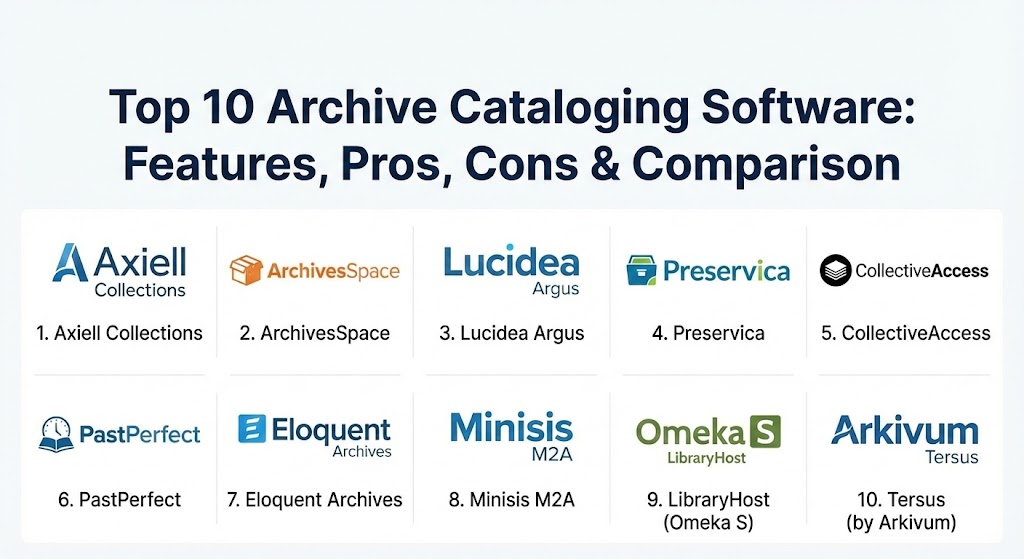
Top 10 Archive Cataloging Software Tools
1 — Axiell Collections
Axiell Collections is a market-leading, cloud-based platform designed for archives, museums, and libraries. It provides a unified environment to manage diverse collections, from physical manuscripts to complex digital objects.
- Key features:
- Full compliance with international standards like ISAD(G) and EAD.
- Integrated Digital Asset Management (DAM) for high-resolution media.
- Powerful workflow management for acquisitions, loans, and conservation.
- Public-facing portal capabilities to share collections online.
- Advanced search using Boolean operators and faceted filtering.
- Multi-institutional support for managing several branches from one login.
- Pros:
- Highly scalable, making it suitable for both small local archives and national museums.
- The web-based interface allows for remote work and easy collaboration.
- Cons:
- The feature set is so vast that initial configuration can be daunting.
- Pricing is generally geared toward institutional budgets rather than individuals.
- Security & compliance: ISO 27001, GDPR compliant, SSO integration, and granular user permission levels.
- Support & community: Axiell provides extensive training academies, an active user community, and dedicated enterprise-level support contracts.
2 — ArchivesSpace
Developed by the archival community for the archival community, ArchivesSpace is an open-source, web-based archives information management system used by many of the world’s leading academic institutions.
- Key features:
- Comprehensive support for accessioning and description.
- Management of physical locations and container tracking.
- Built-in tools for generating PDF and HTML finding aids.
- Native support for EAD, MARCXML, and Dublin Core.
- Extensive API for integrating with digital preservation systems like Archivematica.
- User-defined fields to accommodate unique collection needs.
- Pros:
- Benefit from a tool designed specifically by professional archivists.
- No licensing fees for the software itself (though hosting and support memberships have costs).
- Cons:
- Requires technical expertise to install and maintain on a private server.
- The user interface is functional but lacks the modern aesthetic of some commercial rivals.
- Security & compliance: Varies by hosting provider; supports LDAP/SSO and detailed audit trails.
- Support & community: Robust community-led support, detailed documentation, and a membership model that provides professional technical assistance.
3 — Lucidea Argus
Argus is a high-end museum and archive management system that focuses on the “collection as a story.” It is designed for institutions that want to go beyond simple lists and create engaging, educational narratives.
- Key features:
- Flexible metadata structures that change based on item type.
- Integrated portal for “Virtual Exhibits” and public engagement.
- Mobile-friendly interface for floor staff to update records on the fly.
- Strong focus on “relationship linking” between disparate items.
- Automated workflows for deaccessioning and movement tracking.
- Pros:
- Excellent for public-facing institutions that need a high-quality web presence.
- Very strong customer service and implementation guidance.
- Cons:
- Can be one of the more expensive options in the commercial market.
- Some deeper administrative tasks can require Lucidea’s intervention.
- Security & compliance: SOC 2 Type II, GDPR, and AES-256 encryption for data at rest.
- Support & community: Lucidea is known for high-touch support and regular “user group” meetings to influence the product roadmap.
4 — Preservica
Preservica is unique because it focuses specifically on “Digital Preservation” alongside cataloging. It ensures that digital files remain readable even as the software that created them becomes obsolete.
- Key features:
- Active digital preservation (automatic file format migration).
- Integrated cataloging with support for hierarchical structures.
- Automatic checksum generation and monitoring to prevent data corruption.
- Public access portal for showcasing “born-digital” records.
- Integration with Outlook and SharePoint for corporate archiving.
- Pros:
- The “gold standard” for ensuring files like WordPerfect or old Excel files don’t become unreadable.
- Very easy to use for non-technical staff compared to open-source alternatives.
- Cons:
- Storage costs can add up quickly for high-volume video archives.
- Less focus on physical artifact management than tools like Axiell.
- Security & compliance: HIPAA, GDPR, SOC 2, and FIPS 140-2 compliance options.
- Support & community: Extensive documentation and a structured onboarding program for new institutions.
5 — CollectiveAccess
CollectiveAccess is an open-source software suite for managing and publishing museum and archive collections. It is highly regarded for its extreme flexibility and “un-opinionated” database design.
- Key features:
- Completely customizable metadata schema—no hard-coded fields.
- Support for complex relationships (entities, places, events, and objects).
- Robust handling of time-based media (video and audio).
- Powerful data import tool for migrating from Excel or legacy systems.
- Multi-lingual support for both the admin and public interfaces.
- Pros:
- If you have a collection that “doesn’t fit in a box,” this software can be molded to it.
- Completely free of licensing costs.
- Cons:
- Steep learning curve; you essentially build your own system within the platform.
- Requires a skilled developer for the initial setup and complex customizations.
- Security & compliance: Varies / N/A (Standard web security protocols apply).
- Support & community: Active developer forum and a wiki, but no official 24/7 “help desk” unless hiring a consultant.
6 — PastPerfect
PastPerfect is the most widely used collection management software in the world, specifically targeting small to mid-sized history museums and historical societies.
- Key features:
- All-in-one management for archives, artifacts, libraries, and photos.
- Integrated membership and donor management modules.
- Research request tracking and loan management.
- Simple, standardized data entry forms.
- PastPerfect Online module for publishing collections to the web.
- Pros:
- Very affordable and easy for volunteers or part-time staff to learn.
- A massive community of users means it’s easy to find help or new staff who already know the system.
- Cons:
- The desktop version feels somewhat dated in terms of UI design.
- Metadata customization is more limited than in Axiell or CollectiveAccess.
- Security & compliance: Standard password protection; cloud version offers modern data encryption.
- Support & community: Excellent phone support and a wide variety of training manuals and regional workshops.
7 — Eloquent Archives
Eloquent Archives is a comprehensive, browser-based solution designed specifically for corporate and government archivists who need to manage the entire lifecycle of records.
- Key features:
- Tracking of records from active use to permanent storage or destruction.
- Mobile-ready barcode scanning for physical box management.
- Automated retention schedule alerts.
- Public or internal-only research portals.
- GSA-approved for US government agencies.
- Pros:
- Strongest tool for organizations that prioritize “Records Management” alongside archiving.
- Seamless transition between physical folder tracking and digital file storage.
- Cons:
- The interface is more utilitarian than visual; not designed for high-end “virtual art galleries.”
- Can feel complex for users who only care about historical artifacts.
- Security & compliance: SOC 2, GDPR, and Section 508 accessibility compliance.
- Support & community: Personalized customer service and a history of long-term stability in the market.
8 — Minisis M2A
M2A is a specialized application of the Minisis database engine, designed specifically for the unique needs of historical archives and special collections.
- Key features:
- Full support for RAD, ISAD(G), and ISAAR standards.
- Integrated thesaurus and authority control to ensure consistent naming.
- Comprehensive management of accessions, appraisals, and descriptions.
- Handling of multi-level hierarchies (Fonds, Series, File, Item).
- Dynamic web publishing module.
- Pros:
- Extremely stable and proven in large-scale government and national archives.
- Powerful search engine capable of handling millions of records without slowing down.
- Cons:
- The UI can feel “classic” (older) compared to newer SaaS startups.
- Configuring the search syntax can require a higher level of training.
- Security & compliance: Robust audit logs, encryption, and ISO compliance standards.
- Support & community: Direct enterprise support and a niche but very loyal global user base.
9 — LibraryHost (Omeka S)
While Omeka started as a tool for digital exhibits, Omeka S (and its hosted versions like LibraryHost) has grown into a powerful archival cataloging tool for institutions that want to connect disparate datasets.
- Key features:
- Resource template system based on Dublin Core.
- Linked Open Data (JSON-LD) compatibility.
- Ability to manage multiple “sites” from one shared pool of items.
- Modular system with hundreds of community-built plugins.
- Strong focus on visual storytelling and digital scholarship.
- Pros:
- The best tool for academic projects that need to publish findings in a beautiful format.
- Very cost-effective when hosted via LibraryHost.
- Cons:
- Not designed for managing physical “warehousing” or shelf locations.
- Lacks some of the “Records Management” features found in Eloquent.
- Security & compliance: GDPR compliant; SSL and standard server hardening via hosting.
- Support & community: Huge community of academic users and developers; LibraryHost offers managed support.
10 — Tersus (by Arkivum)
Arkivum’s Tersus is an enterprise-grade solution that blends long-term data safeguarding with detailed cataloging, often used in highly regulated research environments.
- Key features:
- 100% data integrity guarantee with multiple copies across locations.
- Metadata management tailored for research and scientific data.
- Support for petabyte-scale archives.
- Search across both metadata and full-text content of files.
- Integrated workflows for ingest and quality control.
- Pros:
- Unrivaled for sheer volume and data safety requirements.
- Strongest choice for pharmaceutical or scientific archives where “data loss” is not an option.
- Cons:
- Pricing is at the top end of the market.
- The focus is heavily on digital assets; physical artifact management is secondary.
- Security & compliance: GxP, HIPAA, GDPR, ISO 27001, and SOC 2.
- Support & community: High-level service level agreements (SLAs) and 24/7 enterprise support.
Comparison Table
| Tool Name | Best For | Platform(s) Supported | Standout Feature | Rating |
| Axiell Collections | Large Institutions | Cloud / Web | Unified Collections Mgmt | 4.8 / 5 |
| ArchivesSpace | Academic Archives | On-Prem / Cloud | Community-Led Design | 4.5 / 5 |
| Lucidea Argus | Public Museums | Cloud / Web | Virtual Exhibits | 4.7 / 5 |
| Preservica | Digital Preservation | SaaS / On-Prem | Automated Format Migration | 4.9 / 5 |
| CollectiveAccess | Unique Collections | On-Prem / Web | Metadata Flexibility | N/A |
| PastPerfect | Small Museums | Desktop / Web | Built-in Donor Mgmt | 4.4 / 5 |
| Eloquent Archives | Corporate Records | Cloud / Web | Records Lifecycle Tracking | 4.3 / 5 |
| Minisis M2A | Gov’t Archives | On-Prem / Web | High-Volume Stability | 4.2 / 5 |
| LibraryHost (Omeka) | Academic Exhibits | SaaS / Web | Linked Open Data | 4.6 / 5 |
| Arkivum Tersus | Scientific Research | Cloud / Hybrid | 100% Data Integrity | N/A |
Evaluation & Scoring of Archive Cataloging Software
To help organizations choose the right solution, we have developed a weighted scoring rubric that reflects the priorities of professional archivists.
| Category | Weight | Evaluation Criteria |
| Core Features | 25% | Metadata standards support, hierarchical structure, and finding aid generation. |
| Ease of Use | 15% | UI design, mobile accessibility, and learning curve for volunteers. |
| Integrations | 15% | API availability, DAM integration, and ability to export to portals. |
| Security & Compliance | 10% | Encryption, audit logs, and adherence to privacy laws (GDPR). |
| Performance | 10% | Search speed at scale and stability under high traffic. |
| Support & Community | 10% | Documentation, training, and active developer/user ecosystem. |
| Price / Value | 15% | Total cost of ownership vs. functionality provided. |
Which Archive Cataloging Software Tool Is Right for You?
Selecting the right tool depends largely on the nature of your collection and your available technical resources.
- Solo Users & Family Historians: If you are managing your own family history, professional-grade software like Axiell is likely overkill. Consider PastPerfect for its simplicity or LibraryHost if you want to create a public website for your family tree.
- SMBs & Local Non-Profits: Budget is usually the primary driver here. PastPerfect is the traditional favorite, but Certifier (from our previous blog) or CollectiveAccess (if you have a tech-savvy volunteer) are excellent modern alternatives.
- Mid-Market Institutions: For regional museums or medium universities, ArchivesSpace is a safe bet due to its academic pedigree. If you want a more “ready-to-go” solution, Lucidea Argus provides a more polished experience.
- Large Enterprises & National Bodies: Here, scalability and security are paramount. Axiell Collections and Minisis M2A offer the depth required to handle millions of records. If the focus is on digital-only records (like research data or corporate legal files), Arkivum Tersus or Preservica are the clear winners.
- Integration and Scalability Needs: Always look for a system with an “Open API.” Even if you don’t need it today, you will eventually want your archive to “talk” to your library system, your website, or your digital preservation storage.
Frequently Asked Questions (FAQs)
1. What is the difference between an archive catalog and a library catalog?
Library catalogs manage discrete items (books), while archive catalogs manage hierarchies. In an archive, the context (which box a folder belongs to) is just as important as the file itself.
2. Is “cloud” or “on-premises” better for archives?
Cloud is better for collaboration and ease of maintenance, but some governments require on-premises servers for sensitive data. Most modern tools offer both.
3. Does this software automatically digitize my papers?
No. You still need to scan your items. The software manages the resulting digital files and the metadata (descriptions) associated with them.
4. What is digital preservation?
It is the process of ensuring digital files remain usable. Archive software like Preservica does this by automatically converting an old “WordStar” document into a modern PDF/A.
5. How much does archive cataloging software cost?
Open-source tools are free but have high setup costs. Commercial tools range from $500 for a basic desktop license to $50,000+ per year for national-level enterprise subscriptions.
6. Can I import my existing Excel spreadsheet into these tools?
Yes, almost all professional archive tools have a CSV or Excel import function, though mapping your columns to archival fields can take some time.
7. Is technical support included?
For commercial software (Axiell, Lucidea), it is usually part of a yearly fee. For open-source tools (ArchivesSpace, CollectiveAccess), you usually pay a third party for support.
8. What are ISAD(G) and Dublin Core?
These are metadata standards. They are like a “recipe” for what information you should record (Title, Date, Creator) so that other archives can understand your records.
9. Can these tools manage physical storage locations?
Yes, tools like Eloquent and Axiell allow you to track down to the specific building, room, aisle, shelf, and box where an item is located.
10. What is a “Finding Aid”?
A finding aid is the output of the cataloging software. It is a document that helps researchers understand a collection and find specific items within it.
Conclusion
Archive cataloging software is the foundation of institutional memory. In an age of “information overload,” these tools provide the filter and structure necessary to preserve what truly matters. Choosing the right tool isn’t about finding the one with the most features, but finding the one that matches your staff’s skills and your collection’s unique character. Whether you choose the community-driven ArchivesSpace, the preservation-heavy Preservica, or the flexible CollectiveAccess, you are making an investment that ensures history remains accessible to those who follow.