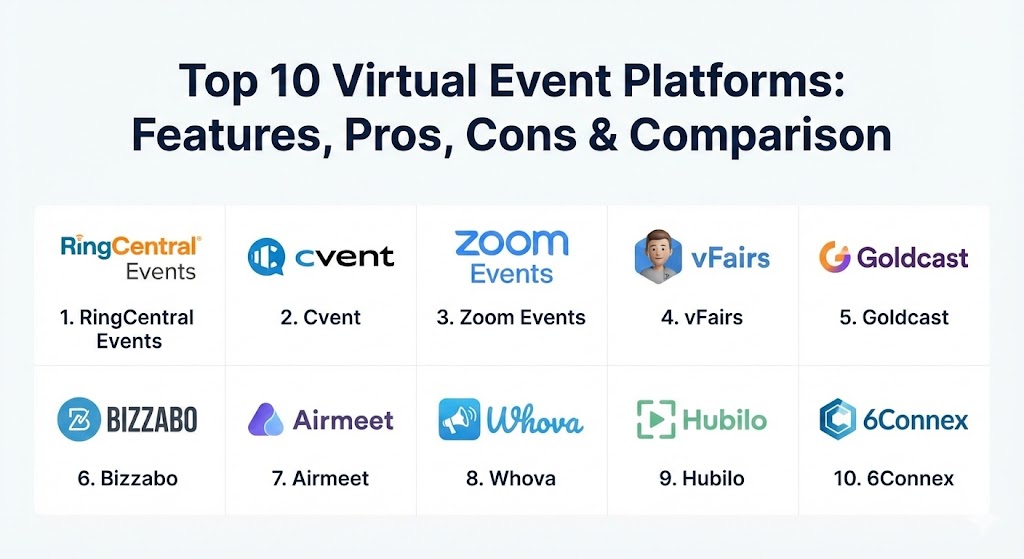
Introduction
A Virtual Event Platform is a specialized software solution designed to host large-scale online gatherings, ranging from multi-track conferences and trade shows to intimate workshops and webinars. Unlike standard video conferencing tools, these platforms are architected to simulate the “hallway track” of physical events, offering virtual lobbies, exhibitor booths, and sophisticated networking lounges. They provide the essential “glue” that connects registration, live broadcasting, and post-event analytics into a single, cohesive experience.
In 2026, the importance of these tools has evolved from simple video delivery to “engagement engines.” Organizations now use them to track every click, question, and connection, turning a one-day event into a year-long marketing asset. When evaluating platforms, buyers must look beyond the video player. Critical criteria include the quality of the “stage” experience, the robustness of networking algorithms, the ease of sponsor monetization, and, crucially, the platform’s ability to integrate seamlessly with CRM and marketing automation stacks.
Best for: Corporate marketing teams, global associations, HR departments for internal summits, and large-scale trade show organizers. These tools are indispensable for companies with a global workforce or a geographically dispersed customer base that requires high-quality, branded engagement.
Not ideal for: Small teams looking for a quick, one-off internal meeting or very small webinars (under 25 people). For these scenarios, standard video calling software or simple live-streaming social platforms are more cost-effective and require significantly less setup time.
Top 10 Virtual Event Platforms
1 — RingCentral Events (formerly Hopin)
RingCentral Events is an all-in-one platform known for pioneering the “venue-based” approach to virtual gatherings. It is designed to replicate the flow of a physical conference through distinct areas like the Reception, Stage, Sessions, and Networking.
- Key features:
- Multi-stage capabilities allowing for parallel tracks and breakout rooms.
- Integrated “Speed Networking” that automatically matches attendees for timed video chats.
- Advanced branding suite for custom-colored lobbies and registration pages.
- High-quality production studio (StreamYard integration) for professional broadcasts.
- Comprehensive analytics dashboard tracking attendee dwell time and interaction.
- In-depth sponsor tiers with customizable virtual booths and lead capture.
- Integrated registration and ticketing system with support for global currencies.
- Pros:
- Exceptional attendee engagement tools that make networking feel natural.
- One of the most intuitive user interfaces for both organizers and participants.
- Cons:
- Advanced customization options can be overwhelming for first-time users.
- Pricing tiers can escalate quickly for high-attendance events.
- Security & compliance: SOC 2 Type II, GDPR, HIPAA, and CCPA compliant. Supports SSO and end-to-end encryption.
- Support & community: Robust documentation, 24/7 technical support for higher tiers, and a large global user community with frequent webinars.
2 — Cvent
Cvent is the “grandmaster” of event technology, offering a robust, enterprise-grade suite that handles everything from venue sourcing to virtual attendee hubs. It is built for complexity and scale.
- Key features:
- “Attendee Hub” providing a unified experience across web and mobile.
- Deep integration with Cvent’s broader ecosystem (Registration, Sourcing, On-site).
- Sophisticated lead scoring that feeds directly into sales pipelines.
- Video on-demand (VOD) libraries for post-event content monetization.
- Dynamic registration paths based on attendee type or ticket level.
- AI-powered matchmaking to connect attendees with relevant sponsors.
- Extensive reporting suite with over 100+ pre-built event reports.
- Pros:
- Unmatched scalability; if you have 50,000 attendees, Cvent can handle it.
- The most comprehensive set of features for large-scale, complex enterprise events.
- Cons:
- Steep learning curve; typically requires a dedicated platform administrator.
- Implementation can be long and expensive due to the platform’s depth.
- Security & compliance: ISO 27001, SOC 1 & 2, GDPR, HIPAA, and PCI DSS compliant.
- Support & community: Dedicated account managers, extensive Cvent Academy training, and a massive annual user conference.
3 — Zoom Events
Building on the ubiquity of Zoom meetings, Zoom Events is a comprehensive solution that allows users to host multi-session, multi-day events within a familiar environment.
- Key features:
- “Event Hubs” to organize multiple upcoming events in one branded space.
- Familiar “Zoom” interface for speakers, minimizing technical hurdles.
- Integrated registration and ticketing with customizable landing pages.
- Virtual lobbies where attendees can chat and network before sessions.
- Behind-the-scenes “Backstage” area for speakers and moderators.
- Powerful webinar sessions with high-production branding options.
- Detailed post-event reporting on registration and attendance.
- Pros:
- Extremely high “adoption rate” as most attendees already have Zoom installed.
- Very stable video streaming even on lower bandwidth connections.
- Cons:
- Customization is somewhat limited compared to “white-label” platforms.
- May feel too much like a “standard meeting” for high-end branded events.
- Security & compliance: AES 256-bit GCM encryption, SSO, SOC 2, and GDPR compliant.
- Support & community: Extensive online help center, community forums, and global phone support for enterprise customers.
4 — vFairs
vFairs is the industry leader in “immersive” virtual events, specializing in 3D environments that look like actual convention centers, complete with animated avatars and custom-designed lobbies.
- Key features:
- Hyper-realistic 3D virtual environments and “walk-through” lobbies.
- Customizable avatars that move through virtual halls and booths.
- Integrated gamification (scavenger hunts, leaderboards) to drive booth visits.
- Multi-language support with real-time translation for global accessibility.
- AI-driven “Smart Matchmaking” for networking and lead generation.
- Robust mobile app that mirrors the 3D desktop experience.
- Built-in job board and poster session features for academic/career fairs.
- Pros:
- Visually stunning; provides the highest “wow factor” of any platform.
- Exceptional for trade shows where exhibitors want to see a physical representation of their booth.
- Cons:
- High visual detail can lead to longer load times on older hardware.
- Setup requires more time and asset creation (logos, booth designs) than 2D platforms.
- Security & compliance: SOC 2, GDPR, HIPAA, and ISO 27001 compliant.
- Support & community: Known for its “Project Manager” model where a dedicated rep helps build your entire event.
5 — Goldcast
Goldcast is built specifically for B2B marketers. It focuses on turning virtual events into high-quality “Netflix-style” experiences that capture deep intent data for sales teams.
- Key features:
- AI-powered content engine that automatically generates social clips and blogs from sessions.
- High-definition, low-latency video streaming for “pro-grade” broadcasts.
- Direct integrations with Marketo, HubSpot, and Salesforce.
- “Digital swag bags” and integrated sponsor resource hubs.
- Automated email workflows for registration, reminders, and follow-ups.
- Real-time “intent signals” shared with sales teams during the event.
- Customizable registration pages that optimize for lead conversion.
- Pros:
- The best analytics suite for marketers who need to prove ROI and pipeline.
- User interface is modern, sleek, and prioritizes branding above all else.
- Cons:
- Not ideal for internal HR events; it is strictly a marketing/sales tool.
- Pricing is on the higher end, reflecting its focus on high-value B2B events.
- Security & compliance: SOC 2 Type II, GDPR, and HIPAA compliant.
- Support & community: Highly responsive Slack-based support and dedicated success managers for enterprise clients.
6 — Bizzabo
Bizzabo is an “Event Experience OS” that blends sophisticated management software with innovative hardware (like wearable tech for hybrid events). It excels in creating a seamless bridge between digital and physical attendees.
- Key features:
- Unified platform for virtual, hybrid, and in-person event management.
- “Klik” smart badges that facilitate networking and lead capture via a simple tap.
- Drag-and-drop website builder with high-level design flexibility.
- Advanced speaker management portal to streamline content collection.
- Integrated community feature for year-round attendee engagement.
- Robust mobile app with real-time push notifications and agendas.
- Open API for custom integrations with niche tech stacks.
- Pros:
- The most innovative tool for companies hosting a mix of hybrid and physical events.
- Clean, modern interface that is highly rated for ease of use.
- Cons:
- Can be a “heavy” solution for those only doing simple virtual webinars.
- The high level of innovation comes with a premium price tag.
- Security & compliance: SOC 2, GDPR, ISO 27001, and HIPAA compliant.
- Support & community: Extensive 24/7 support, comprehensive training modules, and a dedicated Customer Success team.
7 — Airmeet
Airmeet is designed with “social first” in mind. It is famous for its “Social Lounge” feature, where attendees sit at virtual tables to have spontaneous video conversations, mimicking the organic networking of an in-person lobby.
- Key features:
- Virtual “Tables” in a social lounge for small-group networking.
- “Backstage” area for speakers to rehearse and chat with hosts privately.
- Integrated Q&A, polls, and live emoji reactions to boost session engagement.
- “Speed Networking” matches for one-on-one introductions.
- Customizable booths with “I’m Interested” buttons for direct lead capture.
- High-definition streaming with support for RTMP input for custom production.
- Multi-track agendas with seamless “jump-in” session switching.
- Pros:
- Best-in-class for events where networking and collaboration are the primary goals.
- Browser-based access means no software downloads are required for attendees.
- Cons:
- The social lounge can be confusing for less tech-savvy audiences.
- Mobile experience, while good, lacks the full interactivity of the desktop view.
- Security & compliance: SOC 2 Type II, GDPR, and HIPAA compliant.
- Support & community: 24/7 support, “Airmeet Academy,” and a very responsive technical team.
8 — Whova
Whova is highly regarded for its award-winning mobile app and its ability to keep attendees engaged before the event even starts. It is a favorite among associations and academic conferences.
- Key features:
- Community board where attendees can start discussions and organize meetups.
- Mobile-first design that is consistently rated #1 in the app stores.
- Integrated registration and check-in system for hybrid events.
- “Artifact” collection for academic poster sessions and research papers.
- Automated name badge generation and sponsor lead-scanning.
- Push notifications and personalized agendas for every attendee.
- Advanced analytics on attendee engagement and document downloads.
- Pros:
- High “pre-event” engagement; attendees often start talking weeks in advance.
- Very cost-effective compared to larger enterprise platforms.
- Cons:
- Desktop interface feels a bit dated compared to the mobile app.
- Streaming capabilities are often powered by integrations (Zoom/YouTube) rather than native video.
- Security & compliance: SOC 2 Type II, GDPR, and PCI DSS compliant.
- Support & community: Fast response times and very detailed “how-to” guides for organizers.
9 — Hubilo
Hubilo is an “engagement-centric” event platform that places a heavy emphasis on branding and attendee gamification to drive activity.
- Key features:
- Extensive branding options for every corner of the platform.
- AI-driven matchmaking that suggests people to meet and booths to visit.
- Robust gamification module with points, badges, and real-time leaderboards.
- Integrated “Event Marketing” suite with email and social media tools.
- Multi-session streaming with “Picture-in-Picture” viewing.
- Virtual booths with integrated live-chat and meeting scheduling.
- Deep analytics on sponsor ROI and attendee interaction.
- Pros:
- Highly customizable “look and feel” makes the platform truly feel like your own.
- Strong emphasis on sponsor visibility, making it easier to sell event sponsorships.
- Cons:
- Initial configuration can take some time due to the high number of settings.
- Pricing transparency can be an issue for smaller organizations.
- Security & compliance: SOC 2, ISO 27001, GDPR, and HIPAA compliant.
- Support & community: 24/7 support, dedicated event success managers, and a global presence.
10 — 6Connex
6Connex is a veteran in the virtual space, focusing on professional, secure, and sustainable environments. It is often chosen by governments and large corporations for its stability and security.
- Key features:
- Diverse venue types from 2D lobbies to 3D immersive environments.
- “Sustainability” focus with carbon-offset tracking for hybrid events.
- Enterprise-level security with detailed audit logs and permissions.
- Integration with “Open Universe” for 100+ third-party tools.
- Secure, browser-based experience with no download requirements.
- Multi-language support and accessibility tools for inclusive events.
- Robust reporting on every “click” within the virtual environment.
- Pros:
- Extremely secure and stable; used for highly sensitive government events.
- Offers a “forever” venue option where the environment stays live year-round.
- Cons:
- The interface can feel more “corporate” and less “playful” than competitors.
- Can be expensive for simple, one-time events.
- Security & compliance: ISO 27001, SOC 2, FedRAMP (authorized), GDPR, and HIPAA.
- Support & community: Professional service teams for high-end builds and 24/7 global support.
Comparison Table
| Tool Name | Best For | Platform(s) Supported | Standout Feature | Rating (Gartner Peer Insights) |
| RingCentral Events | Networking & Interaction | Web, iOS, Android | Speed Networking AI | 4.6 / 5 |
| Cvent | Complex Enterprise Events | Web, iOS, Android | All-in-one Ecosystem | 4.5 / 5 |
| Zoom Events | Familiarity & Stability | Web, Desktop, Mobile | Global Ubiquity | 4.4 / 5 |
| vFairs | 3D Immersive Experience | Web, iOS, Android | Hyper-Realistic Lobbies | 4.7 / 5 |
| Goldcast | B2B Marketing & ROI | Web, iOS, Android | AI Content Repurposing | 4.7 / 5 |
| Bizzabo | Hybrid Experience | Web, iOS, Android | Smart Wearable Tech | 4.6 / 5 |
| Airmeet | Social Lounges | Web, iOS, Android | Virtual Networking Tables | 4.5 / 5 |
| Whova | Associations & Academic | Web, iOS, Android | Top-Rated Mobile App | 4.8 / 5 |
| Hubilo | Event Branding & ROI | Web, iOS, Android | Gamification Engine | 4.5 / 5 |
| 6Connex | Secure & Sustainable | Web, iOS, Android | FedRAMP Security | 4.3 / 5 |
Evaluation & Scoring of Virtual Event Platforms
To help you navigate these choices, we have evaluated the top players using a weighted rubric based on the current 2026 industry standards.
| Category | Weight | Criteria |
| Core Features | 25% | Multi-stage support, breakout rooms, and networking capabilities. |
| Ease of Use | 15% | Intuitiveness for organizers, speakers, and attendees. |
| Integrations | 15% | Seamless flow with CRMs, Marketing Automation, and Analytics tools. |
| Security & Compliance | 10% | SOC 2, GDPR, HIPAA, and data encryption standards. |
| Performance | 10% | Video stability, low latency, and high concurrency handling. |
| Support | 10% | Quality of documentation, technical support, and community help. |
| Price / Value | 15% | Transparency and ROI potential for the investment. |
Which Virtual Event Platform Tool Is Right for You?
Selecting a platform is a high-stakes decision. The “wrong” tool can lead to frustrated speakers and drop-off from attendees. Use the following guide to narrow your focus.
- Solo Users vs SMB vs Mid-Market vs Enterprise: * SMBs should look toward Airmeet or Whova for their “pay-as-you-go” options and ease of setup.
- Mid-market firms often find the best value in Goldcast or RingCentral Events.
- Enterprises with complex requirements should stick to Cvent or 6Connex.
- Budget-Conscious vs Premium Solutions: * If budget is tight, Whova and Zoom Events provide professional results at a lower entry cost.
- If you want a “no-expense-spared” brand experience, vFairs and Bizzabo are the industry benchmarks for premium delivery.
- Feature Depth vs Ease of Use: * Cvent has the most depth but is difficult to learn.
- Zoom Events has the best ease of use but lacks deep branding and complex virtual lounges.
- Integration and Scalability Needs: * B2B Marketers needing deep CRM sync should prioritize Goldcast or Hubilo.
- Organizations hosting events for 10,000+ people must ensure the platform has a proven track record of scalability, where Cvent and Zoom lead the pack.
- Security and Compliance Requirements: * Financial or government entities requiring the highest security (FedRAMP/ISO) will find 6Connex or Cvent most aligned with their needs.
Frequently Asked Questions (FAQs)
1. What is the difference between a webinar tool and a virtual event platform?
A webinar tool (like Zoom Webinar) is built for a one-to-many broadcast. A virtual event platform is a comprehensive environment that includes many stages, networking lounges, and sponsor halls to simulate a multi-day conference.
2. Do attendees need to download software?
Most modern platforms in 2026 (like Airmeet and Goldcast) are “browser-based,” meaning attendees just click a link. Some, like Zoom Events or mobile-focused Whova, offer the best experience via a dedicated app.
3. How do virtual event platforms make money for sponsors?
They provide virtual booths where sponsors can host videos, chat with leads, and offer downloadable resources. Most importantly, they track every lead who visits, providing sponsors with a clear list of potential customers.
4. Can I host a hybrid event with these tools?
Yes. Platforms like Bizzabo and Cvent are specifically designed for hybrid events, providing tools to check in physical attendees while simultaneously streaming to the digital audience.
5. Is 3D better than 2D?
Not necessarily. 3D (like vFairs) offers a high “wow factor” and immersion, while 2D (like RingCentral Events) is often faster to navigate and more focused on efficiency. It depends on your event goals.
6. What is “AI Matchmaking”?
This uses algorithms to look at an attendee’s profile (their interests, job title, and company) and automatically suggest other attendees or sponsors they should meet, much like a dating app for professionals.
7. How much do these platforms cost?
Pricing is highly variable. Some start at $2,000 per event, while enterprise contracts can exceed $50,000 annually. Most offer custom quotes based on the number of attendees and features required.
8. Can I use my own video production team?
Yes. Most enterprise platforms support “RTMP In,” which allows a professional AV team to stream high-definition video directly from their hardware into the platform’s sessions.
9. What is the “Hallway Track”?
In event planning, this refers to the organic conversations that happen in corridors. Virtual platforms replicate this through features like random “Speed Networking” or open “Social Lounges” with virtual tables.
10. How long does it take to set up a virtual event?
For a large multi-track conference, you should plan for 8–12 weeks of setup. For a simple virtual summit, it can be done in as little as 2–4 weeks if your content and branding assets are ready.
Conclusion
The choice of a Virtual Event Platform is no longer just an IT decision; it is a brand decision. Whether you prioritize the high-production values of Goldcast, the immersive 3D world of vFairs, or the community-driven mobile power of Whova, the “best” tool is the one that removes friction for your attendees. In 2026, the successful event is the one where the technology fades into the background, leaving only meaningful connections and impactful content. Remember that the value of these platforms lies not just in the “Live” day, but in the months of data and content they generate afterward.