Introduction
A webinar platform is a digital hosting service that enables one or many presenters to broadcast video, audio, and slides to a large, often interactive, online audience. Unlike standard video conferencing tools, webinar software is architected for “one-to-many” communication. It incorporates specific features such as registration gating, automated email reminders, live polls, Q&A moderation, and deep attendee analytics. These tools are critical because they bridge the physical gap between a brand and its audience, providing a controlled environment to educate, influence, and convert prospects at scale.
Real-world use cases for these platforms are diverse. Marketers use them for high-converting lead generation and product launches; customer success teams utilize them for bulk onboarding and training; and corporate communications teams rely on them for secure, large-scale town halls. When evaluating a webinar tool, users should look for four primary pillars: Engagement (polls, chat, hand-raising), Reliability (streaming stability under high load), Automation (pre-recorded or “simulive” options), and Integrations (direct sync with CRMs like Salesforce or HubSpot).
Best for: B2B marketers seeking lead generation, educational institutions delivering remote lectures, sales teams conducting product demonstrations, and HR departments managing company-wide training. It is ideal for organizations of all sizes that require a professional, branded environment to host events for more than 20 participants.
Not ideal for: Small, internal 1-on-1 meetings or casual team catch-ups where a simple tool like basic Zoom, Slack, or Google Meet is more efficient. It is also not necessary for simple one-way broadcasts that do not require audience interaction, where social media live-streaming (YouTube/LinkedIn Live) might be a free and more effective alternative.
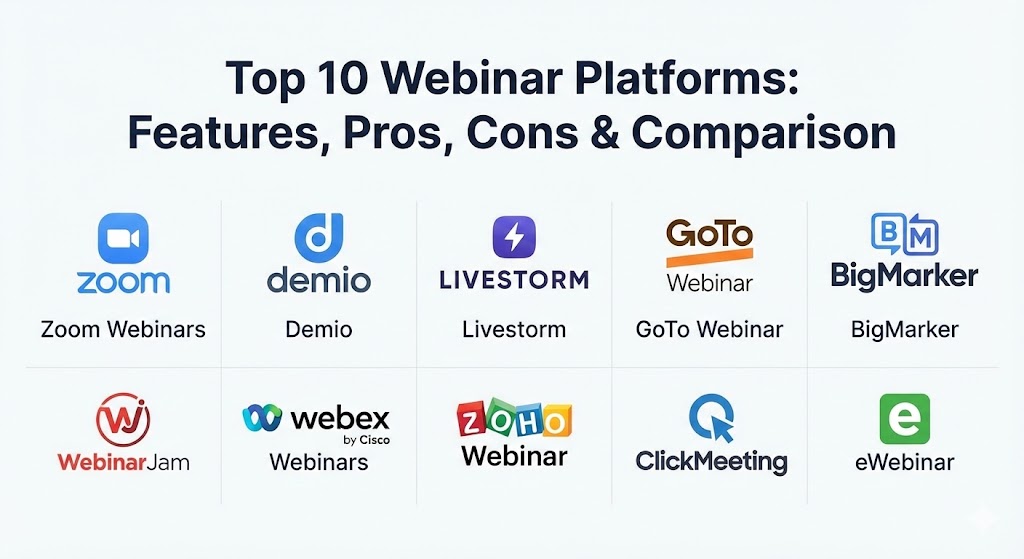
Top 10 Webinar Platforms
1 — Zoom Webinars
Zoom remains a titan in the industry, evolving its dedicated webinar product to handle massive scale while maintaining the “it just works” reputation that made it a household name.
- Key features:
- Support for up to 50,000 attendees and 1,000 live video panelists.
- Robust HD video and audio quality with adaptive bandwidth management.
- Integrated registration pages with custom branding and tracking URLs.
- Live streaming to third-party platforms like YouTube Live and Facebook Live.
- Detailed post-event reporting on attendee engagement and Q&A transcripts.
- Breakout rooms available for smaller, interactive workshops within a larger event.
- Pros:
- High brand recognition means attendees are comfortable with the interface.
- Unmatched reliability even on lower-speed internet connections.
- Cons:
- The marketing automation features (emails, landing pages) are less sophisticated than marketing-specific rivals.
- Requires a software download for the best experience, which can be a barrier for some users.
- Security & compliance: SOC 2 Type II, HIPAA, GDPR, and 256-bit AES encryption.
- Support & community: Extensive self-service knowledge base, 24/7 phone support for higher tiers, and a massive global user community.
2 — Demio
Demio is widely considered the gold standard for marketers who prioritize attendee experience and lead conversion. It focuses on a sleek, browser-based interface that requires no downloads.
- Key features:
- 100% browser-based experience for both hosts and attendees.
- “Join Link” technology that bypasses complex registration for one-click access.
- Automated (Evergreen) webinars that run on a schedule with simulated live chat.
- Interactive “Featured Actions” like pop-up buttons and downloads during the session.
- Real-time analytics that track exactly when an attendee drops off.
- Pros:
- Beautifully designed, modern UI that enhances brand perception.
- Hybrid event capabilities allow mixing pre-recorded video with live Q&A.
- Cons:
- Limited capacity compared to enterprise giants (maxes out around 3,000 attendees).
- Can be pricier for small businesses just starting out.
- Security & compliance: GDPR compliant, SSL encryption, and SSO availability for enterprise plans.
- Support & community: Highly rated live chat support and an excellent “Webinar Academy” for training.
3 — Livestorm
Livestorm is a powerful end-to-end video engagement platform that manages everything from the initial landing page to the post-webinar follow-up emails.
- Key features:
- Integrated email marketing suite for automated cadences.
- Native support for on-demand and recurring webinar formats.
- Instant “on-stage” invitations for attendees to share their camera/mic.
- Rich API and Zapier integrations to connect with virtually any tech stack.
- Built-in CRM to manage attendee profiles and historical engagement.
- Pros:
- Excellent for teams that run multiple webinars weekly due to its “cloning” features.
- No-install requirement leads to significantly higher join rates.
- Cons:
- The free version is extremely limited (20-minute sessions).
- Advanced branding customization can be difficult to navigate for non-designers.
- Security & compliance: GDPR, ISO 27001, and SOC 2 compliant.
- Support & community: Premium support available in multiple languages; strong documentation for developers.
4 — GoTo Webinar
As one of the pioneers of the space, GoTo Webinar offers a traditional, rock-solid platform that is favored by corporate IT departments for its stability and security.
- Key features:
- “GoToStage” content hub to host and promote your recorded webinars.
- Practice mode allows presenters to rehearse without going live.
- Automated certificates for attendees (perfect for continuing education).
- Flexible scheduling for one-time events, series, or on-demand.
- Detailed source tracking to see exactly where your registrations are coming from.
- Pros:
- High trust factor within the corporate and government sectors.
- The “simulive” feature is exceptionally stable for pre-recorded content.
- Cons:
- The user interface feels dated compared to platforms like Demio or Livestorm.
- The desktop application can occasionally conflict with aggressive corporate firewalls.
- Security & compliance: HIPAA, SOC 2, and end-to-end encryption.
- Support & community: 24/7 global support and a large repository of enterprise training resources.
5 — BigMarker
BigMarker is a specialized “no-download” platform that shines for large-scale virtual summits and hybrid events that require deep custom branding.
- Key features:
- White-labeling capabilities to make the platform look entirely like your own.
- Built-in monetization tools for ticketed webinars and events.
- 24/7 always-on webinar rooms for community hangouts.
- AI-driven “matchmaking” to connect attendees with similar interests.
- Pop-up “offers” and lead magnets designed for sales conversions.
- Pros:
- Incredible depth of features for complex, multi-day virtual conferences.
- Very strong marketing integrations with platforms like Marketo and HubSpot.
- Cons:
- The sheer number of settings can be overwhelming for a first-time user.
- Pricing is generally higher, aimed at mid-market and enterprise users.
- Security & compliance: GDPR, SOC 2, and data encryption at rest and in transit.
- Support & community: Dedicated account managers for enterprise clients and comprehensive onboarding.
6 — WebinarJam
WebinarJam is built specifically for high-energy sales webinars. It utilizes a unique “Panic Button” technology that can reset a webinar in seconds if a technical failure occurs.
- Key features:
- “Replica Replay” which mimics every live chat and poll in the recording.
- Support for up to 5,000 attendees and 6 presenters.
- Integrated “Active Offers” with urgency timers to drive sales.
- Drawing board and whiteboard features for live annotations.
- High-definition 30 FPS broadcasting for smooth motion.
- Pros:
- Specifically architected to maximize revenue per attendee.
- The “Panic Button” is a unique safety net for live presenters.
- Cons:
- The platform is highly specialized for sales; less ideal for internal training.
- Some users report a slight lag in the broadcast compared to WebRTC platforms.
- Security & compliance: SSL encryption and password-protected rooms.
- Support & community: Strong Facebook user group and reactive ticket-based support.
7 — Webex Webinars
Cisco’s Webex is the enterprise standard for security-conscious organizations, providing a massive-scale broadcasting tool integrated into the broader Webex ecosystem.
- Key features:
- AI-powered noise removal and real-time translation/captions.
- Secure lobby and advanced moderation to prevent “webinar crashing.”
- Integration with Slido for best-in-class audience interaction and polling.
- Capacity for up to 100,000 attendees in “webcast” mode.
- Comprehensive admin dashboard for global license management.
- Pros:
- Unrivaled security features preferred by banking and government sectors.
- Excellent hardware integration with Cisco room kits for hybrid events.
- Cons:
- The initial setup and configuration can be overly complex for small teams.
- Higher cost of entry compared to purely cloud-native rivals.
- Security & compliance: FedRAMP authorized, HIPAA, GDPR, SOC 2, and ISO certifications.
- Support & community: Global enterprise support with 24/7 availability and professional services.
8 — Zoho Webinar
Zoho offers a compelling, budget-friendly alternative that is perfect for small businesses already utilizing the Zoho suite of productivity tools.
- Key features:
- Seamless integration with Zoho CRM and Zoho Campaigns.
- Moderator controls to allow attendees to speak or share video.
- Basic analytics on attendee location and engagement time.
- Custom registration forms and automated email follow-ups.
- YouTube Live integration for extended audience reach.
- Pros:
- Extremely affordable, often a fraction of the cost of competitors.
- Clean, simple interface that requires almost zero training.
- Cons:
- Lacks advanced marketing features like “replica replays” or evergreen automation.
- Limited design customization for landing pages.
- Security & compliance: GDPR, HIPAA (with BAA), and SOC 2.
- Support & community: 24/5 support for most users and a helpful online community.
9 — ClickMeeting
ClickMeeting is an browser-based platform that excels in education and training, offering specialized tools like “Edu Mode” for focused learning.
- Key features:
- “Edu Mode” allows presenters to see all students while students only see the teacher.
- Simultaneous chat translation in 52 different languages.
- Virtual whiteboard and screen-sharing with remote control capabilities.
- “Subaccounts” to manage different presenters or departments independently.
- Automated webinar replays that are sent out immediately after the session.
- Pros:
- Excellent value for money with a robust feature set even on lower tiers.
- Very strong focus on the educational and academic experience.
- Cons:
- Storage limits for recordings are relatively tight on basic plans.
- UI can feel slightly cluttered when many features are active simultaneously.
- Security & compliance: GDPR, SSL/TLS encryption, and data hosting in European data centers.
- Support & community: Email and chat support with good response times.
10 — eWebinar
eWebinar is a unique tool on this list because it focuses entirely on the automation of pre-recorded webinars, promising “100% attendee engagement” without a live host.
- Key features:
- Specialized scheduling that allows users to join a webinar “just in time.”
- Live chat moderation that redirects to email when a host is offline.
- Interactive widgets (polls, questions, tips) that trigger at specific timestamps.
- Deep integration with Slack to notify your team of live questions.
- Engagement heatmaps to show exactly where people lose interest.
- Pros:
- The most powerful platform for creating evergreen sales funnels.
- Allows a small team to scale to thousands of webinars per month.
- Cons:
- Not designed for truly live events; you must have a recording first.
- High cost if you only need occasional webinar functionality.
- Security & compliance: GDPR compliant and standard data encryption.
- Support & community: Very responsive support team and detailed video documentation.
Comparison Table
| Tool Name | Best For | Platform(s) Supported | Standout Feature | Rating (TrueReviewnow) |
| Zoom Webinars | Massive Scale | Web, App, Mobile | Unmatched Stability | 4.8 / 5 |
| Demio | Modern Marketers | Web-based | Browser-based UI | 4.7 / 5 |
| Livestorm | Marketing Teams | Web-based | End-to-End Automation | 4.6 / 5 |
| GoTo Webinar | Corporate Events | App, Web | Practice Mode | 4.4 / 5 |
| BigMarker | Virtual Summits | Web-based | White-label Customization | 4.5 / 5 |
| WebinarJam | Direct Sales | Web-based | Panic Button Technology | 4.3 / 5 |
| Webex Webinars | High Security | App, Web, Mobile | AI Noise Removal | 4.7 / 5 |
| Zoho Webinar | Budget Conscious | Web, Mobile | Zoho Ecosystem Sync | 4.2 / 5 |
| ClickMeeting | Online Education | Web-based | Educational “Edu Mode” | 4.4 / 5 |
| eWebinar | Evergreen Funnels | Web-based | Just-in-Time Scheduling | 4.9 / 5 |
Evaluation & Scoring of Webinar Platforms
To provide an objective ranking, we have evaluated these platforms based on a weighted rubric that reflects the priorities of modern business users in 2026.
| Criteria | Weight | Evaluation Highlights |
| Core Features | 25% | Reliability of stream, capacity limits, and basic engagement tools. |
| Ease of Use | 15% | Intuitive interface for hosts and “no-download” ease for attendees. |
| Integrations | 15% | Native connections to CRM, email marketing, and payment processors. |
| Security | 10% | Compliance certifications (HIPAA, GDPR) and data protection. |
| Performance | 10% | Latency, video quality, and uptime history. |
| Support | 10% | Availability of 24/7 help and quality of training resources. |
| Price / Value | 15% | Balance of monthly cost versus the ROI potential of the feature set. |
Which Webinar Platform Tool Is Right for You?
Selecting the right platform is a strategic decision that depends on your specific goals and technical requirements. Use this guide to narrow your choice:
- Solo Users & SMBs: If budget and simplicity are your primary concerns, Zoho Webinar is an unbeatable entry point. If you are focused on growth and want to look highly professional without an IT team, Demio offers the best balance of aesthetics and ease.
- Marketing & Sales Teams: If your goal is strictly revenue and direct sales, WebinarJam is built for your mission. For more sophisticated, data-driven marketing teams that need deep CRM sync and automated lead nurturing, Livestorm is the superior choice.
- Enterprise & Government: Organizations requiring maximum security, massive scale, and integration with physical boardroom hardware should look no further than Webex Webinars or Zoom Webinars.
- Automation Specialists: If you want to “set it and forget it,” eWebinar is the only tool on this list dedicated entirely to making pre-recorded content feel interactive and high-converting without the need for live staffing.
- Educational Providers: For schools, universities, or independent coaches, the specialized academic features and interactive whiteboards of ClickMeeting provide a more classroom-like feel than generic corporate tools.
Frequently Asked Questions (FAQs)
1. What is the difference between a video meeting and a webinar?
A video meeting is collaborative, where everyone can speak and share video. A webinar is a controlled broadcast where a few “panelists” present to a large audience who can primarily interact through chat, polls, and Q&A.
2. Do attendees have to download software to join?
It depends on the platform. Modern tools like Demio, Livestorm, and BigMarker are 100% browser-based. Others like Zoom and GoTo Webinar encourage or require an app download for the best stability.
3. Can I record my webinars and use them later?
Yes, all top-tier platforms offer cloud recording. Some, like eWebinar, even allow you to turn those recordings into fully interactive, automated events that replay on a schedule.
4. How many people can join a webinar?
Capacity ranges from 50 attendees on basic plans to over 50,000 on enterprise-grade platforms like Zoom or Webex. Always check your specific plan limit before your event.
5. Are webinars effective for lead generation?
Absolutely. Studies in 2026 show that webinars remain one of the highest-converting marketing channels because they provide high value and allow for real-time engagement and trust-building.
6. Can I charge people to attend my webinar?
Yes, platforms like BigMarker, ClickMeeting, and WebinarJam offer native payment integrations (like Stripe or PayPal) to allow for ticketed virtual events.
7. What is “Simulive”?
Simulive is short for “Simulated Live.” It is a pre-recorded video that is broadcast at a specific time so it appears to be live, often with a live moderator present in the chat to answer questions.
8. Is it possible to see who attended and for how long?
Yes, detailed analytics are a core feature of MFT platforms. You can typically download reports showing registration data, join/leave times, and poll responses.
9. How do I prevent “Webinar Crashing” or uninvited guests?
Leading platforms offer password protection, secure registration gating, and moderator “lobbies” where guests must be approved before entering the session.
10. Do these platforms integrate with my CRM?
Most professional tools integrate natively with Salesforce, HubSpot, Marketo, and ActiveCampaign. For others, tools like Zapier bridge the gap between your webinar and your database.
Conclusion
The webinar platform market in 2026 is defined by a shift toward frictionless participation and automated engagement. As the distinction between physical and virtual presence continues to blur, the “best” tool is no longer just the one with the most features, but the one that most effectively removes technical barriers for your audience.
Whether you prioritize the extreme reliability of Zoom, the marketing finesse of Demio, or the automated power of eWebinar, your choice should align with your ultimate business outcome—be it revenue, education, or internal alignment. By focusing on the user experience and ensuring robust security, you can transform a simple video stream into a powerful engine for growth and connection.