Introduction
Meeting room booking software is a centralized digital platform that allows employees to find, reserve, and manage meeting spaces, desks, and other office resources in real-time. These tools integrate directly with existing calendar systems like Google Workspace and Microsoft 365, providing a “single source of truth” for space availability. By utilizing interactive floor plans, mobile apps, and digital room displays, these solutions eliminate common workplace frictions such as double-bookings, “ghost” meetings (where a room is booked but no one shows up), and the wasted time spent wandering hallways in search of a quiet spot for a call.
In 2026, the importance of these tools extends beyond mere scheduling. They serve as critical data engines for Facilities Management (FM) and HR teams. By tracking occupancy trends and space utilization rates, companies can make informed decisions about their real estate footprint—downsizing underused areas or expanding high-demand collaborative zones. Evaluation criteria for these tools typically include the quality of calendar integrations, the intuitiveness of the user interface, hardware compatibility (such as e-ink or tablet displays), and the depth of the analytics provided.
Best for: Operations managers, HR professionals, and IT leads in mid-market to enterprise companies. It is particularly essential for businesses adopting hybrid work, coworking spaces, and organizations with large, multi-floor campuses that require efficient “wayfinding.”
Not ideal for: Very small teams (under 10 people) who share a single open-plan office or organizations that operate on a 100% remote basis without any physical hub. In these cases, a simple shared Google Calendar or Slack channel is often sufficient.
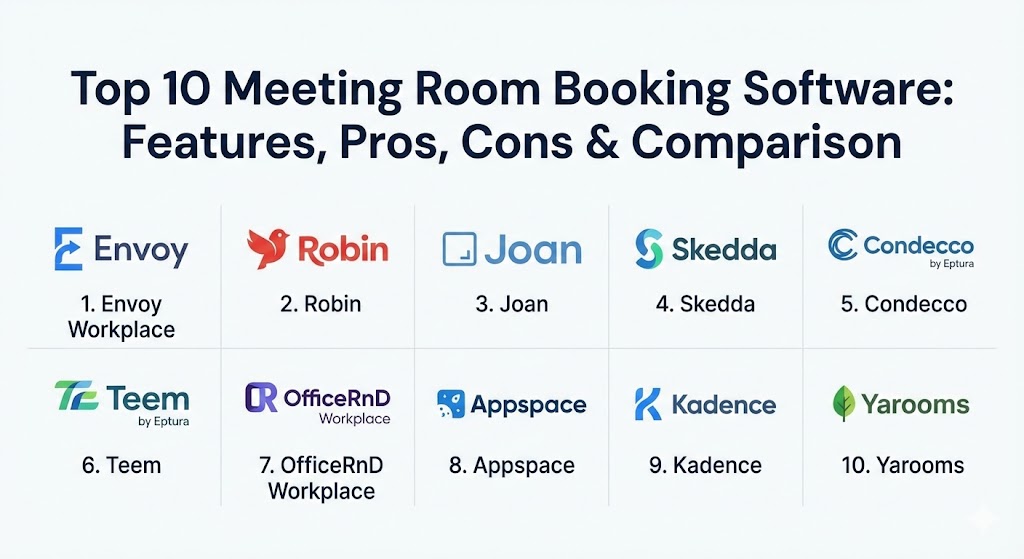
Top 10 Meeting Room Booking Software Tools
1 — Envoy Workplace
Envoy is a pioneer in the workplace experience category, evolving from a simple visitor management tool into a comprehensive platform for managing desks, rooms, and deliveries. Its “Rooms” feature is designed for high-growth tech companies and modern offices that prioritize a seamless, unified employee experience.
- Key features:
- Instant Booking: Employees can book rooms on the fly via the mobile app, web dashboard, or physical room displays.
- Ghost Meeting Relief: Automatically releases rooms if no one checks in within a specified timeframe.
- Interactive Floor Plans: High-resolution maps that allow users to see where rooms and colleagues are located.
- Health & Safety Integration: Syncs with visitor logs to ensure capacity limits and safety protocols are maintained.
- Equipment Tracking: Lists specific room amenities (e.g., Zoom Rooms, digital whiteboards) within the booking interface.
- Smart Notifications: Sends alerts via Slack or Microsoft Teams when a meeting is about to start or a room is ready.
- Pros:
- Exceptionally clean and modern user interface that requires almost zero training for employees.
- Deep integration with the broader Envoy ecosystem (Visitor, Mailroom, and Desks).
- Cons:
- Pricing for “Workplace” can become expensive for companies needing multiple add-on modules.
- Limited customization for highly complex, multi-tenant enterprise environments.
- Security & compliance: SOC 2 Type II, GDPR, HIPAA compliant, and supports SSO (SAML/SCIM) and end-to-end encryption.
- Support & community: Extensive online documentation, 24/5 live chat support, and a highly active customer success program for enterprise clients.
2 — Robin
Robin is widely recognized for its “people-first” approach to workplace management. It focuses heavily on the collaborative aspect of the office, helping teams see who is in the office and where they are working to encourage spontaneous interaction.
- Key features:
- Advanced Scheduling Logic: Supports complex booking rules, such as maximum duration and lead-time restrictions.
- AI-Powered Recommendations: Suggests rooms based on the number of attendees and required technology.
- Wayfinding Kiosks: Large-format office maps for foyers to help visitors and employees navigate floors.
- Automated Room Release: Uses hardware sensors or check-in buttons to free up “no-show” spaces.
- Workplace Analytics: Detailed heatmaps showing which areas of the office are most popular at different times.
- Custom Status Boards: Real-time digital signage that can be customized with company branding.
- Pros:
- Powerful map-based booking that is visually intuitive and easy to manage for admins.
- Strong emphasis on fostering in-person collaboration through “neighborhood” planning.
- Cons:
- Advanced analytics and AI features are often locked behind higher-tier enterprise plans.
- Initial setup of office maps can be time-consuming for large campuses.
- Security & compliance: ISO 27001 and SOC 2 Type II certified. Full GDPR compliance and granular permission controls.
- Support & community: Dedicated account managers for enterprise users and a robust “Robin Academy” for admin training.
3 — Joan
Joan stands out in the market for its focus on sustainable, elegant hardware and simple, effective software. Its e-ink displays are famous for their battery life (lasting months on a single charge) and their ability to blend into professional environments.
- Key features:
- E-ink Hardware Integration: Low-power, wireless displays that can be mounted to glass without drilling.
- Zero-Configuration Setup: Syncs with existing calendars (Google, Outlook, iCal) in minutes.
- Touchless Booking: Supports QR-code-based booking to minimize physical contact with screens.
- Custom Branding: Allows organizations to upload logos and custom themes to their room displays.
- Real-Time Occupancy Analytics: Tracks room usage to identify bottlenecks and underused spaces.
- Enterprise Security: Provides a secure, encrypted connection between devices and the central portal.
- Pros:
- The most sustainable hardware option on the market; e-ink technology uses 99% less energy than tablets.
- Incredibly easy installation—magnetic mounts allow devices to be placed almost anywhere.
- Cons:
- Software features are more streamlined and may lack the deep automation rules of competitors like Robin.
- The e-ink refresh rate is slower than standard LCD screens, which may frustrate some users.
- Security & compliance: SOC 2, GDPR compliant, and TLS 1.3 encryption for device-to-cloud communication.
- Support & community: 24/7 global support availability and a comprehensive help center with video tutorials.
4 — Skedda
Skedda is a highly flexible booking platform that caters to a wide variety of spaces, from corporate meeting rooms to sports facilities and coworking hubs. Its strength lies in its modularity and powerful rule-based engine.
- Key features:
- Highly Customizable Rules: Admins can create intricate policies regarding who can book which rooms and when.
- Interactive Floor Plans: Drag-and-drop map creation tool that makes office visualization simple.
- Self-Service Onboarding: Designed for quick setup without the need for extensive consultant engagement.
- Automated Quotas: Set daily or weekly booking limits for specific user groups or individuals.
- Neighborhoods: Group rooms and desks together for specific departments or project teams.
- Global Support: Available in multiple languages to support international offices.
- Pros:
- The most versatile tool for organizations with non-standard booking needs or shared multi-use spaces.
- Extremely transparent pricing model with a free tier for small organizations.
- Cons:
- The UI can feel a bit more “functional” and less “corporate-slick” than Envoy or Appspace.
- Native integrations with hardware (displays) are less centralized than competitors with their own devices.
- Security & compliance: GDPR and SOC 2 compliant. Offers SAML SSO for secure user authentication.
- Support & community: Renowned for fast, friendly 24/7 support and a very straightforward documentation library.
5 — Condecco (by Eptura)
Condecco, now part of the Eptura family, is the enterprise heavyweight in the space. It is designed for global corporations with thousands of rooms and complex multi-region requirements.
- Key features:
- Global Scalability: Handles tens of thousands of users across multiple time zones and currencies.
- Advanced Visitor Management: Integrated guest check-in, badge printing, and security alerts.
- Workspace Sensors: Integrates with physical PIR (Passive Infrared) sensors for 100% accurate occupancy data.
- Service Requests: Allows users to order catering or IT support directly from the booking interface.
- Detailed Reporting: Professional-grade analytics for real estate and facilities strategy.
- Outlook Add-in: Deeply embedded experience within the Microsoft ecosystem.
- Pros:
- The most “feature-complete” solution for large-scale enterprise resource planning.
- Unrivaled sensor integration for automated room release and data collection.
- Cons:
- High learning curve for both administrators and end-users due to the sheer volume of features.
- Typically requires a significant implementation period and higher-than-average cost.
- Security & compliance: ISO 27001, SOC 2, GDPR, and HIPAA compliant. Enterprise-grade audit logs.
- Support & community: World-class enterprise support with dedicated technical account managers (TAMs).
6 — Teem (by Eptura)
Also under the Eptura umbrella, Teem focuses on mid-market companies that need a balance of powerful features and a high-quality, user-friendly interface. It is particularly known for its robust “Event Board” display software.
- Key features:
- Event Board Displays: Turn any iPad or Android tablet into a professional room booking sign.
- Aruba Meridian Integration: Deep partnership for enterprise-grade wayfinding and navigation.
- LobbyConnect: A streamlined visitor management module that syncs with room bookings.
- Flightboard: A centralized “airport-style” display for all upcoming meetings in the office.
- Predictive Insights: Uses historical data to suggest optimal meeting times and room types.
- Device Management: Remote monitoring of all physical room displays and kiosks.
- Pros:
- Excellent hardware flexibility; you can choose the tablets and mounts that fit your budget.
- Very strong analytics regarding “vampire meetings” (recurring meetings that no one attends).
- Cons:
- Integration with non-Eptura products is becoming more limited as the ecosystem consolidates.
- Some users report that the initial configuration of the “Flightboard” can be tricky.
- Security & compliance: GDPR, SOC 2 Type II, and SSO integration (Adfs, Okta, OneLogin).
- Support & community: Large library of white papers, webinars, and a responsive helpdesk.
7 — OfficeRnD Workplace
Originally focused on coworking spaces, OfficeRnD has expanded into a powerful corporate “Workplace” product. It is ideal for companies that want to run their office with the efficiency of a high-end flexible workspace.
- Key features:
- Collaborative Scheduling: See when teammates plan to be in and book rooms near them.
- Branded Mobile App: Fully white-label the employee experience with your company’s colors and logo.
- Contract & Billing: Unique ability to manage internal “chargebacks” for room usage by department.
- Occupancy Sensors: Native integration with leading sensor vendors for live tracking.
- Space Scenario Planning: Model different office layouts before committing to a physical move.
- Teams & Slack Apps: Book directly within the communication tools your team uses most.
- Pros:
- The best “community” features, helping hybrid employees feel connected to their office.
- Weekly feature updates and a very transparent product roadmap.
- Cons:
- The admin dashboard can be overwhelming for simple office setups due to its coworking roots.
- Onboarding for the “White-Label App” feature requires extra time and cost.
- Security & compliance: SOC 2, ISO 27001, and GDPR compliant. Detailed security audit logs.
- Support & community: High praise for support quality; active “OfficeRnD Community” for peer sharing.
8 — Appspace
Appspace is a unique player that combines workplace management with digital signage and internal communications. It is perfect for organizations that want their room booking screens to also serve as corporate communication hubs.
- Key features:
- Unified Communications: Use room displays to show company news, weather, or social media feeds.
- AI-Powered Recommendations: “Appspace Intelligence” suggests spaces based on user habits.
- Integrated Intranet: Combines room booking with a company-wide intranet and employee app.
- Advanced Wayfinding: 3D interactive maps that guide employees to their exact seat or room.
- Content Authoring: Built-in tools for creating beautiful digital signage without a designer.
- Guest Registration: Streamlined visitor check-in with digital document signing.
- Pros:
- The most powerful digital signage capabilities in the industry.
- Turns every screen in the office into a valuable communication asset.
- Cons:
- Higher learning curve because it manages far more than just “room bookings.”
- Pricing reflects its “all-in-one” platform status and may be high for simple needs.
- Security & compliance: SOC 2 Type II, GDPR, and ISO 27001 certifications.
- Support & community: Extensive library of design templates and enterprise-level technical support.
9 — Kadence
Kadence is a modern, mobile-first solution that focuses on the “rhythm” of the workplace. It emphasizes social connectivity, helping employees find the right time to go into the office based on who else will be there.
- Key features:
- Smart AI Suggestions: Recommends rooms and desks based on who you are meeting with.
- Social Sync: Users can “follow” colleagues to get notified when they book a room or desk.
- Interactive Office Maps: High-fidelity maps that work seamlessly on small mobile screens.
- Personalized Dashboard: Shows your upcoming bookings and colleague status in one view.
- Team Booking: Reserve a block of desks or a suite of rooms for a specific team event.
- Hardware Agnostic: Works on virtually any tablet or room display hardware.
- Pros:
- Excellent mobile app experience; one of the fastest interfaces for employees on the go.
- Pricing is highly transparent and competitive for mid-sized organizations.
- Cons:
- Admin features are less deep than enterprise giants like Condecco.
- Customization of reporting dashboards is somewhat limited in the standard tiers.
- Security & compliance: SOC 2, GDPR, and ISO 27001. Supports SSO and directory sync.
- Support & community: Rapid response times and a very user-friendly help center.
10 — Yarooms
Yarooms is an agile workplace management solution that prioritizes “Workplace Coordination.” It is designed to be a “plug-and-play” solution that offers high power without high complexity.
- Key features:
- Carbon Footprint Tracking: Unique analytics showing the environmental impact of office usage.
- Hybrid Work Planning: Tools specifically for managing team rotations and office occupancy.
- Interactive Maps: Simple, effective visualization of rooms, desks, and parking spaces.
- Custom Booking Flows: Create different booking rules for different types of spaces.
- Instant Room Booking: QR-code and tablet-based booking for spontaneous meetings.
- Financial Reporting: Track the “ROI” of your office space based on usage and overhead.
- Pros:
- Innovative “Sustainability” module that helps companies meet green energy goals.
- Very fast implementation—you can be up and running in days rather than weeks.
- Cons:
- Integration with very high-end enterprise PIR sensors is less mature than Condecco.
- The community/social features are not as deep as Kadence or OfficeRnD.
- Security & compliance: GDPR, SOC 2, and supports advanced encryption and SSO.
- Support & community: Excellent documentation and responsive email/chat support.
Comparison Table
| Tool Name | Best For | Platform(s) Supported | Standout Feature | Rating (Gartner/TrueReview) |
| Envoy Workplace | Unified Experience | Web, iOS, Android | Integrated Visitor/Mail | 4.6 / 5 |
| Robin | Collaborative Hybrid | Web, iOS, Android | Interactive Office Heatmaps | 4.5 / 5 |
| Joan | Sustainable Hardware | Web, iOS, Android | Ultra-low power e-ink | 4.7 / 5 |
| Skedda | Flexible Space Mgmt | Web, iOS, Android | Modular Rule Engine | 4.8 / 5 |
| Condecco | Global Enterprise | Web, Desktop, iOS, Android | Advanced Sensor Logic | 4.3 / 5 |
| Teem | Mid-market Ease | Web, iOS, Android | “Flightboard” Signage | 4.4 / 5 |
| OfficeRnD | Community & Coworking | Web, iOS, Android | White-label Employee App | 4.7 / 5 |
| Appspace | Internal Comms | Web, iOS, Android | Unified Digital Signage | 4.5 / 5 |
| Kadence | Social Connectivity | Web, iOS, Android | Colleague “Following” | 4.6 / 5 |
| Yarooms | Sustainability | Web, iOS, Android | Carbon Footprint Tracker | 4.4 / 5 |
Evaluation & Scoring of Meeting Room Booking Software
To help you evaluate these tools objectively, we have used a weighted scoring rubric based on industry standards for 2026.
| Category | Weight | Criteria |
| Core Features | 25% | Booking logic, ghost meeting release, floor plans, and room display support. |
| Ease of Use | 15% | Mobile app quality, admin dashboard clarity, and employee onboarding time. |
| Integrations | 15% | Calendar sync (Outlook/Google), Slack/Teams apps, and hardware (sensors) compatibility. |
| Security & Compliance | 10% | SOC 2, GDPR, HIPAA, SSO support, and data encryption. |
| Performance | 10% | App speed, calendar sync reliability, and hardware uptime. |
| Support | 10% | Documentation, response times, and customer success management. |
| Price / Value | 15% | Total cost of ownership vs. the breadth of features provided. |
Which Meeting Room Booking Software Tool Is Right for You?
Choosing the right software is a strategic decision that affects your company culture and operational costs. Use this guide to narrow down your choices:
Solo Users vs SMB vs Mid-Market vs Enterprise
- Small Businesses (under 50 employees): Focus on simplicity and low cost. Joan or Kadence are excellent choices because they require very little IT overhead.
- Mid-Market (50–500 employees): You need a balance of reporting and ease of use. Robin and Envoy provide the analytics you need without the extreme complexity of enterprise suites.
- Enterprises (500+ employees): Scalability is king. Condecco and Appspace are built for the heavy lifting of multi-region deployment and complex security requirements.
Budget-Conscious vs Premium Solutions
- Budget: Skedda offers a very powerful free version and affordable paid tiers. Joan saves money in the long run on electrical work because its devices are wireless.
- Premium: Envoy and Eptura (Condecco/Teem) are premium investments that yield high returns through massive efficiency gains and real estate optimization.
Feature Depth vs Ease of Use
- If your priority is Ease of Use, go with Envoy or Kadence. Their mobile-first, intuitive design ensures high adoption rates among employees.
- If your priority is Feature Depth, go with OfficeRnD (for community management) or Appspace (for integrated digital communications).
Integration and Scalability Needs
- If you are a heavy Microsoft or Google shop, all 10 tools offer great sync, but Condecco and Robin have particularly deep Outlook integrations.
- If you plan to scale with IoT and Sensors, prioritize Condecco or Teem, as they have the longest track record with hardware automation.
Frequently Asked Questions (FAQs)
1. What is “ghost meeting” relief?
Ghost meeting relief is a feature that detects if a room is booked but no one has checked in (either via a button, tablet, or sensor). If no one arrives after 10–15 minutes, the software automatically cancels the booking and releases the room for others to use.
2. Can I use my own tablets as room displays?
Yes, most modern solutions like Teem, Appspace, and Robin are “hardware agnostic,” meaning you can install their app on standard iPads, Android tablets, or dedicated enterprise displays.
3. Do these tools integrate with Slack and Microsoft Teams?
Yes, leading tools like Kadence, Envoy, and OfficeRnD allow employees to search for and book rooms directly within their chat apps, reducing the need to switch between different programs.
4. How does the “check-in” process work?
Users typically check in by tapping “Start” on the room display, scanning a QR code on the door, or through an automated process triggered by the office Wi-Fi or under-desk sensors.
5. Is the software compatible with both Google Workspace and Microsoft 365?
Almost all modern room booking tools support bidirectional sync with both Google and Microsoft, ensuring that a booking made on your phone reflects instantly in your calendar (and vice versa).
6. Do I need sensors for the software to work?
No, sensors are optional. Most companies start with just software and room displays. Sensors are a “next step” for organizations that want 100% accurate, automated data without requiring employees to check in manually.
7. How long does implementation typically take?
For a small office with 5–10 rooms, setup can take less than an hour. For an enterprise campus with global floor plans and custom integrations, implementation can take 2–6 weeks.
8. Can I manage parking and desks in the same software?
Yes, many of these tools (especially Envoy, Kadence, and OfficeRnD) are unified “Workplace” platforms that allow you to manage meeting rooms, hot desks, parking spots, and lockers in one app.
9. What is the benefit of e-ink displays like Joan?
E-ink displays are wireless and have incredible battery life. Because they don’t require power-over-ethernet (PoE) or power cables, they can be stuck onto glass walls with simple magnetic strips, saving thousands in construction costs.
10. What are the most common mistakes when choosing software?
The most common mistake is choosing a tool with a complex UI that employees find frustrating. If the software is hard to use, employees will go back to their old habits, and the “ghost meeting” problem will persist.
Conclusion
As we look toward the remainder of 2026, it is clear that meeting room booking software has transitioned from a “nice-to-have” luxury to a core component of the modern IT and HR stack. The right tool acts as a bridge between the digital and physical workplace, ensuring that your office remains a productive, collaborative hub rather than a source of scheduling friction.
When making your final choice, remember that the “best” tool is the one your employees will actually use. Whether you prioritize the sustainable simplicity of Joan, the unified experience of Envoy, or the global power of Condecco, ensure that ease of adoption remains at the heart of your decision.