Introduction
Facility Management Software is an integrated platform designed to help organizations manage their entire physical infrastructure, assets, and supporting services. Often referred to as CAFM (Computer-Aided Facility Management) or IWMS (Integrated Workplace Management Systems), these tools provide a centralized database for tracking work orders, scheduling preventive maintenance, managing space utilization, and monitoring energy consumption. By automating routine administrative tasks and providing real-time visibility into building health, FMS allows teams to move away from chaotic spreadsheets and toward data-driven decision-making.
The importance of these tools cannot be overstated. Beyond simply fixing a broken HVAC unit, modern FMS platforms ensure regulatory compliance, extend the lifecycle of expensive machinery, and enhance the “occupant experience” for employees and tenants. When evaluating these tools, users should prioritize mobile accessibility for field technicians, robust reporting for executive stakeholders, ease of integration with IoT (Internet of Things) sensors, and high levels of security to protect sensitive infrastructure data.
Best for: Large enterprises with complex real estate portfolios, healthcare systems requiring strict compliance, manufacturing plants with heavy equipment, and educational institutions managing multi-building campuses. It is also essential for property managers who need to coordinate high volumes of third-party vendors.
Not ideal for: Very small businesses occupying a single leased office where the landlord handles all maintenance, or organizations with fewer than five recurring maintenance tasks per month. For these cases, a simple shared calendar or a basic task management app is usually sufficient.
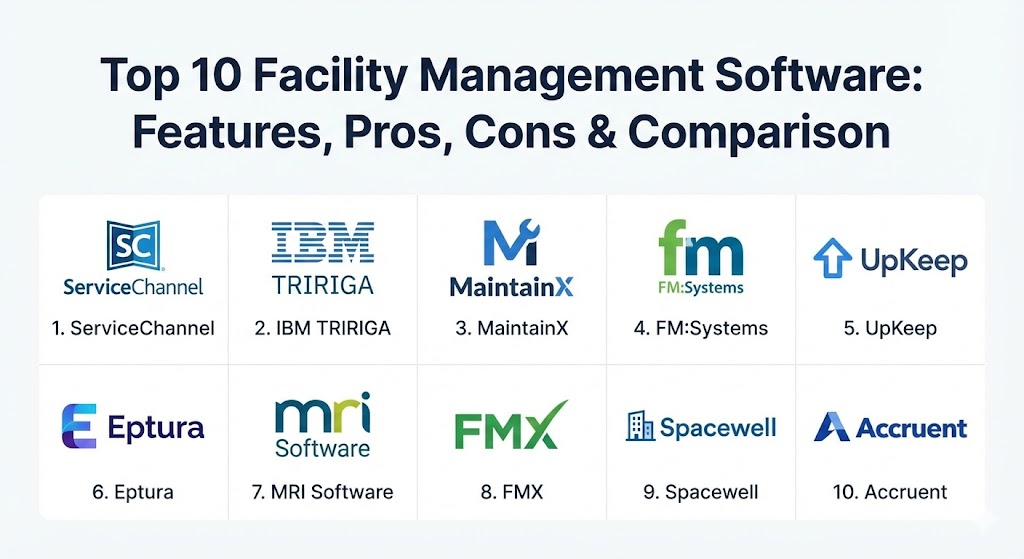
Top 10 Facility Management Software Tools
1 — ServiceChannel
ServiceChannel is a leading cloud-based platform specifically tailored for multi-site commercial and retail brands. It focuses heavily on the “service” aspect of facility management, connecting organizations with a massive network of verified contractors and automate the entire work order lifecycle.
- Key features:
- Automated work order generation and contractor sourcing.
- Contractor scorecarding based on performance and cost data.
- Integrated invoice and payment processing for streamlined accounting.
- Asset tagging and lifecycle tracking across multiple geographical sites.
- Site-level documentation and compliance monitoring.
- Mobile app for technicians and store managers to log requests.
- Pros:
- Unmatched vendor management capabilities with a built-in marketplace of contractors.
- Provides deep financial visibility into facility spend, helping identify budget leaks.
- Cons:
- The interface can be complex and intimidating for first-time users.
- Primarily focused on maintenance; lacks deep space-planning features found in IWMS tools.
- Security & compliance: SOC 2 Type II, GDPR compliant, role-based access control, and end-to-end data encryption.
- Support & community: Extensive online knowledge base, dedicated account managers for enterprise clients, and a robust community of retail facility professionals.
2 — IBM TRIRIGA
IBM TRIRIGA is a high-end Integrated Workplace Management System (IWMS) designed for global corporations. It leverages AI and IoT data to optimize every aspect of a real estate portfolio, from lease accounting to space optimization.
- Key features:
- AI-driven insights for space utilization and “what-if” planning.
- Comprehensive lease administration (ASC 842 and IFRS 16 compliant).
- IoT integration for real-time monitoring of building conditions and occupancy.
- Capital project management for large-scale renovations and builds.
- Sustainability and energy management tracking.
- Preventive and corrective maintenance orchestration.
- Pros:
- Incredible scalability and depth of feature set for massive, global organizations.
- Strong alignment with financial reporting standards and regulatory requirements.
- Cons:
- Extremely high implementation cost and long deployment timelines.
- Requires specialized training or dedicated admins due to its complexity.
- Security & compliance: FIPS 140-2, HIPAA, SOC 1/2, ISO 27001, and advanced audit logging.
- Support & community: Enterprise-grade 24/7 support, global partner network, and a large professional user group ecosystem.
3 — MaintainX
MaintainX is a mobile-first computerized maintenance management system (CMMS) that prioritizes speed and ease of use. It is designed for the “frontline” worker, making it easy for technicians to receive and complete work orders on the shop floor or in the field.
- Key features:
- Instant messaging and photo sharing within work orders for better collaboration.
- Digital checklists and procedures with conditional logic for inspections.
- QR code scanning for instant asset identification and history lookup.
- Automated preventive maintenance scheduling and reminders.
- Inventory and parts management with low-stock alerts.
- Real-time reporting on technician productivity and equipment downtime.
- Pros:
- One of the most user-friendly interfaces in the market, leading to high team adoption.
- Rapid implementation; most teams can go live in a matter of days.
- Cons:
- Limited space management or lease administration capabilities.
- Advanced analytics features are locked behind higher-tier subscription plans.
- Security & compliance: SOC 2 Type II, GDPR, HIPAA-ready features, and SSO integration (SAML).
- Support & community: Highly responsive live chat support, weekly training webinars, and a fast-growing community of maintenance leaders.
4 — FM:Systems
FM:Systems focuses on the “workplace” aspect of facility management. It excels in space management and utilization, helping organizations adapt to hybrid work environments and optimize their real estate footprints.
- Key features:
- Interactive floor plans with drag-and-drop move management.
- Desk and room booking systems integrated with employee calendars.
- Occupancy sensors and analytics to measure how space is actually used.
- Strategic portfolio planning for mergers and acquisitions.
- Integrated work order management for workplace service requests.
- Visitor management and health-screening modules.
- Pros:
- Best-in-class space visualization and reporting tools.
- Highly flexible and configurable to match unique organizational workflows.
- Cons:
- Maintenance features are solid but not as deep as specialized CMMS tools.
- Integration with legacy building automation systems can require significant effort.
- Security & compliance: ISO 27001, SOC 2, GDPR, and FedRAMP authorized for government use.
- Support & community: Comprehensive “FM:Academy” for user training, annual user conferences, and local user chapters.
5 — UpKeep
UpKeep is an AI-powered CMMS and Enterprise Asset Management (EAM) tool that prides itself on being a “solution for the worker.” It focuses on data-driven reliability and simplifying the maintenance process for technical teams.
- Key features:
- Mobile-first work order management accessible on any device.
- IoT sensor integration for predictive maintenance (condition-based alerts).
- Asset health monitoring with real-time KPI dashboards.
- Purchasing and work order cost tracking for better ROI analysis.
- Safety and compliance checklists for regulatory inspections.
- API-first architecture for easy integration with ERPs like SAP or Oracle.
- Pros:
- Excellent mobile app performance even in areas with low connectivity.
- Strong focus on the ROI of maintenance, making it easy to justify costs to management.
- Cons:
- Reporting can be rigid for users who need highly customized, non-standard layouts.
- Some users find the sheer number of notifications to be overwhelming initially.
- Security & compliance: SOC 2 Type II, GDPR, and data encryption in transit and at rest.
- Support & community: Dedicated customer success managers, a robust “Maintenance Community” Slack group, and extensive video documentation.
6 — Eptura (Archibus / Serraview)
Eptura is the brand formed by the merger of industry giants Archibus and Serraview. It provides a comprehensive suite that covers the entire “worktech” spectrum, from asset management to employee workplace experience.
- Key features:
- BIM (Building Information Modeling) integration for 3D facility management.
- Capital budgeting and project management for long-term infrastructure.
- Agile workplace tools including hot-desking and neighborhood planning.
- Environmental and sustainability tracking (ESG reporting).
- Integrated asset maintenance and work order automation.
- Robust mobile app for employees (booking) and staff (maintenance).
- Pros:
- Provides an end-to-end platform that bridges the gap between IT, HR, and Facilities.
- Massive global footprint with localized support in dozens of countries.
- Cons:
- The platform can feel “fragmented” as it consolidates several legacy products.
- Pricing is on the higher end, typically targeted at the mid-market and enterprise levels.
- Security & compliance: ISO 27001, SOC 2, HIPAA, and GDPR.
- Support & community: Global professional services, extensive partner network, and formal certification programs for administrators.
7 — MRI Software (Angus / NetFacilities)
MRI Software offers a suite of facility management solutions specifically designed for commercial real estate owners and property managers. It focuses on resident/tenant satisfaction and operational efficiency.
- Key features:
- Tenant request portals that improve communication and response times.
- Preventive maintenance scheduling with automated reminders.
- Inspection and audit modules with mobile photo capture.
- Vendor management with certificate of insurance (COI) tracking.
- Integrated accounting for billable work orders and rent collection.
- Risk management and emergency notification tools.
- Pros:
- Deeply integrated with property management and real estate finance workflows.
- Excellent for managing third-party vendor compliance and insurance.
- Cons:
- The user interface can feel dated compared to newer, “born-in-the-cloud” rivals.
- Implementation can be slow due to the breadth of the MRI ecosystem.
- Security & compliance: SOC 1/2, ISO 27001, and role-based data segregation.
- Support & community: 24/7 global support, MRI “Users Group” (MUG), and extensive online learning modules.
8 — FMX
FMX (Facilities Management eXpress) is a cloud-based solution known for its calendar-based approach. It is widely used by K-12 schools, local governments, and non-profits for its simplicity and affordability.
- Key features:
- Calendar-centric view for all maintenance, events, and scheduling.
- Public and private facility booking modules.
- Work order management with unlimited users on most plans.
- Inventory and asset tracking with QR code support.
- Utility and energy consumption tracking.
- Interactive mapping for locating assets and spaces.
- Pros:
- Extremely high ease of use; even non-technical staff can use it with minimal training.
- “Unlimited user” model prevents organizations from being penalized for growth.
- Cons:
- Lacks some of the deep AI and predictive maintenance features of high-end CMMS.
- Not ideal for complex manufacturing environments with heavy automation needs.
- Security & compliance: SOC 2, GDPR, and standard encryption protocols.
- Support & community: Personalized onboarding, highly rated customer support, and regular feature update webinars.
9 — Spacewell (A Nemetschek Group Company)
Spacewell focuses on “Smart Building” technology. It combines traditional IWMS features with powerful IoT sensor data to create a “digital twin” of a facility, optimizing both energy and space.
- Key features:
- IoT-driven cleaning (dispatching janitorial staff based on actual room usage).
- Real-time air quality and environmental monitoring.
- Maintenance ticketing with skills-based technician dispatch.
- Self-service employee apps for finding desks and meeting rooms.
- Space utilization analytics that help consolidate real estate.
- Asset lifecycle and compliance management.
- Pros:
- A leader in using real-time data to drive operational savings.
- Strong emphasis on the health and wellbeing of building occupants.
- Cons:
- High initial investment in IoT hardware (sensors) is often required to unlock full value.
- Can be overly technical for organizations that just want basic work order tracking.
- Security & compliance: ISO 27001, GDPR, and secure API connectivity for IoT devices.
- Support & community: Direct enterprise support, global consulting services, and active participation in smart building standards.
10 — Accruent (Lucernex / Maintenance Connection)
Accruent is one of the world’s largest providers of facility and asset management software, offering a portfolio of tools that cater to specific industries like retail, healthcare, and telecom.
- Key features:
- Maintenance Connection (CMMS) for industrial-strength maintenance management.
- Lucernex for site selection and lease accounting compliance.
- Capital planning software that predicts future infrastructure failures.
- Remote monitoring for HVAC and refrigeration (IoT).
- Comprehensive reporting and BI (Business Intelligence) dashboards.
- Mobile tools for on-site execution and inventory management.
- Pros:
- Provides the widest “breadth” of solutions for an organization’s entire physical lifecycle.
- Very strong historical reputation for stability and reliability.
- Cons:
- The software suite can feel massive and fragmented after decades of acquisitions.
- Customization often requires professional services or a high level of internal expertise.
- Security & compliance: SOC 1/2, ISO 27001, HIPAA, and FASB/IASB compliant accounting.
- Support & community: Robust training programs, a massive customer base, and dedicated support for specific industry verticals.
Comparison Table
| Tool Name | Best For | Platform(s) Supported | Standout Feature | Rating (Gartner Peer Insights) |
| ServiceChannel | Multi-site Retail | Cloud, iOS, Android | Contractor Marketplace | 4.5 / 5 |
| IBM TRIRIGA | Global Enterprises | Cloud, On-Prem, iOS | AI Space Optimization | 4.3 / 5 |
| MaintainX | Frontline Teams | Cloud, iOS, Android | Built-in Team Chat | 4.8 / 5 |
| FM:Systems | Workplace Experience | Cloud, iOS, Android | Space Utilization Maps | 4.4 / 5 |
| UpKeep | Asset Reliability | Cloud, iOS, Android | Mobile-First Asset Tags | 4.7 / 5 |
| Eptura | Worktech Convergence | Cloud, iOS, Android | BIM / 3D Visualization | 4.3 / 5 |
| MRI Software | Property Management | Cloud, iOS, Android | Tenant Portal Integration | 4.1 / 5 |
| FMX | K-12 & Government | Cloud, Web (Mobile) | Calendar-Based UI | 4.7 / 5 |
| Spacewell | Smart Buildings | Cloud, iOS, Android | IoT-Driven Cleaning | 4.4 / 5 |
| Accruent | Diverse Portfolios | Cloud, On-Prem, iOS | Industry-Specific Suites | 4.2 / 5 |
Evaluation & Scoring of Facility Management Software
To help you objectively compare these tools, we have evaluated them using a weighted scoring rubric based on current industry standards and buyer priorities.
| Category | Weight | Evaluation Criteria |
| Core Features | 25% | Work orders, preventive maintenance, asset tracking, and space management depth. |
| Ease of Use | 15% | Intuitiveness for non-technical users and mobile accessibility for technicians. |
| Integrations | 15% | Ability to connect with ERPs, IoT sensors, accounting software, and calendars. |
| Security | 10% | Encryption, SSO, SOC 2 compliance, and audit log robustness. |
| Performance | 10% | System uptime, mobile app speed, and handle of large datasets. |
| Support | 10% | Quality of documentation, speed of response, and training availability. |
| Price / Value | 15% | Transparency of pricing and the actual ROI delivered by the platform. |
Which Facility Management Software Tool Is Right for You?
The “right” software depends entirely on the intersection of your industry, the size of your team, and your long-term operational goals.
- Small Teams & Non-Profits: If your primary concern is managing events and simple maintenance requests, FMX is the clear winner. Its calendar-based interface and unlimited user model make it highly accessible.
- High-Growth SMBs & Mid-Market: For teams that need a professional maintenance system without the enterprise “bloat,” MaintainX or UpKeep offer modern, mobile-first experiences that technicians actually enjoy using.
- Corporate Offices & Hybrid Workplaces: If you are trying to figure out how many desks you really need in the post-pandemic era, FM:Systems or Spacewell provide the occupancy data and space planning tools to help you downsize or reconfigure intelligently.
- Global Enterprises & Specialized Industries: For organizations with massive portfolios or high compliance needs (like healthcare or finance), IBM TRIRIGA or Accruent provide the depth and financial rigor required for global management.
- Retail & Hospitality: If your success depends on a network of external contractors across 100+ locations, ServiceChannel is specifically built to handle that level of vendor management and financial tracking.
Frequently Asked Questions (FAQs)
1. What is the difference between CMMS, CAFM, and IWMS?
CMMS (Computerized Maintenance Management System) focuses on assets and fixing things. CAFM (Computer-Aided Facility Management) focuses on space and physical assets. IWMS (Integrated Workplace Management System) combines both and adds real estate, project management, and sustainability tracking.
2. Can I start with just one module and add more later?
Most modern FMS providers (like UpKeep or FM:Systems) offer modular pricing. This allows you to start with simple work orders and eventually add space planning or IoT modules as your needs mature.
3. Does Facility Management Software require special hardware?
Not necessarily. Most platforms are cloud-based and run on standard smartphones, tablets, and computers. Only “Smart Building” tools like Spacewell require physical IoT sensors to track occupancy or air quality.
4. How long does implementation take?
Lightweight tools like MaintainX can be up and running in a week. Enterprise IWMS tools like IBM TRIRIGA can take 6 to 12 months for a full rollout, depending on data migration and integration needs.
5. How do these tools help with sustainability (ESG)?
By tracking utility usage and integrating with smart meters, FMS tools help organizations identify energy waste. They also ensure that equipment is running at peak efficiency, which lowers carbon footprints.
6. Do I need to be a technical expert to use these tools?
No. While administrators need some training, the end-user interfaces (for technicians or employees) are designed to be as simple as consumer apps like Uber or Slack.
7. Can these tools integrate with my accounting software?
Yes. Most enterprise-grade FMS tools have native integrations or APIs to connect with QuickBooks, Xero, SAP, and Oracle, ensuring that maintenance costs are automatically recorded in the general ledger.
8. What happens if I have no internet access in a facility basement?
Top-tier mobile tools like UpKeep and MaintainX have “offline modes.” You can complete a work order in a dead zone, and the app will automatically sync the data once you return to a Wi-Fi or cellular signal.
9. Is my data safe in the cloud?
Leading providers use bank-level encryption and host their data on secure platforms like AWS or Azure. Look for “SOC 2 Type II” certification as a benchmark for high-level data security.
10. How much does Facility Management Software cost?
Pricing varies wildly. SMB tools usually charge per user (ranging from $30 to $100 per month), while enterprise IWMS tools are often priced based on the total square footage of the portfolio being managed.
Conclusion
Selecting a Facility Management Software tool is one of the most significant operational decisions a facility manager can make. The right tool acts as a multiplier—increasing the productivity of your team, extending the life of your equipment, and providing the data needed to make strategic real estate decisions. Whether you prioritize mobile simplicity, AI-driven space planning, or industrial-strength asset management, the key is to choose a partner that can scale with your organization’s future.