Introduction
A Computerized Maintenance Management System (CMMS) is a centralized software platform designed to simplify, automate, and optimize an organization’s maintenance operations. At its core, it acts as a digital brain that tracks asset histories, schedules preventive maintenance, manages spare parts inventory, and orchestrates the daily activities of maintenance technicians. By digitizing what was once a chaotic trail of paper work orders and oral handovers, a CMMS provides a single source of truth for the entire maintenance department.
The importance of these tools lies in their ability to extend the lifecycle of expensive physical assets and reduce unplanned downtime. Real-world use cases are found in manufacturing plants preventing line stoppages, hospitals ensuring life-saving equipment is calibrated, and public works managing city-wide infrastructure. When evaluating a CMMS, users should look for mobile-first accessibility, intuitive user interfaces (to ensure technician adoption), robust IoT integration for real-time monitoring, and deep reporting capabilities for data-driven capital planning.
Best for: Maintenance managers, facility directors, and reliability engineers in asset-heavy industries such as manufacturing, healthcare, energy, and transportation. It is ideal for mid-sized to large enterprises looking to shift from reactive to proactive maintenance.
Not ideal for: Very small businesses with fewer than five physical assets to track or service-based businesses that do not own physical infrastructure. Organizations with extremely simple maintenance needs may find a basic task manager or spreadsheet more efficient and less costly.
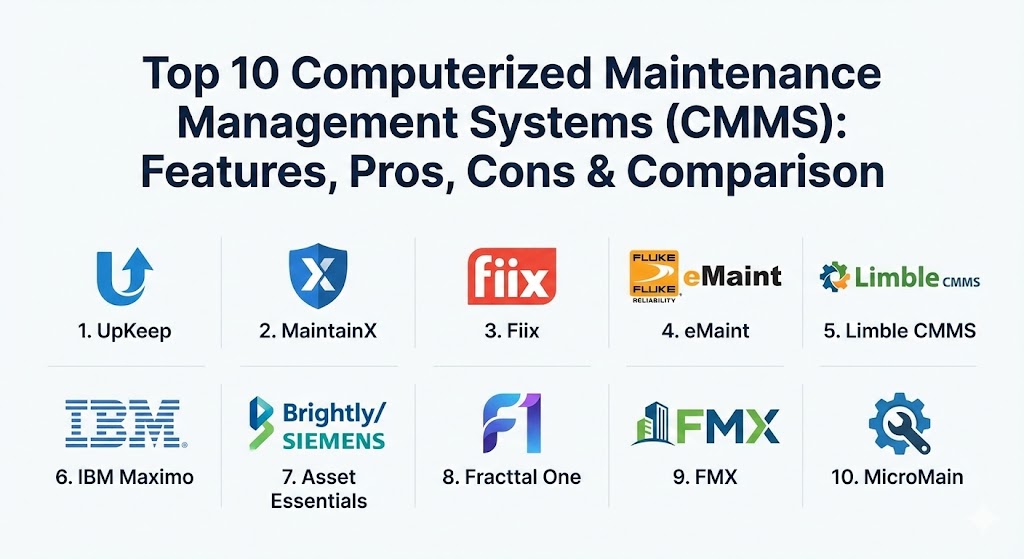
Top 10 Computerized Maintenance Management Systems (CMMS) Tools
1 — UpKeep
UpKeep is widely recognized as the pioneer of the “mobile-first” CMMS movement. Designed specifically for the deskless worker, it empowers technicians to manage work orders directly from their smartphones, even in environments with limited connectivity.
- Key features:
- Mobile-first work order creation and management.
- Asset health monitoring with integrated IoT sensors.
- Preventive maintenance scheduling based on time or meter readings.
- Barcode and QR code scanning for instant asset identification.
- Real-time team communication via in-app messaging.
- Parts and inventory tracking with automated low-stock alerts.
- Advanced analytics and KPI dashboards for MTTR and MTBF.
- Pros:
- Exceptionally high adoption rates among field technicians due to the intuitive app.
- Seamlessly bridges the gap between management and frontline workers.
- Cons:
- Advanced reporting and specific enterprise modules are locked behind higher-tier plans.
- The simplicity can sometimes limit deep customization for highly niche industrial processes.
- Security & compliance: SOC 2 Type II, GDPR, HIPAA, SSO integration, and 256-bit encryption.
- Support & community: Extensive “UpKeep University” for training, 24/7 live support, and a highly active “Maintenance Community” Slack group.
2 — MaintainX
MaintainX focuses on the intersection of maintenance and safety. It is built as a collaborative platform that turns digital procedures and checklists into actionable data, making it a favorite for compliance-heavy industries.
- Key features:
- Digital procedures with mandatory photo and signature captures.
- Instant messaging that links conversations directly to specific work orders.
- Automated recurring work orders for preventive maintenance.
- Offline mode for technicians working in remote or shielded locations.
- Vendor management portal for tracking external contractor work.
- AI-powered duplicate check to prevent redundant work requests.
- Pros:
- The built-in chat function eliminates the need for separate communication tools like WhatsApp.
- Very fast implementation; teams can often be up and running in a single day.
- Cons:
- Integration with complex legacy ERP systems can require professional services.
- The desktop version lacks some of the modern design polish found in the mobile app.
- Security & compliance: ISO 27001, SOC 2, SSO, and granular role-based access controls.
- Support & community: High-quality documentation and responsive customer success managers for premium accounts.
3 — Fiix (by Rockwell Automation)
Fiix is an AI-powered CMMS that leverages its position within the Rockwell Automation ecosystem to offer deep industrial integrations. It is designed to help organizations move beyond preventive maintenance into predictive analytics.
- Key features:
- Fiix Foresight (AI) for detecting anomalies in asset performance.
- Native integration with Rockwell Automation and other industrial hardware.
- Multi-site management for global enterprise visibility.
- Drag-and-drop calendar for easy technician scheduling.
- Open API for custom integrations with MES and ERP systems.
- Built-in audit logs for strict regulatory compliance tracking.
- Pros:
- The AI-driven insights are genuinely useful for large-scale predictive maintenance.
- Backed by a major industrial giant, ensuring long-term stability and roadmap growth.
- Cons:
- The interface can feel overwhelming for smaller teams with simpler needs.
- Initial configuration and asset hierarchy setup require significant planning time.
- Security & compliance: SOC 2 Type 2, ISO 27001, GDPR, and SAML 2.0 for SSO.
- Support & community: Comprehensive “Fiix Academy” and world-class enterprise support tiers.
4 — eMaint (by Fluke Reliability)
eMaint is one of the most configurable CMMS platforms on the market. As part of Fluke Reliability, it integrates natively with Fluke’s world-renowned vibration and condition monitoring sensors.
- Key features:
- Deeply customizable dashboards and data fields.
- Condition-based maintenance triggered by live sensor data.
- Interactive floor plans and mapping for asset visualization.
- Robust inventory management with multi-warehouse support.
- Detailed project management modules for large-scale overhauls.
- Global support for multi-language and multi-currency environments.
- Pros:
- If you can imagine a workflow, eMaint can likely be configured to handle it.
- Direct connection to Fluke sensors provides an “all-in-one” reliability solution.
- Cons:
- The user interface can feel somewhat dated compared to modern SaaS rivals.
- The high level of configurability means the learning curve is steeper for administrators.
- Security & compliance: ISO 27001, SOC 2, GDPR, and SSO support.
- Support & community: Strong user community and an annual “Xcelerate” user conference.
5 — Limble CMMS
Limble prides itself on being the “easiest to use” enterprise-grade CMMS. It strikes a balance between simplicity for technicians and deep analytical power for managers.
- Key features:
- Visual work order builder that requires zero coding.
- High-speed search for assets and parts via QR codes.
- Automated MTTR and MTBF reporting out of the box.
- Customizable request portals for non-maintenance staff.
- Shared asset history that provides technicians with “how-to” guides on-site.
- Predictive maintenance modules that use historical data to forecast failures.
- Pros:
- Implementation speed is among the best in the industry; very low “software fatigue.”
- The customer support team is consistently ranked as the most helpful in the category.
- Cons:
- Mobile app functionality is slightly trailing the desktop experience in feature parity.
- The price point is slightly higher than some entry-level “essential” tools.
- Security & compliance: SOC 2, GDPR, and encrypted data at rest and in transit.
- Support & community: 24/7 support with an average response time under 60 seconds.
6 — IBM Maximo
IBM Maximo is the titan of the Enterprise Asset Management (EAM) world. While it includes a CMMS, it is a much broader suite designed for managing the entire lifecycle of global infrastructure and massive asset portfolios.
- Key features:
- Enterprise-level AI (Watson) for predictive maintenance and reliability.
- Advanced labor and shift management for massive workforces.
- Integrated supply chain and procurement modules.
- Specific industry solutions (e.g., Maximo for Aviation, Utilities, or Oil & Gas).
- Asset Investment Planning (AIP) for long-term capital forecasting.
- Comprehensive environmental, social, and governance (ESG) reporting.
- Pros:
- Unrivaled for managing thousands of assets across multiple global locations.
- Deeply analytical; provides the best ROI for capital-intensive industries.
- Cons:
- Extremely high cost of ownership and implementation complexity.
- Requires a dedicated IT team or professional consultants to manage and update.
- Security & compliance: FedRAMP (for gov), ISO 27001, SOC 2, HIPAA, and GDPR.
- Support & community: Global network of certified partners and a massive enterprise user base.
7 — Asset Essentials (by Brightly/Siemens)
Asset Essentials, part of the Brightly suite (owned by Siemens), is specifically tailored for public works, government, and educational institutions where geographic asset tracking is critical.
- Key features:
- GIS and Esri integration for mapping infrastructure and utilities.
- Integrated capital planning to justify budget requests with data.
- Citizen/Student request portals to streamline facility service calls.
- Fleet management modules for municipal or school bus tracking.
- Native integration with Siemens building automation systems.
- Energy and utility tracking for sustainability goals.
- Pros:
- The best mapping and GIS capabilities in the CMMS market.
- Excellent for proving the need for public funding through detailed asset health reports.
- Cons:
- Less focused on manufacturing-specific “shop floor” workflows.
- Can feel a bit “locked-in” to the broader Siemens/Brightly ecosystem.
- Security & compliance: SOC 2, ISO 27001, and support for governmental security standards.
- Support & community: Dedicated industry-specific support teams for K-12 and Government sectors.
8 — Fracttal One
Fracttal One is a modern, cloud-native CMMS that focuses on “maintenance 4.0.” It is particularly strong in the Latin American and European markets, emphasizing IoT and mobility.
- Key features:
- Fracttal Box (IoT) for plug-and-play machine monitoring.
- Fully responsive mobile app that works on any device.
- AI-driven “Predictto” module for forecasting equipment failure.
- Interactive Kanban boards for work order management.
- Multi-currency and multi-warehouse capabilities.
- Integrated safety and environmental risk assessment.
- Pros:
- The “Fracttal Box” makes IoT integration accessible even for non-technical teams.
- Clean, modern interface that appeals to the younger generation of technicians.
- Cons:
- Reporting tools are powerful but can be complex to configure initially.
- The free version is quite limited for anything beyond very basic testing.
- Security & compliance: ISO 27001, GDPR, and standard cloud encryption protocols.
- Support & community: Strong documentation in multiple languages (English, Spanish, Portuguese).
9 — FMX
FMX (Facilities Management eXpress) is a versatile CMMS and facility management tool designed for organizations that manage both equipment and buildings. It is highly regarded for its visual scheduling features.
- Key features:
- Calendar-based interface that looks and feels like Google Calendar.
- Unified view of maintenance tasks, facility bookings, and IT tickets.
- Simple “click-and-drag” reordering of priorities.
- Public-facing request forms with custom branding.
- Utility and energy usage tracking.
- Integrated inventory and purchasing modules.
- Pros:
- The calendar view is the most intuitive for people who manage shared spaces.
- Exceptionally transparent pricing with unlimited user options.
- Cons:
- Lacks some of the “heavy” industrial features like vibration analysis.
- Not ideal for complex manufacturing with intricate asset hierarchies.
- Security & compliance: SOC 2, GDPR, and SSO integration via SAML.
- Support & community: Dedicated implementation managers and a 99% customer satisfaction rating.
10 — MicroMain
MicroMain is a veteran in the space, offering a “reliability-first” CMMS that focuses on simplifying the data entry process to ensure high data quality for audits.
- Key features:
- “One-click” work order completion to maximize technician speed.
- Comprehensive audit trails for healthcare (Joint Commission) compliance.
- Fleet maintenance and fuel tracking.
- Integration with major ERPs like SAP and Oracle.
- Flexible deployment options (Cloud or On-Premise).
- Asset cloning to quickly add similar machines.
- Pros:
- Excellent for hospitals and labs that face frequent regulatory inspections.
- Highly stable software with decades of industry refinement.
- Cons:
- The user interface lacks the modern “app-like” feel of MaintainX or UpKeep.
- Mobile functionality feels more like a mobile website than a native app.
- Security & compliance: HIPAA, GDPR, ISO 27001, and SOC 2.
- Support & community: Personalized training sessions and robust technical support.
Comparison Table
| Tool Name | Best For | Platform(s) Supported | Standout Feature | Rating (Gartner/TrueReview) |
| UpKeep | Mobile Teams | iOS, Android, Web | Mobile-First UI | 4.6 / 5 |
| MaintainX | Collaboration / Safety | iOS, Android, Web | Built-in Team Chat | 4.8 / 5 |
| Fiix | AI / Automation | iOS, Android, Web | AI Foresight | 4.5 / 5 |
| eMaint | Configuration / Sensors | Web, Mobile | Fluke Sensor Integration | 4.4 / 5 |
| Limble CMMS | Ease of Use | iOS, Android, Web | 60-Sec Support Response | 4.7 / 5 |
| IBM Maximo | Global Enterprises | Web, Mobile, On-Prem | Watson AI Insights | 4.3 / 5 |
| Asset Essentials | Gov / Education | iOS, Android, Web | Esri/GIS Mapping | 4.5 / 5 |
| Fracttal One | IoT Integration | iOS, Android, Web | Fracttal Box (IoT) | 4.6 / 5 |
| FMX | Facility Scheduling | Web, Mobile | Visual Calendar View | 4.7 / 5 |
| MicroMain | Healthcare / Audits | Web, Mobile, On-Prem | One-Click Work Orders | 4.2 / 5 |
Evaluation & Scoring of Computerized Maintenance Management Systems (CMMS)
When selecting a CMMS, the “best” choice is often a matter of balance. A tool with every feature in the world is useless if it is so complex that your technicians refuse to use it. Conversely, a simple app might not provide the data depth required to satisfy an ISO auditor.
| Category | Weight | Evaluation Criteria |
| Core Features | 25% | Work order management, PM scheduling, asset tracking, and inventory. |
| Ease of Use | 15% | Technician UI, mobile app performance, and administrative intuitiveness. |
| Integrations | 15% | Native IoT support, ERP connectivity, and open API availability. |
| Security | 10% | SSO, encryption, SOC 2/ISO compliance, and audit trail depth. |
| Reliability | 10% | Software uptime, offline sync capability, and data backup frequency. |
| Support | 10% | Quality of documentation, speed of response, and onboarding services. |
| Price / Value | 15% | Transparency of pricing and total ROI (downtime reduction). |
Which Computerized Maintenance Management Systems (CMMS) Tool Is Right for You?
Selecting the right tool requires an honest assessment of your team’s digital literacy, your budget, and your long-term reliability goals.
- Solo Users vs SMB vs Enterprise:
- Solo/Small Teams: Focus on MaintainX or UpKeep. These tools are affordable and don’t require an IT degree to set up.
- Mid-Market: Limble CMMS or FMX offer the best balance of power and simplicity for a growing facility.
- Enterprise: IBM Maximo or Fiix are built to handle the complexity of thousands of assets and global multi-site reporting.
- Budget-Conscious vs Premium Solutions:
- Budget: FMX offers transparent pricing with unlimited users, which can be a huge cost-saver.
- Premium: eMaint or IBM Maximo represent a significant investment but offer unparalleled data depth that justifies the cost through optimized asset life.
- Feature Depth vs Ease of Use:
- If your primary goal is to stop the paper trail, prioritize UpKeep or MaintainX.
- If your primary goal is predictive analytics and IoT, prioritize Fiix or Fracttal One.
- Integration and Scalability Needs:
- If you use Fluke sensors, eMaint is the natural choice.
- If you rely on GIS mapping for infrastructure, Asset Essentials is the industry leader.
- Security and Compliance Requirements:
- For Healthcare, MicroMain and Progress MOVEit (if using for file transfer) have the most specialized compliance modules.
- For Government, ensure your chosen tool (like IBM Maximo) offers FedRAMP or equivalent regional security hosting.
Frequently Asked Questions (FAQs)
1. What is the main difference between CMMS and EAM?
CMMS focuses primarily on maintenance operations (work orders, PMs), while EAM (Enterprise Asset Management) covers the entire asset lifecycle, including procurement, design, and decommissioning.
2. Can a CMMS really reduce maintenance costs?
Yes. By shifting from reactive to preventive maintenance, companies typically see a 10%–25% reduction in overall maintenance costs and a significant increase in equipment uptime.
3. Is “mobile-first” really that important for CMMS?
Absolutely. If a technician has to walk back to a desktop computer to log their work, they won’t do it accurately. A mobile app allows for real-time data entry at the machine side.
4. How long does a typical CMMS implementation take?
For modern cloud tools like MaintainX, it can be 24–48 hours. For enterprise systems like IBM Maximo, it can take 6–12 months of planning and data migration.
5. Do these tools work offline?
Most top-tier tools (like MaintainX and UpKeep) have an offline mode that allows technicians to complete work in “dead zones” and sync when they return to Wi-Fi.
6. Can a CMMS integrate with our ERP (like SAP or NetSuite)?
Most professional CMMS tools offer an API or native connectors to sync inventory and financial data with your ERP, preventing data silos.
7. What are “Meter-Based” preventive maintenance triggers?
Instead of scheduling a check every 30 days, a meter trigger schedules work based on actual use (e.g., every 5,000 miles or 1,000 operating hours), which is much more accurate.
8. Is my data secure in a cloud-based CMMS?
Top vendors use enterprise-grade security (SOC 2, ISO 27001) that is often much more secure than an “on-premise” server managed by a small local IT team.
9. How do QR codes help in maintenance?
Technicians scan a QR code on a machine to instantly see its full repair history, open work orders, and safety manuals without having to search through a database.
10. What is the biggest mistake in CMMS adoption?
Buying a tool based on manager features rather than technician usability. If the people doing the work find the tool hard to use, the data in the system will be poor, and the ROI will fail.
Conclusion
A Computerized Maintenance Management System is no longer a luxury; it is the fundamental infrastructure for any organization that relies on physical assets to generate value. Whether you prioritize the ease of use of UpKeep, the collaborative power of MaintainX, or the global enterprise scale of IBM Maximo, the goal remains the same: transforming maintenance from a “cost center” into a strategic competitive advantage. When choosing your tool, remember that the best software is not the one with the most features, but the one your team actually uses every single day.