Introduction
A Retail POS system is the combination of software and hardware that allows merchants to take payments and manage their business operations in real-time. Unlike the simple cash registers of the past, today’s systems are cloud-based, allowing business owners to monitor their stock levels and sales performance from anywhere in the world. These systems are vital because they eliminate manual errors, prevent stockouts through automated inventory alerts, and provide a seamless experience for customers who expect to buy online and return in-store (BORIS).
Key real-world use cases include a boutique clothing store tracking a specific SKU across three different locations, a high-volume hardware store using mobile tablets to “bust lines” during peak hours, or a specialty grocer managing perishable goods with automated discount triggers. When evaluating a POS system in 2026, users should look for hardware durability, offline processing capabilities, depth of inventory management, integration with e-commerce platforms, and transparent processing fees.
Best for: * Independent Retailers: Small to medium-sized boutiques, gift shops, and specialty stores.
- Omnichannel Merchants: Businesses selling both in physical locations and through online marketplaces.
- Enterprise Multi-location Brands: Large chains requiring centralized control and deep data reporting.
Not ideal for: * Service-Only Businesses: Purely service-based businesses like consulting firms may find retail-specific features (like barcode scanning and stock counts) unnecessary.
- Micro-Sellers: Individuals selling only a few items a month at craft fairs might be better served by a simple mobile card reader without a full software subscription.
- Complex Full-Service Restaurants: While some retail POS systems have “lite” food features, a busy restaurant generally needs a dedicated hospitality POS (like Toast) to manage kitchen display systems and table mapping.
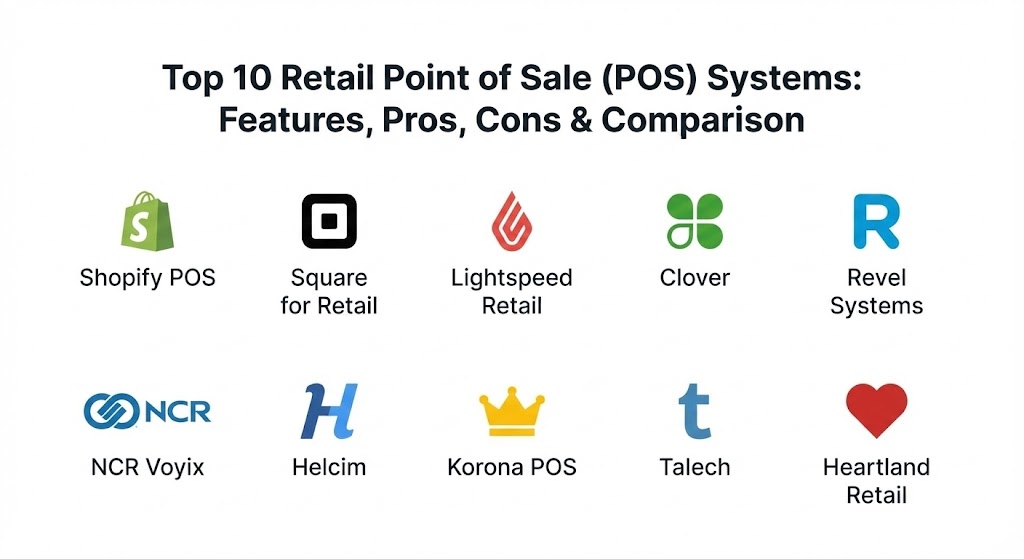
Top 10 Retail Point of Sale (POS) Systems Tools
1 — Shopify POS
Shopify POS is designed specifically for modern retailers who want a flawless connection between their online store and their physical location. It is the gold standard for omnichannel commerce, allowing a single view of customers and inventory across all sales channels.
- Key features:
- Unified Inventory: Real-time synchronization between your website and physical shelves.
- Customer Profiles: Tracks purchase history across online and offline channels for personalized marketing.
- Mobile POS: Use iPhones or iPads to check out customers anywhere in the store.
- Smart Inventory Management: Automated stock adjustments and low-stock notifications.
- “Buy Online, Pick Up In-Store” (BOPIS): Seamlessly handles local pickup orders.
- Detailed Analytics: Unified reporting that shows which products are moving online versus in person.
- Integrated Payments: Built-in Shopify Payments for a streamlined financial setup.
- Pros:
- Unrivaled ease of use for anyone already familiar with the Shopify e-commerce platform.
- Strongest mobile app in the industry for “on-the-go” selling.
- Cons:
- To get the best features, you must pay for the “POS Pro” add-on per location.
- Relies heavily on the Shopify ecosystem; using third-party payment processors incurs extra fees.
- Security & compliance: PCI DSS Level 1 compliant; features end-to-end encryption, SSO for staff, and SOC 2 Type II reporting.
- Support & community: 24/7 global support via chat and email; massive “Shopify Community” forum and extensive “Shopify Academy” video training.
2 — Square for Retail
Square revolutionized the industry with its accessible hardware and has since built a powerful “Square for Retail” software suite that caters specifically to merchants with complex inventory needs.
- Key features:
- Free Starting Tier: No monthly software fee for the basic version, making it ideal for startups.
- Barcoding: Native tools to generate and print barcode labels.
- Vendor Management: Store vendor contact info and track purchase orders within the POS.
- Auto-Exchanges: Simplified process for handling returns and exchanges without manual math.
- Smart Stock Forecasts: AI-driven insights suggesting when to reorder based on historical trends.
- Square Marketing Integration: Send automated emails to customers based on their last purchase.
- Pros:
- Fastest setup time in the market; you can be taking payments within minutes.
- Predictable flat-rate processing fees with no hidden monthly costs for basic users.
- Cons:
- Customer support can be difficult to reach for “Free” plan users.
- Flat-rate processing can become more expensive than “Interchange Plus” for high-volume retailers.
- Security & compliance: PCI compliant; data encryption at rest and in transit; GDPR and CCPA compliant data handling.
- Support & community: Extensive searchable knowledge base; “Square Seller Community” for networking; phone support available for paid subscribers.
3 — Lightspeed Retail
Lightspeed is a heavy-hitter designed for retailers with massive, complex inventories, such as bike shops, jewelry stores, and high-end electronics boutiques.
- Key features:
- Granular Inventory: Handles variants (size, color, material) better than almost any other platform.
- Built-in Catalog: Access to millions of pre-loaded products from thousands of vendors to speed up stock entry.
- Advanced Reporting: Customizable reports that can track margins by brand, category, or employee.
- Multi-Store Management: Centralized control for purchasing and stock transfers between locations.
- Integrated NuORDER: A B2B platform that lets you order stock directly from brands within the POS.
- Pros:
- Exceptional for niche industries that require serialized inventory and complex repairs.
- Highly professional, dedicated account managers for enterprise-level clients.
- Cons:
- The software has a steeper learning curve than Square or Shopify.
- Pricing is on the higher end, often requiring a long-term contract for the best rates.
- Security & compliance: PCI DSS Level 1; ISO 27001 certified; GDPR compliant; supports MFA and granular user permissions.
- Support & community: 24/7 technical support; specialized onboarding training; “Lightspeed Community” forums.
4 — Clover
Clover is a hardware-first POS system that is often distributed through banks. It is known for its stylish, “all-in-one” countertop devices and a massive app market that allows for extreme customization.
- Key features:
- Premium Hardware: Sleek, durable devices ranging from handhelds to large-screen stations.
- Clover App Market: Thousands of third-party apps to add features like payroll, table mapping, or specialized rewards.
- Virtual Terminal: Take payments over the phone or computer without a physical card reader.
- Offline Payments: Process transactions even when the internet goes down.
- Employee Management: Built-in shift scheduling and commission tracking.
- Pros:
- The “all-in-one” design means less clutter and fewer wires on the checkout counter.
- Highly versatile; can be molded to fit almost any retail or hybrid business model.
- Cons:
- Hardware is proprietary; if you leave Clover, your expensive registers cannot be used with other systems.
- Customer service quality varies wildly because it often depends on the bank that sold you the system.
- Security & compliance: PCI DSS compliant; end-to-end encryption (TransArmor); features biometric login on some devices.
- Support & community: 24/7 phone support; extensive online help center; localized support available through merchant service providers.
5 — Revel Systems
Revel is an iPad-based POS designed for mid-to-large-scale retailers who need a rugged, “always-on” system. It is particularly popular for high-volume businesses and franchises.
- Key features:
- Hybrid Architecture: Combines the ease of a cloud system with a local server for 100% uptime.
- Enterprise Management: A single “parent” dashboard to push updates to hundreds of locations.
- Open API: Highly developer-friendly for custom integrations with existing ERPs.
- CRM & Loyalty: Deep customer data tracking with automated reward tiers.
- Real-time Inventory: Tracks raw materials and ingredients for retailers who also manufacture products.
- Pros:
- Incredibly fast and reliable; designed for “zero-lag” during peak holiday rushes.
- Professional-grade hardware enclosures that can withstand heavy use.
- Cons:
- Implementation usually requires a professional setup fee.
- The interface is highly detailed, which may be “too much” for a very small shop.
- Security & compliance: PCI P2PE (Point-to-Point Encryption); SOC 2 compliant; GDPR and HIPAA options available for healthcare-related retail.
- Support & community: 24/7 phone and chat support; “Revel University” for staff training; dedicated implementation specialists.
6 — NCR Voyix (formerly NCR Silver)
NCR is a legacy giant in the payment space. Their modern “Voyix” retail solution brings enterprise-level power to smaller businesses, focusing on reliability and traditional retail workflows.
- Key features:
- Robust Inventory: Designed for retailers with high SKU counts and multiple vendors.
- Marketing Engine: Integrated email and social media tools to drive repeat business.
- Handheld Options: Hardware options that include integrated scanners for inventory counts.
- Fraud Prevention: Sophisticated AI-driven tools to catch suspicious transaction patterns.
- Back-Office Integration: Links directly with accounting software like QuickBooks and Sage.
- Pros:
- Exceptional reliability; NCR has been in the register business for over a century.
- The “Concierge” onboarding service is one of the best for non-technical owners.
- Cons:
- Contract terms are often more rigid than newer SaaS-first competitors.
- The mobile app experience isn’t as polished as Shopify’s.
- Security & compliance: PCI DSS; SOC 1/2; features advanced audit logs and physical security for registers.
- Support & community: 24/7 global support; extensive field service technicians available for on-site repairs.
7 — Helcim
Helcim is the “underdog” favorite for 2026, gaining massive popularity due to its Interchange Plus pricing model, which provides significant savings for high-volume merchants.
- Key features:
- Transparent Pricing: No monthly fees; you pay the actual interchange rate plus a small, clear margin.
- Integrated CRM: Tracks customer behavior and notes without an extra subscription.
- Inventory Tracking: Unlimited SKUs and automated low-stock alerts.
- Online Storefront: Includes a basic e-commerce site for retailers who don’t want a complex Shopify setup.
- Self-Service Portal: Allow customers to view their own invoices and payment history.
- Pros:
- Arguably the best value in the industry for businesses doing over $20k/month in sales.
- Honest, human-focused company culture with no “bait and switch” pricing.
- Cons:
- Hardware selection is more limited than Clover or Square.
- Lacks the advanced “niche” inventory features found in Lightspeed.
- Security & compliance: PCI compliant; uses vault-based tokenization for card data; GDPR compliant.
- Support & community: 100% human-based phone support (no robots); detailed technical wiki and blog.
8 — Korona POS
Korona is a specialized retail POS that has carved out a niche in the high-security and high-regulation retail sectors, such as dispensaries, liquor stores, and museum gift shops.
- Key features:
- Regulation Compliance: Specialized tools for age verification and state-level reporting.
- No Contracts: Month-to-month billing with the ability to cancel at any time.
- Ticketing Integration: Ability to sell both retail goods and event tickets in one system.
- Stock Optimization: Advanced logic to suggest transfer of stock between underperforming and overperforming stores.
- Franchise Features: Royalty calculation and multi-level user permissions.
- Pros:
- One of the few systems that can handle “high-risk” retail with ease.
- Very low hardware requirements; can run on almost any existing PC or tablet.
- Cons:
- The interface looks more like traditional software and less like a modern “app.”
- E-commerce integrations are through third-party partners rather than native.
- Security & compliance: SOC 2; PCI compliant; features deep audit logs and “void” tracking to prevent employee theft.
- Support & community: 24/7 phone support; personalized training sessions; strong documentation.
9 — Talech (by Elavon)
Talech is a versatile, mid-market POS solution that is often praised for its clean design and deep reporting capabilities. It is a favorite for retail-service hybrids (like a salon that also sells products).
- Key features:
- Service-Retail Hybrid: Manages appointments and retail sales in a single interface.
- Inventory Scans: Native mobile app turns any smartphone into an inventory scanner.
- Flexible Bundling: Create promotional “kits” or bundles with a single click.
- Customer Facing Display: Modern hardware options to show customers their order in real-time.
- Advanced Discounts: Schedule complex, time-based promotions (e.g., “Flash Sale Fridays”).
- Pros:
- Incredibly easy to train new staff members; very “iPhone-like” logic.
- Powerful analytics that provide “actionable insights” rather than just raw data.
- Cons:
- Integrations are mostly limited to the Elavon/U.S. Bank ecosystem.
- The software can be prone to lag on older iPad models.
- Security & compliance: PCI DSS; end-to-end encryption; supports SSO and MFA.
- Support & community: 24/7 phone and email support; comprehensive video tutorial library.
10 — Heartland Retail
Heartland Retail is a purpose-built system for multi-store retailers. It focuses on the data-driven owner who wants to optimize margins and improve stock turn rates.
- Key features:
- Cross-Store Returns: Seamlessly return an item at Store A that was bought at Store B.
- Custom Fields: Add unique data points to items (e.g., “Season,” “Designer,” or “Material”).
- Automated Purchasing: Set reorder points that automatically generate POs for your vendors.
- Real-time Dashboards: Visual representations of your top-selling brands and categories.
- Open API: High-level connectivity for enterprise tech stacks.
- Pros:
- Specifically built for the “Retail” mindset; doesn’t try to be a restaurant system.
- Exceptional data portability; easy to export your records for outside analysis.
- Cons:
- Pricing can be opaque; usually requires a custom quote.
- The feature set might be too complex for a single-location boutique.
- Security & compliance: PCI compliant; features “Heartland Secure” encryption; SOC 2 reporting available.
- Support & community: 24/7 U.S.-based support; dedicated implementation managers; regional training events.
Comparison Table
| Tool Name | Best For | Platform(s) Supported | Standout Feature | Rating (Gartner / TrueReview) |
| Shopify POS | Omnichannel Retail | iPad, iPhone, Android | E-commerce Integration | 4.8 / 5.0 |
| Square for Retail | Small Startups | iPad, Android, Square Reg | Accessible Hardware | 4.6 / 5.0 |
| Lightspeed Retail | Complex Inventory | iPad, Desktop | Built-in Vendor Catalogs | 4.5 / 5.0 |
| Clover | All-in-one Hardware | Proprietary Clover Hardware | App Marketplace | 4.4 / 5.0 |
| Revel Systems | High Volume / Enterprise | iPad | Local Server Sync | 4.3 / 5.0 |
| NCR Voyix | Established Enterprises | iPad, Proprietary HW | 100+ Year Reliability | 4.1 / 5.0 |
| Helcim | High-volume Value | Desktop, Tablet, Mobile | Interchange Plus Pricing | 4.7 / 5.0 |
| Korona POS | Regulated Retail | Windows, Mac, Linux | Compliance Reporting | 4.5 / 5.0 |
| Talech | Service-Retail Hybrids | iPad, Android, Poynt | Appointment Booking | 4.2 / 5.0 |
| Heartland Retail | Multi-store Brands | iPad, Desktop | Advanced Margin Analysis | 4.4 / 5.0 |
Evaluation & Scoring of Retail Point of Sale (POS) Systems
To ensure a fair assessment, we have evaluated the top players using a weighted scoring rubric that reflects the priorities of 2026 retailers.
| Criteria | Weight | Shopify | Square | Lightspeed | Clover |
| Core Features | 25% | 10/10 | 9/10 | 10/10 | 8/10 |
| Ease of Use | 15% | 10/10 | 10/10 | 7/10 | 9/10 |
| Integrations | 15% | 10/10 | 9/10 | 8/10 | 10/10 |
| Security & Compliance | 10% | 10/10 | 10/10 | 10/10 | 10/10 |
| Performance & Reliability | 10% | 9/10 | 9/10 | 9/10 | 9/10 |
| Support & Community | 10% | 10/10 | 7/10 | 9/10 | 6/10 |
| Price / Value | 15% | 8/10 | 10/10 | 7/10 | 7/10 |
| TOTAL SCORE | 100% | 9.55 | 9.10 | 8.60 | 8.30 |
Which Retail Point of Sale (POS) Systems Tool Is Right for You?
Solo Users vs SMB vs Mid-market vs Enterprise
- Solo Users/Side-Hustles: Square remains the king for individual sellers. The hardware is cheap (sometimes free), and there are no monthly fees to eat into your profits.
- SMBs (Single to Multi-location): Shopify POS is the best choice if you have any online presence. For purely physical stores with complex needs, Helcim offers the best financial value.
- Mid-market: Lightspeed Retail or Heartland Retail provide the depth of reporting needed to manage significant growth and multi-state tax complexities.
- Enterprise: Revel Systems or NCR Voyix are built for scale. They offer the security, parent-child location controls, and rugged hardware that a global brand requires.
Budget-conscious vs Premium Solutions
- Budget-conscious: Helcim and Square (Basic) are the leaders. Helcim is particularly strong because it doesn’t try to hide its processing fees behind “Tiers.”
- Premium: Shopify POS Pro and Revel Systems are premium products. You are paying for a world-class user experience and extreme reliability.
Feature Depth vs Ease of Use
If you want Ease of Use, go with Shopify or Square. Your employees can be trained in 15 minutes. If you want Feature Depth (e.g., you need serial number tracking for every bicycle part), Lightspeed is the only logical choice.
Integration and Scalability Needs
If you plan to scale from one store to fifty, you need an Open API. Revel and Heartland are the strongest here. If you want a “plug-and-play” ecosystem where everything (payroll, marketing, loyalty) is in one dashboard, Shopify or Clover are the winners.
Frequently Asked Questions (FAQs)
1. Can I use my own iPad with these POS systems?
Most modern cloud systems like Shopify, Square, Lightspeed, and Revel allow you to use a standard iPad. However, Clover and NCR Voyix often require proprietary hardware designed specifically for their software.
2. What happens if my internet goes down?
Top systems like Revel and Clover offer an “Offline Mode” that allows you to continue taking card payments. The transactions are stored securely and processed once your connection is restored.
3. Is “Interchange Plus” pricing better than “Flat Rate”?
Generally, yes. Flat-rate (like Square) is simpler to understand, but Interchange Plus (like Helcim) is almost always cheaper for businesses doing high volume, as it passes the actual cost of the card through to you.
4. Can I keep my existing merchant account?
Systems like Shopify and Square prefer you to use their integrated processors. However, “Legacy” systems and some mid-market tools like Revel or Lightspeed allow you to “Bring Your Own Processor” (BYOP) for a fee.
5. How long does it take to migrate inventory from an old system?
Most systems allow for a CSV/Excel import. If your data is clean, it can take a few hours. If you have thousands of SKUs with variations, expect a dedicated implementation team to spend 2-3 days on the migration.
6. Do I need a POS for a pop-up shop?
Yes, but a “lite” version is enough. Square or the Shopify mobile app are perfect for pop-ups because they require no heavy hardware and run off an iPhone.
7. Are these systems PCI compliant?
Every system on this list is PCI compliant. However, as the business owner, you are still responsible for “PCI Validation”—a simple annual questionnaire that ensures you aren’t doing anything risky like writing down card numbers.
8. Can I track employee commissions?
Yes, tools like Talech, Lightspeed, and Shopify POS Pro have integrated commission tracking that automatically calculates payouts based on the items sold by each staff member.
9. Do I need a separate system for my online store?
Ideally, no. Using Shopify or Square ensures your inventory is one single pool. If you use a separate POS and e-commerce platform, you will likely need a third-party “sync” tool to prevent overselling.
10. What hardware do I absolutely need to start?
At minimum, you need a tablet/computer, a card reader, and a receipt printer. Most modern retailers are moving toward “Email Receipts,” which eliminates the need for a physical printer.
Conclusion
Selecting the right Retail POS system in 2026 is no longer about just “ringing up a sale.” It is a strategic decision that affects your inventory accuracy, your customer loyalty, and your sanity as a business owner.
If you are a digitally-native brand, Shopify POS is the undisputed leader. For those prioritizing low costs and ease of entry, Square and Helcim provide incredible value. And for the “power users” with thousands of SKUs, Lightspeed remains the gold standard. Ultimately, the best system is the one that fits your specific workflow today while giving you the room to scale tomorrow.