Introduction
Session Replay Tools are digital experience platforms that capture and recreate a user’s interactions on a website or application. This includes mouse movements, clicks, scrolls, taps, and even window resizing. Unlike a standard video recording, session replays are typically reconstructions of the Document Object Model (DOM), meaning they are lightweight and searchable. By watching these replays, businesses can identify friction points, uncover technical bugs that logs might miss, and understand the emotional context of a user’s frustration.
In 2026, these tools have become increasingly sophisticated, integrating artificial intelligence to automatically flag “rage clicks,” “u-turns,” and “dead clicks,” saving teams hundreds of hours of manual review. Key real-world use cases include optimizing checkout funnels, debugging complex front-end errors by seeing exactly what the user saw, and providing high-touch customer support. When choosing a tool, evaluation criteria should prioritize data privacy (auto-masking of sensitive info), impact on site performance (latency), searchability of events, and integration with your existing tech stack.
Best for: Product managers, UX researchers, front-end developers, and customer success teams in mid-to-large enterprises, e-commerce brands, and SaaS companies that rely on conversion optimization.
Not ideal for: Simple, static informational sites with low traffic or organizations with extreme privacy restrictions that prohibit the capture of any user interaction data, even when masked.
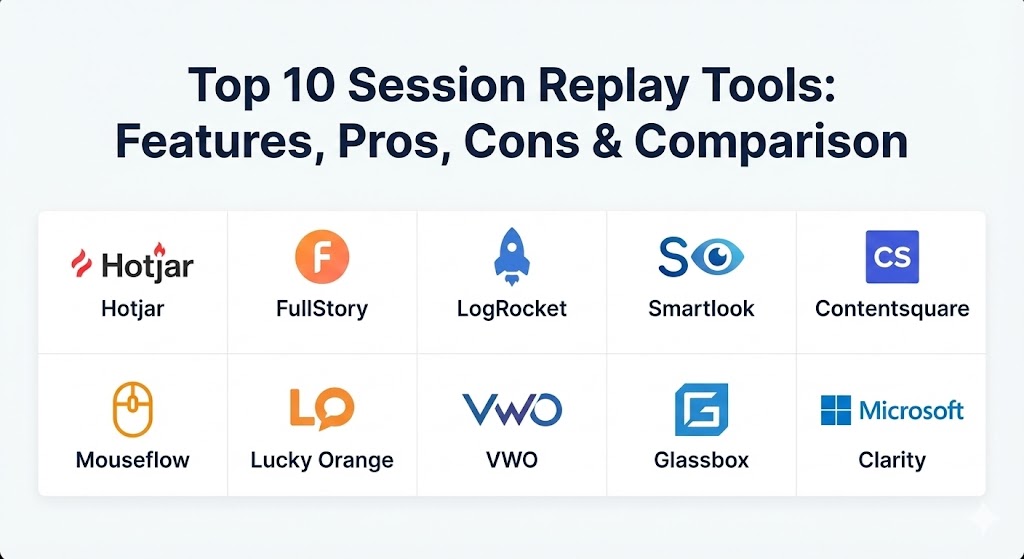
Top 10 Session Replay Tools
1 — Hotjar
Hotjar is one of the most recognized names in the industry, offering a combined suite of session replays, heatmaps, and feedback tools. It is designed to be accessible for marketing and product teams who need a holistic view of the user experience without deep technical overhead.
- Key features:
- Combined Heatmaps and Session Recordings in one dashboard.
- “Rage Click” and “U-turn” automated tagging.
- Integrated Feedback polls and Surveys that trigger after specific actions.
- Easy-to-use “Highlights” feature to clip and share snippets with team members.
- Identification of user attributes for targeted replay viewing.
- Automated data retention and privacy management.
- Pros:
- Extremely intuitive user interface that requires zero training for new users.
- Excellent value for money, especially for SMBs and mid-market teams.
- Cons:
- Lacks the deep technical “under-the-hood” logging (like network requests) that developers often need.
- Sampling limits on lower-tier plans can miss crucial edge-case sessions.
- Security & compliance: GDPR, CCPA, and LGPD compliant. Offers robust client-side masking and is SOC 2 Type II certified.
- Support & community: Extensive documentation and “Hotjar Learning” academy. Strong community and responsive email/chat support.
2 — FullStory
FullStory is a premium Digital Experience Intelligence (DXI) platform. It focuses on massive-scale data capture and powerful search capabilities, allowing teams to find a “needle in a haystack” among millions of sessions.
- Key features:
- “Omnisearch” which allows you to search for any element, CSS selector, or user action.
- Conversions and Funnels analytics built directly on top of replay data.
- Signal-based alerting for sudden drops in UX quality.
- Frustration Signals (rage clicks, thrashed cursors, etc.) prioritized by impact.
- Private by default: automatic masking of all PII without manual configuration.
- Deep integrations with Jira, Slack, and Segment.
- Pros:
- Best-in-class search and segmentation capabilities for large datasets.
- Minimal configuration required to start capturing meaningful insights.
- Cons:
- Can be significantly more expensive than competitors as traffic scales.
- The sheer amount of data can be overwhelming for very small teams.
- Security & compliance: SOC 2 Type II, GDPR, HIPAA (with BAA), and ISO 27001.
- Support & community: Enterprise-grade support with dedicated success managers; robust knowledge base and professional services.
3 — LogRocket
LogRocket is the session replay tool built specifically for software engineers. It combines replay functionality with front-end monitoring, allowing devs to see the network logs, Redux state, and console errors alongside the user’s actions.
- Key features:
- Integrated Console Log and Network Request monitoring.
- Performance monitoring (CPU usage, memory leaks, and core web vitals).
- Error tracking with stack traces linked directly to session replays.
- Technical “Time Travel” to inspect the state of the app at any point in the replay.
- AI-summarized “Issue Reports” to explain why a user encountered an error.
- Support for mobile apps (iOS/Android) and web.
- Pros:
- Essential for debugging; reduces “reproduction time” for bugs to near zero.
- High-fidelity replays for complex, single-page applications (SPAs).
- Cons:
- UI is more technical and can be intimidating for pure marketing roles.
- Heavily focused on “fixing” rather than broad “UX research.”
- Security & compliance: SOC 2, HIPAA, GDPR, and PCI compliance. Advanced PII scrubbing.
- Support & community: Strong technical documentation and active developer community on GitHub and specialized forums.
4 — Smartlook
Smartlook (recently integrated into the Cisco/AppDynamics ecosystem) provides session replays and heatmaps for both web and mobile applications. It is known for its “always-on” recording and focus on the quantitative side of qualitative data.
- Key features:
- Native mobile app SDKs for iOS, Android, Flutter, and React Native.
- Event tracking that allows you to turn replay actions into quantitative graphs.
- Automatic identification of users via API for support ticket resolution.
- Funnel analysis to see where users drop off and watch the exact replays of the drop-offs.
- Wireframe mode for maximum privacy during internal reviews.
- Pros:
- One of the best mobile-first session replay implementations on the market.
- Easy transition from watching a replay to analyzing a funnel.
- Cons:
- Analytics dashboards are less customizable than enterprise-only competitors.
- Some users report slight performance overhead on very complex mobile apps.
- Security & compliance: GDPR, CCPA, and ISO 27001. Offers customizable data masking.
- Support & community: Good email support and extensive video tutorials; localized support in multiple languages.
5 — Contentsquare
Contentsquare is an enterprise-level experience analytics platform. After acquiring companies like Heap, it has become a powerhouse for multi-channel journey analysis, serving some of the world’s largest brands.
- Key features:
- Journey Analysis: visualizing how users move through the entire site, not just one page.
- Zone-based Heatmaps: analyzing the revenue and conversion value of every element.
- CS (Contentsquare) Live: a browser extension to see metrics directly on your site.
- AI Insights: automatically flagging the biggest opportunities for revenue growth.
- Error Analysis: quantifying the financial impact of specific technical bugs.
- Pros:
- Superior for large e-commerce sites needing to quantify the dollar value of UX changes.
- Excellent visualization of complex user journeys.
- Cons:
- Extremely high entry price; not suitable for startups or SMBs.
- Requires a significant setup time and dedicated analysts to manage.
- Security & compliance: SOC 2 Type II, ISO 27001, GDPR, and HIPAA. Highly advanced “cookieless” tracking options.
- Support & community: Dedicated enterprise support teams and a global “CS Community” for networking.
6 — Mouseflow
Mouseflow is a versatile tool that focuses on “friction scoring.” It helps teams prioritize which sessions to watch by identifying where users are struggling most through an automated score.
- Key features:
- Friction Scores: automated ranking of sessions based on user frustration.
- Form Analytics: seeing where users drop off in lead or checkout forms.
- Funnels and Heatmaps (including click, scroll, and movement).
- Feedback campaigns triggered by user behavior.
- Open API for custom integrations and data exports.
- Pros:
- Form analytics are particularly deep compared to other general session tools.
- The friction score is highly accurate and saves a massive amount of review time.
- Cons:
- Replay fidelity can occasionally stutter on highly dynamic JavaScript elements.
- The interface, while functional, feels a bit more “utility” than “premium.”
- Security & compliance: GDPR, CCPA, and SOC 2. Data is stored on servers in Europe (optional).
- Support & community: Responsive customer support and a helpful library of conversion optimization guides.
7 — Lucky Orange
Lucky Orange is known for its “Real-Time” capabilities. It is designed for smaller e-commerce teams who want to watch live sessions and even interact with customers via chat to save a sale.
- Key features:
- Real-time Dashboard: see exactly who is on your site right now.
- Live View: watch a user interact with your site in real-time.
- Integrated Chat: message a user directly while watching their session.
- Dynamic Heatmaps that work behind logins and on dynamic elements.
- Announcers: pop-ups triggered by specific user behavior.
- Pros:
- Unique real-time features that allow for immediate conversion intervention.
- Very affordable pricing, making it a favorite for Shopify and small retailers.
- Cons:
- Analytics and segmentation are not as robust as FullStory or Contentsquare.
- Not designed for high-volume enterprise traffic.
- Security & compliance: GDPR, CCPA, and PCI compliant. Simple masking features.
- Support & community: Excellent chat support (as they use their own tool) and an active user base in the e-commerce community.
8 — VWO (Visual Website Optimizer)
VWO is primarily an A/B testing platform that has integrated session replays into its “VWO Insights” module. It is best for teams who want to see why their experiments succeeded or failed.
- Key features:
- Replays tied directly to A/B testing variations.
- Heatmaps and clickmaps for experiment variations.
- Observation-to-Hypothesis workflow: mark a replay and turn it into a test.
- Funnel and form analytics.
- Smart filters based on experiment IDs.
- Pros:
- Unbeatable if you are already using VWO for testing; provides perfect context for results.
- All-in-one platform for planning, testing, and observing.
- Cons:
- Session replay as a standalone product is not as feature-rich as dedicated tools.
- Can be expensive if you only want the replay functionality.
- Security & compliance: SOC 2 Type II, ISO 27001, HIPAA, and GDPR compliant.
- Support & community: 24/7 enterprise support and a massive knowledge base on conversion rate optimization (CRO).
9 — Glassbox
Glassbox is the “Bank-Grade” session replay tool. It specializes in highly regulated industries like finance, insurance, and healthcare, where security and precision are the top priorities.
- Key features:
- “Cashless” replay technology for extreme accuracy in financial transactions.
- Automatic record-keeping for compliance and dispute resolution.
- Struggle Score: identifying technical and behavioral friction.
- Native mobile app monitoring with high-fidelity reconstruction.
- On-premise or private cloud deployment options for maximum security.
- Pros:
- The most secure and compliant tool in the category; trusted by global banks.
- Capable of capturing 100% of sessions without sampling, ensuring total auditability.
- Cons:
- High implementation complexity.
- Pricing is strictly at the enterprise level.
- Security & compliance: SOC 2, HIPAA, GDPR, ISO 27001, and PCI Level 1. Unique “vault” storage for sensitive data.
- Support & community: High-touch enterprise support with onsite training options.
10 — Microsoft Clarity
Microsoft Clarity is a free, lightweight session replay tool. It has gained massive popularity for providing high-quality UX insights without the price tag, focusing on performance and ease of use.
- Key features:
- Completely free with no traffic limits.
- “Quick Backs” and “Dead Click” automated tagging.
- Deep integration with Google Analytics.
- Heatmaps and session recordings for web and mobile.
- Performance insights (where the site is loading slowly for users).
- Generative AI summaries of user sessions.
- Pros:
- Free forever with no sampling; you can capture every single session.
- Virtually zero impact on site performance due to efficient data compression.
- Cons:
- Lacks advanced funnels, form analytics, and feedback tools.
- Support is primarily through community forums and documentation.
- Security & compliance: GDPR, CCPA, and SOC 2. Built-in PII masking by default.
- Support & community: Strong documentation and community support; integration with Microsoft’s broader cloud ecosystem.
Comparison Table
| Tool Name | Best For | Platform(s) Supported | Standout Feature | Rating (Gartner / TrueReview) |
| Hotjar | SMB / UX Teams | Web | Combined Feedback/Replay | 4.4 / 5 |
| FullStory | Large-Scale Search | Web / Mobile | Omnisearch Engine | 4.6 / 5 |
| LogRocket | Developers / Debugging | Web / Mobile | Network & Log Sync | 4.7 / 5 |
| Smartlook | Mobile App Focus | Web / Mobile | Mobile Native SDKs | 4.5 / 5 |
| Contentsquare | E-commerce ROI | Web / Mobile | Zone-Based Heatmaps | 4.8 / 5 |
| Mouseflow | Form Optimization | Web | Form Analytics & Friction | 4.3 / 5 |
| Lucky Orange | Real-time E-comm | Web | Live Interaction/Chat | 4.4 / 5 |
| VWO | Experimentation | Web / Mobile | A/B Testing Integration | 4.5 / 5 |
| Glassbox | Finance / Enterprise | Web / Mobile | 100% Session Capture | 4.6 / 5 |
| Microsoft Clarity | Free / High Traffic | Web / Mobile | AI Session Summaries | 4.4 / 5 |
Evaluation & Scoring of Session Replay Tools
Choosing the right tool requires balancing raw features against the practicalities of implementation and cost. We have evaluated the market leaders using the following weighted criteria:
| Category | Weight | Score (Avg) | Evaluation Notes |
| Core Features | 25% | 9.0/10 | Replay fidelity and searchability are now highly mature across the board. |
| Ease of Use | 15% | 8.5/10 | Tools like Hotjar and Clarity set a high bar for intuitive UI. |
| Integrations | 15% | 8.0/10 | Most connect well with CRMs; developer tools lead in technical stacks. |
| Security & Compliance | 10% | 9.5/10 | Privacy is a non-negotiable in 2026; masking is highly advanced. |
| Performance | 10% | 8.5/10 | Most tools use DOM-reconstruction, minimizing impact on page load. |
| Support & Community | 10% | 8.0/10 | Enterprise tools provide success managers; lower tiers rely on docs. |
| Price / Value | 15% | 7.5/10 | Clarity disrupts this, but high-end tools still command a premium. |
Which Session Replay Tool Is Right for You?
The “best” tool depends entirely on your specific organizational needs, technical capacity, and budget.
Solo Users vs SMB vs Mid-market vs Enterprise
- Solo/Small Startups: Microsoft Clarity is the obvious choice. It’s free and offers more than enough for basic UX optimization. If you need feedback/surveys, Hotjar’s free or basic tiers are excellent.
- Mid-Market SaaS: Smartlook or LogRocket provide the balance of UX insights and technical debugging that scaling products need.
- Large Enterprises: FullStory or Contentsquare are the only ones capable of handling massive data while remaining searchable and actionable.
Budget-conscious vs Premium Solutions
If budget is the primary constraint, Clarity is unbeatable. However, keep in mind that “free” tools don’t offer the high-touch support or specialized features like the “cashless” precision of Glassbox or the “Revenue Attribution” of Contentsquare.
Feature Depth vs Ease of Use
If you want to be up and running in 5 minutes, go with Hotjar or Lucky Orange. If you are willing to spend weeks on configuration to get deep technical insights or complex funnel logic, FullStory and LogRocket offer much greater depth.
Integration and Scalability Needs
For those heavily invested in the Microsoft or Cisco ecosystems, choosing Clarity or Smartlook can provide better data synergy. For e-commerce brands on Shopify, Lucky Orange and Mouseflow offer native apps that simplify installation.
Frequently Asked Questions (FAQs)
1. Will a session replay tool slow down my website or mobile app?
Modern tools use DOM-reconstruction and asynchronous data transmission, which means they don’t load with the main page and have a negligible (usually <1%) impact on performance.
2. Can users see that I am recording their session?
No, session replay happens in the background. It is not a video recording of the screen, but a data-driven reconstruction of user actions.
3. Is session replay a violation of GDPR or privacy laws?
Not if used correctly. In 2026, most tools auto-mask sensitive information (passwords, credit cards). You must include the tool in your privacy policy and allow users to opt-out.
4. How long is session data typically stored?
Retention varies by plan. Most SMB tools store data for 30–90 days, while enterprise tools can offer 12+ months of storage for compliance purposes.
5. What is the difference between a heatmap and a session replay?
A heatmap is an aggregate view of all users (where everyone clicked), whereas a session replay is a 1-to-1 view of a single user’s specific journey.
6. Can these tools record sessions behind a login or on a checkout page?
Yes, most can. However, you must be careful to configure masking on those pages to ensure you aren’t capturing personally identifiable information (PII).
7. Do I need to be a developer to install these tools?
Most only require a single “snippet” of JavaScript to be placed in the header, often via a Tag Manager like Google Tag Manager (GTM).
8. Can I watch sessions of people using my mobile app?
Yes, tools like LogRocket, Smartlook, and Contentsquare offer specific SDKs for mobile apps that capture native gestures and screens.
9. What are “Rage Clicks”?
Rage clicks occur when a user clicks the same element rapidly multiple times, usually indicating that a button is broken or the user is frustrated by a slow response.
10. Why should I pay for a tool if Microsoft Clarity is free?
You pay for advanced features like form analytics, conversion revenue tracking, deep technical logs (network/console), and dedicated enterprise support.
Conclusion
Understanding your user is no longer about guessing; it is about observing. Whether you are a lone developer debugging a side project with Microsoft Clarity or an enterprise team optimizing a billion-dollar funnel with FullStory, session replay tools provide the ultimate “truth” in user behavior. The right choice for your business will balance the need for deep technical insights with the necessity of user privacy and ease of adoption.