Introduction
Robotics simulation tools are virtual sandboxes equipped with high-fidelity physics engines and sensor models. They enable developers to replicate real-world environments, including gravity, friction, lighting, and collision dynamics. By running thousands of iterations in a “digital twin” environment, teams can train artificial intelligence models through reinforcement learning, validate control algorithms, and predict how a robot will interact with human bystanders or obstacles.
The importance of these tools lies in the “Sim-to-Real” pipeline. High-quality simulation reduces R&D costs by 60–80% and accelerates the time-to-market. Key real-world use cases include autonomous vehicle path planning, surgical robot precision testing, and multi-robot coordination in smart factories. When evaluating these tools, users should look for physics engine accuracy (ODE, Bullet, or MuJoCo), sensor simulation quality (LiDAR, RGB-D), ROS/ROS2 integration, and the ability to import CAD files seamlessly.
Best for: Robotics engineers, R&D departments in automotive and aerospace, academic researchers, and AI developers focusing on reinforcement learning. It is indispensable for companies building autonomous mobile robots (AMRs) or complex industrial manipulators.
Not ideal for: Mechanical designers who only require static CAD modeling (e.g., SolidWorks without simulation plugins) or hobbyists working on very basic, non-autonomous hardware where the physical trial-and-error cost is negligible.
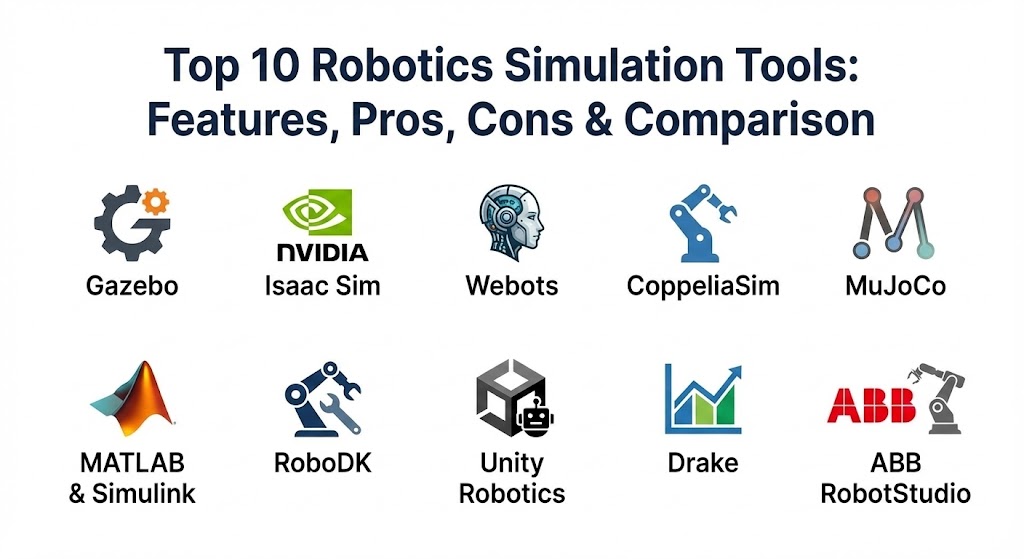
Top 10 Robotics Simulation Tools
1 — Gazebo (Classic and Sim)
Gazebo has long been the industry standard for open-source robotics simulation. Closely tied to the Robot Operating System (ROS), it provides a robust platform for simulating populations of robots in complex indoor and outdoor environments. With the transition from Gazebo “Classic” to the modern “Gazebo Sim” (formerly Ignition), the tool has gained better rendering and a more modular architecture.
- Key features:
- Native and seamless integration with ROS and ROS2.
- Multiple physics engine support, including ODE, Bullet, and DART.
- Extensive library of sensor models (GPS, Laser, IMU, etc.).
- Distributed simulation support for high-compute tasks.
- Modular plugin system for custom robot behavior.
- Programmatic world building using SDF (Simulation Description Format).
- Pros:
- Completely free and open-source with a massive global community.
- The most documented tool for ROS-based development.
- Cons:
- Rendering quality is functional but lags behind game-engine-based simulators.
- Can be resource-heavy, especially when simulating high-fidelity sensors like LiDAR.
- Security & compliance: Open-source transparency; security depends on the host OS; community-driven security patches.
- Support & community: Unmatched community support through Open Robotics and ROS Discourse; extensive tutorials and GitHub documentation.
2 — NVIDIA Isaac Sim
Built on the NVIDIA Omniverse platform, Isaac Sim is a high-performance simulation tool designed for AI-driven robotics. It leverages NVIDIA’s RTX technology for photorealistic rendering and PhysX for high-accuracy physics, making it the premier choice for training neural networks in simulation.
- Key features:
- Photorealistic rendering with real-time ray tracing (RTX).
- Integration with NVIDIA Isaac Gym for large-scale reinforcement learning.
- Seamless CAD import via Universal Scene Description (USD).
- Synthetic Data Generation (SDG) for training computer vision models.
- Native ROS/ROS2 support through specialized bridges.
- Cloud-based simulation capabilities for remote collaboration.
- Pros:
- Exceptional visual fidelity, which reduces the “reality gap” in computer vision.
- Massive parallelization allows training of thousands of robots simultaneously.
- Cons:
- Requires high-end NVIDIA hardware (RTX GPUs) to function effectively.
- Steeper learning curve compared to more traditional, lightweight simulators.
- Security & compliance: SOC 2, GDPR, and ISO 27001 compliant through the NVIDIA Omniverse enterprise framework.
- Support & community: Robust enterprise support; active developer forums and frequent technical webinars.
3 — Webots
Webots is a professional, versatile robotics simulator used for both industry and education. It is known for its balance between ease of use and high-performance simulation, supporting a wide range of robots including bipedal, wheeled, and aerial systems.
- Key features:
- Large library of pre-modeled robots (Aibo, YouBot, TurtleBot, etc.).
- Cross-platform support (Windows, Linux, macOS).
- Built-in supervisor for controlling simulation parameters programmatically.
- Support for C++, Python, Java, MATLAB, and ROS.
- Easy-to-use GUI for world building and robot modification.
- Pros:
- Much easier to set up and “get running” for beginners than Gazebo.
- Lightweight enough to run on standard laptops without high-end GPUs.
- Cons:
- Not as specialized for massive multi-agent reinforcement learning as Isaac Sim.
- Visuals are good but not photorealistic for high-end vision testing.
- Security & compliance: Open-source (Apache 2.0); enterprise users can implement private security layers.
- Support & community: Well-structured documentation; active Discord and GitHub community.
4 — CoppeliaSim (formerly V-REP)
CoppeliaSim is a highly flexible simulation environment that excels in industrial automation and research. It is famous for its “everything is a plugin” approach, allowing almost any part of the simulation to be customized via Lua scripts or external APIs.
- Key features:
- Supports four different physics engines (Bullet, ODE, Newton, Vortex).
- Integrated kinematics and dynamics calculation modules.
- Remote API allowing control from Python, C++, Java, or MATLAB.
- Mesh-to-mesh distance calculation for precision collision detection.
- Large variety of sensor and actuator models out of the box.
- Pros:
- Extremely versatile; can simulate everything from a simple arm to a factory floor.
- Strong mesh handling capabilities for custom robot designs.
- Cons:
- The user interface can feel cluttered and overwhelming for new users.
- Scripting in Lua is powerful but less popular than Python for modern AI workflows.
- Security & compliance: Varies / N/A; typically used in air-gapped or internal research environments.
- Support & community: Strong forum-based support and a dedicated academic following.
5 — MuJoCo (Multi-Joint dynamics with Contact)
MuJoCo is the premier simulator for researchers focusing on contact dynamics and reinforcement learning. Now owned by Google DeepMind and fully open-source, it is optimized for speed and mathematical accuracy in complex multi-joint systems like humanoids.
- Key features:
- Generalized coordinates combined with specialized contact solvers.
- Extremely fast computation of physics, ideal for ML training loops.
- Support for soft-body dynamics and tendon-driven actuators.
- Native Python bindings (MuJoCo-Py and others).
- Minimalistic XML-based model definition (MJCF).
- Pros:
- The most accurate simulator for contact-heavy tasks like grasping or walking.
- Significant performance advantage in reinforcement learning environments (OpenAI Gym).
- Cons:
- Limited built-in library of world assets (trees, furniture, etc.).
- Focused on physics, not on sensor rendering or photorealism.
- Security & compliance: Open-source transparency; backed by Google DeepMind’s security standards.
- Support & community: Excellent documentation; primary choice for the global AI research community.
6 — MATLAB and Simulink (Robotics System Toolbox)
For engineers coming from a control theory background, MATLAB and Simulink provide a mathematical approach to robotics. The Robotics System Toolbox allows for the design of algorithms that can be tested in a 3D environment or connected directly to physical hardware.
- Key features:
- Model-Based Design (MBD) for control law development.
- Native connectivity to ROS/ROS2 and automatic C++ code generation.
- Specialized libraries for UAVs, manipulators, and mobile robots.
- Integration with Gazebo and Unreal Engine for 3D visualization.
- Extensive tools for SLAM (Simultaneous Localization and Mapping).
- Pros:
- Industry-standard for control systems in aerospace and automotive sectors.
- Seamless transition from simulation to real-time embedded code.
- Cons:
- High licensing costs for commercial use.
- Less flexible for high-speed AI training compared to Isaac Sim or MuJoCo.
- Security & compliance: ISO 26262 compliant for automotive safety; SOC 2 and GDPR compliant.
- Support & community: World-class enterprise support; massive library of “File Exchange” community projects.
7 — RoboDK
RoboDK is a specialized simulator for industrial robot arms. Unlike general-purpose physics simulators, RoboDK focuses on Offline Programming (OLP) and digital twin management for manufacturing, supporting over 900 different industrial robots.
- Key features:
- Library of 900+ robots from 50+ manufacturers (ABB, Fanuc, KUKA).
- Easy path planning for welding, 3D printing, and milling.
- Direct “post-processor” generation for many robot controllers.
- Integrated calibration tools to improve accuracy of physical robots.
- Support for Python API for automated cell design.
- Pros:
- Extremely user-friendly for manufacturing engineers without coding expertise.
- The most practical tool for programming actual factory floors.
- Cons:
- Not suitable for simulating autonomous mobile robots or drones.
- Limited physics for complex interactions (e.g., fluid or deformable objects).
- Security & compliance: ISO 9001; enterprise-grade local licensing options to prevent data leakage.
- Support & community: Excellent professional support; active user forum and video tutorials.
8 — Unity Robotics
While Unity is a game engine, its Robotics Warehouse and specialized robotics packages have turned it into a high-fidelity simulator. It is particularly popular for “Sim-to-Real” vision tasks and large-scale warehouse automation simulations.
- Key features:
- URDF (Unified Robot Description Format) importer for standard robot models.
- Support for NVIDIA PhysX and Articulation Body for robotics-grade physics.
- ROS-TCP Connector for high-speed communication with ROS2.
- Access to the massive Unity Asset Store for building realistic worlds.
- ML-Agents toolkit for reinforcement learning.
- Pros:
- Best-in-class visuals for training computer vision and perception.
- Highly scalable for simulating huge environments with hundreds of objects.
- Cons:
- Physics is getting better but historically less “grounded” than MuJoCo or Gazebo.
- Can be bloated for simple tasks that don’t require 3D rendering.
- Security & compliance: ISO 27001 and GDPR compliant for Unity Cloud services.
- Support & community: Massive game dev community; specialized “Unity Robotics” team for enterprise users.
9 — Drake
Developed by the Toyota Research Institute, Drake is a C++ and Python toolbox for the simulation and analysis of dynamical systems. It is the “scientist’s simulator,” focusing on optimization, stability, and verifiable control.
- Key features:
- Mathematical focus on non-linear dynamics and control.
- Advanced contact modeling based on the Hydroelastic Contact method.
- Support for optimization-based planning and control (LQR, MPC).
- Native integration with Python (Pydrake).
- Rigorous testing for system stability and safety.
- Pros:
- The most mathematically rigorous simulator for safety-critical robotics.
- Preferred for academic research into formal verification.
- Cons:
- Very steep learning curve; requires strong background in math and C++.
- Lacks a “user-friendly” GUI for quick drag-and-drop world building.
- Security & compliance: Open-source; rigorous internal coding standards.
- Support & community: High-quality documentation; supported by top-tier researchers at MIT and TRI.
10 — ABB RobotStudio
RobotStudio is the definitive tool for anyone working specifically with ABB hardware. It allows for the creation of a perfect digital twin of an ABB robot cell, ensuring that what you see in simulation is exactly what the robot does on the floor.
- Key features:
- Uses “VirtualRobot” technology—identical code to real ABB controllers.
- Virtual Reality (VR) and Augmented Reality (AR) support for cell walkthroughs.
- PowerPacs for specialized tasks like painting, picking, and arc welding.
- Collision detection and cycle time analysis.
- Seamless integration with ABB’s hardware ecosystem.
- Pros:
- Zero gap between simulation and real-world execution for ABB robots.
- Sophisticated tools for optimizing energy consumption and throughput.
- Cons:
- Strictly limited to ABB robots; cannot be used for third-party hardware.
- High cost of ownership for commercial licenses.
- Security & compliance: ISO 27001; high enterprise security standards for industrial secrets.
- Support & community: Direct global enterprise support from ABB; extensive certification programs.
Comparison Table
| Tool Name | Best For | Platform(s) Supported | Standout Feature | Rating (TrueReviewnow.com / Expert Consensus) |
| Gazebo Sim | ROS/ROS2 Projects | Linux, macOS, Windows | Deep ROS Integration | 4.8 / 5 |
| NVIDIA Isaac Sim | AI & Reinforcement Learning | Linux, Windows | Photorealistic RTX Visuals | 4.9 / 5 |
| Webots | Mobile Robots / Education | Linux, macOS, Windows | Fast Out-of-the-Box Setup | 4.6 / 5 |
| CoppeliaSim | Industrial Flexibility | Linux, macOS, Windows | Hybrid Physics Engines | 4.5 / 5 |
| MuJoCo | Contact Physics / RL | Linux, macOS, Windows | Contact Dynamics Speed | 4.9 / 5 |
| MATLAB / Simulink | Control Theory / R&D | Linux, macOS, Windows | Model-Based Design | 4.4 / 5 |
| RoboDK | Industrial OLP | Linux, macOS, Windows | 900+ Robot Library | 4.7 / 5 |
| Unity Robotics | Computer Vision / VR | Linux, macOS, Windows | Game Engine Asset Store | 4.5 / 5 |
| Drake | Formal Verification | Linux, macOS | Mathematical Rigor | 4.3 / 5 |
| RobotStudio | ABB Robot Cells | Windows | Virtual Controller Accuracy | 4.8 / 5 |
Evaluation & Scoring of Robotics Simulation Tools
To provide an objective overview, we have evaluated these tools across several critical dimensions, weighted by their importance to modern robotics development.
| Category | Weight | Score (out of 10) | Evaluation Metrics |
| Core Features | 25% | 9.5 | Physics fidelity, sensor accuracy, and robot libraries. |
| Ease of Use | 15% | 7.0 | GUI quality, setup time, and documentation accessibility. |
| Integrations | 15% | 9.0 | ROS2 support, CAD compatibility, and API richness. |
| Security & Compliance | 10% | 8.5 | SOC 2 status, encryption, and enterprise safety. |
| Performance | 10% | 9.5 | Real-time factor, CPU/GPU efficiency, and parallelization. |
| Support & Community | 10% | 9.0 | Active forums, professional support, and update frequency. |
| Price / Value | 15% | 8.0 | TCO vs. ROI for commercial and academic use. |
Which Robotics Simulation Tool Is Right for You?
Choosing the “best” tool is impossible without context. Your decision should be guided by your hardware, your team’s background, and your project’s end goal.
Solo Users vs SMB vs Mid-Market vs Enterprise
- Solo Users/Hobbyists: Stick to Webots or Gazebo Classic. They are free, run on average hardware, and have enough community tutorials to get you past the initial hurdles.
- SMBs (Startups): NVIDIA Isaac Sim is increasingly the choice for startups building AI-first robots. If you are doing industrial arms, RoboDK is a more cost-effective entry point for manufacturing.
- Mid-Market/Enterprise: RobotStudio (if using ABB) or MATLAB (for highly engineered control systems) are the standard. Large scale enterprises also benefit from the high-fidelity cloud simulation in Isaac Sim.
Budget-Conscious vs Premium Solutions
- Budget: MuJoCo, Gazebo, and Webots offer world-class simulation for $0 in licensing fees.
- Premium: MATLAB/Simulink and NVIDIA Isaac Sim (Enterprise) require significant financial commitment but offer features like automatic code generation and photorealism that save immense labor costs.
Feature Depth vs Ease of Use
- If you need the deepest mathematical control, choose Drake.
- If you want to drag a robot into a world and start coding in 10 minutes, choose Webots.
- If you need to train a vision model to recognize specific parts, choose Isaac Sim or Unity.
Integration and Scalability Needs
For those heavily invested in the ROS2 ecosystem, there is no better choice than Gazebo Sim. For those who need to simulate an entire warehouse with 50 autonomous robots interacting at once, the parallel computing power of Isaac Sim is unparalleled.
Frequently Asked Questions (FAQs)
1. What is the difference between a game engine and a robotics simulator?
Game engines prioritize “visual realism” and “frame rate” (eye candy), whereas robotics simulators prioritize “physical accuracy” and “deterministic results” (ground truth). Modern engines like Isaac Sim and Unity are bridging this gap.
2. Can I use these simulators on a standard laptop?
Webots and CoppeliaSim are quite lightweight. However, Isaac Sim requires a dedicated NVIDIA RTX GPU, and Gazebo can be sluggish on integrated graphics when using high-fidelity LiDAR models.
3. Is ROS2 support necessary?
If you are building an autonomous robot, ROS2 is the most likely middleware you will use. Having a simulator that speaks ROS2 natively (like Gazebo) saves you from building custom bridges.
4. How accurate is “Sim-to-Real”?
It is getting remarkably close. However, the “reality gap” still exists in complex friction (e.g., tires on wet grass) and tactile sensing. High-fidelity engines like MuJoCo minimize this gap for contact physics.
5. Which simulator is best for drones?
Gazebo and AirSim (now largely replaced by specialized Unity packages) are popular. However, MATLAB’s UAV Toolbox is excellent for flight control design and aerodynamic stability testing.
6. Do I need to know how to code?
For Gazebo and MuJoCo, yes (C++ or Python). For RoboDK and Webots, you can do quite a lot through the GUI, but you will eventually need scripting to create complex autonomous behaviors.
7. Can I simulate human-robot interaction?
Yes, Unity and Isaac Sim have excellent human models. This is vital for safety testing in collaborative environments like warehouses where humans and robots share space.
8. Are these tools used in space exploration?
Yes. NASA and other agencies use Gazebo and Drake to simulate lunar rovers and satellite docking, where the cost of physical failure is literally astronomical.
9. Can these tools simulate soft robots?
MuJoCo and NVIDIA Isaac Sim have advanced support for soft-body dynamics, allowing for the simulation of rubber-like grippers or biological tissues.
10. How do I start learning these tools?
Start with the official tutorials. For Gazebo, follow the “Gazebo Sim” tutorials on their website. For Isaac Sim, NVIDIA’s “Omniverse” YouTube channel is an excellent starting point.
Conclusion
The selection of a robotics simulation tool is a strategic decision that shapes the entire development lifecycle of your robot. In 2026, the trend is clearly moving toward AI-centric, photorealistic environments like NVIDIA Isaac Sim for perception, and mathematically rigorous tools like MuJoCo or Drake for control and contact dynamics.
Ultimately, the “best” tool depends on your specific mission. If you are a manufacturing pro, RoboDK is your hammer. If you are an AI researcher, MuJoCo is your microscope. If you are a generalist builder, Gazebo remains your swiss army knife. By choosing the right virtual environment today, you ensure that your physical robot succeeds tomorrow.