Introduction
RAG (Retrieval-Augmented Generation) tooling refers to the specialized stack of software used to build systems that combine information retrieval with text generation. These tools handle the complex “plumbing” of AI: ingesting documents, breaking them into chunks, converting them into mathematical vectors, storing them in databases, and retrieving the most relevant pieces when a user asks a question. By providing this external context to an LLM, organizations can build AI applications that actually know their specific business data.
The importance of RAG tooling cannot be overstated. It enables businesses to deploy AI that is factual, auditable, and secure without the massive expense of “fine-tuning” a model from scratch. Key real-world use cases include enterprise search, customer support bots that read technical manuals, and automated legal research. When choosing RAG tools, users should look for high-performance vector retrieval, ease of data ingestion (ETL), robust evaluation frameworks to measure accuracy, and seamless integration with existing model providers like OpenAI, Anthropic, or local Llama instances.
Best for: AI engineers, data scientists, and software developers building production-grade AI applications. It is ideal for enterprises that need to ground AI in proprietary data, such as internal wikis, customer logs, or financial reports.
Not ideal for: Simple, creative writing tasks or general-purpose chatbots that do not require specific factual grounding. It may also be overkill for users who only need to analyze a single, small PDF, which can often be handled by basic “chat with PDF” consumer apps.
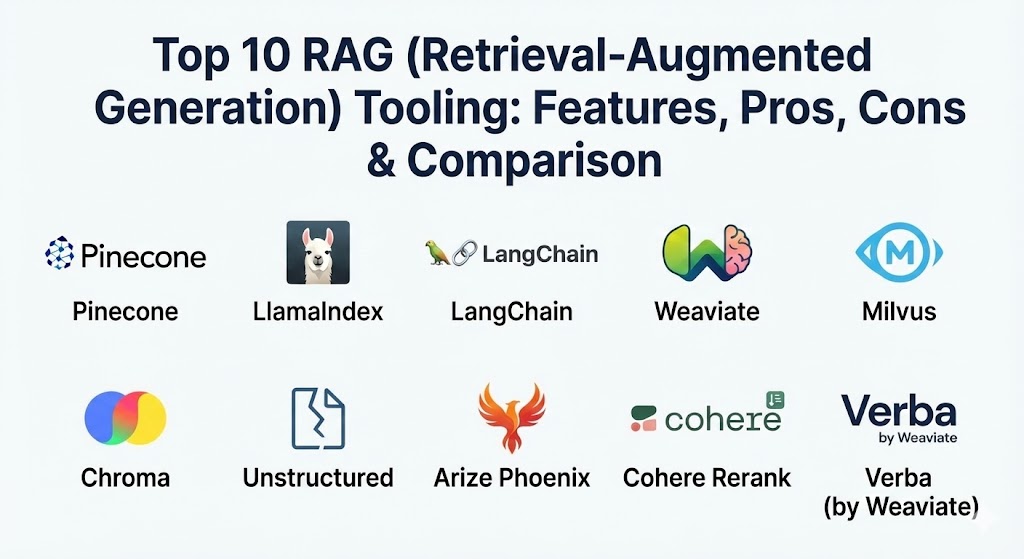
Top 10 RAG (Retrieval-Augmented Generation) Tooling Tools
1 — Pinecone
Pinecone is a managed, cloud-native vector database designed specifically for high-performance AI applications. It is often considered the “gold standard” for the storage and retrieval phase of the RAG pipeline.
- Key features:
- Serverless architecture that scales automatically based on usage.
- High-speed similarity search using advanced indexing algorithms.
- Live index updates allowing for real-time data retrieval.
- Metadata filtering to narrow down search results.
- Integrated monitoring and usage analytics.
- Support for “pod-based” or “serverless” deployment models.
- Pros:
- Zero-management overhead; purely SaaS-based which is great for rapid deployment.
- Extremely low latency even when searching across billions of vectors.
- Cons:
- Costs can escalate quickly with high data volumes or request rates.
- Vendor lock-in as a proprietary cloud service (no on-premise version).
- Security & compliance: SOC 2 Type II, GDPR, HIPAA (Enterprise tier), and data encryption at rest and in transit.
- Support & community: Excellent documentation, a large developer community, and 24/7 premium support for enterprise customers.
2 — LlamaIndex
LlamaIndex (formerly GPT Index) is a data framework designed to connect custom data sources to Large Language Models. It focuses on the “data engineering” side of RAG, making it easy to ingest and structure information.
- Key features:
- Comprehensive data connectors (LlamaHub) for Notion, Slack, SQL, and more.
- Advanced “Query Engines” that handle complex multi-step reasoning.
- Tools for document “chunking” and metadata extraction.
- Native integration with almost all major vector databases.
- LlamaParse for high-accuracy parsing of complex PDFs and tables.
- Pros:
- The best tool for handling “messy” data and complex document structures.
- Highly modular; allows you to swap models and databases with minimal code changes.
- Cons:
- The API has evolved rapidly, which can lead to breaking changes in older codebases.
- Can be complex for beginners due to the sheer number of configuration options.
- Security & compliance: Primarily a software library, so compliance depends on the hosting environment. Supports SSO via managed LlamaCloud.
- Support & community: Very active Discord community, extensive video tutorials, and a massive library of community-contributed loaders.
3 — LangChain
LangChain is a generic framework for developing applications powered by language models. While it does many things, its RAG “chains” are among the most widely used tools in the industry for orchestrating the retrieval process.
- Key features:
- “Chains” and “Graphs” for designing complex, iterative RAG workflows.
- LangSmith integration for tracing and debugging retrieval failures.
- Massive ecosystem of integrations with nearly 1,000 different tools.
- Built-in document loaders and text splitters.
- Support for both Python and JavaScript/TypeScript.
- Pros:
- Unparalleled flexibility to build almost any AI workflow imaginable.
- LangSmith provides world-class observability into why a RAG system is failing.
- Cons:
- Often criticized for being “over-engineered” with too many layers of abstraction.
- The documentation can sometimes be overwhelming for simple use cases.
- Security & compliance: SOC 2, GDPR, and HIPAA compliance available via the LangSmith cloud platform.
- Support & community: The largest community in the AI space; extensive documentation and countless third-party tutorials.
4 — Weaviate
Weaviate is an open-source, AI-native vector database that allows you to store data objects and vector embeddings in a single, cohesive environment.
- Key features:
- Hybrid search combining vector similarity with traditional keyword (BM25) search.
- Native modules for text summarization and Q&A directly within the database.
- GraphQL-based API for intuitive data querying.
- Multi-tenancy support for SaaS applications.
- Automated classification and data enrichment features.
- Pros:
- The “Hybrid Search” feature significantly improves RAG accuracy by combining logic.
- Can be self-hosted, offering full control over data residency.
- Cons:
- The GraphQL syntax has a learning curve for those used to standard REST or SQL.
- Self-hosting requires significant DevOps expertise for large-scale clusters.
- Security & compliance: SOC 2 Type II, GDPR, and ISO 27001. Support for OIDC and SSO.
- Support & community: Strong open-source community, active Slack channel, and professional enterprise support.
5 — Milvus
Milvus is a highly scalable, open-source vector database built for petabyte-scale AI applications. It is the preferred choice for massive enterprises with enormous datasets.
- Key features:
- Distributed architecture designed for cloud-scale horizontal scaling.
- Support for multiple indexing types (HNSW, IVF-Flat, etc.).
- Integrated with Zilliz for a fully managed cloud experience.
- High availability with no single point of failure.
- Comprehensive SDKs for Python, Java, Go, and Node.js.
- Pros:
- The most robust choice for high-concurrency, high-volume industrial RAG systems.
- Extremely efficient memory management and search performance.
- Cons:
- Highly complex to set up and manage if you are self-hosting.
- Overkill for small-to-medium-sized RAG projects.
- Security & compliance: SOC 2, GDPR, and HIPAA compliant through the Zilliz managed service.
- Support & community: Mature open-source community and top-tier enterprise support through Zilliz.
6 — Chroma
Chroma is the AI-native open-source embedding database designed for simplicity. It focuses on getting a RAG system up and running in minutes rather than hours.
- Key features:
- “Batteries-included” setup; works out of the box with zero configuration.
- Lightweight enough to run locally in a Python notebook.
- Integrated with LangChain and LlamaIndex.
- Simple API for adding, updating, and querying embeddings.
- Active work on a hosted, managed cloud version.
- Pros:
- The fastest way to prototype a RAG application.
- Excellent for developers who want to stay entirely within a Python environment.
- Cons:
- Historically lacked some advanced features like multi-tenancy and horizontal scaling.
- The managed cloud offering is newer compared to Pinecone or Weaviate.
- Security & compliance: Varies / N/A for local use; managed version is working toward SOC 2.
- Support & community: Very friendly and helpful community; documentation is clear and beginner-focused.
7 — Unstructured
Building RAG systems is 80% data cleaning. Unstructured is a library and platform that focuses exclusively on the “ingestion” phase, converting PDFs, HTML, and Word docs into clean text for RAG.
- Key features:
- Support for over 25 different file types including complex tables.
- Automated metadata extraction (author, date, section title).
- Chunking strategies optimized for LLM context windows.
- API and library-based options for integration.
- Vision-based parsing for images and scans.
- Pros:
- Solves the hardest problem in RAG: getting data out of messy PDFs.
- Significantly reduces the “garbage in, garbage out” problem in AI systems.
- Cons:
- The high-accuracy “Vision” API can be slow and expensive.
- It is a single-purpose tool; you still need a database and an orchestrator.
- Security & compliance: SOC 2 Type II, GDPR, and HIPAA compliant through their managed API.
- Support & community: Active GitHub community and direct enterprise support for high-volume users.
8 — Arize Phoenix
Once a RAG system is built, you need to know if it’s working. Arize Phoenix is an open-source observability library for evaluating and “tracing” RAG performance.
- Key features:
- Tracing of retrieval steps to see which document was pulled.
- Automated “RAG Evaluation” (measuring relevance, faithfulness, and precision).
- Visualization of high-dimensional embedding spaces to find “blind spots.”
- Support for benchmarking different LLM and retrieval configurations.
- Native integration with LlamaIndex and LangChain.
- Pros:
- The best tool for identifying why your RAG system is hallucinating.
- Open-source and can be run locally or in a cloud environment.
- Cons:
- Focuses purely on evaluation; not a storage or orchestration tool.
- Requires a baseline understanding of AI evaluation metrics.
- Security & compliance: SOC 2 Type II and HIPAA compliant for the Arize cloud platform.
- Support & community: Strong community of AI researchers and data scientists.
9 — Cohere Rerank
Retrieval often pulls 100 documents, but the LLM can only read 5. Cohere Rerank is a specialized tool that takes those 100 documents and re-orders them so the most relevant ones are at the top.
- Key features:
- Advanced cross-encoder model that understands semantics better than simple vector search.
- Easy integration via a single API call.
- Compatible with any existing vector database or search engine.
- Supports multiple languages out of the box.
- Low-latency inference for real-time applications.
- Pros:
- Adding Rerank is often the single most effective way to improve RAG accuracy.
- Extremely simple to implement in an existing pipeline.
- Cons:
- Adds an extra API call and a small amount of latency to the process.
- Proprietary model; no on-premise version available.
- Security & compliance: SOC 2, GDPR, and ISO 27001. Data is not used for training their base models.
- Support & community: World-class documentation and a very helpful “Cohere for AI” community.
10 — Verba (by Weaviate)
Verba is an open-source “RAG in a box.” It is a fully functional application that allows you to upload documents and start chatting with them instantly using Weaviate under the hood.
- Key features:
- Beautiful, ready-made web interface for end-users.
- Easy “one-click” setup for local or cloud environments.
- Built-in support for OpenAI, Cohere, and HuggingFace models.
- Visual representation of the retrieval process.
- Customizable “system prompts” and retrieval settings.
- Pros:
- The perfect tool for internal proof-of-concepts (PoCs).
- Shows stakeholders the value of RAG without having to build a UI from scratch.
- Cons:
- Not intended to be a highly customized production engine.
- Dependent on the Weaviate ecosystem.
- Security & compliance: Depends on deployment; open-source and can be made fully private.
- Support & community: Maintained by the Weaviate team; active GitHub community.
Comparison Table
| Tool Name | Best For | Platform(s) Supported | Standout Feature | Rating (Gartner/TrueReview) |
| Pinecone | High-Scale Cloud Apps | SaaS (AWS/GCP/Azure) | Serverless Vector DB | 4.7 / 5 |
| LlamaIndex | Complex Data Ingestion | Python, JS | 100+ Data Connectors | 4.8 / 5 |
| LangChain | Custom AI Workflows | Python, JS | Observability (LangSmith) | 4.6 / 5 |
| Weaviate | Hybrid (Vector + Text) Search | Cloud, On-Prem, Docker | GraphQL-based API | 4.7 / 5 |
| Milvus | Massive Enterprise Scale | Cloud, K8s, On-Prem | Petabyte Scalability | 4.5 / 5 |
| Chroma | Local Prototyping | Local (Python), SaaS | Zero-Config Setup | 4.6 / 5 |
| Unstructured | Messy PDF Parsing | API, Python Library | Vision-based ETL | 4.4 / 5 |
| Arize Phoenix | Accuracy Evaluation | Python, SaaS | Hallucination Detection | 4.5 / 5 |
| Cohere Rerank | Improving Precision | API-based | Semantic Re-ordering | 4.8 / 5 |
| Verba | Rapid RAG Demoing | Docker, Python | Ready-made UI | N/A |
Evaluation & Scoring of RAG (Retrieval-Augmented Generation) Tooling
| Criteria | Weight | Score (Top Tier Avg) | Notes |
| Core Features | 25% | 9.5 / 10 | Most tools now offer hybrid search and metadata filtering. |
| Ease of Use | 15% | 8.0 / 10 | Frameworks (LangChain) can be complex; DBs (Chroma) are easy. |
| Integrations | 15% | 9.0 / 10 | Most tools talk to OpenAI, Anthropic, and major vector DBs. |
| Security & Compliance | 10% | 8.5 / 10 | Enterprise tiers for SaaS tools are robust. |
| Performance | 10% | 9.0 / 10 | Latency is typically sub-100ms for retrieval. |
| Support & Community | 10% | 9.0 / 10 | Massive open-source communities provide free “support.” |
| Price / Value | 15% | 7.5 / 10 | Cloud costs can be high; open-source offers better value. |
Which RAG (Retrieval-Augmented Generation) Tooling Tool Is Right for You?
Selecting the right RAG stack depends on where you are in your development lifecycle and the complexity of your data.
- Solo Users & Prototypers: Start with Chroma and LlamaIndex. Chroma allows you to run everything on your laptop for free, and LlamaIndex handles the basic logic of reading your files with very little code.
- SMBs & Mid-Market: Pinecone (Serverless) paired with LangChain is a popular combination. It allows you to build a production-grade app without hiring a DevOps engineer to manage a database cluster.
- Large Enterprises: Milvus or Weaviate (Self-hosted) are the top choices. These organizations often require full control over their data and need to scale to millions of users, making a distributed, open-source architecture preferable.
- Budget-Conscious Teams: Stick to the open-source libraries. Weaviate or Milvus on a single cloud instance can be very cost-effective. Use Arize Phoenix to ensure you aren’t wasting money on tokens for “bad” retrievals.
- Accuracy-First Projects: If your AI must be 99% accurate (e.g., in medical or legal), you must include Unstructured for clean data ingestion and Cohere Rerank to ensure the LLM sees the absolute best context every time.
Frequently Asked Questions (FAQs)
1. Is RAG better than fine-tuning a model?
For most business use cases, yes. RAG is cheaper, allows for real-time data updates (fine-tuning takes hours/days), and provides “citations” so you can verify where the AI got its information.
2. What is a “Vector Database” and why do I need one?
Traditional databases search for exact words. Vector databases search for “meanings.” They allow an AI to find information about “fruit” even if the document only mentions “apples” or “bananas.”
3. Do I need to be a programmer to use these tools?
Generally, yes. Tools like LangChain and LlamaIndex are coding frameworks. However, “no-code” versions like Verba or managed platforms like Pinecone are making it easier for non-developers.
4. How much does building a RAG system cost?
Open-source software is free, but you will pay for “embeddings” (pennies per million words) and cloud storage (often $50-$200/month for mid-sized apps).
5. Is my data safe with these tools?
If you use open-source tools (Milvus, Weaviate) on your own servers, your data never leaves your network. If you use SaaS tools (Pinecone), your data is encrypted and protected by enterprise-grade security.
6. What is “Chunking” and why is it important?
LLMs can only read a certain amount of text at once. Chunking breaks a 100-page PDF into small, 500-word pieces so the system can feed only the relevant pieces to the AI.
7. Can RAG handle images and tables?
Basic RAG struggles with these. You need advanced ETL tools like Unstructured or LlamaParse to convert tables and images into a format the AI can understand.
8. Why do people use both LangChain and LlamaIndex?
LangChain is great for the “logic” (how the bot talks), while LlamaIndex is better at the “data” (how the files are indexed). Many developers use LlamaIndex for ingestion and LangChain for the chatbot.
9. What is a “Hallucination” in RAG?
A hallucination occurs when the retrieval step fails to find the right info, but the LLM tries to answer anyway using its own (often wrong) internal memory.
10. How do I measure if my RAG system is actually good?
Use evaluation frameworks like Arize Phoenix or Ragas. They measure “Faithfulness” (did the AI stick to the facts?) and “Answer Relevance” (did it actually answer the user’s question?).
Conclusion
RAG is the “missing link” that turns Large Language Models into useful, reliable business tools. However, a RAG system is only as strong as its weakest component. Whether it’s the scalability of Pinecone, the data-handling power of LlamaIndex, or the semantic precision of Cohere Rerank, the tools listed above represent the cutting edge of AI development in 2026.
When building your stack, remember that the goal isn’t just to “have AI”—it is to have AI that is accurate, verifiable, and secure. Start with a simple prototype using local tools like Chroma, and scale into enterprise-grade solutions like Milvus or Pinecone as your data and user base grow.