Introduction
AI Code Assistants are specialized software tools powered by Large Language Models (LLMs) that assist developers throughout the software development lifecycle (SDLC). By integrating directly into Integrated Development Environments (IDEs), command-line interfaces, or cloud-based platforms, these assistants provide real-time suggestions, generate boilerplate code, explain legacy logic, and automate repetitive tasks like writing unit tests.
The importance of these tools lies in their ability to reduce cognitive load. Instead of spending hours scouring documentation or debugging mundane syntax errors, developers can focus on high-level system design and business logic. Real-world use cases range from accelerating the onboarding of junior developers to performing massive migrations of legacy COBOL or Java codebases. When choosing an assistant in 2026, evaluation criteria have shifted toward “agentic” capabilities—how well the tool can perform multi-step tasks independently—as well as context window size, security protocols, and the ability to run on-premises for sensitive IP protection.
Best for: Professional software engineers, DevOps teams, and enterprise organizations looking to maximize developer productivity. They are also ideal for “polyglot” developers who frequently switch between multiple programming languages and need quick context on unfamiliar syntax.
Not ideal for: Pure beginners who haven’t grasped the fundamentals of logic and syntax, as over-reliance on AI can lead to “lazy coding” and security vulnerabilities. They are also not a replacement for high-stakes architectural decision-making or specialized embedded systems where safety-critical manual review is paramount.
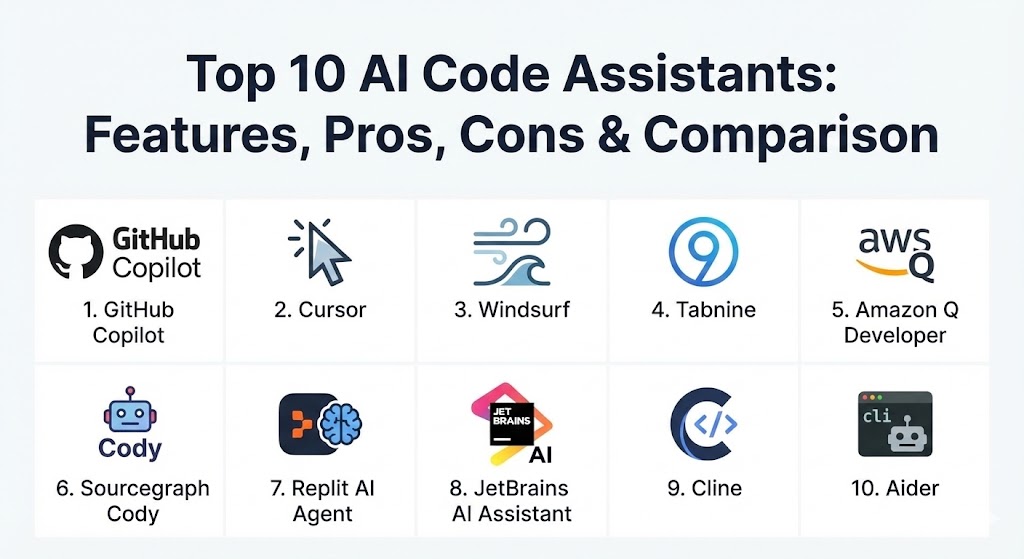
Top 10 AI Code Assistants Tools
1 — GitHub Copilot (Agent Mode)
GitHub Copilot remains the industry standard, but in 2026, it has transitioned into a “Workplace Agent.” It is no longer just an autocomplete bar; it is an active participant in GitHub Issues and Pull Requests, capable of drafting entire feature branches based on a single ticket.
- Key features:
- Copilot Extensions: Deep integration with third-party tools like Jira, Sentry, and Azure.
- Agent Mode: Autonomously executes multi-file changes and runs terminal commands.
- Copilot Workspace: A dedicated environment for planning and executing large features.
- CLI Autocomplete: Brings AI assistance directly into the developer’s terminal.
- Knowledge Bases: Allows teams to index internal documentation for more relevant suggestions.
- Enterprise Governance: Granular controls over data usage and license management.
- Pros:
- The most mature ecosystem with the widest IDE support (VS Code, JetBrains, Neovim).
- Seamless integration with GitHub’s version control and CI/CD pipelines.
- Cons:
- Can sometimes feel “bloated” with too many features for minimalists.
- High reliance on internet connectivity for its most advanced “Agentic” features.
- Security & compliance: SOC 2, ISO 27001, GDPR, and HIPAA compliant. Offers a “No-Training” guarantee for Business and Enterprise tiers.
- Support & community: Massive global community; industry-leading documentation; premium 24/7 enterprise support for high-tier customers.
2 — Cursor
Cursor has emerged as the most popular AI-native IDE in 2026. Built as a fork of VS Code, it is designed from the ground up to place AI at the center of the coding experience, rather than as an afterthought plugin.
- Key features:
- Composer: A multi-file editing interface that generates code across several files simultaneously.
- Codebase Indexing: Local vector search that allows the AI to “know” your entire project.
- Predictive Tab: An advanced autocomplete that predicts your next three edits, not just the next word.
- @ Symbols: Quickly reference specific files, docs, or folders in the chat.
- Model Switching: Users can toggle between Claude 3.5 Sonnet, GPT-5, and local models.
- Pros:
- Provides the smoothest “AI-native” UX currently available.
- Exceptional at refactoring large-scale projects thanks to deep context awareness.
- Cons:
- It is a standalone IDE, which might require developers to leave their custom setups.
- Heavy memory usage due to constant local indexing of files.
- Security & compliance: Offers a “Privacy Mode” where code is never stored; SOC 2 and GDPR compliant.
- Support & community: Very active Discord community and rapid iteration cycles with weekly feature updates.
3 — Windsurf
Developed by the Codeium team, Windsurf is the “agentic” powerhouse of 2026. It features “Cascade,” a highly autonomous flow that can navigate directories, run tests, and self-correct until a task is completed.
- Key features:
- Cascade: An agent that performs end-to-end tasks, including shell commands and file edits.
- Context-Aware Chat: Maintains a deep understanding of project state without manual “tagging.”
- Integrated Terminal AI: Directly executes and interprets terminal output for debugging.
- Zero-Trust Enterprise: A security-first architecture for high-compliance environments.
- Multi-model support: Access to a variety of state-of-the-art LLMs.
- Pros:
- The most autonomous agent capabilities in a polished, IDE-native package.
- Highly competitive pricing with a generous free tier for individuals.
- Cons:
- Still a relatively new entrant, so some “edge case” bugs persist.
- The “agentic” nature can consume credits quickly if not monitored.
- Security & compliance: SOC 2 Type II, GDPR compliant; enterprise-grade encryption for all data in transit.
- Support & community: Growing community; excellent video-based onboarding; dedicated technical support for Teams.
4 — Tabnine
Tabnine has carved out a niche as the “Privacy-First” assistant. In an era where data residency is a top concern for governments and banks, Tabnine is the leading solution for running AI code assistants entirely on-premises or in private clouds.
- Key features:
- Local Model Training: Models can be trained on your proprietary codebase without data leaving your network.
- Air-Gapped Deployment: Can run in environments with zero internet access.
- Personalized Suggestions: Learns your team’s specific coding standards and patterns.
- Wide IDE Support: Compatible with over 20 different editors.
- Code Documentation: Automates the generation of docstrings and README files.
- Pros:
- The undisputed leader for teams with extreme security and data residency requirements.
- Very low latency since suggestions are often processed locally.
- Cons:
- Local models may lack the “reasoning power” of massive cloud-based LLMs like GPT-5.
- Configuration for air-gapped setups can be technically demanding.
- Security & compliance: SOC 2, GDPR, HIPAA, and ISO compliant. Zero-data-retention policies are standard.
- Support & community: Strong focus on enterprise customer success; comprehensive self-hosting guides.
5 — Amazon Q Developer
Amazon Q (formerly CodeWhisperer) is the ultimate assistant for developers operating within the AWS ecosystem. It is deeply integrated into the AWS Console and local IDEs to help build, deploy, and manage cloud infrastructure.
- Key features:
- AWS Optimization: Native understanding of AWS APIs, best practices, and documentation.
- Code Transformation: Automates version upgrades (e.g., Java 8 to Java 17 or 21).
- Security Scanning: Built-in vulnerability detection based on AWS security standards.
- Infrastructure-as-Code (IaC): Exceptional at generating Terraform and CDK snippets.
- Customization: Can be fine-tuned on an organization’s internal libraries.
- Pros:
- Essential for cloud-native teams; simplifies complex AWS configurations.
- Free for individual developers with a very generous usage limit.
- Cons:
- Suggestions are heavily biased toward AWS services; less ideal for multi-cloud or GCP/Azure users.
- The chat interface can feel disconnected from the local IDE experience.
- Security & compliance: Built on Amazon’s enterprise security infrastructure; SOC 2, GDPR, and HIPAA compliant.
- Support & community: Backed by AWS enterprise support; extensive library of tutorials and AWS re:Invent sessions.
6 — Sourcegraph Cody
Cody differentiates itself with its “Code Search” heritage. It leverages Sourcegraph’s powerful indexing to provide the most contextually relevant answers for developers working in massive, distributed monorepos.
- Key features:
- Codebase Context: Uses vector search to pull context from your entire repository, not just open files.
- Model Choice: Allows users to pick between Claude 3 Opus, Sonnet, and GPT models.
- Custom Commands: Users can define specific “recipes” for frequent tasks like “Generate Unit Test.”
- Integrated Search: Combines AI chat with traditional keyword-based code search.
- Multi-Repo Context: Can reason across different repositories simultaneously.
- Pros:
- Best-in-class at answering “Where is this defined?” or “How do I use this internal API?”
- Offers a high degree of transparency regarding where its suggestions come from.
- Cons:
- Can be overkill for small, single-repo projects.
- Setup for multi-repo indexing requires more effort than simple “one-click” assistants.
- Security & compliance: SOC 2 Type II, GDPR, and HIPAA compliant. Dedicated managed instance options for enterprises.
- Support & community: Strong engineering-focused community; excellent open-source documentation.
7 — Replit AI Agent
Replit has evolved from a simple browser-based IDE into a full-scale “App Factory.” Their AI Agent is designed for rapid prototyping, allowing users to go from a text prompt to a deployed application in minutes.
- Key features:
- Autonomous App Building: Can set up databases, frontends, and backends from a single prompt.
- Browser-Based Testing: The agent can “see” and test its own web applications in real-time.
- Self-Healing: Automatically identifies and fixes errors that occur during the build process.
- Cloud-Native Deployment: One-click hosting on Replit’s infrastructure.
- Collaborative Coding: Multiple users can interact with the same AI agent in a shared workspace.
- Pros:
- Unrivaled for rapid MVPs and prototyping; eliminates “environment setup” friction.
- Perfect for non-technical founders or designers building functional mockups.
- Cons:
- Not suitable for large-scale enterprise local development workflows.
- The proprietary hosting model can lead to platform lock-in.
- Security & compliance: Basic encryption and data protection; enterprise compliance varies by plan.
- Support & community: Large community of “makers” and entrepreneurs; extensive library of community templates.
8 — JetBrains AI Assistant
For the millions of developers who rely on IntelliJ, PyCharm, or WebStorm, the JetBrains AI Assistant provides a deeply integrated, native experience that understands the IDE’s specific refactoring tools.
- Key features:
- IDE-Native Refactoring: Leverages JetBrains’ powerful static analysis engine alongside the LLM.
- Context-Aware Chat: Deeply understands project structures and build configurations.
- Commit Message Generation: Analyzes diffs to write meaningful, descriptive commits.
- Documentation Generation: Native support for Javadoc, Pydoc, and more.
- Test Scaffolding: Generates complex test suites that follow existing patterns in the codebase.
- Pros:
- Feels much more integrated than a generic “plugin”; utilizes the IDE’s existing data structures.
- Consistent experience across the entire suite of JetBrains products.
- Cons:
- Requires a separate subscription on top of the IDE license.
- Performance can vary depending on the local hardware’s RAM and CPU.
- Security & compliance: SOC 2 and GDPR compliant; JetBrains does not use code for training models.
- Support & community: Backed by the legendary JetBrains support team and a massive professional user base.
9 — Cline (formerly Claude Dev)
Cline is the rising star of the open-source community in 2026. It is a VS Code extension that turns the IDE into an autonomous agent using the “Bring Your Own Key” (BYOK) model.
- Key features:
- Autonomous File Manipulation: Creates, edits, and deletes files based on natural language tasks.
- Terminal Access: Runs build scripts and interprets error logs independently.
- MCP (Model Context Protocol) Support: Allows the agent to use external tools like Google Search or databases.
- Token Usage Tracking: Real-time monitoring of costs for developers using their own API keys.
- Safe Mode: Requires user approval for sensitive actions like deleting files or running shell scripts.
- Pros:
- Maximum flexibility; developers pay only for the tokens they use directly to providers like Anthropic.
- Highly transparent and community-driven development.
- Cons:
- Requires setting up your own API keys, which may be a barrier for some.
- Lacks the polished “Enterprise Dashboard” of centralized commercial tools.
- Security & compliance: Security is managed by the user; code is only sent to the model provider chosen by the dev.
- Support & community: Vibrant Discord and GitHub community; very responsive to new model releases.
10 — Aider
Aider is the premier choice for developers who live in the terminal. It is a CLI-first AI assistant that pairs with Git to provide an incredibly fast and efficient “command-line pair programmer” experience.
- Key features:
- Git Integration: Automatically creates meaningful commits for every change it makes.
- Multi-file Reasoning: Can handle complex refactors across dozens of files from the terminal.
- Model Agnostic: Works with Claude 3.5, GPT-5, and high-end local models like Llama 3.
- Repo Map: Automatically generates a map of your codebase to provide context to the LLM.
- Voice Mode: Supports voice-to-code inputs for hands-free programming.
- Pros:
- Lightning-fast workflow for developers who prefer the terminal over heavy IDEs.
- Extremely lightweight; has almost zero impact on system resources.
- Cons:
- Requires high comfort with the command line; not ideal for visual learners.
- No built-in chat UI for those who prefer sidebars and buttons.
- Security & compliance: Open-source; compliance depends on the chosen LLM provider.
- Support & community: Very active GitHub community; widely used by “10x” developers and power users.
Comparison Table
| Tool Name | Best For | Platform(s) Supported | Standout Feature | Rating (Gartner Peer Insights) |
| GitHub Copilot | General Enterprise | VS Code, JetBrains, Neovim | GitHub Agent Mode | 4.6 / 5 |
| Cursor | AI-Native Coding | Desktop (Standalone IDE) | Multi-file Composer | 4.4 / 5 |
| Windsurf | Autonomous Tasks | VS Code, JetBrains | Cascade Agent Flow | N/A |
| Tabnine | Privacy & Air-Gap | 20+ IDEs, On-Prem | Local Model Training | 4.5 / 5 |
| Amazon Q | AWS Cloud Native | VS Code, JetBrains, AWS | Java Version Upgrades | 4.3 / 5 |
| Sourcegraph Cody | Large Monorepos | VS Code, JetBrains, Web | Deep Codebase Search | 4.4 / 5 |
| Replit AI Agent | Rapid Prototyping | Cloud-Based Web IDE | End-to-End App Gen | N/A |
| JetBrains AI | Professional Devs | JetBrains IDEs only | Static Analysis Fusion | 4.2 / 5 |
| Cline | Power Users (BYOK) | VS Code Extension | MCP Tool Integration | N/A |
| Aider | Terminal/Git Users | Command Line (CLI) | Git-Native Commits | N/A |
Evaluation & Scoring of AI Code Assistants
The following rubric reflects the weighted priorities of a high-performance development team in 2026.
| Category | Weight | Evaluation Criteria |
| Core Features | 25% | Quality of autocompletion, agentic multi-file editing, and codebase reasoning. |
| Ease of Use | 15% | Intuitiveness of UI, setup complexity, and natural language understanding. |
| Integrations | 15% | Support for various IDEs, CI/CD pipelines, and cloud ecosystem compatibility. |
| Security & Compliance | 10% | Encryption standards, SOC 2/GDPR compliance, and privacy controls. |
| Performance | 10% | Latency of suggestions, memory usage, and stability of agentic tasks. |
| Support & Community | 10% | Documentation quality, community forums, and response speed of support. |
| Price / Value | 15% | Predictability of costs, ROI for large teams, and free-tier accessibility. |
Which AI Code Assistants Tool Is Right for You?
Selecting the right assistant is a balance of your technical workflow, security needs, and budget.
- Solo Users & Freelancers: If you want a polished experience with no setup, Cursor is the current king of productivity. If you are budget-conscious and want control over your costs, Cline or Codeium provide excellent “Bring Your Own Key” or free-tier options.
- Small and Medium Enterprises (SMEs): GitHub Copilot is the most reliable choice for a growing team that already uses GitHub. It offers a predictable per-user cost and world-class reliability.
- Mid-market & High-Velocity Teams: Windsurf or Sourcegraph Cody are ideal for teams tackling large technical debt or complex architectural changes. Their ability to reason across entire repos saves days of “context seeking.”
- Large Enterprises: Tabnine is the gold standard for organizations in regulated industries (Banking, Government, Healthcare). Its ability to run in air-gapped environments is unmatched.
- Cloud-Native Teams: If your entire infrastructure is on AWS, Amazon Q Developer is a no-brainer. It will pay for itself in the time saved on cloud configuration and maintenance.
Frequently Asked Questions (FAQs)
1. Will AI Code Assistants replace developers?
In 2026, the consensus is: no. AI has changed the nature of the job, turning developers into “architects” and “code reviewers.” While AI can generate syntax, humans are still required to understand business requirements, security implications, and complex system design.
2. Is it safe to give an AI assistant access to my proprietary code?
Most enterprise-grade tools (Copilot, Tabnine, Amazon Q) offer strict data privacy policies where your code is not used to train their global models. For extreme cases, Tabnine’s local model deployment ensures code never leaves your private network.
3. Do AI assistants produce secure code?
Not always. AI can suggest patterns that contain known vulnerabilities or outdated libraries. Tools like Amazon Q and GitHub Copilot have built-in security scanners, but human review and automated security testing remain mandatory.
4. How do these tools handle copyright and licensing issues?
Tools like GitHub Copilot and Tabnine now include “licensing filters” that can block suggestions that match copyrighted code in public repositories. This reduces the risk of legal liability for commercial projects.
5. Can I use these tools offline?
Most AI assistants require an internet connection to access powerful cloud LLMs. However, Tabnine and certain local setups (using Aider or Cline with local Llama 3 models) can function entirely offline.
6. Which AI model is currently the best for coding?
As of early 2026, Claude 3.5 Sonnet and GPT-5 are the top performers. However, specialized models like CodeLlama 3 and proprietary models from Codeium are gaining ground in specific languages like Python and Rust.
7. How much do these tools typically cost?
Individual plans usually range from $10 to $20 per month. Enterprise plans generally cost between $19 and $50 per user per month, depending on the level of governance and security features required.
8. Do these tools support all programming languages?
Most support “polyglot” environments (over 80+ languages). However, they are most accurate in popular languages like Python, JavaScript, TypeScript, Go, and C#, where training data is most abundant.
9. Can an AI assistant help me migrate legacy code?
Yes. This is one of the strongest use cases for 2026. Tools like Amazon Q and Sourcegraph Cody are specifically designed to help refactor legacy COBOL, Java, or C++ codebases into modern frameworks.
10. What is an “AI Coding Agent”?
An “Agent” goes beyond simple autocompletion. It can plan a task, create new files, run terminal commands to test the code, and iterate on its own errors until the final objective is met.
Conclusion
The “best” AI Code Assistant is the one that integrates seamlessly into your existing habits without introducing new friction. For some, this means the all-in-one experience of Cursor; for others, it’s the terminal-driven efficiency of Aider or the enterprise-grade safety of Tabnine. As we move deeper into 2026, the focus is shifting from code generation to autonomous engineering. By choosing the right tool today, you aren’t just coding faster—you are future-proofing your career for the next decade of software development.