Introduction
Text Analytics Platforms are specialized software solutions that leverage Natural Language Processing (NLP), Machine Learning (ML), and linguistic rules to extract meaningful insights from unstructured text. Unlike standard data analytics, which deals with numbers and rows, text analytics deciphers human language. It identifies patterns, sentiments, entities (like names or locations), and topics within vast datasets that would take humans years to read manually.
The importance of these platforms lies in their ability to provide “The Why” behind the data. While a sales dashboard might show a 10% dip in revenue, a text analytics platform can reveal that customers are frustrated with a specific new software update mentioned in thousands of reviews. Key real-world use cases include Customer Experience (CX) management, voice-of-the-customer (VoC) programs, fraud detection in finance, patient sentiment analysis in healthcare, and brand reputation monitoring.
When evaluating these tools, users should look for several critical factors: accuracy in sentiment detection, multilingual support, speed of processing (latency), ease of integration via APIs, and customizability—specifically the ability to train the model on industry-specific jargon or proprietary terminology.
Best for:
Text analytics platforms are most beneficial for Data Scientists, CX Managers, Market Researchers, and Compliance Officers. They are essential for mid-to-large enterprises in data-heavy sectors like finance, retail, and technology where manual review is impossible. Additionally, SaaS product teams use these tools to prioritize feature requests based on user feedback themes.
Not ideal for:
Small businesses with very low data volumes (e.g., receiving only 5-10 feedback emails a month) may find the setup and cost of a dedicated platform unnecessary. In such cases, simple keyword search or manual review is more efficient. These tools are also not a replacement for creative writing assistants or grammar checkers; they are designed for extraction and insight, not content generation.
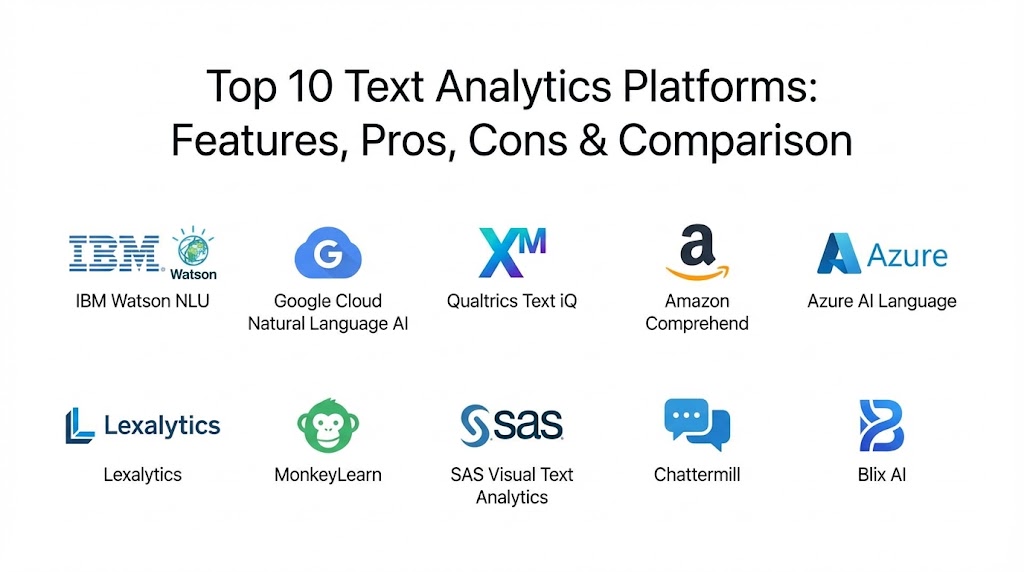
Top 10 Text Analytics Platforms Tools
1 — IBM Watson Natural Language Understanding (NLU)
IBM Watson remains a powerhouse in the NLP space, specifically for developers who need high-precision linguistic extraction and deep semantic analysis. In 2026, its “Knowledge Studio” integration allows for some of the most advanced custom model training available.
- Key features:
- Entity & Keyword Extraction: High-accuracy identification of people, organizations, and specific technical terms.
- Sentiment & Emotion Analysis: Goes beyond “positive/negative” to detect specific emotions like joy, anger, or fear.
- Relation Extraction: Identifies how different entities in a sentence are connected (e.g., “Person A works at Company B”).
- Custom Model Training: Use Watson Knowledge Studio to teach the engine your industry’s specific vocabulary.
- Semantic Role Labeling: Understands the “Who did What to Whom” in complex sentences.
- Classification: Automatically categorizes documents into thousands of pre-defined taxonomies.
- Pros:
- Unrivaled accuracy for technical, legal, and medical domains.
- Highly flexible deployment options, including public, private, and hybrid clouds.
- Cons:
- Steeper learning curve compared to “no-code” competitors.
- Pricing structure can be complex and expensive for high-volume API calls.
- Security & compliance: SOC 2, HIPAA, GDPR, ISO 27001, and FedRAMP compliant; includes data encryption at rest and in transit.
- Support & community: Extensive developer documentation, 24/7 global enterprise support, and a vast ecosystem of certified IBM partners.
2 — Google Cloud Natural Language AI
Google’s platform leverages the same transformer-based models that power Google Search. It is designed for speed and global scale, offering one of the most robust multilingual engines in the market.
- Key features:
- Entity Analysis: Detects entities and labels them with metadata from the Google Knowledge Graph.
- Sentiment Analysis: Provides both score (polarity) and magnitude (strength) of sentiment.
- Syntactic Analysis: Breaks down sentences into parts of speech and creates dependency trees.
- Content Classification: Categorizes documents into 700+ predefined categories.
- Multi-Language Support: Native support for over 100 languages with high consistency.
- Vertex AI Integration: Works seamlessly with Google’s end-to-end AI development suite.
- Pros:
- Exceptional performance for short-form text like social media and customer reviews.
- Best-in-class multilingual capabilities for global brands.
- Cons:
- Less “white-box” customization compared to tools like SAS or IBM.
- Dependent on the Google Cloud Platform ecosystem for the best experience.
- Security & compliance: SOC 1/2/3, HIPAA, GDPR, and PCI DSS compliant; utilizes Google’s advanced global security infrastructure.
- Support & community: Solid documentation and community forums, though high-level direct support typically requires a paid Google Cloud Support plan.
3 — Qualtrics Text iQ
Qualtrics Text iQ is a core component of the Qualtrics XM (Experience Management) Platform. It is specifically built for business users and CX professionals who need to turn survey responses into visual dashboards instantly.
- Key features:
- Topic Clustering: Automatically groups survey comments into related themes without manual tagging.
- Sentiment Scorecarding: Assigns sentiment scores to specific topics (e.g., “Price” might be negative while “Staff” is positive).
- Trend Tracking: Monitors how sentiment regarding specific topics changes over time.
- Predictive Intelligence: Links text insights to business outcomes like churn or NPS (Net Promoter Score).
- Real-time Alerts: Triggers workflows based on specific keywords or negative sentiment.
- Agentic Recommendations: AI-driven suggestions on what actions to take based on the data.
- Pros:
- Extremely user-friendly for non-technical staff and marketing teams.
- Integrated directly into the world’s leading survey and CX platform.
- Cons:
- Primarily limited to data within the Qualtrics ecosystem.
- Can be very expensive for small to medium-sized organizations.
- Security & compliance: ISO 27001, FedRAMP, SOC 2, and GDPR compliant; industry-standard data isolation.
- Support & community: Excellent customer success teams, a rich library of CX templates, and a highly active user community (Qualtrics Basecamp).
4 — Amazon Comprehend
Part of the AWS suite, Amazon Comprehend is a managed NLP service that uses machine learning to find insights and relationships in a large volume of unstructured data. It is ideal for developers who want a “plug-and-play” API.
- Key features:
- PII Detection: Automatically identifies and redacts Personally Identifiable Information (names, SSNs, etc.).
- Topic Modeling: Uses LDA algorithms to discover underlying themes in a document collection.
- Custom Classification: Train models to categorize text into your own business-specific labels.
- Sentiment Analysis: Broad sentiment detection across multiple languages.
- Targeted Sentiment: Understands the sentiment towards specific entities mentioned in a sentence.
- Batch & Real-time Processing: Flexible processing modes for varied data needs.
- Pros:
- Seamlessly scales with other AWS services like S3 (storage) and Lambda (automation).
- Pay-as-you-go pricing makes it accessible for startups and experiments.
- Cons:
- Lacks the deep visual dashboarding found in CX-focused tools like Qualtrics.
- Custom entity recognition requires a reasonable amount of labeled training data.
- Security & compliance: HIPAA, SOC, PCI DSS, and ISO compliant; supports VPC endpoints for secure data transfer.
- Support & community: Standard AWS support tiers, a massive developer community, and extensive SDKs for all major programming languages.
5 — Azure AI Language (Microsoft)
Azure AI Language unifies Microsoft’s previous text analytics offerings into a single, high-performance platform. It is the go-to choice for enterprises already established in the Microsoft 365 and Azure environments.
- Key features:
- Named Entity Recognition (NER): Detects and categorizes entities like dates, times, and amounts.
- Opinion Mining: Provides granular sentiment analysis related to specific features of a product.
- Conversational Language Understanding: Built-in tools for building chatbots and voice assistants.
- Healthcare-Specific NLP: Specialized models for extracting medical information and clinical terms.
- Key Phrase Extraction: Quickly identifies the main talking points in a large text body.
- Summarization: Uses extractive and abstractive methods to create short summaries of long documents.
- Pros:
- Deepest integration with enterprise tools like Power BI, Teams, and Excel.
- Exceptional security and compliance standards for highly regulated industries.
- Cons:
- The transition between different Azure services can be technically complex.
- Performance can vary slightly depending on the specific region of deployment.
- Security & compliance: FedRAMP, HIPAA, SOC 2, ISO, and GDPR compliant; features Microsoft’s world-class cybersecurity controls.
- Support & community: Strong enterprise support, Microsoft Learn resources, and a massive global network of Microsoft Partners.
6 — Lexalytics (Salience)
An InMoment company, Lexalytics is a pioneer in the text analytics field. It is known for its “Salience” engine, which provides an incredible balance of machine learning speed and rule-based precision.
- Key features:
- Hybrid NLP: Combines machine learning with customizable linguistic rules for higher accuracy.
- Theme Extraction: Identifies what people are talking about without needing pre-defined categories.
- Intent Detection: Recognizes if a customer intends to buy, cancel, or complain.
- Custom Taxonomies: Build highly complex hierarchies for categorizing niche industry data.
- Multilingual Analysis: High-quality processing for 20+ major languages.
- Visualizer Dashboards: Interactive BI-style dashboards for exploring text data.
- Pros:
- Best-in-class for users who want to “tune” the engine manually with custom rules.
- Highly versatile, supporting both on-premise and cloud deployments.
- Cons:
- The user interface can feel more technical than modern SaaS tools.
- Implementation can take longer due to the depth of customization possible.
- Security & compliance: SOC 2, GDPR, and HIPAA compliant; offers private cloud and on-premise options for maximum data control.
- Support & community: Expert-led professional services, detailed technical documentation, and a responsive customer support team.
7 — MonkeyLearn
MonkeyLearn is the “democratizer” of text analytics. It offers a beautiful, no-code interface that makes advanced NLP accessible to small teams and non-technical business analysts.
- Key features:
- No-Code Model Builder: Train custom classifiers and extractors via a simple drag-and-drop UI.
- Pre-trained Models: Access a library of models for sentiment, topic, and keyword extraction.
- MonkeyLearn Studio: An all-in-one data visualization and exploration dashboard.
- Integrations: Native connectors for Zapier, Zendesk, Google Sheets, and Airtable.
- Word Clouds: Automated generation of visual summaries of prominent terms.
- API Access: Simple, well-documented API for developers.
- Pros:
- Fastest time-to-value for small to medium-sized projects.
- The most intuitive user interface in the industry.
- Cons:
- May lack the processing power for massive, “Big Data” scale enterprises.
- Limited depth in highly specialized linguistic rule-building.
- Security & compliance: SOC 2 and GDPR compliant; data encryption and secure API authentication.
- Support & community: Friendly customer support, a helpful blog with tutorials, and a straightforward onboarding experience.
8 — SAS Visual Text Analytics
SAS is the gold standard for statistical rigor. Its text analytics platform is designed for power users who need to integrate text data into complex predictive models and statistical workflows.
- Key features:
- Visual Programming: Drag-and-drop interface for building complex text mining pipelines.
- Automated Rule Discovery: Uses machine learning to suggest linguistic rules that experts can then refine.
- Advanced Categorization: Supports Boolean logic and proximity rules for extremely precise tagging.
- Sentiment Modeling: Combines statistical and rule-based approaches for high reliability.
- Integration with SAS Viya: Part of the broader SAS analytics ecosystem for unified data science.
- Multilingual Capacity: Robust processing for 30+ languages.
- Pros:
- Unmatched for scientific research and high-stakes financial modeling.
- Strongest statistical validation tools for ensuring results are significant.
- Cons:
- High cost of entry; typically suited only for large organizations.
- Requires a high level of expertise in data science or linguistics.
- Security & compliance: ISO, SOC, GDPR, and FedRAMP compliant; designed for the most secure governmental and financial environments.
- Support & community: World-class academic and technical support, SAS User Groups, and comprehensive global training.
9 — Chattermill
Chattermill is a specialized platform focused on Customer Experience (CX) intelligence. It uses proprietary “Deep Learning” models to unify feedback from every customer touchpoint.
- Key features:
- Unified Feedback Loop: Connects support tickets, social mentions, and reviews in one view.
- Net Sentiment Score: Unique metrics for tracking brand health across different segments.
- Automated Theme Discovery: Uncovers emerging customer pain points in real-time.
- Actionable Insights: Prioritizes issues based on their impact on business metrics.
- Custom Dashboards: Tailored views for different stakeholders (Product, Support, Marketing).
- Integration Hub: Connectors for Salesforce, Intercom, and Slack.
- Pros:
- Excellent for “closing the loop” on customer feedback.
- Very high accuracy for conversational and casual language used in reviews.
- Cons:
- Less suited for deep document processing or legal text mining.
- Can be expensive as the number of data sources increases.
- Security & compliance: SOC 2, HIPAA, and GDPR compliant; enterprise-grade data privacy and auditing.
- Support & community: 24/7 dedicated customer success and a rich library of best-practice CX guides.
10 — Blix AI
Blix AI is an emerging leader in 2026, focusing specifically on “Agentic” text analysis. It uses advanced AI agents to not just analyze text, but to provide proactive business recommendations.
- Key features:
- Agentic Summarization: AI agents summarize long threads and suggest next steps.
- Verbatim Coding: High-speed coding of open-ended survey responses with human-level accuracy.
- Sentiment & Intent Mapping: Maps sentiment directly to customer intent (e.g., “Frustrated, wants refund”).
- Proactive Monitoring: Notifies teams of “micro-trends” before they become major issues.
- Multilingual Bridge: Instant translation and analysis of global feedback.
- Lightweight UI: Designed for modern browser-based workflows.
- Pros:
- Most innovative use of Generative AI and Agentic workflows in the category.
- Very cost-effective for high-growth startups and tech firms.
- Cons:
- As a newer player, the ecosystem of third-party plugins is still growing.
- Documentation is not yet as extensive as established giants like IBM.
- Security & compliance: SOC 2 Type II and GDPR compliant; uses modern, secure cloud infrastructure.
- Support & community: Rapid response chat support and a direct pipeline to the engineering team for early adopters.
Comparison Table
| Tool Name | Best For | Platform(s) Supported | Standout Feature | Rating (Gartner Peer Insights) |
| IBM Watson NLU | Deep NLP / Developers | Cloud, Hybrid, On-prem | Relation Extraction | 4.5 / 5 |
| Google Cloud NL | Multilingual Scale | GCP | Knowledge Graph Sync | 4.6 / 5 |
| Qualtrics Text iQ | CX Professionals | SaaS | Topic Scorecarding | 4.5 / 5 |
| Amazon Comprehend | AWS Ecosystem | AWS | PII Identification | 4.4 / 5 |
| Azure AI Language | Microsoft Enterprise | Azure | Healthcare NLP | 4.5 / 5 |
| Lexalytics | Custom Rule Tuning | Cloud, On-prem | Hybrid NLP Engine | 4.6 / 5 |
| MonkeyLearn | No-Code Users / SMB | SaaS | No-Code Builder | 4.7 / 5 |
| SAS Visual Text | Statistical Rigor | Viya, On-prem | Rule Discovery | 4.4 / 5 |
| Chattermill | Customer Feedback | SaaS | Unified CX Intelligence | 4.5 / 5 |
| Blix AI | Agentic Insights | SaaS | AI Proactive Alerts | 4.8 / 5 |
Evaluation & Scoring of Text Analytics Platforms
To determine the final scores, we evaluated each platform based on a weighted rubric that reflects the core priorities of modern business users and technical teams.
| Category | Weight | Evaluation Rationale |
| Core Features | 25% | Variety and depth of NLP capabilities (sentiment, NER, classification). |
| Ease of Use | 15% | Intuitive UI, quality of onboarding, and no-code/low-code options. |
| Integrations | 15% | Breadth of API support and native connectors to other tools. |
| Security & Compliance | 10% | Enterprise-grade certifications and data privacy standards. |
| Performance | 10% | Latency, scalability, and multilingual accuracy. |
| Support & Community | 10% | Quality of documentation and availability of technical help. |
| Price / Value | 15% | Overall ROI compared to the cost of the subscription or API calls. |
Which Text Analytics Platforms Tool Is Right for You?
Choosing the right platform is not about finding the “best” overall tool, but the best fit for your specific organizational DNA.
Solo Users vs SMB vs Mid-Market vs Enterprise
- Solo Users / Researchers: MonkeyLearn or Google Cloud’s free tier are the best entry points. They allow you to test theories without a heavy financial commitment.
- SMBs: MonkeyLearn and Blix AI provide the best “all-in-one” value. They require minimal technical staff to maintain and offer immediate visual insights.
- Mid-Market: Chattermill and Lexalytics are excellent as they offer deeper customization than basic tools but aren’t as daunting as IBM Watson.
- Enterprise: IBM Watson, Azure AI, and SAS are built for the scale and security requirements of the Fortune 500.
Budget-Conscious vs Premium Solutions
If you have a limited budget, the “Pay-as-you-go” models of Amazon Comprehend or Google Cloud are ideal. You only pay for what you process. Conversely, if you have a significant budget and need “white-glove” implementation and proprietary linguistic tuning, Qualtrics or SAS offer premium, managed experiences.
Feature Depth vs Ease of Use
- High Ease of Use: MonkeyLearn, Qualtrics, and Chattermill prioritize beautiful UIs and instant insights. They are “Marketing-friendly.”
- High Feature Depth: Lexalytics and SAS are built for the power user who wants to “tune” the linguistic engine with custom rules and complex dictionaries.
Integration and Scalability Needs
If your entire infrastructure lives on AWS, choosing Amazon Comprehend is a “no-brainer” for performance and security. Similarly, for Microsoft-centric organizations, Azure AI Language offers unparalleled integration with Power BI for reporting.
Security and Compliance Requirements
For industries like Healthcare and Defense, Azure and IBM lead the pack with specialized HIPAA and FedRAMP compliant versions that ensure data never leaves a secure, designated environment.
Frequently Asked Questions (FAQs)
1. What is the difference between Text Analytics and Text Mining?
While often used interchangeably, Text Mining is the broader process of discovering patterns in text, whereas Text Analytics is the specific act of transforming that text into quantitative, visual data for decision-making.
2. Can these platforms understand sarcasm and slang?
In 2026, most top-tier platforms (especially Chattermill and W&B) use advanced deep learning to detect sarcasm with roughly 80-85% accuracy. However, nuances in local slang still require custom model tuning for 100% precision.
3. Is my data secure when using a cloud-based text analytics tool?
Yes, provided you choose a platform with SOC 2 or HIPAA compliance. These platforms use end-to-end encryption, meaning even the platform provider cannot read your raw text data without authorization.
4. Do I need to know how to code to use text analytics?
No. Platforms like MonkeyLearn and Qualtrics Text iQ are designed specifically for “no-code” users. However, for deep integration into your own apps, knowledge of Python or REST APIs is helpful.
5. How much data do I need to train a custom text model?
For basic classification, you can start with as few as 50-100 examples per category. For high-precision legal or medical extraction, you might need thousands of labeled examples.
6. Can these tools analyze voice data?
Directly, no. But most are part of larger ecosystems (like AWS or Google) where you first use a Speech-to-Text service and then feed the resulting transcript into the text analytics engine.
7. How does text analytics help with ROI?
It reduces “Churn.” By identifying negative sentiment early in customer support tickets, companies can intervene before a customer leaves, directly impacting the bottom line.
8. What are “Entities” in text analytics?
Entities are the nouns of the data—specific people, places, organizations, product names, or dates. Identifying them is the first step in understanding “Who” the text is talking about.
9. Can I analyze text in multiple languages at once?
Yes. Modern platforms like Google Cloud and Lexalytics can automatically detect the language of a document and apply the correct linguistic model without human intervention.
10. What is the biggest mistake companies make with text analytics?
Implementing the tool without a “Close-the-Loop” strategy. Analyzing data is useless unless there is a business process in place to act on the insights discovered.
Conclusion
The evolution of Text Analytics Platforms has fundamentally changed how we interact with information. In 2026, these tools are no longer just for “reading” data—they are for “understanding” intent, emotion, and future trends.
While IBM Watson and Google Cloud provide the raw power for developers, tools like MonkeyLearn and Qualtrics have brought these sophisticated capabilities to every business desk. The “best” tool for your organization is the one that balances technical depth with the specific needs of your team. Whether you are preventing fraud, saving customers, or discovering the next big market trend, your journey starts with choosing the right linguistic partner from this list.