Introduction
Speech recognition platforms—often referred to as Automatic Speech Recognition (ASR) or Speech-to-Text (STT) systems—are AI-powered engines that convert spoken language into machine-readable text. They utilize advanced neural networks to process audio signals, identify phonemes, and reconstruct them into coherent sentences. Today, these platforms are no longer just about “getting the words right”; they are evaluated on their ability to handle background noise, differentiate between multiple speakers (diarization), and provide ultra-low latency for real-time interactions.
The importance of these tools is staggering. For enterprises, they are the key to unlocking the 80% of data that resides in unstructured audio—calls, meetings, and videos. In the real world, this translates to automated meeting summaries that save employees hours of manual work, voice-biometric security for financial transactions, and inclusive captioning for the hearing impaired. When choosing a platform, you must look beyond basic accuracy. Evaluation criteria now include Real-Time Factor (RTF), the ability to train Custom Acoustic Models, data sovereignty (on-premise vs. cloud), and “Speech Intelligence” features like summarization and sentiment analysis.
Best for: Developers building voice-first applications, large enterprises managing high-volume contact centers, healthcare professionals requiring secure dictation, and media houses automating subtitle generation.
Not ideal for: Casual users who only need occasional, short transcriptions (where free, built-in smartphone tools are sufficient) or businesses with zero budget for API costs or hardware infrastructure.
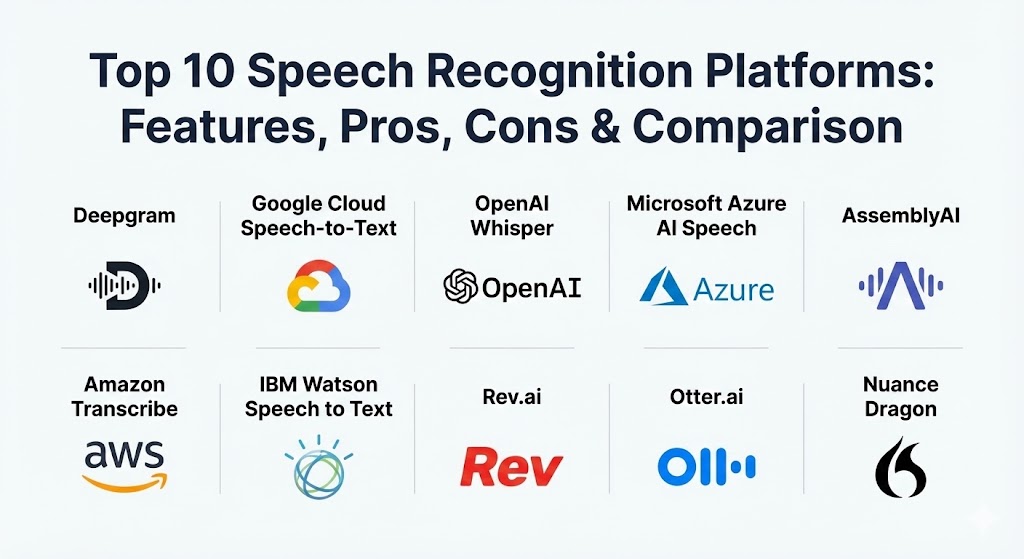
Top 10 Speech Recognition Platforms
1 — Deepgram
Deepgram is currently the industry leader in speed and cost-efficiency. It uses a unique end-to-end deep learning architecture that skips the traditional phonetic approach, allowing it to transcribe audio faster than real-time with unparalleled accuracy for noisy environments.
- Key features:
- Sub-200ms Latency: Designed for the most demanding real-time voice bots.
- Nova-3 Model: Achieves top-tier accuracy while reducing word error rate (WER) by 40% over older models.
- On-Premise Deployment: Run the engine in your own data center for maximum privacy.
- Smart Formatting: Automatically handles punctuation, casing, and number normalization.
- Tiered Pricing: Flexible options for batch processing versus streaming.
- Aura Text-to-Speech: Integrated TTS for a complete conversational AI loop.
- Pros:
- Exceptionally fast; the go-to choice for conversational AI.
- Highly cost-effective for high-volume users.
- Cons:
- Requires some developer knowledge to leverage advanced features.
- Base models may need fine-tuning for highly specialized medical jargon.
- Security & compliance: SOC 2 Type II, GDPR, and HIPAA compliant. Offers zero-data-storage options.
- Support & community: High-quality developer documentation, active Discord community, and 24/7 enterprise support.
2 — Google Cloud Speech-to-Text
Google remains a powerhouse due to its massive global data footprint. Their platform supports the widest range of languages and dialects, making it the preferred choice for multinational organizations.
- Key features:
- 125+ Languages: Unmatched global language and dialect coverage.
- Chirp Model: A specialized model for low-resource languages and accented speech.
- Speaker Diarization: High-accuracy speaker labeling for multi-person meetings.
- Multi-Channel Recognition: Transcribe distinct audio from different microphones simultaneously.
- GCP Integration: Seamlessly feeds into BigQuery, Vertex AI, and Google Drive.
- Pros:
- Familiar interface for users already in the Google Cloud ecosystem.
- Extremely robust for common global languages.
- Cons:
- Can be more expensive than specialized API-first providers at scale.
- Higher latency compared to Deepgram for real-time streaming.
- Security & compliance: FedRAMP, HIPAA, SOC 1/2/3, GDPR, and ISO/IEC 27001.
- Support & community: Extensive documentation, Google Cloud support tiers, and a global network of certified partners.
3 — OpenAI Whisper
OpenAI Whisper changed the game by being the first state-of-the-art model to be released as open-source. It is renowned for its “near-human” accuracy, especially in transcribing diverse accents and poor-quality audio.
- Key features:
- Open-Source Flexibility: Run it on your own hardware for zero per-minute costs.
- Multilingual Translation: Can transcribe and translate audio directly into English.
- Contextual Awareness: Uses the whole sentence context to “guess” words in noisy environments.
- Noisy Audio Robustness: Handles background music and chatter better than almost any commercial tool.
- Whisper API: For those who prefer a managed, easy-to-use endpoint.
- Pros:
- Extremely high accuracy on “wild” audio (podcasts, lectures).
- Zero licensing fees if you choose to self-host.
- Cons:
- Large models require significant GPU resources (VRAM).
- Managed API lacks real-time streaming and diarization features.
- Security & compliance: Depends on deployment. Managed API is SOC 2 and GDPR compliant.
- Support & community: Massive GitHub and research community; no direct “customer support” for the open-source version.
4 — Microsoft Azure AI Speech
Microsoft’s offering is built for the enterprise. It provides deep “Custom Speech” capabilities that allow companies to upload their own training data to learn specific business lingo or technical terms.
- Key features:
- Custom Speech: Fine-tune models for unique acoustics or specialized vocabulary.
- Teams/Office Integration: Native transcription for Microsoft Teams and Word.
- Pronunciation Assessment: Evaluates the accuracy and fluency of spoken language.
- Edge Support: Deploy speech-to-text on edge devices using Azure IoT.
- Voice Biometrics: Authenticate users based on their unique voiceprint.
- Pros:
- Unrivaled for healthcare and legal sectors due to specialized vocabularies.
- Tight integration with the Microsoft 365 productivity suite.
- Cons:
- Implementation at scale can be complex and requires Azure expertise.
- Pricing can be difficult to predict with various add-on services.
- Security & compliance: ISO, SOC, HIPAA, and GDPR. Known for the most rigorous data governance.
- Support & community: Microsoft Enterprise Support, extensive technical blogs, and a large partner ecosystem.
5 — AssemblyAI
AssemblyAI positions itself as the “Stripe of Speech AI.” They offer a developer-centric platform that goes beyond transcription into “Speech Intelligence”—providing ready-made APIs for summaries, sentiment, and PII redaction.
- Key features:
- Universal-1 Model: Trained on 12 million hours of audio for high-accuracy transcription.
- LeMUR: A framework to apply LLMs (like Claude or GPT) directly to your audio data.
- Auto-Redaction: Automatically removes PII (names, SSNs, credit cards) for compliance.
- Sentiment Analysis: Detects the emotional tone of speakers.
- Real-Time Streaming: WebSocket-based streaming with sub-300ms latency.
- Pros:
- Easiest “Audio Intelligence” to implement; no need to build your own NLP layers.
- Exceptional documentation and migration guides.
- Cons:
- Higher pricing for intelligence features (summarization, etc.).
- Middle-of-the-road speed compared to ultra-low-latency specialists.
- Security & compliance: SOC 2 Type II, GDPR, and HIPAA.
- Support & community: Top-tier SDKs, active Discord, and fast-response technical support.
6 — Amazon Transcribe
Amazon Transcribe is the backbone of many high-volume contact centers. It is designed to work seamlessly with AWS Lambda and S3, making it the most scalable option for batch processing petabytes of data.
- Key features:
- Call Analytics: Specific models for sentiment, agent performance, and customer intent.
- Transcribe Medical: Specialized HIPAA-eligible transcription for clinicians.
- Vocabulary Filtering: Automatically masks profanity or sensitive words.
- Automatic Language Detection: Identifies the language spoken without manual input.
- S3 Triggering: Automatic transcription as soon as a file is uploaded to storage.
- Pros:
- Scales infinitely; perfect for the world’s largest enterprises.
- Highly accurate for pre-recorded, multi-speaker audio.
- Cons:
- Struggles with accuracy in high-noise, real-time streaming compared to Deepgram.
- Vendor lock-in; best features require the full AWS stack.
- Security & compliance: HIPAA, SOC 1/2/3, PCI DSS, GDPR, and ISO.
- Support & community: AWS Enterprise Support and a massive library of serverless architectures.
7 — IBM Watson Speech to Text
IBM Watson is a veteran in the field, now focusing on hybrid-cloud flexibility. It is often the top choice for companies that need to run speech recognition in “restricted” environments that cannot connect to a public cloud.
- Key features:
- Hybrid Cloud: Run on IBM Cloud, AWS, Azure, or private on-prem setups via Cloud Pak for Data.
- Custom Acoustic Models: Adapt to background noise patterns and microphone types.
- Keyword Spotting: Identify specific words or phrases for compliance or alerting.
- Language Model Adaptation: Improve accuracy for domain-specific terminology.
- Pros:
- Truly “run anywhere” flexibility.
- Strong emphasis on data governance and enterprise-grade auditing.
- Cons:
- UI and API can feel “legacy” compared to modern competitors like AssemblyAI.
- Generally considered one of the slower and more expensive options.
- Security & compliance: ISO 27001, HIPAA, SOC 2, and GDPR.
- Support & community: Global professional services and world-class enterprise support.
8 — Rev.ai
Rev is famous for its human transcription, but their AI platform, Rev.ai, leverages that massive human-labeled dataset to provide a highly accurate ASR engine, particularly for media and legal teams.
- Key features:
- Human/AI Hybrid: Easily escalate an AI transcript to a human for 99% accuracy.
- Topic Extraction: Automatically identifies the main themes of a conversation.
- Diarization & Timestamps: High precision for media editing and legal evidence.
- Global Accents: Specifically trained to handle non-native English speakers.
- Pros:
- Exceptional accuracy for pre-recorded English-language media.
- Simplified workflow for teams needing both AI speed and human quality.
- Cons:
- Not designed for ultra-low latency real-time voice bots.
- Higher per-minute costs for intelligence features.
- Security & compliance: SOC 2 Type II, HIPAA, and GDPR.
- Support & community: Extensive knowledge base and dedicated account managers for enterprise.
9 — Otter.ai
Otter is less an API and more a complete “Meeting Agent.” It is the most user-friendly tool for individuals and small teams who want to automate their meeting notes without writing a single line of code.
- Key features:
- OtterPilot: Automatically joins Zoom, Teams, and Google Meet calls.
- Chat with Otter: Ask questions like “What did I miss in the first 10 minutes?”
- Automated Summaries: Generates action items and key takeaways instantly.
- Salesforce Integration: Automatically syncs meeting notes to CRM fields.
- Pros:
- Best-in-class ease of use; no technical skills required.
- The most collaborative interface for reviewing and editing transcripts.
- Cons:
- Limited as a general-purpose “platform” for developers.
- Accuracy can struggle in very technical or heavily accented meetings.
- Security & compliance: SOC 2 Type II, GDPR, and SSO support.
- Support & community: Large library of video tutorials and a massive user base.
10 — Nuance Dragon (Microsoft)
Now owned by Microsoft, Nuance Dragon remains the “Undisputed King” of professional dictation. It is the only platform that truly understands command-and-control alongside transcription.
- Key features:
- Command Context: Distinguishes between text and actions (e.g., “Bold that”).
- Offline Recognition: Can run entirely locally on a Windows PC without internet.
- Deep Medical/Legal Vocabs: Out-of-the-box accuracy for complex professional fields.
- Macros: Create voice commands to automate multi-step computer tasks.
- Pros:
- Essential for professionals with accessibility needs or RSI.
- 3x faster than manual typing for document creation.
- Cons:
- Primarily limited to Windows/Desktop usage.
- Very high upfront cost compared to usage-based APIs.
- Security & compliance: HIPAA, SOC 2, and end-to-end encryption.
- Support & community: Nuance Technical Support and a worldwide network of certified trainers.
Comparison Table
| Tool Name | Best For | Platform(s) Supported | Standout Feature | Rating (Gartner / TrueReview) |
| Deepgram | Real-time AI Bots | API / On-Prem | Sub-200ms Latency | 4.8 / 5 |
| Google Cloud | Global Reach | GCP / API | 125+ Languages | 4.5 / 5 |
| OpenAI Whisper | Noisy Audio / Devs | API / Open Source | Noisy Audio Robustness | 4.7 / 5 |
| Azure AI Speech | MS Ecosystem | Azure / On-Prem | Custom Speech Training | 4.6 / 5 |
| AssemblyAI | Audio Intelligence | API | LeMUR (LLM integration) | 4.7 / 5 |
| Amazon Transcribe | Contact Centers | AWS Native | Call Analytics | 4.4 / 5 |
| IBM Watson | Hybrid Cloud | Multi-Cloud | Acoustic Adaptation | 4.2 / 5 |
| Rev.ai | Media & Legal | API | Human-Hybrid Workflow | 4.6 / 5 |
| Otter.ai | Meeting Notes | Web / iOS / Android | OtterPilot Meeting Agent | 4.7 / 5 |
| Nuance Dragon | Professional Dictation | Windows / Mac | Command & Control | 4.8 / 5 |
Evaluation & Scoring of Speech Recognition Platforms
We evaluate these platforms based on a weighted rubric that reflects the priorities of modern AI-driven organizations.
| Category | Weight | Evaluation Criteria |
| Core Features | 25% | Accuracy (WER), real-time support, diarization, and language coverage. |
| Ease of Use | 15% | API design, documentation quality, and onboarding speed. |
| Integrations | 15% | Compatibility with cloud ecosystems (AWS/GCP/Azure) and third-party tools. |
| Security & Compliance | 10% | Standards (HIPAA/GDPR), data storage policies, and encryption. |
| Performance | 10% | Latency, RTF (Real-Time Factor), and multi-speaker robustness. |
| Support & Community | 10% | Technical support response, community forums, and training resources. |
| Price / Value | 15% | Cost-per-minute versus feature depth and scalability. |
Which Speech Recognition Platform Tool Is Right for You?
Selecting the right tool depends on your technical maturity, budget, and specific use case.
- Solo Users & Students: If you need a meeting assistant, Otter.ai is the clear winner. If you are a developer experimenting with no budget, self-hosting OpenAI Whisper provides professional-grade results for free.
- SMBs & Startups: AssemblyAI and Deepgram are the top contenders. Choose AssemblyAI if you need “intelligence” (summaries, sentiment) immediately. Choose Deepgram if your application requires lightning-fast responses for voice agents.
- Mid-market & Enterprises: If you are already “all-in” on a cloud provider, stick with Azure Speech or Amazon Transcribe. They offer the best balance of scalability, security, and ecosystem integration.
- Specialized Verticals: Nuance Dragon is non-negotiable for medical and legal dictation. For high-security sectors that require air-gapped or hybrid environments, IBM Watson or Deepgram On-Prem are the most reliable options.
- Media & Content Creators: Rev.ai offers the best tools for timestamped, high-accuracy media transcripts that can be easily edited or upgraded to human quality.
Frequently Asked Questions (FAQs)
1. How accurate are speech recognition platforms in 2026?
Leading platforms like Deepgram and OpenAI Whisper now achieve Word Error Rates (WER) below 5% for clear audio, which is equal to or better than human transcriptionists. In noisy environments, accuracy remains high (85-95%) thanks to contextual AI.
2. Can these platforms handle heavy accents and dialects?
Yes. Google Cloud and Whisper are particularly robust with accents. Most modern platforms use “Transformers” that understand the context of a whole sentence, allowing them to “guess” words correctly even if the pronunciation is non-standard.
3. Is my audio data stored on these platforms?
It depends on your settings. Enterprise providers like Microsoft and Google allow you to opt out of data logging. Dedicated API providers like Deepgram and AssemblyAI offer “zero-storage” options specifically for compliance-heavy industries.
4. What is “Diarization” and why does it matter?
Diarization is the process of partitioning audio into segments based on who is speaking. It is critical for meetings and interviews, as it allows the transcript to read like a script (e.g., “Speaker A: Hello. Speaker B: Hi.”).
5. How much does speech-to-text cost?
Commercial APIs typically range from $0.006 to $0.024 per minute. Open-source models like Whisper are free to use but require you to pay for the compute (GPU) power to run them.
6. Can these tools work without an internet connection?
Most cloud APIs require a connection. However, Nuance Dragon, Deepgram On-Prem, and self-hosted versions of OpenAI Whisper can run entirely offline on your own hardware.
7. What is the difference between Batch and Streaming transcription?
Batch transcription processes a pre-recorded file all at once (often more accurate). Streaming transcription processes audio in real-time as you speak (necessary for voice assistants and live captioning).
8. Do I need machine learning expertise to use these tools?
No. Most platforms offer simple “REST APIs” or “SDKs.” If you can write a few lines of Python or JavaScript, you can integrate world-class speech recognition into your application.
9. Can I train these models to understand my company’s specific acronyms?
Yes. Platforms like Azure and IBM Watson allow for “Custom Language Model” training. Newer providers like Deepgram and AssemblyAI offer “Keywork Boosting” to prioritize your specific terms.
10. Which platform is best for building a real-time AI voice assistant?
Deepgram is the industry standard for real-time bots due to its sub-200ms latency. Anything over 500ms feels “laggy” to human ears, making Deepgram the preferred choice for conversational speed.
Conclusion
The “best” speech recognition platform for 2026 is no longer a single universal winner; it is the tool that matches your specific workflow. If you value speed above all else, Deepgram is your answer. If you need a fully integrated enterprise suite, Azure or Google Cloud lead the way. If privacy and control are paramount, the open-source power of Whisper is unmatched. As these tools continue to incorporate Generative AI and “Long-Term Memory,” the line between speaking to a machine and speaking to a human will continue to blur, making these platforms the most essential component of the modern digital stack.